Turn a Lecture or PDF into Study Notes
ScreenApp does not yet have a dedicated flashcard deck, a quiz mode, or spaced repetition; quiz and flashcard generation (coming soon). Until it ships, here is what it does: record or upload a lecture, get a structured set of AI notes, and ask the chat to turn those notes into practice questions or flashcard-style question and answer pairs you paste into Anki or Quizlet yourself.
Upload a lecture recording, a PDF, or paste a link, and the AI reads it the same way a study group member would: it reads the whole thing, then answers questions about it. PDFs and office documents are converted so they can be read and chatted with, the same as a recording
What you get:
- Lecture Notes template: a structured AI summary with the main concepts and any assignments mentioned
- AI chat with any recording: ask it to write practice questions or flashcard-style Q&A pairs from the material, then paste the text into your own deck
- A transcript in 100+ languages for anything you record or upload
- Exports as PDF, DOCX, TXT, SRT and VTT
- Free plan: 2 transcriptions of recordings up to 45 minutes each, with AI chat
How to Turn a Lecture into Study Notes
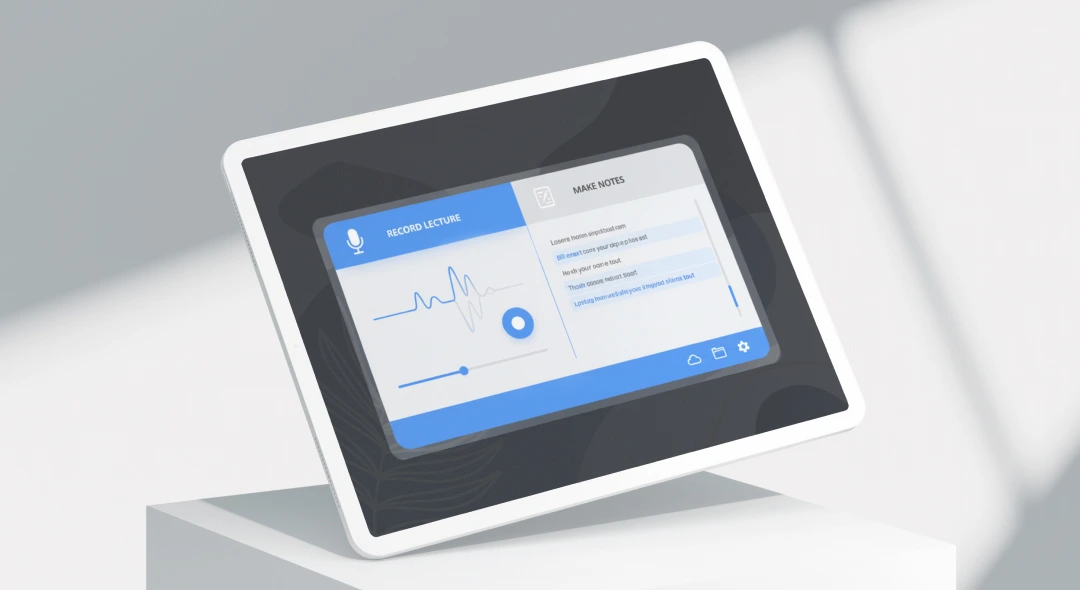
- Add your material: record a lecture on your phone or in the browser, upload a file you already have, or paste a YouTube or media link.
- Get the notes: ScreenApp transcribes it and generates the Lecture Notes template, a structured summary with the main concepts, a few minutes after upload.
- Ask for practice material: open the chat and ask it to write practice questions or flashcard-style question and answer pairs from the notes. Copy the text out into Anki, Quizlet, or a plain document. A dedicated quiz and flashcard generation (coming soon) will cover this step directly once it ships.
Answer and note quality follow audio quality. A clear recording with one speaker at a time gives better notes than a noisy hall recording. See how we measure accuracy.
AI Study Guide Maker vs Other Tools
| Feature | ScreenApp | RemNote | Quizlet | NoteGPT |
|---|---|---|---|---|
| Free tier | 2 transcriptions, up to 45 min each, with AI chat | Free plan, limited annotated PDFs | Free account | Free quota shared across tools |
| Built-in flashcard deck | No, quiz and flashcard generation (coming soon) | Yes, AI-generated flashcards with spaced repetition | Yes, Flashcards mode | No, not built into the study guide maker; a separate AI Flashcard Maker tool is suggested instead |
| Built-in quiz mode | No, quiz and flashcard generation (coming soon) | Yes, multiple-choice quizzes | Yes, Learn mode (adaptive practice questions) and Test mode | Not stated |
| Paid plan | $19/month annual | $8/month annual | Not stated | $9.99/month |
Sources, checked 2026-10-06: ScreenApp pricing, remnote.com/feature/study-guide-maker, quizlet.com/features/flashcards, notegpt.io/ai-study-guide-maker, quizlet.com/features/learn, remnote.com/pricing, NoteGPT pricing
- vs RemNote: RemNote builds AI-generated flashcards with spaced repetition and multiple-choice quizzes directly from your notes, at $8 a month annual for the paid plan. ScreenApp does not have a flashcard deck or a quiz mode; it records the lecture and its chat will write questions as text if you ask, but you paste them into a deck yourself.
- vs Quizlet: Quizlet’s Flashcards mode and Learn mode (adaptive practice questions) and Test mode are built for reviewing a set you already made. ScreenApp does not offer that review experience: its job is capturing and summarizing the lecture itself, with a chat that can draft the raw questions for a deck like Quizlet’s.
- vs NoteGPT: NoteGPT’s study guide maker does not include flashcards or a quiz mode either; not built into the study guide maker; a separate AI Flashcard Maker tool is suggested instead. ScreenApp’s difference is that it records and transcribes the lecture directly, rather than starting from text you paste in.
Who Uses AI Study Guide Notes
Students preparing for exams record the lecture, read the AI notes afterward instead of retyping their own, then ask the chat for a set of practice questions to test themselves with.
Students who already use Anki or Quizlet ask the chat for flashcard-style question and answer pairs from a lecture’s notes and paste them straight into the deck they already study from.
Teachers record their own class, get the Lecture Notes summary, and share the transcript and notes with students who missed the session.
Graduate students and researchers upload recorded seminars or PDFs of papers and ask the chat questions about specific concepts instead of rereading the whole document.
Language learners record a class, read the AI notes alongside the transcript, and ask the chat to explain a term or phrase that came up.