Screen casting is a great way to make game reviews, educational videos and learning content, professional demos and much more by sharing a webcam feed of yourself while capturing your screen.
- Click on New Recording button
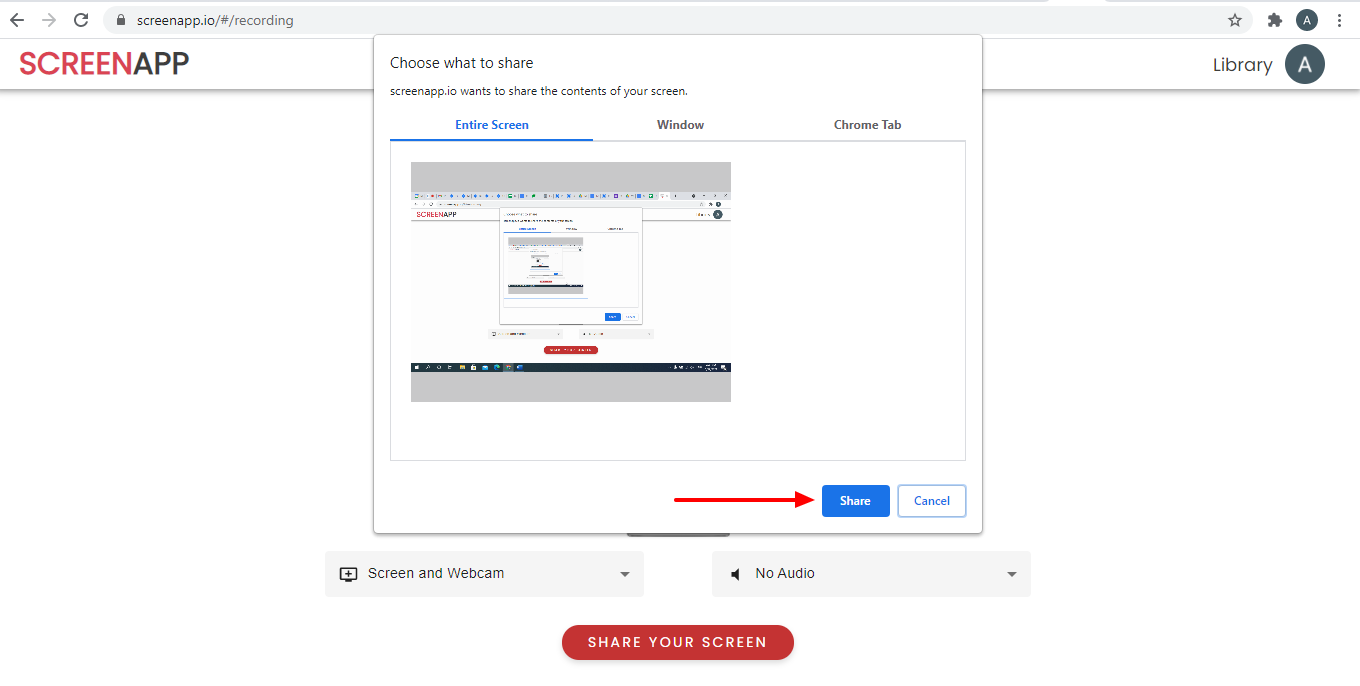
- Select Screen and Webcam option

- Click on Share your Screen button

- Select Entire Screen option and Click on Share button
- Adjust or click on the webcam window with your mouse cursor or mouse pointer
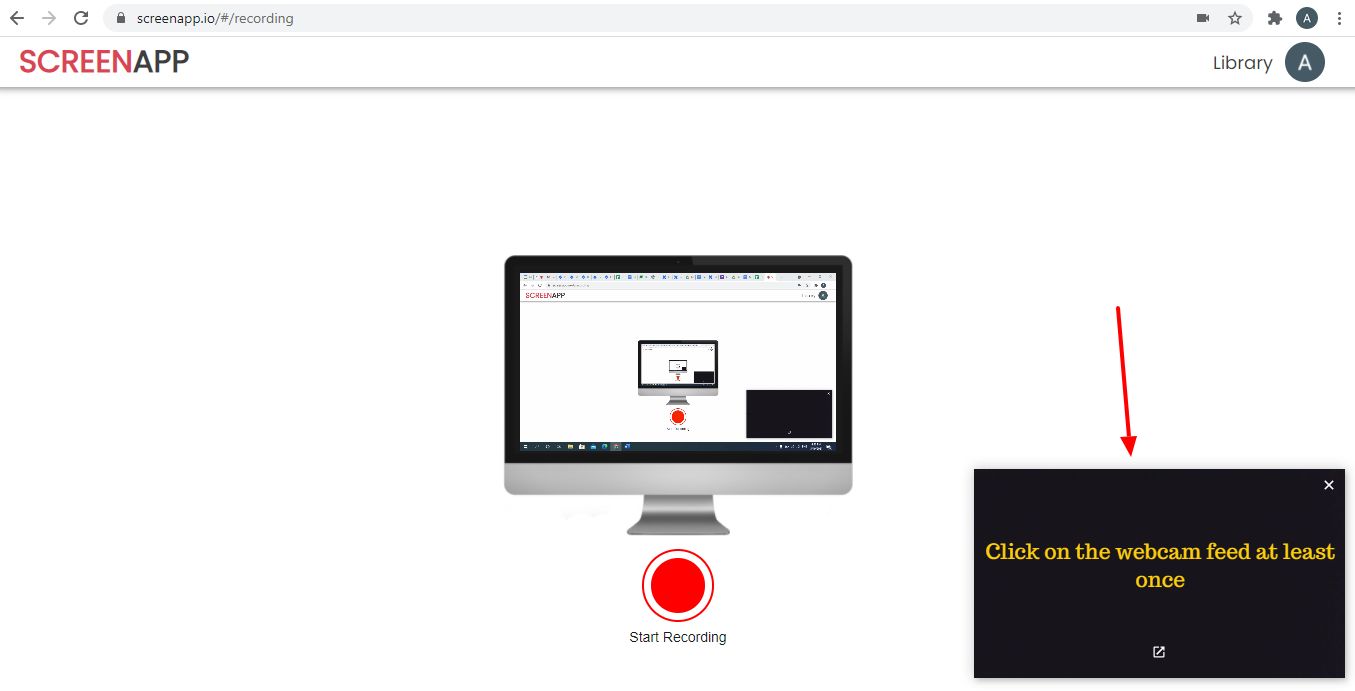
- Click on the Start recording button and enjoy your recording.