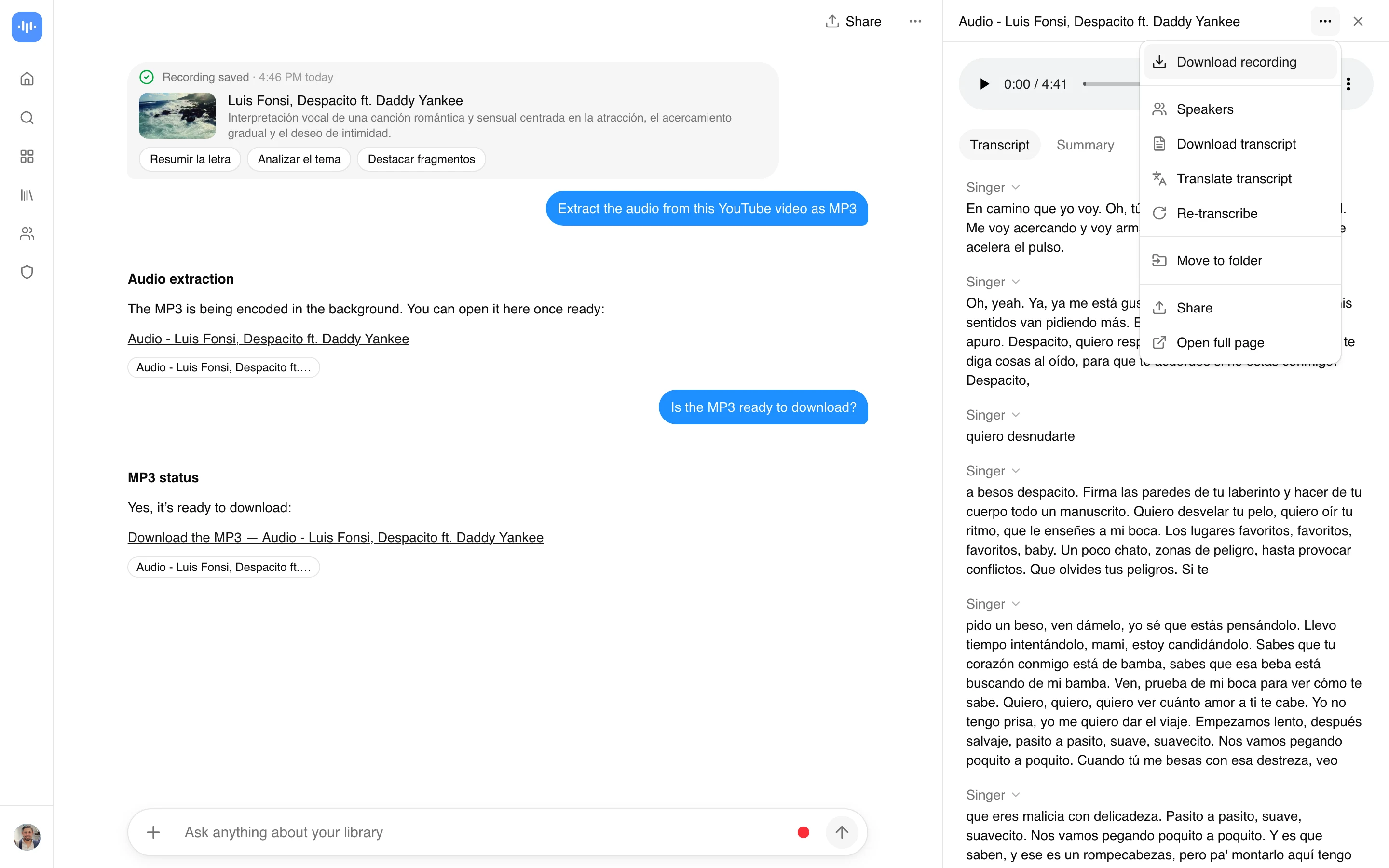
Free Video to Audio Converter

Upload a video and download just the audio as MP3, WAV, M4A, AAC, or FLAC. Your first conversion is free.

or

Loved by over 7.9 million people

Got a video file and only need the sound? This video to audio converter handles the upload side of the job: drop in an MP4, MOV, MKV, WebM, or AVI, pick an output format, and download the audio as MP3, WAV, M4A, AAC, or FLAC. Nothing to install, and the file stays in your browser only as long as the conversion takes.

As a video to MP3 converter it just outputs MP3. It also extracts the audio from a video as WAV, M4A, AAC, or FLAC when you need something else. If your video lives at a URL instead of on your drive, the extract audio from a video link tool is built for that, same formats, different starting point.

How to convert a video to audio

  1. Add your video: drag in an MP4, MOV, MKV, WebM, AVI, or M4V file. Up to 2GB uploads directly.
  2. Pick the output: MP3 for anything you will share or play, WAV or FLAC if you need lossless, M4A or AAC for Apple devices.
  3. Convert and download: the tool strips the audio track and hands you the file. A 30-minute clip is usually done in well under a minute.

The audio-only file is a fraction of the size. A 1GB screen recording drops to roughly 30 to 40MB as a 192kbps MP3, which is the whole reason most people do this before emailing, uploading, or transcribing.

Which format should you pick?

Short version: MP3 unless you have a reason not to. It plays everywhere and the file is small.

  • MP3: universal. Podcasts, sharing, phone playback, and most transcription tools take it without complaint.
  • WAV and FLAC: lossless. Pick these if you will edit, master, or feed a music or voice-cloning tool that wants uncompressed input.
  • M4A and AAC: better sound than MP3 at the same file size, and the default on iPhone (Voice Memos, Apple Music).
  • OGG and Opus: smallest at low bitrates, but the worst compatibility once you leave the browser.

One genuinely useful shortcut: if the audio is headed for Whisper or another transcriber, export 16kHz mono WAV. It resamples to that internally anyway, so you cut the upload size for nothing lost. For the full format-and-bitrate breakdown by use case, the audio extractor reference has a decision table down to sample rate and channel layout.

Convert by video format

People search by the exact file they are holding, so here is the mapping. Every row is the same job: drop the file, choose an audio format, download.

You haveCommon searchOutput
MP4MP4 to MP3 converterMP3, or M4A / WAV
MOV (iPhone, QuickTime)MOV to MP3MP3 or M4A
MKVMKV to MP3MP3, with an audio-track choice
WebMWebM to MP3MP3 or OGG
AVI or M4VAVI to MP3MP3 or WAV

MKV is the one to watch. It often carries more than one audio track (dubbed languages, director commentary), so pick the track you actually want before converting or you will export the wrong language and not notice until you play it back.

What people pull out of a video

Not everyone wants the whole track. The common jobs:

  • Music and soundtracks from a performance or a video you produced.
  • Voice and dialogue from an interview, a lecture, or a recorded call, usually on its way to a transcript.
  • A meeting or Zoom recording turned into an MP3 to file, share, or hand to a notetaker.
  • A screen recording stripped down to audio so the file is small enough to email.

If the real goal is a transcript or a summary, skip the download and send the whole video to the AI video summarizer or the meeting notetaker. Converting first just adds a step.

Pricing

Your first conversion is free on a free account, no credit card. To keep going after that, the 7-day Growth trial opens full access and the Growth plan is $19/month billed annually. There is no recurring “unlimited free” tier, the accuracy page lays out exactly what the free account covers.

FAQ

How do I convert a video to audio?

Upload the video, choose an output format (MP3 is the safe default), and download the audio file. Nothing to install, and it runs in the browser on desktop or mobile.

How do I convert MP4 to MP3?

Drop the MP4 in, set the format to MP3, and convert. The tool pulls the audio track out of the MP4 and gives you an MP3 you can play anywhere.

Can I convert a video to audio without losing quality?

Export to WAV or FLAC. Both are lossless, so the audio matches the source exactly. MP3 and AAC are smaller because they drop data you cannot hear at 192kbps or above. Either way, you cannot get better quality than the original video’s audio, converting does not add detail that was never recorded.

What is the best audio format for a video?

MP3 for sharing and playback, WAV or FLAC for editing, M4A for Apple devices. If you are not sure, MP3 at 192kbps handles almost everything.

Can I convert a video to audio on my phone?

Yes. It runs in the mobile browser on iPhone and Android, so you can turn a video into MP3 without installing an app. On a Mac or Windows PC it is the same page in any browser.

Use the extract audio from a video link tool. Paste the URL and it pulls the audio without you downloading the full video first.

How big is the audio compared to the video?

Much smaller, usually 3 to 5 percent of the video’s size. A 1GB video comes out around 30 to 40MB as a 192kbps MP3, which is the main reason people convert before uploading or sending a file.

FAQ

How do I convert a video to audio?

Upload the video, choose an output format (MP3 is the safe default), and download the audio file. Nothing to install, and it runs in the browser on desktop or mobile.

How do I convert MP4 to MP3?

Drop the MP4 in, set the format to MP3, and convert. The tool pulls the audio track out of the MP4 and gives you an MP3 you can play anywhere.

Can I convert a video to audio without losing quality?

Export to WAV or FLAC. Both are lossless, so the audio matches the source exactly. MP3 and AAC are smaller because they drop data you cannot hear at 192kbps or above. Either way, you cannot get better quality than the original video's audio, converting does not add detail that was never recorded.

What is the best audio format for a video?

MP3 for sharing and playback, WAV or FLAC for editing, M4A for Apple devices. If you are not sure, MP3 at 192kbps handles almost everything.

Can I convert a video to audio on my phone?

Yes. It runs in the mobile browser on iPhone and Android, so you can turn a video into MP3 without installing an app. On a Mac or Windows PC it is the same page in any browser.

My video is a link, not a file. What then?

Use the extract audio from a video link tool. Paste the URL and it pulls the audio without you downloading the full video first.

How big is the audio compared to the video?

Much smaller, usually 3 to 5 percent of the video's size. A 1GB video comes out around 30 to 40MB as a 192kbps MP3, which is the main reason people convert before uploading or sending a file.

Real Results from Real Users

Aaron photo

Aaron

Project Manager

★★★★★

Our overall experience with ScreenApp has been nothing but pleasant! Their support is terrific, and ScreenApp is a great recording system.

JP photo

JP

Operations Manager

★★★★★

Finally, a screen recorder that doesn't slap watermarks on everything. The free plan gives me 45 minutes of AI processing monthly - that's enough for most of my training videos.

Trina photo

Trina

Founder

★★★★★

I was skeptical about another AI notetaker, but ScreenApp's generous free tier completely won me over. The quality is professional-grade, and the AI features actually work as advertised. Now I use it for all my client presentations and team demos.

Kelvin photo

Kelvin

Software Engineer

★★★★★

The desktop and mobile apps are fantastic. Recording meetings while I'm mobile has never been easier, and the dictation feature is a huge time-saver.

Millie photo

Millie

Director

★★★★★

Our team was drowning in client feedback until we found ScreenApp. Now we record every presentation and client call, and the AI summaries are spot-on.

Tanmay photo

Tanmay

Marketing Guru

★★★★★

Makes recording and sharing guides effortless. I love how I can capture my screen and instantly turn it into step-by-step guides in any format I need. Smart, simple, and a brilliant use of AI.

Sav photo

Sav

Project Manager

★★★★★

Users consistently praise our web-based platform that requires no installation. Start recording in seconds, not minutes.

Nate photo

Nate

Video Creator

★★★★★

The ability to automatically transcribe and summarize recordings is a major time-saver, turning video content into searchable, useful data.

User
User
User
Join 7,968,072+ users

Ready to boost your productivity?

Try Video to Audio Converter and 300+ other AI-powered features for free.

Start Free →

Start using in 60 seconds • No credit card required