How to Make Video Content Searchable on Google and AI Search

On this page
A video can be publicly available, embedded on your site, and playing perfectly, and still be invisible to every search system on earth. Google cannot rank it, AI Overviews cannot cite it, and ChatGPT Search cannot retrieve a word anyone said in it. Uploading a video and making a video searchable are two different projects, and most teams only ever do the first one.
Here is the short version of the second project. Give the video its own indexable watch page. Put real text around it: a descriptive title, a summary, and a transcript. Add VideoObject structured data and a stable thumbnail. Get the page into your sitemap and internal links. And confirm the crawlers, Google’s and the AI ones, can actually reach all of it. Every section below is one of those steps in working detail.
One framing before the steps, because it explains every failure you will ever debug. A video passes through six gates on the way to being found:
Uploaded. The file exists somewhere. This is where most video projects stop.
Crawlable. A bot can reach the page and the media without a login, a click, or a firewall in the way.
Indexed. The watch page is in the index, and separately, the video on it is too. These are two different verdicts.
Understood. The system knows what the video discusses, which is nearly impossible without text.
Ranked. It competes for queries in classic search results and video features.
Retrieved and cited. An AI search system pulls a passage from your page into an answer, with your URL attached.
When a video is not showing up, the productive question is never “why doesn’t my video rank.” It is “which gate is it stuck at.” Almost everything below exists to get you through gates 2, 3, and 4, because 5 and 6 are consequences.
What “Searchable Video” Actually Means
Three different things, and it pays to know which one you are chasing.
Searchable on Google: the watch page or the video itself appears in web results, the video tab, carousels, and Discover. Google’s own video SEO documentation is the canonical reference here, and two of its rules do most of the damage when ignored: the video needs an indexed watch page, and an indexed page does not guarantee an indexed video. Page indexing and video indexing are separate verdicts with separate requirements.
Searchable inside your own site: a visitor can search what was said, jump to the minute a topic came up, and find the recording where a specific decision happened. This is a transcript problem, not a Google problem, and for internal libraries it is usually the more valuable of the two.
Searchable through AI: ChatGPT Search, Gemini, and Google’s AI Overviews can retrieve your page, understand what the video covers, and cite it in an answer. Being indexed and being cited are not the same thing; citation requires that a retrieval system finds a passage on your page worth quoting, which is why the text layer matters even more here than in classic search.
How Search Engines Understand a Video
Not by watching it, mostly. A crawler has four sources of information about your video, in sharply descending order of reliability: the text on the watch page, the metadata you declare (title, description, thumbnail, duration, upload date), the transcript or captions if you publish them, and, a distant last, whatever the system can extract from the media file itself. Google does process video files, but a site that depends on a crawler interpreting raw frames and audio is gambling; a site that states everything in text is not.
One phrasing discipline worth adopting from the start: a transcript does not “boost rankings.” What it does is expose every term, name, product, and question spoken in the video as indexable text, which gives search and retrieval systems something concrete to match queries against. That is usually the difference between a video that surfaces for two queries and one that surfaces for two hundred, but the mechanism is context, not a ranking switch.
Layer 1: Give Every Important Video an Indexable Watch Page
This is the rule that decides everything downstream, and Google states it plainly: a video is only eligible for video indexing when it lives on an indexed watch page where the video is the main content. A watch page is a URL whose primary purpose is watching that video, with a clean, descriptive address:
A watch page
/videos/record-google-meet
Not a watch page
/resources?id=93728
What does not count either: a modal player, a video four screens down a landing page, or a player that only loads after a click. Google's video docs specifically warn against requiring user interaction to load the video, because Googlebot does not click.
The indexability checklist is ordinary technical SEO, which is exactly why it gets skipped:
The URL returns 200
No noindex on the page
Canonical points at itself
Not blocked in robots.txt
Linked from somewhere else on the site
Renders without fragile JavaScript
One primary video per page. If a recording matters enough to want traffic from it, it matters enough to have its own URL.
Layer 2: Put Real Text Around the Video
A player in an empty page tells search systems nothing. The watch page needs the information a helpful colleague would give you before pressing play:
A descriptive title. "How to Build a B2B SaaS Content Strategy, Webinar" and never "Webinar #14".
A written summary. 100 to 300 words on what the video covers, who it is for, and what someone gets from it.
The questions it answers, as questions. "How does video indexing work?" on the page is a passage a retrieval system can match against someone asking exactly that.
Key takeaways. Snippet material for search engines and skimming humans at the same time.
None of this is padding. It is the difference between a page about a video and a page that merely contains one.
Layer 3: Publish a Transcript
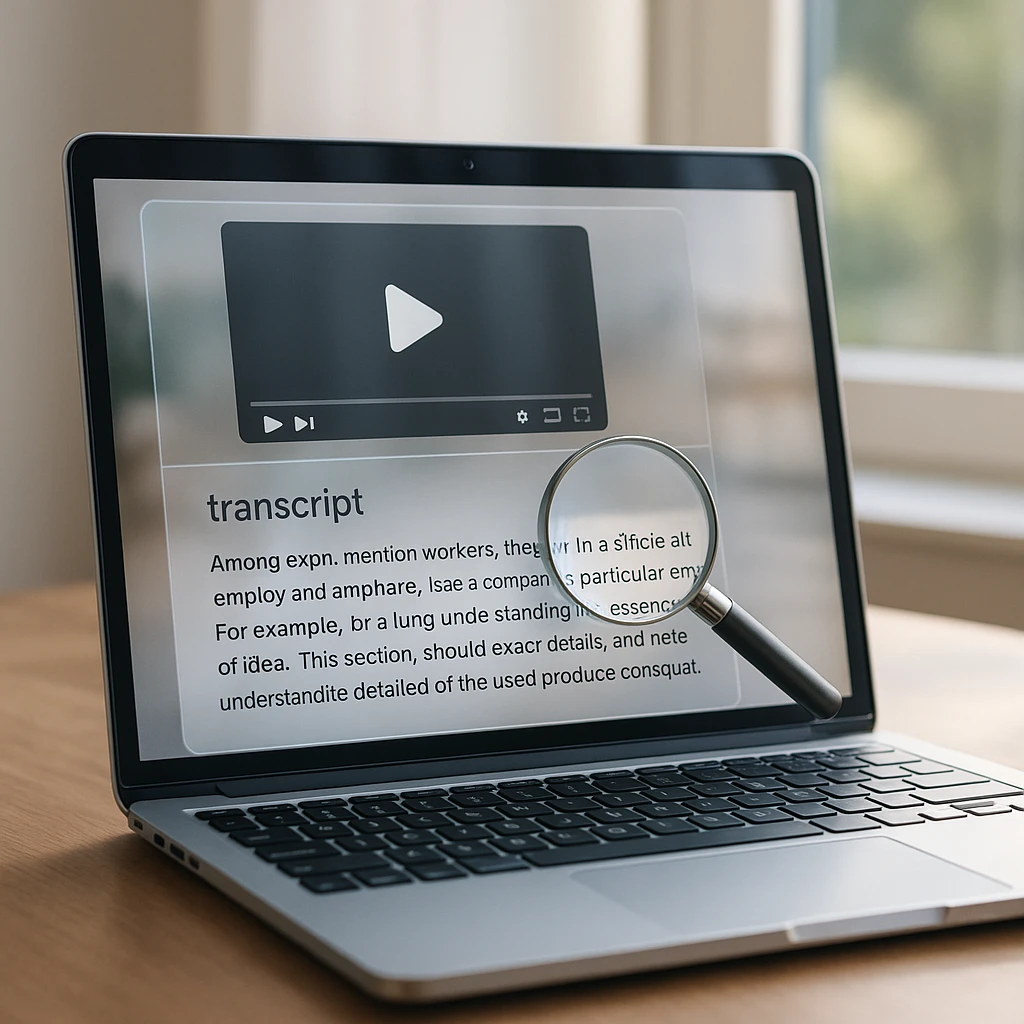
The transcript is the item that pays for itself fastest here, because it is the only artifact that exposes everything spoken in the video as text. Names, product terms, numbers, objections, the exact phrasing of the question at minute 41: all of it becomes matchable.
The workflow is short: generate the transcript with a video to text converter, then clean it before publishing. Fix the mis-heard names, cut the filler repetitions, repair broken sentences. Do not rewrite it into something the speaker never said; a transcript's value is that it is the record. Add speaker labels for interviews and meetings, because "Sarah:" and "John:" turn a wall of speech into a findable conversation.
Placement matters more than most guides admit. A transcript inside a collapsible section is fine as long as the text is in the HTML. A transcript locked in a downloadable PDF is invisible to most retrieval, and a transcript on a separate orphan URL helps nobody. Put it on the watch page, expandable if it is long, actually present in the markup either way.
Layer 4: Chapters and Key Moments
Descriptive timestamps turn one long blob into addressed sections:
00:00 Introduction
02:14 What is video indexing?
05:46 Do transcripts help video SEO?
09:30 VideoObject schema
14:20 Optimizing for AI search
Two systems consume these. Humans scan them to decide whether to watch. And Google can use segment information for its key moments treatment in results, sometimes deriving it automatically, more reliably when you describe the segments yourself. For a 50-minute webinar, chapters are the difference between "a video about SEO" and six specific topics, each individually findable. The same discipline applies on YouTube itself, where we covered the mechanics in how to add timestamps to YouTube videos.
Layer 5: A Thumbnail That Exists and Stays Put
Unglamorous, and non-negotiable: Google will not index a video without a valid, reachable thumbnail.
The usual failure is not a missing image. It is a thumbnail URL that is blocked by robots.txt, served from a CDN path that rotates, or expires after a week. Stable URL, crawlable, consistent with what your structured data declares. Five minutes of care, and one of the most common silent failures in the troubleshooting table below.
Layer 6: VideoObject Structured Data
VideoObject schema is how you state the video's facts in a format machines parse without guessing:
Schema does not make a video rank. It makes the video's information unambiguous and the page eligible for video features, which is worthwhile and different.
There is no special AI schema. Google's AI features documentation says no additional markup or special files are required for AI Overviews and AI Mode. Anyone selling you "GEO schema" is selling packaging.
Layer 7: Sitemaps
A video sitemap is a feed that tells Google where your watch pages are and what video each one holds: page URL, title, description, thumbnail, content location. Google's video sitemap documentation positions it as a discovery aid, and that is the right way to size it: essential for large or fast-growing libraries and dynamically generated pages, a nice-to-have for a site with six videos that are all well-linked. It never substitutes for the watch page fundamentals; it just makes sure Google hears about them sooner.
Layer 8: Let the Crawlers In, All of Them
The classic checks for Googlebot: robots.txt is not blocking the page or the media URLs, the CDN or WAF is not rate-limiting bots into oblivion, nothing important sits behind a login, and the page renders without an interaction.
The 2026 addition is the AI crawler list, and one distinction does the work. OpenAI's crawler documentation separates OAI-SearchBot, which makes your pages discoverable and citable in ChatGPT Search, from GPTBot, which collects training data. Allowing the first is a visibility decision; allowing the second is a policy decision; blocking both because they sound similar is how sites disappear from ChatGPT Search without anyone deciding to. Check your robots.txt for which decision you actually made, and remember that a WAF can block a bot your robots.txt allows.
How AI Search Changes the Job
Classic search takes a query, returns ranked pages, and the click is the payoff. AI search takes a question, fans it out into related retrievals across sources (Google describes exactly this query fan-out behavior for its AI features), synthesizes an answer, and cites the pages that supplied the passages. Your video cannot be a passage. Your transcript, your summary, and your question-shaped subheadings can.
Which resolves the “can AI understand my video” confusion that produces so much bad advice. It is three separate questions. Can an AI model process an uploaded video file? Depends entirely on the product: Gemini ingests video natively, Claude does not accept video uploads at all, and we mapped that boundary in detail in can Claude watch and analyze videos. Can an AI search engine discover the video on your site? That is the crawling question from Layer 8, nothing more mystical. Can an AI answer a question using what was said in the video? Easily, if and only if what was said exists as text on a retrievable page.
Notice what the three answers have in common: none of them are about the video file. For AI visibility, the practical work is making the page’s text layer complete, and that layer is built from the same transcript, summary, chapters, and entity-rich description you created in Layers 2 through 4. Write self-contained passages (a subsection that makes sense without the five paragraphs above it), answer specific questions under question-shaped headings, and name your entities: the people, products, companies, and dates the video actually discusses. That is the whole “AI optimization” playbook, and Google’s guidance for generative AI says the same thing in fewer words: valuable, unique content in accessible text, no tricks required.
The Full Stack, Compared
| Signal | Google Search | AI search and retrieval |
|---|---|---|
| Indexable watch page | Required | Required |
| Transcript on the page | Strong context | The retrieval substrate |
| Title, description, summary | Core relevance | Core relevance |
| Chapters and timestamps | Key moments eligibility | Passage boundaries |
| Thumbnail, VideoObject schema | Eligibility and features | Supporting clarity |
| Video sitemap | Faster discovery | Indirect, via indexing |
| Question-shaped sections, named entities | Helpful | The difference maker |
| Crawler access (Googlebot, OAI-SearchBot) | Required | Required, and often forgotten |
And the companion table, because these elements get treated as interchangeable when each does one job:
| Element | What it actually does |
|---|---|
| Transcript | Every spoken word as indexable page text |
| Captions (SRT, VTT) | Accessibility and synchronized text in the player |
| Chapters | Topic boundaries with timestamps |
| Metadata and page copy | Declares what the video is and frames its context |
| VideoObject schema | The same facts, machine-readable and unambiguous |
| Video sitemap | Tells Google the pages exist, sooner |
They are not alternatives. A searchable video uses most of them at once, and the transcript is the one you should fight for first when time is short.
Before and After: One Webinar, Two Fates
Before
A page titled "SEO Webinar" holding a player and nothing else. No transcript, no summary, no schema, no internal links pointing at it. The page might get indexed; the video probably will not; nothing on the page can answer a query; no AI system has a passage to cite. Sixty minutes of expertise, findable by people who already have the link.
After
The same recording on a real watch page: a descriptive H1, a 200-word summary, key takeaways, chapters, the cleaned transcript with speaker labels, the questions it answers as subheadings, VideoObject schema, a stable thumbnail, a sitemap entry, and links from three related pages. Same video. Now it is text-rich enough to rank, and passage-rich enough to cite.
The gap between those two pages is a few hours of text work, and almost all of it starts from the transcript. That is the honest place to say where ScreenApp fits: upload the recording, and the transcript, summary, and key moments that the “after” page is built from come out of one pass, ready to paste into the watch page. The same output also turns a recording into standalone documentation, which we covered in how to turn a video into a document.
Making an Existing Library Searchable
One video is an afternoon. Two hundred recordings from three years of webinars is a program, and the order of operations matters.
Inventory first: list every video and note which ones have no dedicated URL, because those are invisible today and they are the backlog. Then batch-generate transcripts, and from each transcript extract the title, the topics, and a summary; that metadata is what tells you which recordings deserve full watch pages and which belong in an internal archive. Build the watch pages for the ones that earn it, wire the architecture (a /videos/ hub, category pages, related-video links, breadcrumbs), add schema and the sitemap entries, then watch Search Console as they enter the index.
The architecture step is the one teams skip and regret: two hundred orphan watch pages help nobody. It is also the step where bringing in outside SEO services pays off if nobody in-house owns search, because the URL structure and indexing decisions made here are cheap to get right once and painful to migrate later. We wrote up the structure side separately in how to build a video library, and for internal-facing collections, a video knowledge base generator does the transcript-to-searchable-library step in bulk instead of page by page.
One honest fork in the road: not every library needs public SEO. Internal training archives need gate-2-through-4 searchability (crawlable to your own search, transcribed, understood) without ever touching Google. Decide per collection, because public watch pages for genuinely internal content is its own category of mistake.
YouTube or Self-Hosted?
The recurring question, and the answer is a trade rather than a winner. YouTube gives you its own search and discovery for free, and Google notes that an embedded third-party video can result in both the YouTube page and your own eligible watch page being indexed, so embedding does not forfeit your shot. Self-hosting gives you the watch page, the traffic, the conversion path, and full control of the surrounding text.
The pragmatic pattern for most companies: public marketing content goes to YouTube and gets embedded on a proper watch page on your site, with the transcript and summary living on your page, because YouTube shows captions but your watch page is what AI retrieval reads. (Those caption tracks are still useful raw material: pulling them is the fastest transcript source for YouTube content, a workflow we walked through in how to chat with YouTube videos.) Recordings with business value but no viral ambition (webinars, training, product deep-dives) do better self-hosted on pages you fully control.
Why Your Video Is Not Showing Up
| Symptom | Likely gate | Usual cause |
|---|---|---|
| Page not indexed at all | Crawlable / Indexed | noindex, robots.txt, wrong canonical, orphan URL |
| Page indexed, video not | Indexed (video verdict) | Video not prominent, loads on interaction, missing or blocked thumbnail |
| Video indexed, ranks for nothing | Understood | Generic title, no transcript, no surrounding text |
| Video was indexed, then dropped | Crawlable | Expiring media or thumbnail URLs, CDN change |
| Never cited by AI search | Retrieved | No quotable passages, or AI crawlers blocked at robots or WAF |
| Duplicate pages competing | Indexed | Same recording on several URLs, no canonical decision |
The diagnostic tooling lives in Search Console: URL Inspection answers the page-indexing question, the video indexing report answers the video question, and the video rich result report validates the schema. New in 2026, Google is rolling out generative AI performance reports showing impressions inside AI Overviews and AI Mode; the rollout started with a subset of sites and the report is impressions-only for now, so treat it as directional. For ChatGPT visibility, the measurable signal today is referral traffic from chatgpt.com in your analytics.
When several of these symptoms show up across a whole library rather than on one page, the cause is usually site-wide (crawl rules, canonicals, internal linking) and bigger than any single video. That is the point where teams without in-house technical SEO bring in seo audit services to work through the site’s crawl and indexing setup before fixing videos one by one.
The Pre-Publish Checklist
Dedicated watch page, indexable, video prominent and loading without a click
Descriptive title and H1, unique to this video
Summary, takeaways, and questions answered on the page
Cleaned transcript in the HTML, speaker-labeled where it matters
Chapters with descriptive timestamps for anything over a few minutes
Stable, crawlable thumbnail; valid VideoObject matching the visible page
Sitemap entry and internal links from at least two related pages
Googlebot and OAI-SearchBot both able to reach the page, at robots.txt and the WAF
The one idea to keep if you keep nothing else: stop optimizing the video file and start optimizing the information inside it. The file cannot be a search result passage or an AI citation. The transcript, the summary, and the chapters can, and every hour spent building that text layer pays into Google rankings and AI retrieval at the same time, because they read the same page.
FAQ
Can Google search the words spoken inside a video?
Not reliably from the media alone. Google does process video content, but the dependable way to make spoken words searchable is to publish them as a transcript on the watch page, where they become ordinary indexable text.
Do video transcripts help SEO?
They provide the page with every term, name, and question spoken in the video as indexable context, which typically widens the set of queries the page can match. What they do not do is act as a ranking switch; a transcript on a page nobody links to, with a generic title, fixes nothing by itself.
How do I get my video indexed by Google?
Give it a dedicated, indexable watch page with the video as the main content, a crawlable stable thumbnail, real surrounding text, VideoObject schema, a sitemap entry, and internal links. Then check the URL Inspection tool and the video indexing report in Search Console, because page indexing and video indexing are separate verdicts.
Why is my page indexed but the video is not?
Usually one of three: the video is not the prominent content on the page, it only loads after a user interaction, or the thumbnail is missing, unstable, or blocked. Google's video documentation treats each of those as an eligibility problem, not a ranking one.
Does VideoObject schema improve rankings?
No. It removes ambiguity about what the video is and makes the page eligible for video features in results. Worth doing, on those grounds, and not a shortcut.
Do I need a video sitemap?
For a handful of well-linked videos, no. For a large library, frequent publishing, or dynamically generated watch pages, yes, because it is the cheapest way to make sure Google discovers new pages quickly.
Can ChatGPT find videos on my website?
ChatGPT Search can find and cite your watch pages if OAI-SearchBot can crawl them, which is a robots.txt and firewall question. What it retrieves is the text on the page, so a video without a transcript gives it nothing to quote even when the page is discoverable.
Can AI search engines understand the content of a video?
Some models process video directly when you upload a file to them, but AI search systems retrieving your website work from the page's text. If the information exists only as pixels and audio, it is invisible to retrieval; represented as a transcript and summary, it is quotable.
Do I need llms.txt or special schema for Google's AI features?
No. Google states that AI Overviews and AI Mode require no special files or markup beyond normal indexable content. Publishing an llms.txt for other AI assistants is a separate, optional decision, not a Google requirement.
Are captions or transcripts better for SEO?
They do different jobs: captions serve viewers inside the player and accessibility, while a transcript on the page serves search and retrieval. Publish captions for humans and the transcript for machines; choosing between them is the mistake.
Can embedded YouTube videos rank on my own site?
Yes. Google notes that embedding a third-party video can lead to both the platform's page and your own eligible watch page being indexed. Your page competes on the strength of its surrounding text, which is exactly why the transcript belongs on your page rather than living solely in YouTube's caption track.