
10 Best Facebook Story Downloaders in 2026 (Free, Online, No App)

On this page
Facebook Stories disappear after 24 hours. If the story is yours, Facebook lets you save it: open your Story archive, pick the story, then tap Options and Save photo or Save video. For an ordinary post rather than a story, pasting the Facebook video link is the shorter route. That works in the Facebook app and mobile browser, not on computers (Facebook Help: save your story). With the story archive turned on, your stories are archived automatically after they disappear, and only you can see the archive (Facebook Help: story archive).
For anything else, such as a clip a friend shared with permission or a brand’s public story, you need a third-party tool. This guide covers 10 that were live when we checked them, from web tools and browser helpers to apps, desktop software and screen recording. Earlier versions also listed Getfvid and StorySaver.net. We removed them: getfvid.com no longer resolves, and StorySaver.net only handles Instagram.
Vendor claims below were verified against each vendor’s own page on 18 September 2026, and we re-checked that all ten tools were still live on 12 October 2026. We did not run hands-on tests, and the order is editorial judgement based on how clearly each vendor documents what it does.
If you pull video from other platforms too, our online video downloader, TikTok downloader, and URL to MP4 converter help, and our best TikTok video downloaders round-up covers the same ground.
Safety and legal basics, read this first
Only download stories and videos you posted yourself or have the poster’s permission to keep, and follow Facebook’s terms (Meta Terms of Service). Being able to see a story doesn’t give you the right to save or repost it. Tools that promise “anonymous” viewing let you watch without appearing in the poster’s viewer list, which the poster hasn’t agreed to. We list what vendors claim, but we don’t recommend using that feature on other people’s stories.
Two hard rules. Never give a web tool your Facebook password. And keep an ad blocker running, because a chunk of these sites make their money from pop-ups and fake download buttons that are not the one you came for.
Facebook story downloaders compared at a glance
| Tool | Type | Private content | Max quality | Price |
|---|---|---|---|---|
| ScreenApp | Screen recorder | Records what's on your screen | up to 4K, depending on the computer | Free plan / paid |
| SnapSave | Online | Stories you can see as a friend | Up to 4K (vendor claim) | Free |
| FBTake | Online | Separate private and viewer pages | Up to 4K (vendor claim) | Free |
| fbdown.world | Online | Public only; private "coming soon" | 1080p (vendor claim) | Free |
| FDown.net | Online | No, private tool disabled since 2019 | Not stated | Not stated |
| Bravedown | Online | Contradictory claims | Not guaranteed | Free guest cap, Pro upgrade |
| SaveFrom.net | Web + helper | Private videos visible to your account, with helper | Up to 4K (vendor claim) | Free |
| Friendly Social Browser | Mobile app | In-app, your own feed | Not stated | Free / Friendly Plus $1.99 |
| iTubeGo | Desktop | Built-in browser | Up to 8K (vendor claim) | Trial 3 downloads; price not published |
| 4K Video Downloader Plus | Desktop | Private videos visible to you, paid plans | 8K | Free Starter; $15/yr to $65 lifetime |
Sources, checked 2026-09-12: ScreenApp desktop apps
Short version, as editorial judgement: use SnapSave or FBTake for a video, reel or story you are allowed to keep, because both document story support and are free (SnapSave, FBTake). Use 4K Video Downloader Plus if you download often on a computer (4K Download). If a tool stops working after a Facebook change, ScreenApp records the tab instead.
Jump to a tool
- 1SnapSave - paste-and-go
- 2FBTake - story videos and photos
- 3fbdown.world - stories and highlights
- 4FDown.net - public videos
- 5Bravedown - use with caution
- 6SaveFrom.net - browser helper
- 7Friendly Social Browser - mobile app
- 8iTubeGo - desktop app
- 94K Video Downloader Plus - up to 8K
- 10Screen recording - no links needed
The 10 best Facebook story downloaders, ranked
SnapSave
Paste-and-go downloads for videos, reels and stories
SnapSave is a free web tool: paste a Facebook link and download. The site says it can "Download Facebook Video in 1080p - 2K - 4K resolution", covers regular posts, Live videos and videos in groups, and "is always free to use", paid for by ads (SnapSave). For stories, it says you need to be friends with the creator and then follow the same steps (SnapSave). It also says it "does not host videos nor keep copies of downloaded videos" (SnapSave).
Pros
- •Free, no install or account
- •Covers posts, reels, Live replays and stories
- •Works in any browser on phone, tablet or PC
Cons
- •Ad-supported
- •Stories only work if you can already see them as a friend
- •4K only applies when the upload was 4K
Best For
A quick download of a video, reel or story you already have access to.
FBTake
Story videos and photos, up to 4K
FBTake has a dedicated story downloader. The vendor says you can "download Facebook story videos in various qualities such as 480p, 720p, 1080p, 2K, and 4K" and "download Facebook story photos without quality loss", and that it is "entirely free" with no limit on the number of stories (FBTake story page). The higher resolutions only exist if the original was uploaded that high.
Pros
- •Story photos as well as videos
- •Quality options from 480p to 4K
- •Free, no install or account
Cons
- •4K only helps if the upload was 4K
- •Ad-supported site
- •Separate pages for private videos and anonymous viewing, which raise permission questions
Best For
Saving your own or permitted story videos and photos at the best available quality.
fbdown.world
Story and highlight saver with no login
fbdown.world has a story page titled "Facebook Story Downloader - Save FB Stories & Highlights". It says it needs "No login", fetches stories "in 1080p Full HD resolution", works "for both video and photo stories", and has "zero limits" (fbdown.world story page). It supports public stories and reels; its private downloader is listed as "coming soon" (fbdown.world story page). The site also advertises that "the original creator is never notified", which is a claim we can't check.
Pros
- •No login
- •Video and photo stories
- •Highlights as well as current stories
Cons
- •Public stories and reels only for now
- •Site copy mixes two brand names (FBDown.io and FBDown.world)
- •Needs JavaScript and a cookie prompt before it loads
Best For
Saving public stories or highlights you have permission to keep.
FDown.net
Long-running public video downloader
FDown.net (formerly FBDOWN.net) is a paste-a-link downloader for public Facebook videos, with guides for Android and iOS (FDown.net). Its private video downloader is switched off: the page says "Due to Privacy concerns, The Private Video Downloader was disabled since mid 2019 until further notice" (FDown private downloader page). Earlier versions of this guide recommended it for private videos. That no longer applies.
Pros
- •Simple paste-and-download for public videos
- •Mobile guides on the site
- •Long-running service
Cons
- •Private video downloader disabled since 2019
- •Resolution and pricing not stated on the homepage
- •Ad-supported
Best For
Public Facebook videos when you want a simple, long-running tool.
Bravedown
Multi-platform downloader with a story page, use with caution
Bravedown is the name many people search for. Its claims don't line up: the homepage says "the standard notification mechanism that alerts the story owner is bypassed" and that it has "no download limit" (Bravedown homepage), but its story page says "The supplied information does not confirm that BraveDown provides anonymous viewing" and that "Full HD is not guaranteed" (Bravedown story page). When we checked, the story tool showed a guest limit of 10 downloads per 2 hours with an upgrade to Pro, and the site footer carried gambling links (Bravedown story page).
Pros
- •No login
- •Works in a mobile or desktop browser
- •Covers several platforms, not just Facebook
Cons
- •Anonymity and quality claims contradict each other
- •Guest download cap with a Pro upgrade
- •Gambling links in the footer
Best For
A fallback only. Use SnapSave, FBTake or fbdown.world first.
SaveFrom.net
Browser helper that adds a download button
SaveFrom.net is a web downloader with a browser helper. Its Facebook guide lists "several quality options, from standard definition (SD) up to ultra-high definition (4K)" and says private videos need the SaveFrom.Net Helper, and "You can only download private videos that are already visible to your account" (SaveFrom Facebook guide). The helper adds a green download arrow when you hover over a Facebook video (SaveFrom helper page). It is listed on Firefox Add-ons (Firefox Add-ons listing) and Opera add-ons. For Chrome, the site installs it as a userscript through a separate extension rather than a Chrome Web Store listing (SaveFrom helper page).
Pros
- •Download button inside Facebook on desktop
- •Covers YouTube, Instagram and other sites
- •Up to 4K where available (vendor claim)
Cons
- •Chrome install goes through a third-party userscript manager
- •Helper wants broad access to the sites you visit
- •Desktop only; mobile uses the website
Best For
Frequent desktop downloaders who use Firefox or Opera and are comfortable granting an extension access.
Friendly Social Browser
A social browser app with a video download button
Friendly for Facebook is now Friendly Social Browser, an app for Facebook and other social networks. The App Store listing says you can "Easily download or repost any of your photos or videos, as well as your friends", "Block ads and trackers", and use Night mode; the in-app purchase is "Friendly Plus $1.99" (App Store listing). On 18 September 2026 it was rated 4.6 from about 84,000 ratings on the US App Store (App Store listing). The Google Play version lists a "Video Downloader for Facebook and More" and a dark theme, and was rated 3.5 from about 70,000 reviews on the same date (Google Play listing).
Pros
- •Download button inside the app
- •Ad and tracker blocking
- •Night mode or dark theme
Cons
- •Means browsing Facebook in a different app
- •Friendly Plus is a paid in-app purchase
- •Last iOS update was May 2025
Best For
Mobile users who want downloads built into how they browse Facebook.
iTubeGo
Desktop app with a built-in browser
iTubeGo is Windows and macOS software that downloads from YouTube, Facebook, Instagram and what it calls "10,000+ websites", with a built-in browser, batch downloads, resolutions up to 8K, and output to MP4, MOV, AVI, MKV or MP3 (iTubeGo product page). The trial allows 3 downloads in total and converts one third of each file's length (iTubeGo product page). We could not find published prices on the vendor site.
Pros
- •Built-in browser
- •Batch downloads
- •Several video and audio formats
Cons
- •Trial is 3 downloads in total
- •Prices not published on the vendor site
- •A full install, overkill for one clip
Best For
People who download Facebook video in bulk on a computer.
4K Video Downloader Plus
Desktop app, up to 8K
4K Video Downloader Plus supports Facebook alongside YouTube and other sites, and downloads "720p, 1080p, 4K UHD, and even 8K UHD" on Windows 11, macOS 12 or newer and Ubuntu 22.04 or newer (4K Download product page). Smart Mode saves your preferred settings for later downloads. Downloading private videos you can see, through the in-app browser, is a premium feature (4K Download product page). The free Starter plan has quantity limits. Paid plans are Lite at $15 a year, and Personal ($25), Pro ($45) and Bundle ($65) as one-off lifetime prices (4K Download pricing).
Pros
- •Up to 8K
- •Smart Mode presets
- •Private videos visible to your account, on paid plans
Cons
- •Free Starter plan has quantity limits
- •Auto-download of new uploads is for YouTube channels
- •Heavier install than most people need
Best For
Regular downloaders who want one desktop app for Facebook and YouTube.
Screen recording
The fallback that doesn't depend on links
Every modern phone and computer can record its own screen. Because it captures what is on screen rather than fetching a link, a change to Facebook's site doesn't stop it working. The cost is a larger file, recording in real time and trimming the ends. For a version with a transcript, ScreenApp records a browser tab instead of the whole screen.
The same rules apply as for any downloader: only record stories and videos you posted yourself or have the poster's permission to keep, and follow Facebook's terms.
How to start a screen recording
- •iPhone or iPad: Control Center, then Screen Recording
- •Android: Quick Settings, then Screen Recorder
- •Windows: Win + G for the Xbox Game Bar
- •Mac: Shift + Cmd + 5
Pros
- •Doesn't depend on Facebook links or site changes
- •Built into every phone and computer
- •ScreenApp adds an automatic transcript
Cons
- •Records in real time, so no instant grab
- •You trim the start and end yourself
- •Larger files than a direct download
Best For
A backup when a downloader stops working, for content you are allowed to keep.
ScreenApp: A Better Approach
Link-based downloaders can stop working when Facebook changes its site. Screen recording with ScreenApp doesn’t depend on links: record the tab while the story or reel plays, up to 4K, depending on the computer, and ScreenApp generates a transcript with AI transcription. Only record content you posted or have permission to keep.
You can also use ScreenApp’s AI Video Analyzer to pull out the main points from any downloaded content, or the Video Summarizer to create written summaries for repurposing.
Try ScreenApp free. The free plan covers 2 transcriptions of recordings up to 45 minutes each.
How to download a Facebook story from a copied link
Almost every online tool here works the same way, and it starts with copying the story link.
Open the Facebook story or reel you want to save.
Tap the three-dot menu or Share, then Copy link.
Paste that link into your chosen downloader, like SnapSave or FBTake.
Pick your quality and download.
Saving a private or anonymous story
The two questions people ask most are how to save a story without the poster knowing, and how to grab a private one.
Your own story: save it from your Story archive in the Facebook app, no third-party tool needed (Facebook Help: save your story).
Anonymous saving: only you can see who viewed your story (Facebook Help: story viewers). Some tools, including fbdown.world, say the poster isn’t notified (fbdown.world). Bravedown’s own story page says it can’t confirm anonymous viewing. Viewing someone’s story without showing up in their viewer list isn’t something they’ve agreed to, so we don’t recommend it, and saving their story still needs their permission.
Private videos: FDown.net’s private downloader has been disabled since mid 2019 (FDown private downloader page). SaveFrom.net says its helper can save private videos that are “already visible to your account” (SaveFrom guide), and 4K Video Downloader Plus offers the same through its in-app browser on paid plans (4K Download). Being able to see a private video doesn’t mean the poster agreed to you keeping a copy, so ask first.
Using a Facebook story downloader in Chrome
“Facebook story downloader chrome” is one of the most common ways people search for this, and the honest answer is that you probably don’t need an extension at all. The paste-a-link tools above, SnapSave, FBTake and fbdown.world, run in an ordinary Chrome tab on any device: copy the story link, paste, download. Nothing to install, nothing with access to your browsing.
The extension route exists, with caveats. Chrome Web Store policy is hostile to social video downloaders, so the established tools work around the store rather than through it: SaveFrom.net installs its helper in Chrome through a separate userscript manager rather than a Web Store listing, and FDown.net links its own Chrome extension from its homepage. Anything you do find inside the Web Store itself tends to be short-lived or an imitation trading on a known tool’s name, which is exactly the kind of extension the safety section above warns about. If you want a download button inside Facebook on desktop, Firefox with the SaveFrom helper from the official add-ons store is the cleaner setup; in Chrome, stick to paste-a-link tools or record the tab and skip extensions entirely.
Download Quality Guide
Facebook compresses all uploaded videos, so the quality you get depends on what was originally uploaded.
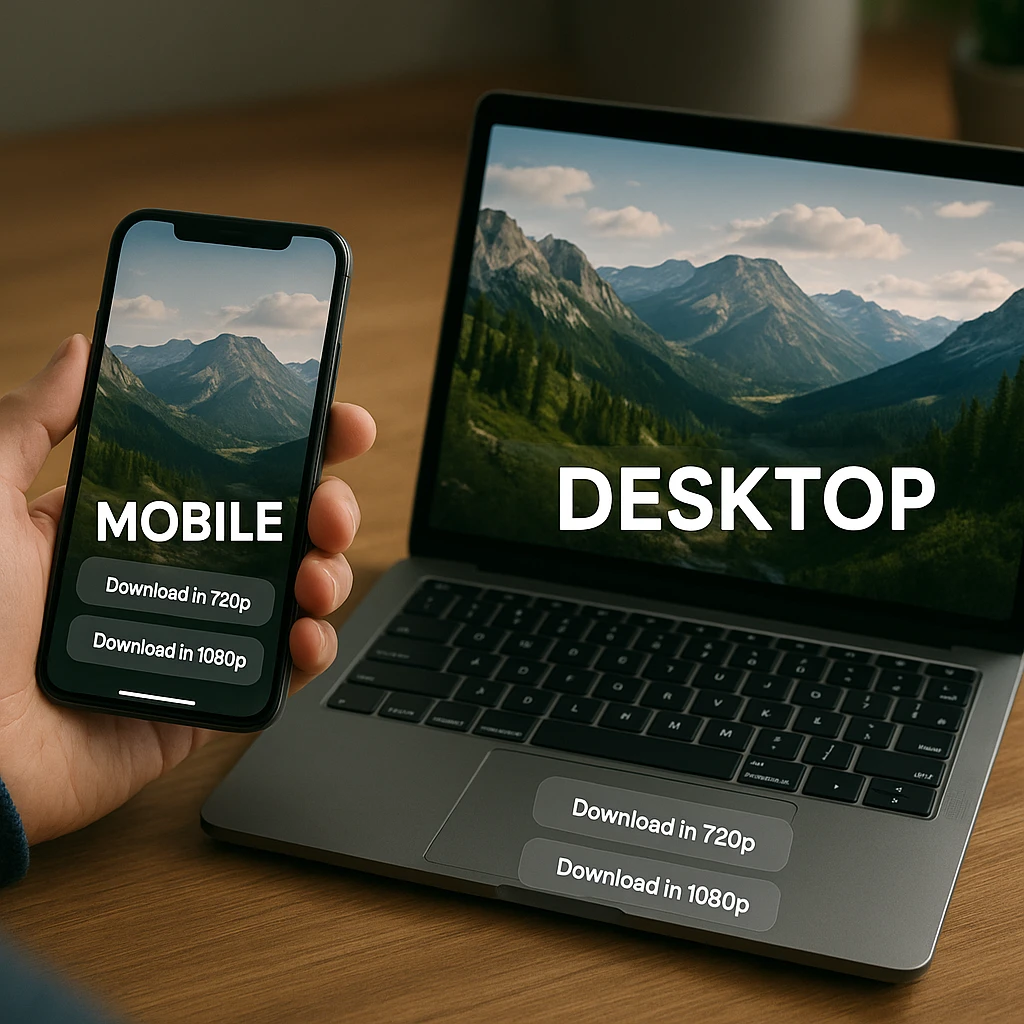
- 720p MP4 is fine for mobile viewing. Small file, works on every device.
- 1080p MP4 (Full HD) is the one to keep for archiving or editing. Bigger files, and the highest quality most story uploads actually reach.
- 4K MP4 is offered by tools like FBTake, SnapSave and 4K Video Downloader Plus, and only exists when the original was uploaded in 4K.
- Audio only (MP3 or M4A) is handy for podcasts or voice notes. Tiny files.
For post-download processing, ScreenApp’s audio transcription can add searchable text to your archived content.
Related guides
FAQ
Is it legal to download Facebook Stories?
Saving your own story is fine, and Facebook has a built-in way to do it (Facebook Help: save your story). For other people's stories, copyright belongs to whoever made them. Whether a personal copy counts as fair use depends on the facts and the country, per the U.S. Copyright Office.
Can the person see if I download their Story?
Facebook shows a story's owner who viewed it (Facebook Help: story viewers). Its help pages don't describe any download notification, but viewing a story to copy its link can put you in the viewer list. Ask the poster before you save their story.
Why did the download link stop working?
Facebook changes its site from time to time, and link-based tools can stop working until their developers update them. Try another tool from this list, or use screen recording as a backup.
Can I download Facebook Live videos?
SnapSave says it handles Livestream videos (SnapSave). Once a Live video has ended and is saved to the page, paste its URL as you would any video. Only save Live videos you have permission to keep.
How do I extract just the audio?
iTubeGo lists MP3 output (iTubeGo), and 4K Video Downloader Plus saves MP3, M4A and OGG audio (4K Download). If you already have the MP4, a desktop converter can pull out the audio track.
What is the best tool for downloading Facebook Reels?
Do these tools work on iPhone?
Web tools like SnapSave say they work on iOS in the browser (SnapSave). Friendly Social Browser is on the App Store (App Store listing). Built-in screen recording is another option via Control Center.
Is there a Facebook story downloader extension for Chrome?
Not a dependable one inside the Chrome Web Store, because its policies push social downloaders out. SaveFrom.net installs in Chrome through a userscript manager instead of a store listing (SaveFrom helper page), and FDown.net links its own extension from its homepage (FDown.net).
What is the best Facebook story download app?
Friendly Social Browser is the one with real store listings on iOS and Android (App Store listing). That said, most people don't need an app: SnapSave and FBTake work in your phone's browser, and the built-in screen recorder covers whatever they miss. Be wary of no-name downloader apps in either store; they churn quickly and ask for broad permissions.
Do Facebook story downloads have a watermark?
No. Unlike TikTok, which stamps its logo and the username onto saved videos, Facebook serves stories and reels without any watermark, so the file you download is the clip as uploaded. Tools advertising "no watermark" for Facebook are describing that default, not a feature. If you also save from TikTok, where watermarks are a real problem, our TikTok downloaders guide covers which tools strip them.
Can I download private Facebook videos?
Only with the poster's permission. FDown.net's private downloader has been disabled since 2019 (FDown private downloader page). SaveFrom.net's helper (SaveFrom guide) and 4K Video Downloader Plus's paid plans ( We don't recommend it. Some tools, such as fbdown.world, claim the poster isn't notified (fbdown.world), while Bravedown's own story page says it can't confirm anonymity. Viewing and saving someone's story without their knowledge isn't something they've agreed to. How do I view or save a Facebook story anonymously?
Related Articles
10 Best Free Video Compressors of 2026 (Online - Desktop)
Compare 10 free video compressors, online and desktop, including HandBrake, VLC and FreeConvert, with real file size limits, watermark warnings, and the settings that keep quality.
YouTube Music Downloader Free 2026: 10 Best Tools for MP3
Compare 10 ways to download YouTube music as MP3 on PC, Mac, Android and iPhone, from 4K Video Downloader Plus to yt-dlp, with pricing, safety and legal options.
Best YouTube Playlist Downloaders - September 2026 (Maintained Tools)
The best YouTube playlist downloaders in 2026, compared by vendor status, release dates and price. yt-dlp, JDownloader, NewPipe and 4K Video Downloader Plus, plus tools that have gone.
Discover More Insights
Start their recordings into insights
Start recording in 60 seconds