YouTube Music Downloader Free 2026: 10 Best Tools for MP3

On this page
You found a song on YouTube and want to save it as an MP3. Maybe it’s for an offline playlist, a video project, or just because you’re tired of buffering. The problem: YouTube doesn’t let you download audio directly, and most “free downloader” sites are full of ads, redirects, or worse.
A note on names, because this category is a mess of them. YouTube music downloader, yt music downloader, YouTube music saver, they all describe the same job, and the tools below answer to all of it. Chrome extensions are the one real exception, and they deserve their own warning, which is further down.
Only download music you own, have permission to use, or that is licensed for download (like the YouTube Audio Library). YouTube’s Terms of Service do not allow downloading content unless YouTube offers a download option or gives written permission, and YouTube Premium’s offline downloads are that option.
Vendor information last verified: 18 September 2026. The picks below are editorial judgement based on each vendor’s own pages; we did not run a hands-on test, and we do not list bitrates the vendors do not publish.
If you need to convert YouTube videos to MP3, download full playlists, or extract lossless audio in WAV format, we have separate guides for those.
Quick Recommendations
4K Video Downloader Plus - Best Overall
Playlist and channel downloads, Windows/Mac/Linux, free Starter plan or $25 lifetime license. Picked because it is the most complete maintained desktop app here (editorial judgement, vendor page).
NewPipe - Best for Android
Free, open source, audio-only downloads and background play. Picked because TubeMate's own site now says music download is no longer supported (editorial judgement, NewPipe).
YouTube Premium - Best Legal Option
Official offline downloads in the YouTube Music app, ad-free, pays rights holders. Price varies by country (YouTube Premium).
Full Comparison Table
| Tool | Platform | Price | Max Quality | Playlists | Best For |
|---|---|---|---|---|---|
| 4K Video Downloader Plus | PC, Mac, Linux | Free / $25 to $45 lifetime | Not published | Yes | Power users |
| By Click Downloader | Windows | Free / $11.99 a year Premium | Not published | Premium only | Windows users |
| YTMP3.nu | Web Browser | Free | Not published | No | Quick downloads |
| TubeMate | Android | Free | Music download no longer supported | Not stated | Video only |
| NewPipe | Android | Free | Audio-only download | Not stated | Privacy-focused |
| Documents by Readdle | iPhone | Free | Depends on the site used | No | iPhone users |
| Shortcuts App | iPhone | Free | Depends on the shortcut | No | Tech-savvy users |
| YouTube Premium | All Platforms | Monthly, varies by country | Set in the app | Yes | Official solution |
| yt-dlp | Command Line | Free | Original stream, no re-encode | Yes | Advanced users |
| YouTube Audio Library | Web Browser | Free | MP3 download | No | Content creators |
Best for PC or Mac
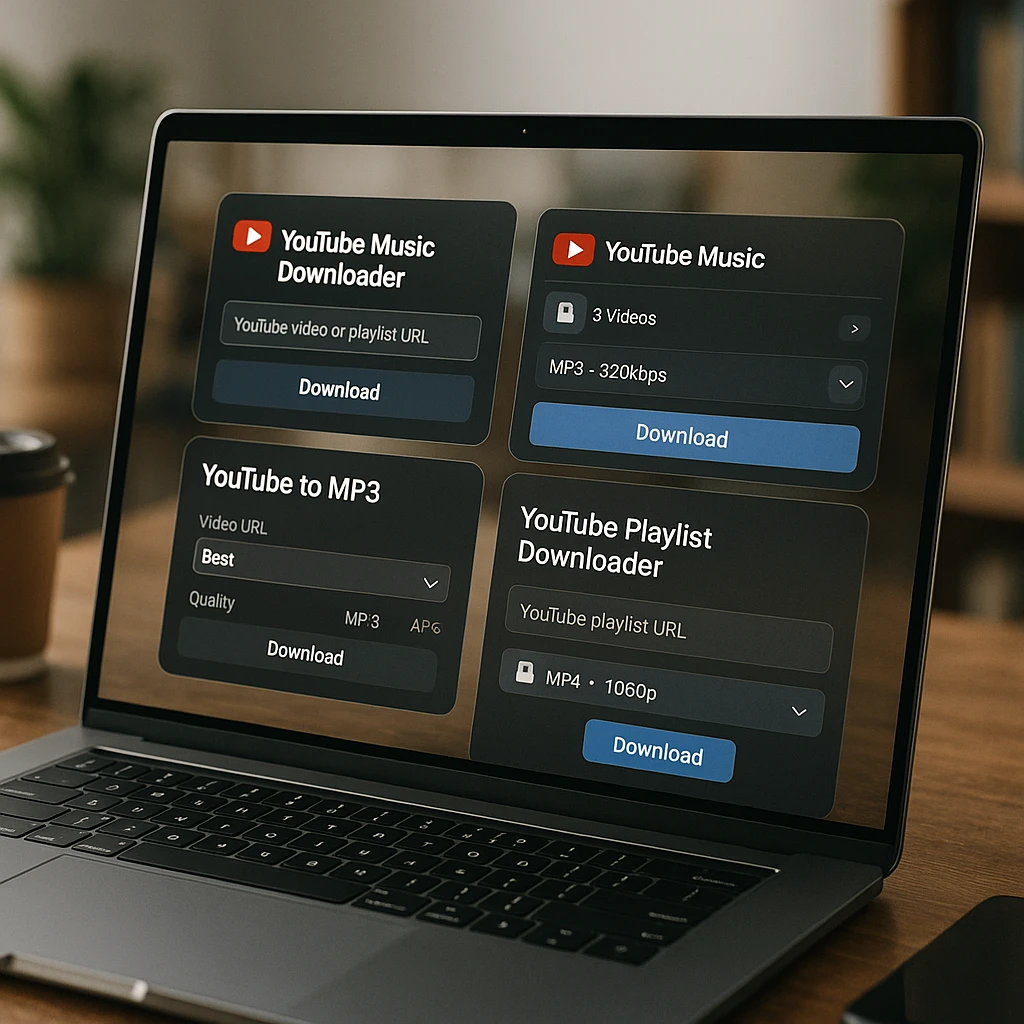
Desktop users have the most options. Here are our top three picks.
1. 4K Video Downloader Plus (Best Overall)
A desktop app for Windows 11, macOS 12 and newer, and Ubuntu 22.04 and newer. The vendor lists one-click downloads of whole playlists and channels (product page). The original 4K Video Downloader was discontinued on 1 February 2026, so get the Plus version (4K Download blog). The same company also sells 4K YouTube to MP3, an audio-only app that saves MP3, M4A and OGG (4K YouTube to MP3).
Pricing: Free Starter plan with a daily download cap (the vendor does not publish the number). Lite is $15 a year, Personal is $25 lifetime, and Pro is $45 lifetime, shown as 25% off (4K Download store).
Pros:
- Full playlist and channel downloads
- Lifetime license option
- Works on Windows, Mac, and Linux
Cons:
- Free plan has a daily download cap
- Old 4K Video Downloader licenses do not transfer automatically
- Needs a desktop install
2. By Click Downloader (Easiest)
This Windows app shows a pop-up when you open a YouTube video so you can save it as video or MP3 with one click, and it adds artist and title tags to MP3s (By Click Downloader). Playlist and channel downloads are a Premium feature.
Pricing: Free version available. Premium is $11.99 a year, or an unlimited license the site lists at $30 and shows discounted to $14.99 (Premium page).
Pros:
- Automatic video detection
- Fast download speeds
- Clean interface
Cons:
- Windows only
- Playlists need Premium
- Premium features cost extra
3. YTMP3.nu (Online, use with caution)
A browser-based YouTube to MP3 converter. No install needed, just paste a URL and download. On 18 September 2026 the ytmp3.nu address redirected to ytmp3.gl, and the site does not say who runs it, so we no longer call it the best online option. If you use a converter site, run an ad blocker and ignore extra download buttons.
Pricing: Free.
Pros:
- No installation required
- Works on any device
- No sign-up
Cons:
- Operator not named on the site
- Single downloads only
- Needs internet connection
Best for Android
Android users have several good free options for downloading YouTube music directly.

4. TubeMate (Video only now)
A long-standing Android video downloader with a built-in browser. Its official site now carries the notice “Music download is not supported anymore”, so it no longer fits this list for MP3s (official TubeMate site). The site also tells users to ignore a Google Play Protect warning when installing the APK; treat that as a reason for caution.
Pricing: Free.
Pros:
- Built-in YouTube browser
- Multiple video quality options
- Free
Cons:
- Music download no longer supported
- Not on Google Play Store
- Google Play Protect shows a warning on install
5. NewPipe (Best Open Source)
A lightweight, open-source, ad-free YouTube client. You can download video, audio only, or captions, and it uses no proprietary Google APIs (NewPipe). Available on F-Droid; the latest release is v0.29.1 from August 2026.
Pricing: Free and open-source.
Pros:
- Completely ad-free
- Open-source
- Background audio playback
- Audio-only downloads
Cons:
- Steeper learning curve
- Not on Play Store
- Less polished interface
Best for iPhone
iPhone users have fewer options due to App Store restrictions, but these workarounds are reliable.
6. Documents by Readdle
This file manager app has a built-in browser, and its App Store listing says you can “download files from the web browser directly into Documents” (App Store listing). Used with a converter site, that saves the MP3 to your iPhone without a jailbreak. Readdle does not advertise YouTube downloads itself, so whether it works depends on the converter site.
How to use it:
- Download Documents by Readdle from the App Store
- Open the app and tap the browser icon
- Go to a YouTube to MP3 converter site
- Paste the YouTube URL and convert
- Download the MP3 file to your iPhone
Pricing: Free.
Pros:
- Available on App Store
- Built-in file management
- No jailbreak needed
Cons:
- Multi-step process
- Depends on online converter
- Limited format options
7. Shortcuts App
A community-made Shortcut can add a “download audio” action to the share menu. Apple does not provide one, these shortcuts rely on third-party services, and they break when those services change, so we do not link a specific one.
Pricing: Free (built into iOS).
Pros:
- Share menu integration
- Automated process
- Shortcuts app is built into iOS
Cons:
- Complex initial setup
- May break with iOS updates
- Needs some technical knowledge
Legal and Official Options
For users who prefer the official route, these options are safe and legal.

8. YouTube Premium
The official way to download YouTube music offline. Premium members can download videos in the YouTube app and songs, videos and podcasts in the YouTube Music app (YouTube Help). You need to reconnect to the internet at least once every 30 days to keep music downloads (YouTube Music Help).
Pricing: Individual, family, student and two-person plans, plus a cheaper Premium Lite with fewer benefits. Prices vary by country, so check the YouTube Premium page for yours.
Pros:
- Completely legal and safe
- Supports artists
- Ad-free experience
- Background playback
- YouTube Music included
Cons:
- Monthly fee
- Must reconnect every 30 days
- Downloads play only inside YouTube’s apps
9. yt-dlp (Reddit Favorite)
A free, open-source command-line tool that downloads from thousands of sites (yt-dlp README). It can save the original audio stream without re-encoding, or convert to MP3. Full YouTube support needs a JavaScript runtime such as Deno.
Pricing: Free and open-source.
Pros:
- Extremely flexible
- Regular updates from the community
- Supports many platforms
- Keeps the original audio stream
Cons:
- Command-line only
- Steep learning curve
- Not beginner-friendly
10. YouTube Audio Library
YouTube’s own library of royalty-free music and sound effects, inside YouTube Studio. You can download tracks as MP3; some need an artist credit in your video description (YouTube Help). You can also extract audio from videos with ScreenApp if you need audio from specific clips.
Pricing: Free.
Pros:
- Royalty-free music
- Official MP3 download
- Various genres
- Won’t be claimed by Content ID in your YouTube videos
Cons:
- Only library content (not popular songs)
- Requires YouTube account
What about a YouTube music downloader Chrome extension?
This is the most searched version of the question and it has the least satisfying answer, so here it is straight.
Google does not allow YouTube downloaders in the Chrome Web Store. Its program policies treat extensions that facilitate downloading YouTube videos as a violation, and Google’s own developer documentation lists it in plain words among the common reasons an extension is removed or rejected: “The extension is facilitating download of YouTube videos.” That means anything you find in the store either does not do what the listing claims, or is about to be pulled.
So the listings you do find fall into three groups, and none of them is what you searched for. There are extensions that only open a third-party site in a new tab, which you could do yourself with a bookmark. There are ones that quietly stopped working after a YouTube player change and have not been updated, which the recent reviews will tell you before the listing does. And there are ones still live because nobody has reported them yet, which is a race you do not want to be on the wrong side of when the removal happens and the extension stops working mid-download. What you are left with is sideloading a .crx from a site you have never heard of, and granting it permission to read and change data on the sites you visit. That is not a small ask. A downloader extension does not need to see your bank tab, but that is the permission it takes.
Worth being concrete about what that grant covers, because the Chrome warning is vague. Read and change data on all sites means the extension can see every page you load, including logged-in pages, and alter what renders on them. A sideloaded extension also updates itself from wherever it came from rather than from Google, so an extension that behaves today can ship different code next week with no review in between and no notification to you.
If you install one anyway
Use a separate Chrome profile with nothing signed in, so the permission covers an empty browser rather than your real one. Remove it when the download is done. That turns a standing grant into a one-off, which is the actual risk you are managing.
I would not install one. ScreenApp does have a Chrome extension, but it is a screen recorder, not a YouTube downloader, so this is not us protecting our own product. The desktop apps above do the same job without the permission grab. If you want it in the browser, use a site you paste a URL into and close afterwards. Nothing persistent.
One exception worth naming: the official YouTube Premium download button lives in the browser, is not an extension, and is the only fully sanctioned route.
When you want the words, not the song
Not everyone here is after music. Some of you are pulling audio off a lecture, an interview, or a podcast because you want what was said, and MP3 is just the format you assumed you had to pass through.
Skip it. Paste the URL and take the transcript directly. Where the video already publishes captions, ScreenApp reads that caption track from YouTube instead of downloading audio and running speech recognition over it, and the text comes back in about 15 seconds. Median 14.7 seconds across 1,774 production imports in July 2026, with nine in ten inside 29 seconds (method). No captions means the AI route, which is slower.
The catch: those captions are YouTube’s own writing, so our published word error rates describe the AI route and not that one. Fine for finding a timestamp. Not what you want if you are quoting someone in print. This does nothing for music, obviously, since a song has no transcript worth having.
Legal and Safety Notes
Downloading music from YouTube exists in a legal gray area. Here’s a quick breakdown:
- Legal: YouTube Premium offline downloads, YouTube Audio Library content
- Gray area: Personal use of copyrighted content for backup purposes
- Illegal: Distributing copyrighted music, commercial use without permission
According to U.S. Copyright Office guidelines, fair use may apply in limited circumstances. YouTube’s Terms of Service separately prohibit downloading content unless YouTube offers a download option or gives written permission. Only download music you own or have permission to use.
FAQ
Best free YouTube downloader?
Our editorial pick for desktop is 4K Video Downloader Plus, whose free Starter plan has a daily download cap (the number is not published). On Android, NewPipe can download audio only; TubeMate no longer supports music downloads. For content you are allowed to reuse, the YouTube Audio Library is free and official.
How to get high quality audio?
Use a desktop app like 4K Video Downloader Plus or yt-dlp, and pick the highest quality option offered. yt-dlp can keep YouTube’s original audio stream without re-encoding. Converting that stream to a 320kbps MP3 makes a bigger file but does not add quality that was not in the source. You can also convert YouTube videos to MP4 if you need both audio and video.
Are online downloaders safe?
Some are, many aren’t. Many converter sites do not say who runs them, and some copy the names of shut-down services such as Y2mate.com, which closed in October 2025 after IFPI action (IFPI). Use an ad blocker and ignore extra download buttons. Desktop apps from a named vendor are generally safer than online converters.
Can I download full playlists?
Yes. 4K Video Downloader Plus and yt-dlp both handle entire playlists. Paste the playlist URL instead of individual video URLs. For more playlist tools, see our YouTube playlist downloader guide.
Best option for iPhone?
The official option is YouTube Premium, which gives you offline downloads in the YouTube Music app with no workarounds; the price varies by country. The free workaround is the Documents by Readdle browser method, which depends on a third-party converter site.
Which Tool Should You Pick?
Here’s a quick summary:
- Need a desktop app? 4K Video Downloader Plus (free Starter plan, $25 Personal or $45 Pro lifetime)
- Using Android? NewPipe (free, open source)
- Using iPhone? YouTube Premium, or Documents by Readdle as a free workaround
- Want the official solution? YouTube Premium (price varies by country)
- Quick one-time download? A converter site, with an ad blocker and care
- Tech-savvy and want full control? yt-dlp (free, command-line)
For related guides, check out our SoundCloud to MP3 converter guide or learn how to extract audio from MP4 files. If you’re working with YouTube content for research or study, our AI YouTube summarizer tools can help you get the main points without watching entire videos.
How we put this together: this is a comparison based on each vendor’s published documentation and pricing pages, checked on 18 September 2026. We did not run a hands-on benchmark for this article.