12 Best Employee Onboarding Software Platforms for HR Teams

On this page
Manual onboarding works fine for the first few hires. Someone emails a PDF, walks the new person through the badge process, and answers the same questions in Slack for a week. It stops working once an HR team is running five onboardings a month across two time zones: paperwork gets missed, IT accounts get provisioned late, and nobody can tell which new hires actually finished their training until the manager asks three weeks in.
That gap is what onboarding software exists to close, though “onboarding software” covers a wider range of products than the name suggests. Some tools are full HRIS platforms with onboarding bolted on. Others are dedicated onboarding-journey tools that hand off to a separate payroll system. Others are training and knowledge-transfer platforms with no HR records at all. This guide separates those categories rather than treating all 12 platforms as interchangeable, and evaluates each one against a consistent set of criteria covering preboarding, workflow automation, training, integrations, and pricing transparency.
The short answer: the best employee onboarding software depends on whether your priority is paperwork, compliance, global hiring, IT provisioning, training, or employee experience. BambooHR suits standard HR onboarding and employee records, Rippling suits combined HR and IT automation, Deel suits onboarding global and distributed teams, and Trainual suits role-specific training and knowledge transfer. No single platform below is labeled “best overall,” because the scoring genuinely depends on which of those problems is the one you have.
Related reading: If video is part of your onboarding process already, our guide to boosting onboarding and training with screen recording covers that workflow in more depth.
Best Employee Onboarding Software at a Glance
| Platform | Best for | Company size | Payroll/HRIS | Free trial | Main limitation |
|---|---|---|---|---|---|
| BambooHR | HR paperwork and employee records | Small to mid-size | Yes (HRIS) | Demo only | Quote-based pricing, minimum monthly fee |
| Rippling | HR and IT onboarding automation | Small to enterprise | Yes (HRIS + payroll) | Demo only | Final price depends heavily on bundled modules |
| Deel | Global and distributed onboarding | Small to enterprise | Yes (EOR + contractor) | Demo only | Employer-of-record plans priced per employee, can be costly at scale |
| Trainual | Role-based training and SOPs | Small to mid-size | No | Yes | Not a system of record for HR or payroll |
| ScreenApp | Onboarding videos and searchable knowledge | Any size | No (complementary tool) | Yes | Not an HRIS, payroll, or compliance platform |
| WorkBright | Mobile paperwork and compliance | Small to mid-size | No (integrates with payroll) | Demo only | Multiple plan tiers can make pricing confusing |
| Enboarder | Personalized onboarding journeys | Mid-size to enterprise | No | Demo only | Not a paperwork or records system on its own |
| HiBob | Growing and mid-sized companies | Mid-size | Yes (HRIS) | Demo only | Per-employee pricing scales quickly with headcount |
| Gusto | Small businesses needing payroll-led onboarding | Small business | Yes (payroll-first) | Demo only | Onboarding features are secondary to payroll |
| Paylocity | Mid-sized orgs needing HR, payroll, and training | Mid-size to enterprise | Yes (HCM) | Demo only | Quote-based, implementation can take weeks |
| Leapsome | Onboarding combined with learning and performance | Mid-size to enterprise | No | Demo only | Not a payroll or records system |
| Workday | Large enterprises | Enterprise | Yes (HCM) | Demo only | Enterprise pricing and long implementation timelines |
Pricing last checked: July 2026. Most vendors on this list use quote-based or tiered pricing that changes without notice, so confirm current numbers on each provider's pricing page before budgeting.
The Best Employee Onboarding Software Platforms
1. BambooHR
Best for HR Paperwork and Employee Records
BambooHR combines employee records, time tracking, performance reviews, and benefits administration into one platform, with onboarding built around templated workflows, e-signature paperwork, and progress tracking so an HR admin can see exactly where each new hire's checklist stands.
Key onboarding features: New-hire packets with e-signatures, task and workflow templates by role, self-onboarding portal for new hires, employee record creation tied directly to the onboarding flow.
What makes it different: BambooHR's onboarding sits inside a full HRIS rather than as a bolt-on, so paperwork completed during onboarding becomes the permanent employee record without re-entry.
Pricing: Third-party estimates put Core around $10/employee/month, Pro around $17, and Elite around $25, with a reported minimum monthly fee for small teams and an implementation fee of 5 to 15 percent of the first year's contract. BambooHR does not publish exact pricing; get a quote directly.
Pros
- •Strong employee-record foundation
- •Clean self-service portal
- •Well-established integration ecosystem
Limitations
- •Quote-based pricing makes budgeting harder upfront
- •Reported minimum monthly fee can make it costly for very small teams
- •Training features are basic compared to a dedicated LMS
Best For
HR teams that want onboarding paperwork and employee records in the same system.
Not ideal for: Teams that need deep role-based training content or global compliance handling.
2. Rippling
Best for HR and IT Onboarding Automation
Rippling automates the parts of onboarding that usually require a separate ticket to IT: when a new hire accepts an offer, Rippling can trigger a laptop order, provision accounts (Google Workspace, Slack, and others), assign software licenses, and set role-based permissions, alongside standard HR onboarding tasks.
Key onboarding features: Automated device ordering and provisioning, unified HR and IT workflow triggers, role-based access automation, payroll and benefits enrollment tied to the same onboarding flow.
What makes it different: Rippling is the only platform on this list built specifically around merging HR onboarding with IT account and device provisioning in a single automated workflow.
Pricing: Starts around $8/user/month for a base plan, but the real cost depends heavily on which modules are bundled (HR, IT, payroll, device management). Rippling does not publish a full price list; request a quote.
Pros
- •Genuinely unique IT-provisioning automation
- •Single system for HR and device management
- •Strong automation for role changes and offboarding too
Limitations
- •Final pricing is opaque until a sales conversation happens
- •More infrastructure than a small team may need if IT provisioning isn't a pain point
Best For
Companies that issue hardware and software accounts as part of onboarding and want that automated alongside HR tasks.
Not ideal for: Very small teams with no IT provisioning complexity to solve.
3. Deel
Best for Global and Distributed Onboarding
Deel handles compliant onboarding across more than 150 countries, generating localized, legally binding contracts for both employees and contractors, and lets teams manage the process directly from Slack for a more conversational onboarding experience.
Key onboarding features: Localized contract generation by country, employer-of-record (EOR) and contractor onboarding modules sold separately, Slack-based onboarding flow, compliance handling for cross-border hiring.
What makes it different: Deel is built around the compliance complexity of hiring across borders, a problem most onboarding platforms on this list do not attempt to solve at all.
Pricing: EOR plans start around $599/employee/month; contractor plans start around $49/contractor/month. Deel's own review data shows strong marks for onboarding notifications specifically. Confirm current tiers directly, as EOR pricing varies by country.
Pros
- •Genuine cross-border compliance handling
- •Modular pricing by hiring type
- •High user-reported satisfaction with onboarding notifications
Limitations
- •EOR pricing can get expensive at scale
- •Modules are purchased separately rather than bundled into one flat plan
Best For
Companies hiring employees or contractors in multiple countries who need compliant paperwork handled automatically.
Not ideal for: Single-country teams with no cross-border hiring needs, where the compliance features add cost without adding value.
4. Trainual
Best for Role-Based Training and Knowledge Transfer
Trainual is built for the problem that shows up after paperwork is done: a new hire has an employee record and a badge but does not yet know how to actually do the job. It documents processes, SOPs, and role-specific training content, then tracks who has completed what.
Key onboarding features: Role-based training paths, embedded SOP and process documentation, completion tracking and quizzes, org chart tied to training assignments.
What makes it different: Trainual is explicitly a training and documentation tool, not an HR records system, which makes it a common pairing with a separate HRIS rather than a replacement for one.
Pricing: Starts at $99/month (Pro plan, billed annually), with a Premium plan around $149/month, plus a one-time $1,000 implementation fee.
Pros
- •Clear, published pricing
- •Strong focus on the actual "how do I do this job" content gap
- •Works well as a knowledge base beyond just onboarding
Limitations
- •Not a system of record for HR or payroll
- •One-time implementation fee adds to the upfront cost
- •Needs to be paired with an HRIS for paperwork and records
Best For
Teams whose onboarding problem is training and process documentation rather than paperwork or IT.
Not ideal for: Teams looking for a single all-in-one HR platform.
5. ScreenApp
Best Complementary Tool for Onboarding Videos and Searchable Knowledge
ScreenApp is not an HRIS, payroll, or compliance platform, and does not attempt to be one. It is a recording and transcription tool that turns orientation sessions, software walkthroughs, and training videos into transcripts, summaries, searchable notes, and downloadable documents that sit alongside whichever onboarding or HR system a company already uses.
Key onboarding features: Recording of live orientation sessions and screen-based software demos, automatic transcription with speaker labels, AI summaries and action points from recorded sessions, export to Word, PDF, or plain text, searchable transcript library across all recorded onboarding content.
What makes it different: None of the 11 HR platforms on this list turn a recorded onboarding session into searchable, exportable documentation automatically. ScreenApp fills that specific gap rather than competing with them on paperwork, payroll, or workflow automation.
Pricing: Free plan with a monthly recording minute cap; paid plans unlock more minutes and team seats.
Transparency note: We built ScreenApp. It is included here as a complementary layer, not a replacement for the HR platforms above, because recorded onboarding content is genuinely underused once the live session ends, and none of the dedicated onboarding tools solve that on their own.
Pros
- •Turns one-time orientation sessions into a reusable, searchable resource
- •Works alongside any HRIS or onboarding platform rather than replacing it
- •Exports in formats (Word, PDF, TXT) that slot into an existing knowledge base
Limitations
- •Not a system of record for HR, payroll, or compliance
- •Does not handle workflow automation, paperwork, or IT provisioning
Best For
HR and training teams that record onboarding sessions or software walkthroughs and want that content searchable and reusable, rather than sitting unwatched in a folder.
Not ideal for: Teams looking for a single all-in-one onboarding or HRIS platform.
6. WorkBright
Best for Mobile Paperwork and Compliance
WorkBright focuses on the compliance-heavy parts of onboarding paperwork: remote I-9 verification, E-Verify, mobile form completion, and audit-ready timestamps, aimed at industries with distributed, often hourly, workforces like healthcare, agriculture, and hospitality.
Key onboarding features: Remote I-9 and E-Verify processing, mobile-first form completion, e-signatures, expiration tracking and audit timestamps for compliance documents.
What makes it different: WorkBright is built specifically around remote I-9 compliance, a narrow but genuinely hard problem for distributed or seasonal workforces that most general onboarding tools handle poorly.
Pricing: Smart I-9 Starter around $9.50/user/month (up to 5 administrators), Growth around $15.99, Premium around $19.99; HR Onboarding tiers run from roughly $16.99 to $29.99/month depending on plan.
Pros
- •Published, tiered pricing
- •Strong remote compliance handling
- •Mobile-first design suits frontline and distributed workers
Limitations
- •Multiple overlapping plan tiers can be confusing to compare
- •Not a payroll or full HRIS system on its own
Best For
Organizations onboarding distributed, remote, or hourly workers who need compliant paperwork handled without an in-person visit.
Not ideal for: Fully in-office teams with no remote I-9 complexity.
7. Enboarder
Best for Personalized Onboarding Journeys
Enboarder positions itself as a human-connection platform rather than a paperwork system, orchestrating story-driven onboarding journeys that involve managers and onboarding buddies at specific moments, rather than just delivering a checklist to the new hire alone.
Key onboarding features: Journey orchestration across new hire, manager, and buddy, automated nudges tied to specific onboarding moments, pre-boarding engagement sequences, employee experience analytics.
What makes it different: Enboarder's core product is the orchestration of who does what and when across the onboarding journey, not the paperwork or records underneath it.
Pricing: Quote-based; Enboarder does not publish tiered self-serve pricing.
Pros
- •Genuinely differentiated focus on the human and experiential side of onboarding
- •Strong pre-boarding engagement design
- •Useful for reducing new-hire anxiety before day one
Limitations
- •Quote-based pricing with no public tiers
- •Not a paperwork, records, or compliance system on its own
Best For
Mid-size to large companies that already have HR and payroll systems and want to improve the experience layer on top.
Not ideal for: Small teams needing a single system that also handles paperwork and records.
8. HiBob
Best for Growing and Mid-Sized Companies
HiBob connects onboarding to a broader employee lifecycle platform, with personalized introductory workflows that let new hires share pronouns, hobbies, and a short intro video before their first day, alongside standard HRIS functions.
Key onboarding features: Personalized pre-day-one intro workflows, employee lifecycle management tied to onboarding, culture and peer-connection features, standard HRIS record-keeping.
What makes it different: HiBob leans harder into culture and peer connection during onboarding than most HRIS-first competitors, treating the first weeks as a relationship-building period rather than only an administrative one.
Pricing: Custom pricing generally cited in the $16 to $25/employee/month range, meaning a 25-person team lands roughly $400 to $625/month. HiBob does not publish exact self-serve pricing.
Pros
- •Strong culture and employee-experience focus
- •Solid HRIS foundation underneath
- •Personalization features new hires tend to respond well to
Limitations
- •Per-employee pricing scales quickly as headcount grows
- •Custom pricing means no self-serve budgeting
Best For
Growing or mid-sized companies that want onboarding tied to a broader HRIS with a culture-forward angle.
Not ideal for: Very small teams or budget-constrained onboarding needs.
9. Gusto
Best for Small Businesses Needing Payroll-Led Onboarding
Gusto is primarily a payroll platform for small businesses, with onboarding tools, employee profiles, and reporting bundled in rather than sold as the main product. For a small business that needs payroll running correctly above all else, onboarding comes along for the ride.
Key onboarding features: Basic onboarding checklists and employee profile creation, single- and multi-state payroll setup during onboarding, custom reporting on plus-tier plans.
What makes it different: Gusto's onboarding exists to support payroll setup, not the other way around, which makes it a strong fit specifically for small businesses where payroll is the primary need. For businesses that have not yet moved onto payroll software, a standalone paystub generator covers clean pay records in the meantime.
Pricing: Simple plan starts around $40/month plus $6/month per person; Plus plan around $80/month plus $12/month per person, adding multi-state payroll and advanced onboarding tools.
Pros
- •Published, predictable pricing
- •Strong payroll foundation
- •Good fit for companies under 100 employees
Limitations
- •Onboarding features are noticeably secondary to payroll
- •Less depth on training or IT provisioning than dedicated onboarding platforms
Best For
Small businesses that need payroll and basic onboarding in one affordable system.
Not ideal for: Companies needing deep onboarding workflow automation, training, or global hiring support.
10. Paylocity
Best for Mid-Sized Orgs Needing HR, Payroll, and Training
Paylocity is a broader HCM platform where onboarding is one module among payroll, benefits, and talent management. Recent updates focused on compliance workflows and letting new hires complete I-9 forms in a few clicks rather than a lengthy paper process.
Key onboarding features: I-9 and compliance workflow automation, interview self-scheduling, integrated payroll and benefits enrollment, employee voice and engagement tools tied to the broader platform.
What makes it different: Paylocity bundles onboarding into a full HCM suite aimed at mid-sized organizations that want HR, payroll, and training under one contract rather than stitched-together point solutions.
Pricing: Quote-based; Paylocity does not publish self-serve pricing tiers.
Pros
- •Broad HCM feature set beyond just onboarding
- •Ongoing platform investment in compliance automation
- •Single vendor relationship for HR, payroll, and training
Limitations
- •Quote-based pricing requires a sales conversation
- •Implementation can take weeks for a full HCM rollout
Best For
Mid-sized organizations that want onboarding bundled with payroll, benefits, and training in a single contract.
Not ideal for: Small teams that only need onboarding and would be paying for HCM capability they will not use.
11. Leapsome
Best for Onboarding Combined with Learning and Performance
Leapsome pairs onboarding with performance management and OKR tracking, treating the first weeks as the start of a continuous performance and development cycle rather than a standalone checklist that ends once paperwork is filed.
Key onboarding features: Onboarding task management tied to performance goals, training and course assignment, self-service onboarding portal, customizable invitation and communication flows.
What makes it different: Leapsome's onboarding module connects directly into performance reviews and OKRs, useful for companies that want a new hire's first goals tracked in the same system they'll be reviewed against later.
Pricing: Quote-based; Leapsome does not publish full self-serve pricing tiers.
Pros
- •Genuine continuity between onboarding and ongoing performance management
- •Solid training and course assignment features
- •Actively maintained with regular platform updates
Limitations
- •Not a payroll or HR records system
- •Quote-based pricing
Best For
Companies that want onboarding, training, and performance management in one connected system.
Not ideal for: Teams looking for a paperwork-and-records-first onboarding tool.
12. Workday
Best for Large Enterprises
Workday is enterprise HCM software where onboarding is one piece of a much larger system covering payroll, finance, workforce planning, and analytics across large, often global, organizations.
Key onboarding features: Enterprise-grade workflow automation, deep integration with Workday's broader HCM and finance modules, extensive reporting and analytics, global compliance handling at enterprise scale.
What makes it different: Workday is built for organizations where onboarding needs to integrate with finance, workforce planning, and analytics systems that smaller onboarding tools simply do not touch.
Pricing: Enterprise, quote-based; Workday does not publish pricing, and implementations typically involve significant professional services.
Pros
- •Handles onboarding at genuine enterprise scale and complexity
- •Deep integration across HR, finance, and workforce planning
- •Strong reporting and compliance capability
Limitations
- •Enterprise pricing and implementation timelines make it impractical for small or mid-sized teams
- •Requires significant internal resources to configure and maintain
Best For
Large enterprises that need onboarding integrated into a broader HCM and finance ecosystem.
Not ideal for: Small businesses or teams needing a quick, self-serve setup.
Best Onboarding Software by Use Case
Best for small businesses
Gusto pairs payroll with basic onboarding at a published, predictable price, which suits a small business more than a quote-based enterprise platform.
Best for remote teams
WorkBright handles remote I-9 verification and mobile paperwork completion, the specific friction point for distributed hiring.
Best for global onboarding
Deel generates compliant, localized contracts across 150+ countries, which no other platform on this list attempts at the same depth.
Best for new-hire training
Trainual is purpose-built for role-based training and SOP documentation, the gap that appears once paperwork is finished.
Best for compliance and documents
WorkBright again, for audit-ready timestamps and E-Verify handling, or BambooHR for general HR document management.
Best for IT provisioning
Rippling automates device ordering and account provisioning alongside HR onboarding, a combination no other platform here offers.
Best for employee experience
Enboarder orchestrates the human side of onboarding across new hire, manager, and buddy, or HiBob for culture-forward personalization.
Best for enterprises
Workday integrates onboarding into a full enterprise HCM and finance ecosystem at a scale the other platforms do not target.
Types of Employee Onboarding Software
“Onboarding software” is really four different categories that overlap in places but solve different core problems.
HRIS Onboarding Software
Platforms like BambooHR, HiBob, Gusto, Paylocity, and Workday build onboarding on top of a full human resources information system. Paperwork completed during onboarding becomes the permanent employee record, and the same system typically handles benefits, payroll, and ongoing HR administration. This is the right category when onboarding paperwork and employee records need to live in one place from day one.
Dedicated Onboarding Platforms
Tools like Enboarder and, to an extent, WorkBright focus specifically on the new-hire journey: communications, pre-boarding engagement, and the experience of the first days and weeks, often without being a full system of record. These typically integrate with a separate HRIS rather than replacing one.
Training and LMS Onboarding Software
Trainual and Leapsome fall here, focused on courses, role-specific training content, quizzes, and completion tracking. These solve the “now that paperwork is done, how does a new hire learn the actual job” problem, and are commonly paired with an HRIS for records rather than used standalone.
Knowledge and Video Onboarding Tools
ScreenApp fits this category: tools built around recorded demonstrations, orientation videos, SOPs, searchable transcripts, and documentation, rather than HR records, payroll, or workflow automation. This category is the newest and least standardized of the four, and the one most commonly overlooked when a company evaluates “onboarding software” as a single line item. For teams starting here, the structural side is covered in our guide to building a video library.
Automated Employee Onboarding: What the Software Actually Automates
“Automated employee onboarding” is the promise on most of these vendors’ homepages, and it means four different things depending on the category. Knowing which automation you are buying prevents the most common disappointment in this market: signing an HRIS contract and discovering the training layer is still entirely manual.
| Automation job | Platforms that handle it | What stays manual |
|---|---|---|
| Paperwork and e-signatures | BambooHR, Gusto, Paylocity, WorkBright, HiBob | Chasing documents the forms depend on, like visas and certifications |
| IT provisioning and app access | Rippling, Workday (with configuration) | Role-permission decisions and anything outside connected systems |
| Journey sequences and reminders | Enboarder, Deel, most HRIS platforms | Writing the content each step sends; a sequence of empty steps automates nothing |
| Training assignment and tracking | Trainual, Leapsome | Creating the training material itself, which is most of the work |
| Turning knowledge into documents | Video knowledge tools like ScreenApp | Reviewing generated procedures before a new hire follows them |
The pattern across the table: automated onboarding platforms are excellent at moving tasks between people and terrible at producing the content those tasks need. The forms, the training courses, and the process documentation still have to come from somewhere. That last row is where the automation gap is widest and the fix is cheapest: recording the walkthrough someone already gives and converting it, which is what a video-to-SOP generator does for procedures and a video knowledge base generator does for whole training libraries.
One buying rule from this: list the five tasks your team repeats for every hire, then ask each vendor to demonstrate those five, automated, in their product. “Automated onboarding” as a demo of someone else’s workflow tells you nothing about yours.
Employee Onboarding Software vs HRIS vs LMS
| System | Main purpose |
|---|---|
| Onboarding software | Coordinates the new-hire journey |
| HRIS | Stores and manages employee information |
| LMS | Delivers and tracks training |
| Video knowledge platform | Captures and converts training knowledge |
These categories overlap by design. A platform like BambooHR is primarily an HRIS with onboarding workflows attached; Trainual is primarily an LMS with an onboarding use case; and a video knowledge tool like ScreenApp complements either one rather than competing with it.
How ScreenApp Supports Video-Based Employee Onboarding
None of the 12 platforms above are built to turn a recorded orientation session into a searchable, exportable document. That is the specific gap ScreenApp fills, as a complement to whichever HRIS, onboarding, or training platform a company already runs, not a replacement for any of them.
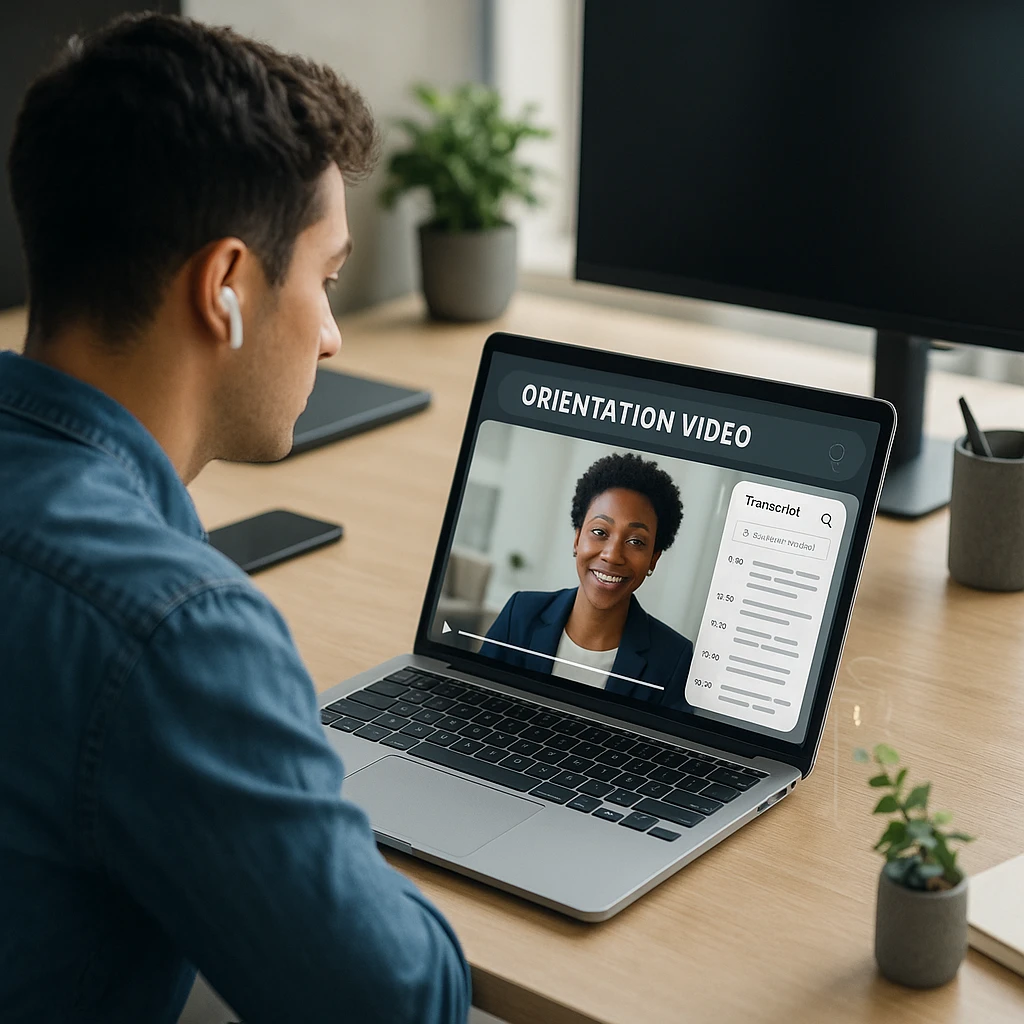
Record orientation sessions and software demos
Capture a live orientation call or a screen recording of a software walkthrough directly, or upload an existing onboarding video that already exists in a shared drive somewhere.
Generate a transcript automatically
Speech-to-text processing produces a full transcript with speaker labels, so a session led by multiple presenters stays attributed correctly.
Produce summaries and action points
An AI summary condenses a long orientation session into the points a new hire actually needs to remember, rather than requiring a full rewatch to find them.
Turn videos into Word or PDF documents
Export the transcript and notes as a Word document for further editing, or a PDF for a fixed, shareable reference, so the content is not locked inside a video file that nobody wants to scrub through.
Build a searchable training resource
Once several onboarding sessions are transcribed, the library becomes searchable by keyword, so a new hire in month three can find the answer to a specific question without asking someone to re-explain it or dig up the original recording.
ScreenApp currently supports video and audio transcription, speaker labels, transcript editing, searchable content, and exports including Word, PDF, and TXT. New hires working remotely can be sent the exported document directly rather than a video file that assumes a stable connection and 40 minutes of uninterrupted time to watch.
How to Choose Employee Onboarding Software
- Identify the main onboarding problem before comparing tools. Paperwork, IT provisioning, training, global compliance, and employee experience are different problems with different best-fit platforms, as the reviews above show.
- Decide whether a full HRIS is necessary, or whether a lighter dedicated tool paired with an existing HRIS solves the actual gap without a costly system migration.
- Review payroll and ATS integrations the platform actually supports, rather than assuming compatibility with whatever system is already in place.
- Check training requirements specifically. A platform strong on paperwork is not automatically strong on role-based training, and the two are often better handled by separate tools.
- Evaluate security and permissions, particularly for platforms handling sensitive documents like I-9s, contracts, or banking details for payroll.
- Compare implementation effort. A quote-based enterprise platform can take weeks to configure, while a published-pricing tool like Trainual or Gusto can often be running within days.
- Test the employee experience, not just the admin side. A tool that is efficient for HR but confusing for a new hire undermines the point of onboarding software.
- Calculate the total cost, including per-employee fees, implementation charges, and any minimum monthly commitment, not just the advertised starting price.
Employee Onboarding Software Implementation Checklist
- Document the existing onboarding workflow before introducing new software, so the tool is configured around a real process rather than guesswork
- Assign process owners for HR, IT, and training so each part of onboarding has a clear person responsible once the tool is live
- Create role-based templates rather than one generic onboarding flow for every position
- Connect the ATS and HRIS where the platform supports it, so candidate data does not need re-entry
- Upload documents and training materials ahead of the first real onboarding run
- Configure reminders so tasks do not silently stall waiting on a new hire or manager
- Test the workflow with an internal employee before sending it to an actual new hire
- Gather new-hire feedback after the first few onboardings and adjust the workflow accordingly
- Measure completion rates and delays to find where the process is actually breaking down, rather than assuming the software fixed everything on day one
FAQ
What is employee onboarding software?
Employee onboarding software coordinates the tasks, paperwork, and communication involved in bringing a new hire from accepted offer to fully ramped employee. Depending on the platform, that can include e-signatures, IT provisioning, training assignment, and progress tracking.
What is the best employee onboarding software?
It depends on the priority. BambooHR suits standard HR paperwork and records, Rippling suits combined HR and IT automation, Deel suits global and distributed hiring, and Trainual suits role-based training. No single platform is best across every use case.
How does onboarding software work?
Most platforms generate a checklist or workflow tied to a new hire's role, automate paperwork like e-signatures and forms, and track completion. Some add training assignment, IT provisioning, or payroll setup depending on how broad the platform is.
What features should onboarding software have?
At minimum: e-signature forms, task or workflow automation, and progress tracking. Depending on your needs, add training and knowledge transfer, HRIS or payroll integration, IT provisioning, and support for remote or global hiring.
How much does employee onboarding software cost?
Published pricing ranges from around $9 to $30 per employee per month for tools like WorkBright and HiBob, to $40 to $150 in flat monthly fees for smaller platforms like Gusto and Trainual. Enterprise platforms like Workday and Rippling's bundled plans are quote-based and vary significantly by company size and modules selected.
What is the difference between onboarding software and an HRIS?
Onboarding software coordinates the new-hire journey and its associated tasks. An HRIS stores and manages ongoing employee information, records, and, often, payroll. Many platforms combine both, but the two are conceptually different jobs.
What is the difference between onboarding software and an LMS?
Onboarding software manages the process of bringing someone into the company. An LMS (learning management system) delivers and tracks training content, which may or may not be onboarding-specific. Trainual and Leapsome combine elements of both.
Can onboarding software automate new-hire paperwork?
Yes. Most platforms on this list, including BambooHR, WorkBright, and Rippling, automate e-signatures, form completion, and document collection as a core feature.
What does automated employee onboarding software actually automate?
Four things, depending on the category: paperwork and e-signatures (HRIS platforms), account and app provisioning (Rippling is the clearest example), journey sequences with scheduled reminders (dedicated onboarding tools), and training assignment with completion tracking (LMS tools).
What is the best onboarding software for small businesses?
Gusto is a common fit for small businesses that need payroll and basic onboarding together at a predictable price. Trainual is a strong pairing for small teams that also need role-based training documentation.
What is the best onboarding platform for remote employees?
WorkBright is built specifically around remote paperwork and I-9 compliance. Deel is the better fit when remote employees are also spread across multiple countries.
Does employee onboarding software include training?
Some does, some does not. Trainual and Leapsome are training-first. BambooHR, Rippling, and most HRIS-first platforms offer lighter training features, if any, and are commonly paired with a dedicated LMS.
Can onboarding software integrate with payroll?
Yes, for platforms that either are a payroll system (Gusto, Paylocity) or integrate with one (Rippling, BambooHR, WorkBright). Training-first tools like Trainual generally do not include payroll and are not designed to.
How long does employee onboarding take?
This varies by company and role, typically ranging from a few days of paperwork and setup to several weeks of structured training for more complex positions. Onboarding software mainly reduces the administrative delay, not the time needed for a new hire to genuinely ramp up.
Is there free employee onboarding software?
Most dedicated HR onboarding platforms on this list are paid, though several offer free trials. ScreenApp's video and transcription tools have a free plan, useful as a complementary layer alongside a paid HR platform rather than as a replacement for one. How we put this together: this is a comparison based on each vendor's published documentation and pricing pages, checked on the dates shown. We did not run a hands-on benchmark for this article.