Threads Video Downloader

Save a Threads video by pasting its link, then let AI transcribe and summarize it, so you get the point of a video post without watching or scrubbing.

Loved by over 7.8 million people

Save the Threads Video, and Get the Point Without Watching

Threads has no download button for someone else’s video post. So people screen-record, which drops the quality and catches the notifications bar. This does it properly: paste the post link, get a clean MP4, and then let the AI hand you a transcript and a summary so you know what the clip said without playing it.

That second half is the reason to use this over a plain saver. A lot of Threads video is talking-head takes, news clips, and explainers, the kind of thing you would rather read in ten seconds than watch for three minutes. Save it, skim the summary, keep moving.

  • Paste a Threads post URL and download the video as a plain MP4
  • Automatic transcript, so a muted autoplay clip becomes readable text
  • A short summary and the key points, without watching the whole thing
  • No app install and no Threads or Instagram login to save a public post
  • Public posts only, which is the honest line

Threads moves fast, and video posts scroll away. If something is worth keeping, save it before it is buried. For the raw file with no AI, the general video downloader covers 1000+ sites. This page is for when you want to understand the clip, not just store it.

Why “Just Screen-Record It” Is the Wrong Habit

Screen recording a Threads video is what most people do, and it is worse on every axis. You capture the compressed on-screen playback instead of the source file, you risk grabbing a notification or the status bar, and you end up with a video you still have to sit through to know what is in it.

Pulling the actual file by URL gives you the clean version Threads hosts. And running it through transcription means the next time you need “that clip where someone explained the policy change,” you search your text, not your camera roll. For anyone who saves video to reference later rather than just to watch once, that is the difference between an archive and a pile.

Save, Read, Done

  1. On Threads, open the post with the video, tap the share icon, and copy the link.
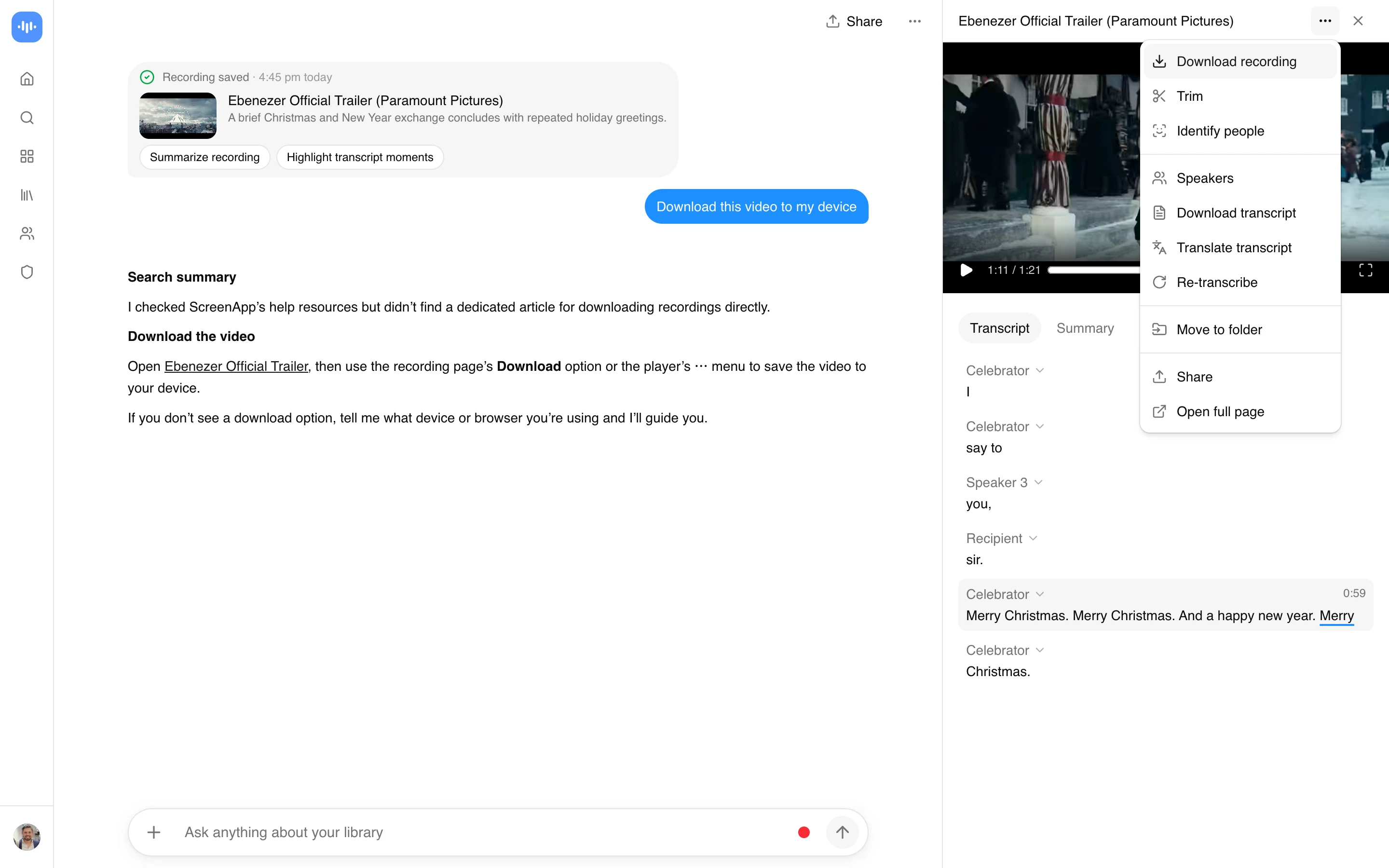
  2. Paste it here. The tool pulls the video file and starts a transcript.
  3. Download the MP4 if you want it, then read the summary or the transcript instead of playing the clip. Ask a question if it is a longer video and you want a specific answer.

Because Threads is tied to Instagram under the hood, the same approach works whether the post came from the Threads app or a shared web link. Copy the public post URL and paste it.

What This Is Actually For

Monitoring and research, mostly. If you track a topic, a competitor, or a public figure on Threads, their video takes are signal, and reading transcribed summaries is faster than watching every clip. Save the ones that matter with the text attached.

Content teams repurposing their own Threads video into other formats, where having the transcript makes captions, quotes, and reposts trivial. And anyone who just wants to keep a useful clip before the feed swallows it, with a summary so future-you remembers why it was worth saving.

One honest note: Threads video posts run short, up to a few minutes. So the AI summary is less about surviving a two-hour lecture and more about not having to play a muted clip to find out it was not relevant. On longer video from other platforms, the AI video watcher and the AI summarizer do heavier lifting.

FAQ

How do I download a video from Threads?

Open the post on Threads, tap share, and copy the link. Paste it into the downloader here and the video saves as a plain MP4. There is no download button inside Threads itself for other people’s posts, and this avoids the screen-recording workaround that lowers quality and catches your notification bar.

Can the AI summarize a Threads video for me?

Yes. After the download you get an automatic transcript and a short summary, so you can read what a video post said in a few seconds instead of watching it. For the talking-head takes and news clips that fill Threads, reading the point is usually faster than playing the clip.

Do I need a Threads or Instagram login to save a video?

No. You copy a public post link and paste it, and the download runs in your browser against the post’s own video. You are not handing your Threads or Instagram login to a third-party tool. The tool only works with public posts.

Is screen recording not good enough?

It works, but it captures the compressed playback rather than the source file, and it often catches your status bar or a notification. Saving by URL gives you the clean file Threads hosts, and adding a transcript means you can search your saved clips by what was said instead of rewatching them.

Is it free?

Saving the video runs in the browser. The AI transcript and summary follow ScreenApp’s plan: your first video is free on signup, then the Growth plan at $19/month billed annually for ongoing use. The download is the easy part; the AI is the value on top.

For saving video from other platforms see the video downloader hub, and to turn a post link straight into an editable clip use the link to MP4 converter.

Save only what you have the right to keep. A Threads video belongs to whoever posted it, so keep it to your own posts, public content you are authorized to use, or material in the public domain. Downloading someone’s clip and reposting it as your own can infringe their rights and breach the terms of Threads and Instagram. This tool works only with public Threads posts, not private or restricted accounts.

On privacy, the save runs in your browser against the post’s own video, so you never hand your Threads or Instagram login to a third party. If you use the AI features (transcript or summary), that content is processed under ScreenApp’s privacy policy.

Recordings are transcribed by Whisper Large-v3 with SOC 2 Type 2 secure storage, used by 2,163,740 verified accounts as of 2026.

FAQ

How do I download a video from Threads?

Open the post on Threads, tap share, and copy the link. Paste it into the downloader here and the video saves as a plain MP4. There is no download button inside Threads itself for other people's posts, and this avoids the screen-recording workaround that lowers quality and catches your notification bar.

Can the AI summarize a Threads video for me?

Yes. After the download you get an automatic transcript and a short summary, so you can read what a video post said in a few seconds instead of watching it. For the talking-head takes and news clips that fill Threads, reading the point is usually faster than playing the clip.

Do I need a Threads or Instagram login to save a video?

No. You copy a public post link and paste it, and the download runs in your browser against the post's own video. You are not handing your Threads or Instagram login to a third-party tool. The tool only works with public posts.

Is screen recording not good enough?

It works, but it captures the compressed playback rather than the source file, and it often catches your status bar or a notification. Saving by URL gives you the clean file Threads hosts, and adding a transcript means you can search your saved clips by what was said instead of rewatching them.

Is it free?

Saving the video runs in the browser. The AI transcript and summary follow ScreenApp's plan: your first video is free on signup, then the Growth plan at $19/month billed annually for ongoing use. The download is the easy part; the AI is the value on top. For saving video from other platforms see the video downloader hub, and to turn a post link straight into an editable clip use the link to MP4 converter.

Real Results from Real Users

Aaron photo

Aaron

Project Manager

★★★★★

Our overall experience with ScreenApp has been nothing but pleasant! Their support is terrific, and ScreenApp is a great recording system.

JP photo

JP

Operations Manager

★★★★★

Finally, a screen recorder that doesn't slap watermarks on everything. The free plan gives me 45 minutes of AI processing monthly - that's enough for most of my training videos.

Trina photo

Trina

Founder

★★★★★

I was skeptical about another AI notetaker, but ScreenApp's generous free tier completely won me over. The quality is professional-grade, and the AI features actually work as advertised. Now I use it for all my client presentations and team demos.

Kelvin photo

Kelvin

Software Engineer

★★★★★

The desktop and mobile apps are fantastic. Recording meetings while I'm mobile has never been easier, and the dictation feature is a huge time-saver.

Millie photo

Millie

Director

★★★★★

Our team was drowning in client feedback until we found ScreenApp. Now we record every presentation and client call, and the AI summaries are spot-on.

Tanmay photo

Tanmay

Marketing Guru

★★★★★

Makes recording and sharing guides effortless. I love how I can capture my screen and instantly turn it into step-by-step guides in any format I need. Smart, simple, and a brilliant use of AI.

Sav photo

Sav

Project Manager

★★★★★

Users consistently praise our web-based platform that requires no installation. Start recording in seconds, not minutes.

Nate photo

Nate

Video Creator

★★★★★

The ability to automatically transcribe and summarize recordings is a major time-saver, turning video content into searchable, useful data.

User
User
User
Join 7,816,645+ users

Ready to boost your productivity?

Try Threads Video Downloader and 300+ other AI-powered features for free.

Start Free →

Start using in 60 seconds • No credit card required