10 Best AI Video Watcher Tools to Save Hours in 2026

On this page
We live in the era of “TL;DW” - Too Long; Didn’t Watch. Whether it’s a 3-hour lecture, a 90-minute webinar, or endless YouTube tutorials, consuming video content takes too much time. According to Statista’s research on video consumption, the average person watches over 100 minutes of online video daily. That’s a lot of time spent scrubbing timelines and watching at 2x speed.
Most of us skip around randomly and still miss the important parts. You finish a 45-minute tutorial and realize you can’t remember step three.
Enter the AI Video Watcher. These tools act as your personal assistant, watching the video for you and delivering key insights, summaries, and answers in seconds. Instead of passive watching, you get active learning.
This guide ranks the top tools that transform hours of footage into instant knowledge - no scrubbing required.
What Can an AI Video Watcher Actually Do?
Before diving into tools, it helps to understand what “watching” means for an AI. These aren’t simple transcript readers - the best ones process video like a human assistant would.
Core Capabilities of AI Video Watchers
Summarize Long Content
Turn a 1-hour video into a 5-minute read. Get bullet points, key chapters, and main takeaways without watching a single second.
Chat and Ask Questions
Ask specific questions like "What was the third tip mentioned?" or "What did they say about the Q3 budget?" Get answers with timestamps.
Visual Analysis (Advanced)
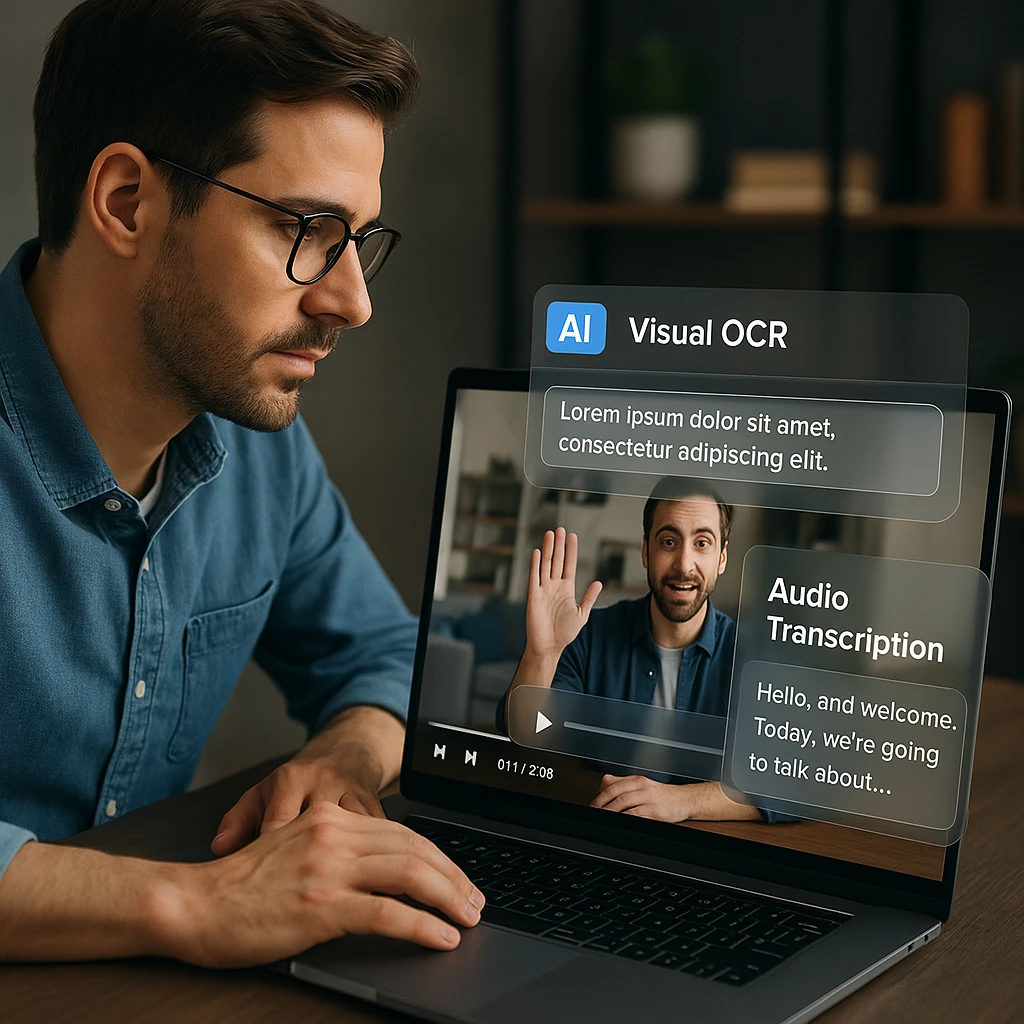
Some tools can read text on slides, whiteboards, and screen shares - capturing information that was never spoken out loud. This is the key differentiator between basic and advanced tools.
The distinction between “transcript readers” and “true video watchers” matters. Most browser extensions only process the audio transcript - they’re blind to what’s on screen. Advanced multimodal tools like ScreenApp’s AI Video Watcher use OCR (Optical Character Recognition) to actually see the visual content.
Quick Comparison: Top AI Video Watcher Tools
| Rank | Tool Name | Best For | Visual OCR | Price | Rating |
|---|---|---|---|---|---|
| 1 | ScreenApp | Files + YouTube (Visual + Audio) | Yes | Free Plan Available | ★★★★★ |
| 2 | Eightify | YouTube Quick Summaries | No | Freemium | ★★★★☆ |
| 3 | Gemini 1.5 Pro | Large Context Analysis | Yes | $20/month | ★★★★☆ |
| 4 | Mindgrasp | Students and Study Notes | No | $9.99/month | ★★★★☆ |
| 5 | Harpa.ai | Browser Automation | No | Free/Premium | ★★★★☆ |
| 6 | Glasp | Social Highlighting | No | Free | ★★★☆☆ |
| 7 | NoteGPT | YouTube Notes | No | Freemium | ★★★☆☆ |
| 8 | ChatTube | YouTube Q&A | No | Free | ★★★☆☆ |
| 9 | VideoHighlight | Research Clipping | No | $10/month | ★★★☆☆ |
| 10 | Summarize.tech | Quick YouTube TL;DR | No | Free | ★★★☆☆ |
Key Insight: Notice that only 2 of the 10 tools offer Visual OCR (reading text on screen). This is the critical differentiator for anyone working with presentations, tutorials, or screen recordings where important information appears visually but isn’t spoken.
Top 10 AI Video Watcher Tools in 2026
ScreenApp
The "All-Seeing" Video Watcher - Visual + Audio Analysis
The only AI that watches the pixels, not just the transcript. ScreenApp processes both Audio (what is said) and Video (visual text/slides) to give a complete understanding. Most tools are blind to what's on screen - they only read captions. ScreenApp sees everything.
Multimodal Analysis
Processes audio transcription AND visual OCR simultaneously - catches slide text, code, and diagrams.
Video Library
Doesn't forget after one session. Ask questions across your entire video collection at once.
Universal Input
Upload your own Zoom recordings, MP4 files, or paste YouTube links. Works with any video source.
Timestamped Citations
Every AI answer includes clickable timestamps so you can verify exactly where information came from.
Pros
- • True multimodal - reads visual content others miss
- • Persistent library for cross-video queries
- • Works with YouTube links AND private files
- • Free tier for testing
Cons
- • Premium required for long videos
- • Cloud processing needed (not offline)
Best For
Professionals, researchers, and anyone needing deep details from presentations, tutorials, or screen recordings. If the video has slides or code on screen, ScreenApp catches what others miss.
Eightify
Best YouTube Browser Extension for Quick Summaries
A browser extension that lives inside YouTube. Eightify instantly generates a "TL;DR" summary in the YouTube sidebar - perfect for quickly deciding if a video is worth watching. Very fast and convenient for casual browsing, but limited to YouTube only.
Instant Summaries
One-click summaries appear directly in the YouTube interface without leaving the page.
Key Points Extraction
Breaks down videos into bullet-pointed key takeaways with timestamps.
Multiple Languages
Supports summaries in various languages regardless of the video's original language.
Clean Interface
Unobtrusive sidebar that doesn't clutter your YouTube experience.
Pros
- • Seamless YouTube integration
- • Very fast summary generation
- • Generous free tier
Cons
- • YouTube only - no private video support
- • No visual OCR (transcript only)
- • Limited Q&A capabilities
Best For
YouTube addicts who want to quickly scan videos before committing to watch. Great for deciding "is this video worth my time?"
Gemini 1.5 Pro
Best for Massive Context and Long Videos
Google's flagship AI model with an enormous context window. Gemini 1.5 Pro can process videos up to 1 hour+ directly in the chat, understanding both audio and visual elements. However, it lacks a dedicated video workspace - once your chat session ends, the AI forgets everything.
Massive Context Window
Process extremely long videos in a single session without chunking or compression.
True Multimodal
Understands both what's said and what's shown on screen - including code, diagrams, and text.
Advanced Reasoning
Can perform complex analysis, connect concepts, and answer nuanced questions.
Google Integration
Connects with Google Workspace for seamless workflow integration.
Pros
- • Handles extremely long videos
- • True visual understanding (not just transcript)
- • Cutting-edge AI reasoning
Cons
- • No persistent library - forgets after session
- • Privacy concerns with Google training data
- • $20/month for advanced features
Best For
One-off deep analysis of very long videos where you need the AI to truly understand visual content. Less ideal for building a searchable knowledge base.
Mindgrasp
Best AI Study Assistant for Students
An AI study assistant that turns videos into learning materials. Mindgrasp "watches" lecture videos and immediately generates flashcards, quizzes, and study notes. Designed specifically for students who learn from recorded lectures and educational content.
Auto-Generated Flashcards
Automatically creates study flashcards from video content for spaced repetition learning.
Quiz Generation
Creates practice quizzes based on video content to test your understanding.
Multi-Source Support
Works with videos, PDFs, documents, and web pages in one platform.
Study Notes Format
Outputs structured notes designed for academic study and exam prep.
Pros
- • Purpose-built for academic learning
- • Instant flashcards and quizzes
- • Works with multiple content types
Cons
- • No visual OCR capabilities
- • Expensive for non-students
- • Limited to educational use cases
Best For
Students who want to turn lecture videos into study materials. If you need flashcards and quizzes generated automatically, Mindgrasp delivers. Check out our guide on recording lectures and converting to text for more study tips.
Harpa.ai
Best Browser AI Agent for Automation
An AI agent for Chrome that does far more than video summaries. Harpa.ai can summarize web pages, track price changes, automate tasks, AND summarize YouTube videos. It's a Swiss Army knife, but that breadth means it's less focused than dedicated video tools.
Browser-Wide AI
Works across any website, not just video platforms - summarize articles, emails, and more.
Automation Tasks
Set up automated workflows like price tracking, content monitoring, and data extraction.
Multiple AI Models
Choose between different AI backends including GPT-4, Claude, and local models.
Custom Prompts
Create custom AI prompts and workflows tailored to your specific needs.
Pros
- • Works everywhere in the browser
- • Powerful automation capabilities
- • Generous free tier
Cons
- • Can feel cluttered with features
- • No visual OCR for videos
- • More browser assistant than video specialist
Best For
Power users who want one AI tool for everything in their browser. If you need video summaries plus web scraping, price tracking, and writing assistance, Harpa bundles it all.
Glasp
Best for Social Highlighting and Knowledge Sharing
A social highlighting tool that summarizes YouTube videos. Glasp lets you highlight key moments in videos and share them with a community. Great for collaborative learning and discovering what others found valuable in the same content.
Social Highlighting
Highlight and annotate key moments in videos, then share your insights with a community of learners.
Community Discovery
See what others highlighted in the same videos to discover valuable insights you might have missed.
Multi-Content Support
Works with YouTube videos and web articles, creating a unified knowledge base across content types.
Free Access
Completely free to use with no subscription required for basic highlighting and sharing features.
Pros
- •Social discovery of valuable content
- •Completely free to use
- •Works with web articles too
Cons
- •YouTube only - no file uploads
- •No visual OCR capabilities
- •Limited Q&A functionality
Best For
Learners who want to see what others highlighted in videos and share their own discoveries with a community.
NoteGPT
Best for YouTube Note-Taking and Organization
A note-taking focused YouTube summarizer. NoteGPT generates summaries, timestamps, and organized notes from videos. Good for students and researchers who need structured output for later reference.
Structured Notes
Generates well-organized notes with clear sections, timestamps, and hierarchical structure for easy review.
Mind Map Generation
Creates visual mind maps from video content to help visualize relationships between concepts and ideas.
Multiple Export Formats
Export notes in various formats including Markdown, PDF, and text files for compatibility with different tools.
Timestamp Integration
Every note includes clickable timestamps linking back to the exact moment in the original video.
Pros
- •Well-organized note output
- •Mind map generation
- •Export to various formats
Cons
- •Limited to YouTube
- •No visual content analysis
- •Accuracy varies by video quality
Best For
Students and researchers who need structured, exportable notes from YouTube educational content.
ChatTube
Best Free YouTube Q&A Tool
A simple, focused tool for chatting with YouTube videos. ChatTube does one thing well - lets you ask questions about any YouTube video and get instant answers with timestamps. No frills, just functional.
Instant Q&A
Ask questions about any YouTube video and get immediate answers with clickable timestamps for verification.
No Signup Required
Start asking questions immediately without creating an account or providing any personal information.
Simple Interface
Clean, distraction-free interface focused solely on video Q&A without unnecessary features or clutter.
Completely Free
No subscription fees, usage limits, or premium tiers - completely free for all users.
Pros
- •Completely free
- •Simple, focused interface
- •Timestamped answers
Cons
- •YouTube only
- •No visual analysis
- •Basic feature set
Best For
Users who want a free, no-signup way to ask quick questions about YouTube videos.
VideoHighlight
Best for Research Clipping and Citation
A research-focused tool for extracting and citing video content. VideoHighlight lets you clip specific segments, add notes, and generate citations. Designed for academics and researchers who need to reference video sources professionally.
Academic Citations
Generate properly formatted citations in APA, MLA, Chicago, and other academic citation styles automatically.
Precise Clip Extraction
Extract exact video segments with frame-accurate timestamps for precise research documentation.
Note Organization
Add detailed notes and annotations to video clips, organizing research findings in one centralized location.
Research Workflow
Designed specifically for academic and professional research workflows with citation management built-in.
Pros
- •Academic citation support
- •Precise clip extraction
- •Note organization
Cons
- •$10/month subscription
- •No visual OCR
- •Limited AI chat features
Best For
Academics and researchers who need to cite video sources and organize research clips professionally.
Summarize.tech
Best Free Quick TL;DR Generator
The simplest possible YouTube summarizer. Summarize.tech just takes a YouTube URL and gives you a quick TL;DR. No signup, no frills. Paste a link, get a summary. That's it.
Zero Friction
No signup, no account creation, no downloads - just paste a YouTube URL and get instant results.
Instant Summaries
Get quick TL;DR summaries in seconds, perfect for quickly evaluating if a long video is worth watching.
Completely Free
No subscription fees, usage limits, or hidden costs - completely free for unlimited use.
Simple Interface
Minimalist design with just one input field - paste URL, get summary, done. No learning curve required.
Pros
- •Completely free, no signup
- •Extremely simple to use
- •Fast results
Cons
- •YouTube only
- •No Q&A or chat features
- •Basic summaries only
Best For
Anyone who wants the fastest possible YouTube summary with zero friction. Perfect for quickly evaluating if a long video is worth watching.
How to “Watch” a Video in Seconds with AI
Getting instant insights from any video takes just a few steps. Here’s how to do it with ScreenApp.
Step-by-Step: AI Video Analysis
Upload or Paste Link
Paste the YouTube link or upload your MP4/MOV file directly to ScreenApp's Video Watcher. Both methods work equally well.
AI Processing
The AI processes both the audio (what's said) and visuals (text on screen) in the cloud. This takes a few moments depending on video length.
Get the Gist
Read the auto-generated summary and key chapters. This gives you the 80/20 - the most important information without watching a single second.
Deep Dive with Chat
Use the chat box to ask specific questions: "What did the speaker say about the Q3 budget?" or "List all the resources shown on the final slide." Get answers with clickable timestamps.
For related workflows, check out our guides on AI interview assistants that can analyze video interviews, and ScreenApp’s video analyzer for deeper content analysis.
Use Cases: Who Needs an AI Video Watcher?
Students
Turn a 2-hour recorded lecture into a neat study guide without re-watching it. Extract the key concepts, definitions, and examples - then ask follow-up questions about anything unclear.
Corporate Training
"Watch" the mandatory compliance video in 3 minutes by asking the AI for the key points and policy changes. Get the information you need without the filler.
Content Creators
Analyze viral videos to find exactly where the engagement hooks are. Ask the AI to identify the structure, key moments, and techniques used by successful creators.
Recruitment Teams
Screen 50 video interviews in an hour by asking AI to extract each candidate's experience, key qualifications, and notable responses. Compare candidates at scale.
Researchers
Process hours of recorded interviews or field research footage. Search across multiple videos to find every mention of specific topics or themes.
Meeting Follow-up
Missed a video conference? Upload the recording and ask the AI what decisions were made, who was assigned which action items, and what you need to know.
Reclaim Your Time
You don’t need to watch every second of footage to get 100% of the value. AI Video Watchers are the ultimate productivity hack for 2026. Instead of scrubbing timelines and watching at 2x speed, let the AI do the watching and give you the answers.
The key differentiator is visual analysis. Most tools only read the transcript - they’re blind to slides, code, and text on screen. If your videos contain important visual information (presentations, tutorials, screen recordings), you need a tool that truly sees the content.
For most use cases, ScreenApp offers the best combination of features: visual OCR, persistent library, YouTube and file support, and interactive chat. Eightify is perfect if you only need YouTube summaries. Gemini 1.5 Pro handles the longest videos with true multimodal understanding, but lacks a permanent workspace.
Stop Scrubbing the Timeline
Let AI watch your videos and give you the answers instantly. Works with YouTube links, Zoom recordings, and any video file.
Try ScreenApp's AI Video Watcher FreeRelated Resources:
- Top YouTube Downloaders - Save videos for offline watching
- Best AI Video Generators - Create videos with AI
- Video to Text Converter - Full transcription tools
- AI Video Summarizer - Summarize any video
How we put this together: this is a comparison based on each vendor’s published documentation and pricing pages, checked on the dates shown. We did not run a hands-on benchmark for this article.
FAQ
Can AI actually watch a video for me?
Yes. AI processes the data layer of the video - audio transcription and visual text recognition - to "understand" the content faster than real-time playback. It doesn't watch like a human, but it extracts the information you need in seconds.
Does it work on videos without captions?
Yes. Tools like ScreenApp generate their own internal transcription using AI speech recognition, so they don't rely on YouTube's auto-captions. The AI creates its own transcript from the audio.
Can I ask the AI questions about the video?
Absolutely. This is called "Conversational AI" or "Chat with Video." You can ask questions like "What was the main argument in the second half?" and get answers with timestamps so you can verify the source.
Is there a limit to video length?
Most free browser extensions limit you to 20-30 minutes. ScreenApp supports much longer uploads (hours), making it better for webinars, lectures, and extended meetings. Gemini 1.5 Pro also handles very long videos.
Does AI understand text shown on the screen (like slides)?
Most basic tools (like browser extensions) cannot see the screen; they only read the transcript. However, advanced multimodal tools like ScreenApp use OCR (Optical Character Recognition) to read text on slides, whiteboards, or screen shares - ensuring you don't miss info that wasn't spoken out loud.
Can I use AI to summarize a video in a different language?
Yes. Many AI video watchers can process a video in one language (e.g., Spanish) and generate the summary or answer your questions in another (e.g., English). This effectively acts as a "Translation + Summary" tool in one.
Is my data private if I upload a work meeting?
This depends heavily on the tool. Public chatbots (like standard ChatGPT) may use your data for training. For sensitive work meetings, use a business-focused platform like ScreenApp, which does not use your recordings to train public models.
Can the AI generate a blog post from a video?
Yes, this is a popular use case. Once the AI has "watched" and analyzed the video, you can prompt it to "Turn this summary into a 500-word SEO blog post" or "Create a LinkedIn thread based on this video," repurposing the content instantly.
Why do some AI summaries get facts wrong (Hallucinations)?
AI can sometimes "hallucinate" if the video audio is unclear or if the model tries to fill in gaps. To prevent this, use tools that provide time-stamped citations (e.g., [04:21]). This allows you to click and verify exactly where the AI got its information.