Import an Instagram Video and Get the File
Paste a public Instagram Reel, feed video, or IGTV link into ScreenApp and it imports the video, the same importer that handles YouTube, Vimeo, TikTok, Instagram, Facebook and most other public video links (Twitch, Loom, Dropbox, Google Drive, Pinterest, X, Threads, Douyin, Kuaishou, Bilibili) through a generic importer. The import itself is free, and it lands in your account like any other recording rather than disappearing into a one-off download.
Because the video is in your account, you get more than a file. ScreenApp transcribes it, writes a summary, and lets you chat with an AI about what’s in it, all before you decide whether to download anything.
What you get:
- The video imported from a public Instagram Reel, feed video, or IGTV link
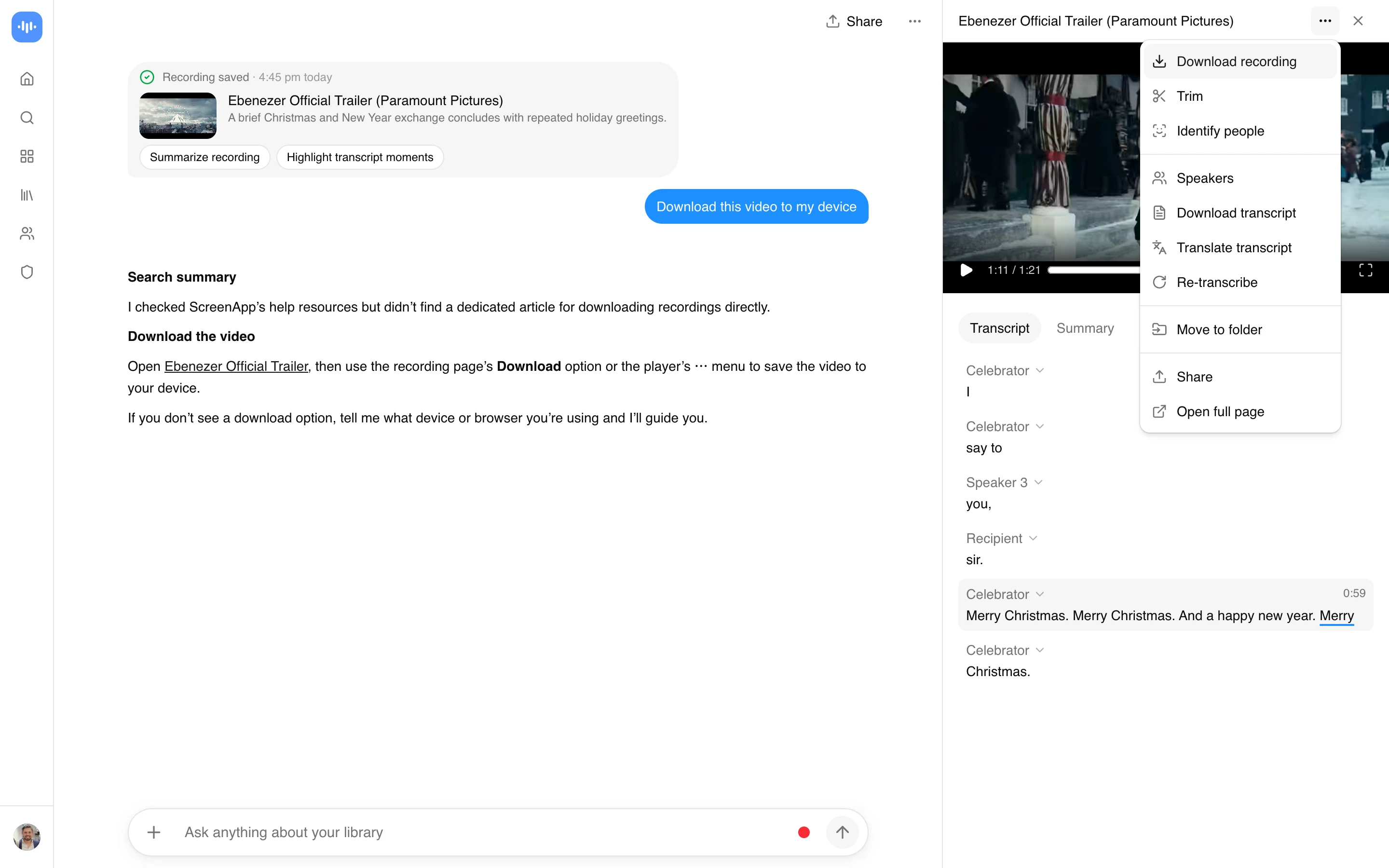
- A downloadable MP4 once processing finishes, on a paid plan (import a video from a link and download it as MP4 once it has been processed)
- The audio as a downloadable MP3, also on a paid plan (import a YouTube link and download the extracted audio as MP3 once it has been processed)
- A transcript, in 100+ languages, plus an AI summary and AI chat on the import, free
- no watermark on any recording or export; ScreenApp does not strip a watermark that Instagram itself added to the file
How to Download an Instagram Video or Its Audio
- Copy the link. Open the Reel, feed video, or IGTV episode, tap Share, then Copy Link.
- Paste it into ScreenApp. The video imports and processes in your account. This is free.
- Read the transcript, then download. The transcript and AI summary are ready first. Downloading the video as MP4 or the audio as MP3 needs a paid plan.
Only public posts work. A private account needs a login the tool does not have, so it cannot be pulled in. The imported video is kept at up to 4K, matching the source resolution. See how we measure accuracy for how the transcript is scored.
What Works From a Link, and What Needs a Download First
Not every Instagram post behaves the same way.
- Public Reels, feed videos, and IGTV: paste the link and the import starts.
- Private accounts: these need a login to view, so no tool can pull them in from a link.
- Stories: these expire in 24 hours and are not reachable from a link. Save the video to your device while it is live, then upload that file instead.
- Carousel posts with multiple videos: import each video clip on its own rather than the whole post.
Instagram Video Downloader vs Other Apps
| Feature | ScreenApp | 4K Stogram | SnapDownloader | yt-dlp |
|---|---|---|---|---|
| Free tier | Import free, download needs a paid plan | Free download available, support discontinued | 48-hour free trial | Free, open source |
| Paid plan | $19/month annual | Not stated | $7.99/month or $39.99 lifetime | Free forever |
| Stated quality | up to 4K, matching the source resolution | original quality and resolution | Not stated | Not stated |
| Watermark | no watermark on any recording or export | removes the Instagram watermark from Reels | Not stated | Not stated |
Sources, checked 2026-09-13: ScreenApp pricing, 4kdownload.com/products/product-4kstogram, snapdownloader.com, snapdownloader.com/buy, github.com/yt-dlp/yt-dlp
- vs 4K Stogram: 4K Stogram is a desktop app that states downloads keep original quality and resolution and claims it removes the Instagram watermark from Reels, but its own product page says support discontinued and does not publish current pricing. ScreenApp is browser-based, publishes its plan price, and adds a transcript, summary, and AI chat to the import.
- vs SnapDownloader: SnapDownloader gives a 48-hour trial, then $7.99 a month or $39.99 for a lifetime license, again a desktop install. It does not state a transcript or summary feature.
- vs yt-dlp: yt-dlp is Free and covers thousands of sites. It runs from the command line, so you need it installed along with its dependencies, and it does not transcribe or summarize what it downloads.
Who Downloads Instagram Videos and Audio
Content creators pull a Reel into their account to get a transcript of the hook or the script, then reference it while editing a response or a repost in another tool.
Researchers and journalists save a post before it is deleted or an account is suspended, keeping the transcript as a record of what was said even if the original disappears.
Social media managers archive a competitor’s Reel or their own team’s post, then search the transcript instead of re-watching the clip to find a specific line.
Educators and students import a Reel, tutorial, or IGTV episode shared in class and get a transcript to study from instead of scrubbing back through the video.
Video editors and designers pull a Reel into their account for repurposing, then use the transcript to find the exact section they need without watching the whole file.
Anyone who wants the video, not just a transcript: the video downloader runs the same import for YouTube, Vimeo, TikTok, Instagram, Facebook and most other public video links (Twitch, Loom, Dropbox, Google Drive, Pinterest, X, Threads, Douyin, Kuaishou, Bilibili) through a generic importer.
If you only want a summary and transcript without downloading the file, the Instagram video summarizer is built for that.