Can Claude Create Videos? What It Can and Cannot Do

On this page
There is a single line in Anthropic’s image documentation that answers this question better than any feature list.
GIF is a supported upload format. But per Anthropic’s vision docs, animations are unsupported and only the first frame is used. Hand Claude a five-second animated GIF and it sees one still image.
That is the whole story. Claude does not process motion. Not in what you give it, and not in what it produces. Video is a sequence of frames over time, and Claude works in a medium that has no time axis at all.
Which does not make it useless for video. It makes it useful for a specific half of the job.
No native video generation. Claude has no text-to-video model and cannot export an MP4, MOV, or WebM from a prompt.
It writes the whole plan. Script, storyboard, shot list, per-scene generation prompts, captions, titles, descriptions.
It writes code that renders video. With Remotion or FFmpeg, Claude Code produces a real MP4. The library renders, Claude writes.
It cannot watch your footage. No video format is on the supported upload list, so existing clips need a transcript first.
Claude Cannot See Motion
Worth sitting with, because it explains every limitation further down.
Claude’s supported uploads are text files, PDFs, Office documents, and images in JPEG, PNG, GIF, and WebP. No MP4. No MOV. No WebM. And the GIF entry carries that caveat about only reading the first frame.
So even in the one animated format it accepts, Claude sees a still. It has no concept of frame two.
This is not an oversight waiting on a patch, it is what the model is. Claude reasons over text and static images. A video is 30 or 60 images per second plus an audio track plus the relationship between them across time, and none of that has a representation Claude can take in.
Everything that follows is downstream of this one fact. No video understanding, because there is nothing to understand. No video generation, because generation would mean producing motion it cannot represent. No timeline editing, because there is no timeline.
If you want a model that at least samples frames from an uploaded clip, that is a different product. The comparison with what ChatGPT can and cannot do with video is instructive: it samples at one frame per second, which is limited but not zero. Claude is zero.
What Claude Makes for a Video
Split production into stages and Claude covers most of them well. It just never touches the pixels.
| Task | Claude alone | With tools | Notes |
|---|---|---|---|
| Write a script | Yes | Yes | Its strongest contribution |
| Storyboard and shot list | Yes | Yes | Text-based, scene by scene |
| Per-scene video prompts | Yes | Yes | For a generator to execute |
| Captions and metadata | Yes | Yes | Needs a transcript to work from |
| Code-based animation | Partly | Yes | SVG and CSS render in Artifacts |
| Render an MP4 | No | Yes | Remotion or FFmpeg does the render |
| Generate footage from a prompt | No | Yes | Needs a text-to-video model |
| Edit existing footage | No | Via code | Cannot see what it is cutting |
The pattern is the same one that shows up with every language model and video: strong on anything expressible as text, absent on anything that requires seeing.
Can Claude Create Animations?
Yes, and this is the part people miss. It just is not video.
Ask Claude for an animated SVG, a CSS keyframe animation, or a React component with motion, and it writes working code that renders in an Artifact. You get real movement on screen. It looks like animation because it is animation.
The distinction: Claude wrote instructions your browser executes. It did not produce frames. Nothing about that output is a video file, and you cannot upload it to YouTube without a separate render step.
That is genuinely useful for explainer graphics, chart animations, UI motion prototypes, and loading states. It is not useful when you need footage of a person, a place, or a product. The same split shows up in whether ChatGPT can create videos, where the answer changed after Sora shut down.
Four Ways to Get an Actual Video
Ordered by how much code you want to write.
Claude writes, a generator renders
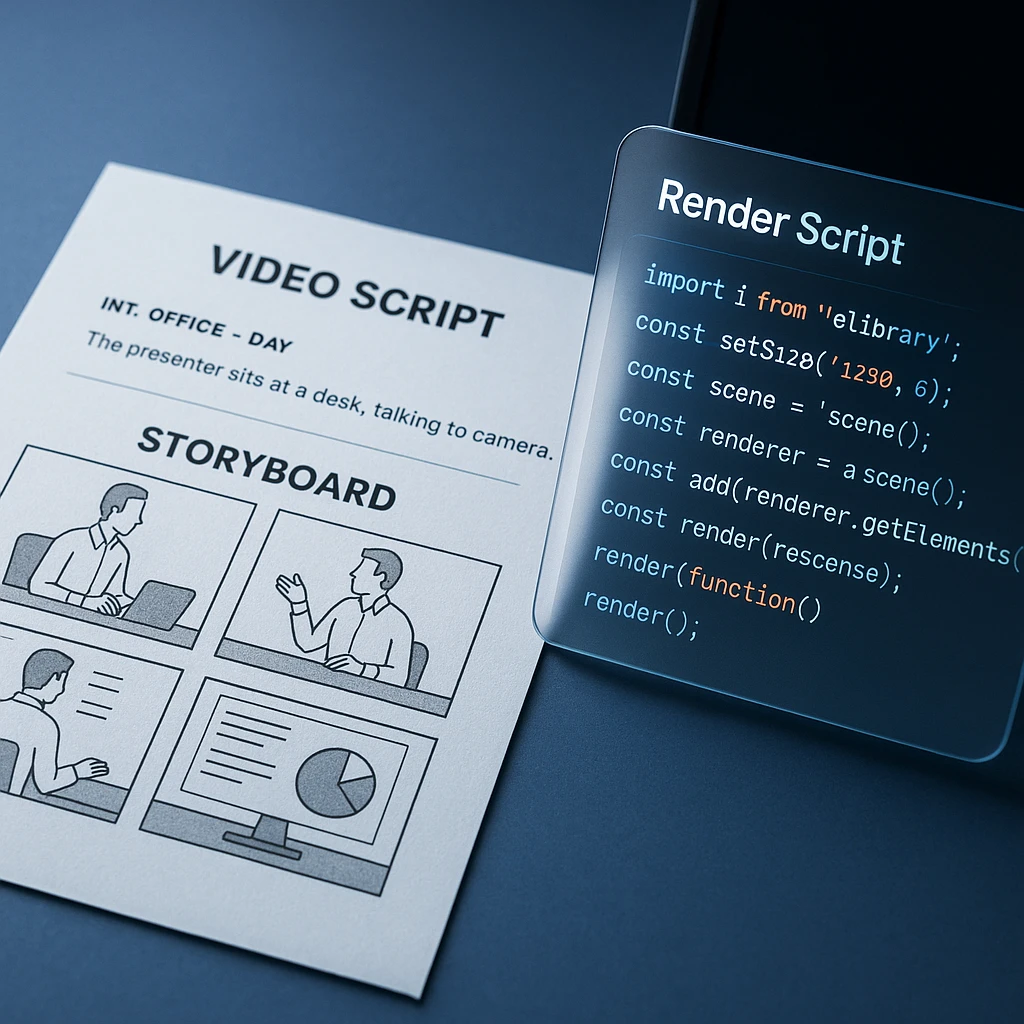
No code. Ask for a scene table with one generation prompt per shot, take those prompts to a video generator, assemble the clips. The prompts are where quality comes from, which is exactly the part Claude is good at. The roundup of free AI video generators covers which ones to feed them into.
Claude Code plus Remotion
Remotion builds video from React components, so a video becomes a codebase. Claude Code is unusually good here because the task is writing React, not making pictures. Best fit is templated output: the same branded intro over 200 personalised endings, data-driven charts, release notes as motion graphics.
Claude Code plus FFmpeg
For manipulating footage you already have: concatenating, trimming, transcoding, burning in subtitles, batch resizing. FFmpeg syntax is notoriously fiddly and Claude writes it correctly more often than most people do from memory. The catch is that it cannot watch the result, so you review every output yourself.
Connect a video service by API or MCP
Claude orchestrates: calls a text-to-video or avatar service, passes prompts, polls for the render, handles the files. Worth the setup only when you are producing at volume. For one video it is slower than opening the tool yourself.
A prompt worth reusing for the first route:
"Break this 30-second product video into six five-second scenes. For each: the visual subject, the action, the environment, camera movement, lighting, the voiceover line, on-screen text, and a self-contained text-to-video prompt I can paste into a generator. Keep the product description identical across all six prompts so it does not drift between shots."
That last instruction about keeping the description identical is the one that matters. Reworded product descriptions between scenes are the main reason AI-generated sequences look inconsistent.
Can Claude Code Make Videos?
It can produce one, but it is not generating it. The distinction holds all the way down.
Worth checking your plan before committing to this route, since code execution and file creation have rolled out tier by tier. The Claude pricing breakdown covers what each tier includes.
Claude Code writes the render script, installs the dependencies, runs the commands, and hands you a file. Remotion or FFmpeg does the actual rendering. Take those away and Claude Code produces nothing playable, because the ability was never in the model.
Where this genuinely pays off is volume and repetition. One video by hand is faster in a normal editor. Two hundred videos with swapped data, or a nightly render triggered by a build, is a job only the code route can do.
And the blind spot is real: Claude cannot verify its own output. It will write a script that produces a video with the audio out of sync and report success, because from its side the command exited zero. Somebody has to watch the file.
Which Tool for Which Job
Three different products, three different jobs, and picking wrong is why people conclude AI video is disappointing.
| You want to | Reach for | Why |
|---|---|---|
| Plan and script it | Claude | Structure and language are its strengths |
| Automate 200 of them | Claude Code plus Remotion | Video as code scales, hand editing does not |
| Invent footage that never existed | A text-to-video generator | Only a video model makes new frames |
| Cut footage you already have | A real editor | You need to see what you are cutting |
| Pull clips from a long recording | A clip generator | Finds the moments without a code step |
If you already have recordings, the code route is almost always the wrong answer. An AI video editor cuts footage directly, a clip generator pulls short segments out of a long recording, and a video analyzer tells you what is in it. All three do things Claude structurally cannot, because they can see the frames.
Where the two combine well: get a transcript and an AI summary of the recording first, then hand that text to Claude to restructure into scripts, posts, and chapter markers. Text is the handoff format.
What I Would Actually Do
Need one video and you have no footage: use Claude for the script and the per-scene prompts, then paste those into a generator. Twenty minutes of planning beats an hour of regenerating vague clips.
Need the same video 200 times with different data: Claude Code and Remotion, and it is worth the setup. This is the only case where the code route clearly wins.
Already have the recording: skip Claude for the video work entirely. Edit it in something that can see it, then bring the transcript to Claude for the writing.

And do not ask Claude to check its own render. It cannot open the file. That is the failure I would guard against hardest, because the report always sounds confident.
FAQ
Is Claude an AI video generator?
No. There is no text-to-video model behind it. It writes scripts, storyboards, prompts, and code, and something else turns those into frames.
Can Claude generate an MP4?
Not on its own. Claude Code can write a Remotion or FFmpeg script that renders one, but the library does the rendering. Claude Chat produces no video file at all.
Can Claude make a video from text?
It turns text into a video plan: script, scenes, and one generation prompt per shot. Turning that plan into footage needs a video generator.
Can Claude create animations?
Yes, as code. Animated SVG, CSS keyframes, and React motion all render in Artifacts. They are not video files and need a separate render step before you can upload them anywhere.
Can Claude create GIFs?
Through code execution it can produce files, so a script can output a GIF. Reading one is the harder direction: Anthropic’s docs say only the first frame of an animated GIF is used.
Can Claude watch or analyse a video I upload?
No. No video format appears on the supported upload list. Get a transcript first and give Claude that instead.
Can Claude edit my existing footage?
Not directly. Claude Code can drive FFmpeg to trim, concatenate, or burn in subtitles, but it cannot see the result, so you review every output yourself.
Can Claude Code generate videos?
It can produce one by writing and running render code. It is orchestrating a rendering library rather than generating video, and without that library it produces nothing playable.
Can Claude make YouTube or TikTok videos?
It writes the script, hook, captions, title, description, and chapters. The footage comes from a generator, a camera, or a screen recording.
Can Claude write prompts for a video generator?
Yes, and this is the highest-value thing it does here. Most disappointing AI video traces back to a thin prompt, which is exactly the gap Claude fills.
Does Claude work with FFmpeg and Remotion?
Yes, through Claude Code. Remotion suits templated and data-driven video since it is React; FFmpeg suits manipulating files you already have.
Why can Claude read a GIF but not a video?
Because it only reads the first frame. GIF is accepted as an image format, and Claude takes a single still from it. It has no way to represent motion in either direction.
FAQ
Is Claude an AI video generator?
No. There is no text-to-video model behind it. It writes scripts, storyboards, prompts, and code, and something else turns those into frames.
Can Claude generate an MP4?
Not on its own. Claude Code can write a Remotion or FFmpeg script that renders one, but the library does the rendering. Claude Chat produces no video file at all.
Can Claude make a video from text?
It turns text into a video plan: script, scenes, and one generation prompt per shot. Turning that plan into footage needs a video generator.
Can Claude create animations?
Yes, as code. Animated SVG, CSS keyframes, and React motion all render in Artifacts. They are not video files and need a separate render step before you can upload them anywhere.
Can Claude create GIFs?
Through code execution it can produce files, so a script can output a GIF. Reading one is the harder direction: Anthropic's docs say only the first frame of an animated GIF is used.
Can Claude watch or analyse a video I upload?
No. No video format appears on the supported upload list. Get a transcript first and give Claude that instead.
Can Claude edit my existing footage?
Not directly. Claude Code can drive FFmpeg to trim, concatenate, or burn in subtitles, but it cannot see the result, so you review every output yourself.
Can Claude Code generate videos?
It can produce one by writing and running render code. It is orchestrating a rendering library rather than generating video, and without that library it produces nothing playable.
Can Claude make YouTube or TikTok videos?
It writes the script, hook, captions, title, description, and chapters. The footage comes from a generator, a camera, or a screen recording.
Can Claude write prompts for a video generator?
Yes, and this is the highest-value thing it does here. Most disappointing AI video traces back to a thin prompt, which is exactly the gap Claude fills.
Does Claude work with FFmpeg and Remotion?
Yes, through Claude Code. Remotion suits templated and data-driven video since it is React; FFmpeg suits manipulating files you already have.
Why can Claude read a GIF but not a video?
Because it only reads the first frame. GIF is accepted as an image format, and Claude takes a single still from it. It has no way to represent motion in either direction.