
What this does
Claude works with text and images, not video or audio files. ScreenApp runs an MCP server, so Claude can reach the text ScreenApp already produced from your recordings: transcripts, summaries and metadata. Ask Claude a question and it fetches what it needs, instead of you pasting a transcript into the chat.
The server is hosted by ScreenApp, so there is nothing to install or run on your machine, and it works on every plan, including Free.
This is read access to your own ScreenApp library. Claude does not record anything and does not write anything back into ScreenApp.
Setup
- In ScreenApp, go to Settings, then API, and copy the MCP server URL:
https://screenapp.io/app/api/mcp - In Claude, open Settings, then Connectors, then Add, then Add custom connector.
- Name it ScreenApp and paste the server URL. Leave the client ID and client secret empty.
- Claude opens ScreenApp in a new tab. Sign in and approve the access it asks for.
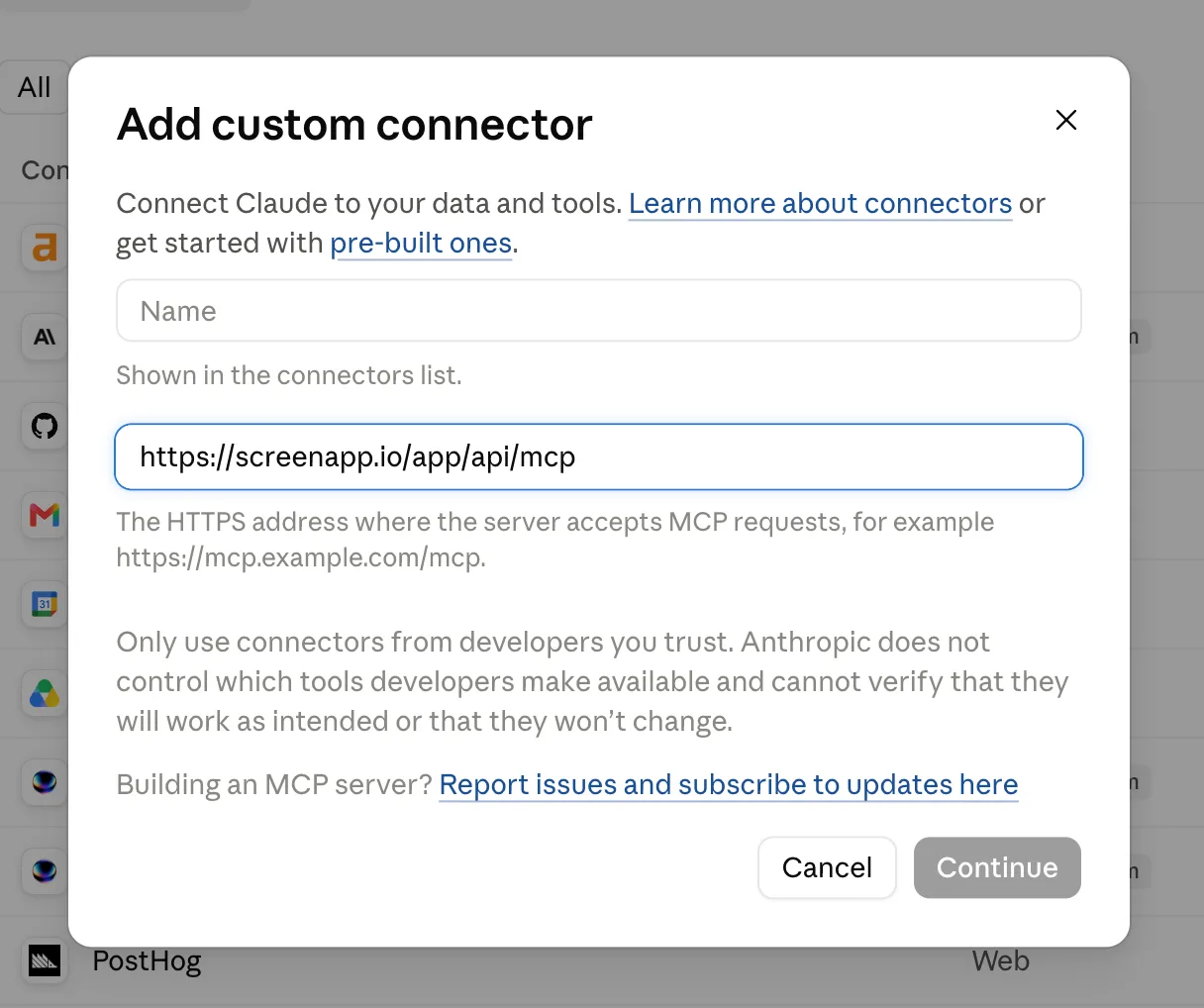
There is no API key to generate. Access uses OAuth sign-in, with no API key, client ID or client secret to enter. We connected Claude to ScreenApp this way on 18 September 2026, in ScreenApp v0.3.0, and the screenshot above is from that session. The step by step version with screenshots covers both Claude and ChatGPT.
What Claude can do once connected
The server exposes ten tools and Claude picks between them on its own: get_profile, list_teams, list_recordings, list_folders, get_recording, get_transcript, get_summary, search, fetch and get_usage.
- Run full text search across recording titles, speaker names and whole transcripts in one space, then pull the transcript behind a hit
- Answer questions about one recording, or read several in one go to compare them
- List recordings and folders, and filter by team
- Read the summary and chapters ScreenApp generated
- Report your plan usage
“Compare the themes from my last five customer interviews” is the sort of request that works well, because Claude can fetch each transcript itself rather than making you feed them in one at a time.
Claude reaches your personal space and every team you belong to.
What it cannot do
Access is read only. Claude cannot start or stop a recording, upload a file, edit a transcript, rename, share or delete anything.
only text leaves ScreenApp: the assistant reads transcripts and summaries, not the video or audio itself. Frame reading happens in ScreenApp, where AI reads video frames, not just the audio, and what reaches Claude is the resulting text.
Connecting costs no AI credits against your plan, because nothing on the ScreenApp side calls a language model. Claude does the reasoning on its own side.
If you would rather build your own
ScreenApp has API keys and a public REST API. If you want an MCP server with your own set of tools, you can write one against the API. There is a worked example in connecting ScreenApp to OpenClaw agents via MCP.
Frequently asked questions
Do I need Claude Desktop?
No. Custom connectors are set up in Claude’s settings and apply to your account, so the connection is there in whichever Claude client you sign in to. Custom connectors are not on every Claude plan, so check the Connectors screen in your account.
Do I have to upload my recordings to Claude?
No. Claude reads from ScreenApp over the connector. Nothing is uploaded.
Does this cost extra?
No. MCP is on every plan, including Free, and it spends no AI credits. You still need transcription credit to create a transcript in the first place.
Can I limit what it sees?
The connector reaches the library the signed-in ScreenApp account can already see, including team workspaces you belong to. To cut access, Disconnect in Settings, then API, and access stops on the next request.