10 Best Real-Time Translators of 2026: Apps, Earbuds and Travel Devices

On this page
The fastest way to a real-time translator in 2026 is usually something you already own. Google Translate speaks close to 250 languages for free, and the earbuds in your pocket probably translate now too: Apple added Live Translation to AirPods, Pixel Buds Pro 2 push it past 70 languages, and Samsung’s Galaxy Buds run an Interpreter mode. Dedicated hardware still earns its keep in specific situations, and this guide is honest about which ones.
The catch is that each option is best at exactly one thing. The app that reads a Japanese menu is not the one that holds up in a business meeting, and the earbuds that feel natural face to face need a data connection that rural travel will not always give you.
We compared the leading software and hardware using each vendor’s published features and pricing, checked on October 14, 2026. One housekeeping note if you read an earlier version of this page: SayHi Translate, a long-time pick here, was discontinued in 2024 and its servers are offline, so it has been replaced in this list.
Everyday use and travel: Google Translate. Free, close to 250 languages, camera mode for menus and signs.
In-ear translation on iPhone: AirPods Live Translation, through the free Apple Translate app on a recent iPhone.
In-ear translation on Android: Pixel Buds Pro 2, or Galaxy Buds with a recent Samsung phone.
Written accuracy: DeepL, for documents and anything a client will read.
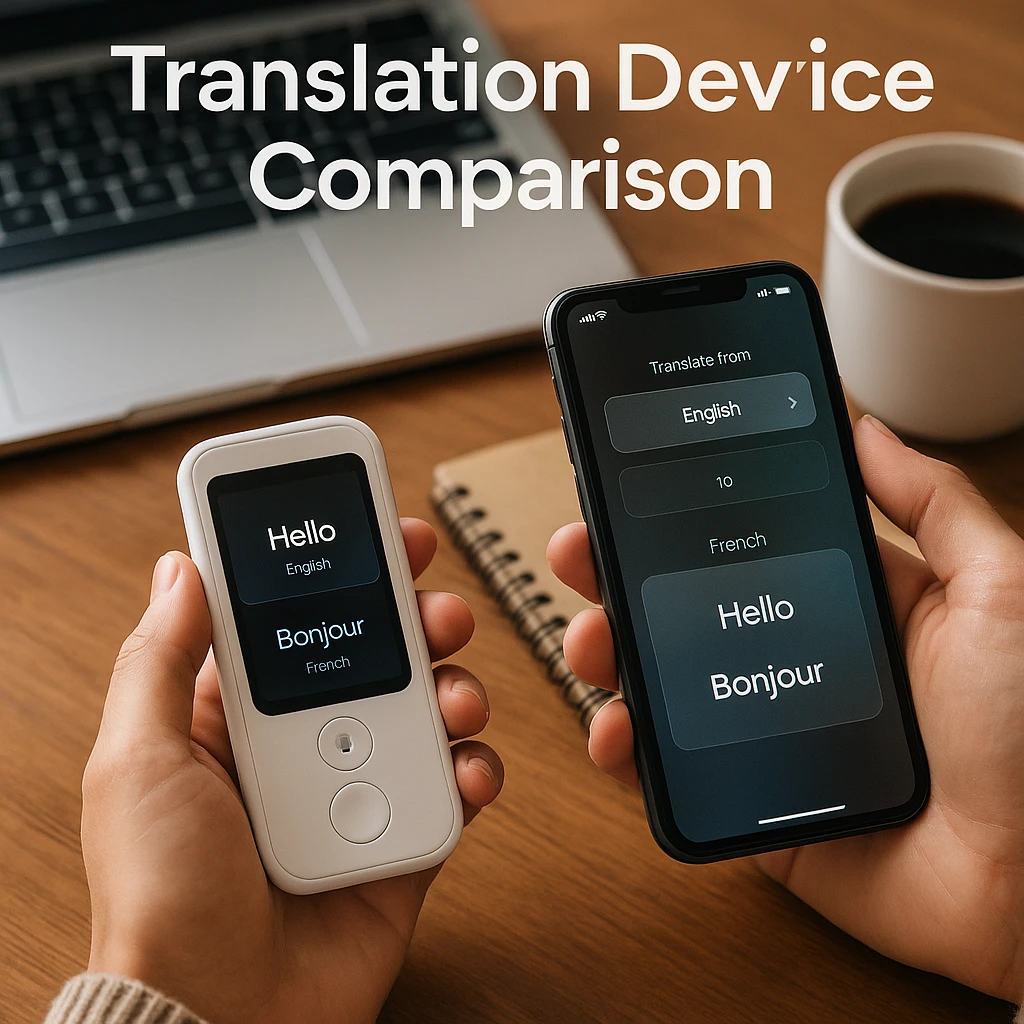
A dedicated travel device: Pocketalk S2 Plus or Vasco V4, when you want translation that does not drain your phone or depend on your SIM.
| Tool | Type | Best For | Languages | Price |
|---|---|---|---|---|
| Google Translate | App | Everyday use and travel | About 250 | Free |
| Microsoft Translator | App | Meetings, group chat | 70+ | Free |
| DeepL | App and web | Written accuracy | 30+ | Free tier; Individual from about $9/mo billed annually |
| iTranslate | App | Offline travel packs | 100+ | Free with Pro subscription |
| Apple Translate + AirPods | App and earbuds | In-ear translation on iPhone | 11 in Live Translation | Free app; AirPods sold separately |
| Naver Papago | App | Korean, Japanese, Chinese | 15+ | Free |
| Timekettle W4 line | Translator earbuds | Face-to-face conversations | 52 and up | From about $129 (LiveTalk) to $449 (W4 Pro) |
| Pixel Buds Pro 2 | Earbuds | In-ear translation on Android | 70+ in Live Translate | Around $229 list |
| Pocketalk S2 Plus | Handheld device | Frequent travel, built-in data | 92+ | Around $300 with 5-year data |
| Vasco Translator V4 | Handheld device | Travel with free lifetime data | 108 | About $389-459 depending on market |
Prices and language counts are the vendors’ published figures as of October 14, 2026; hardware pricing in this category shifts with promotions, so confirm at checkout.
The Best Real-Time Translator Apps (Software Solutions)
1. Google Translate
The free default, now at about 250 languages
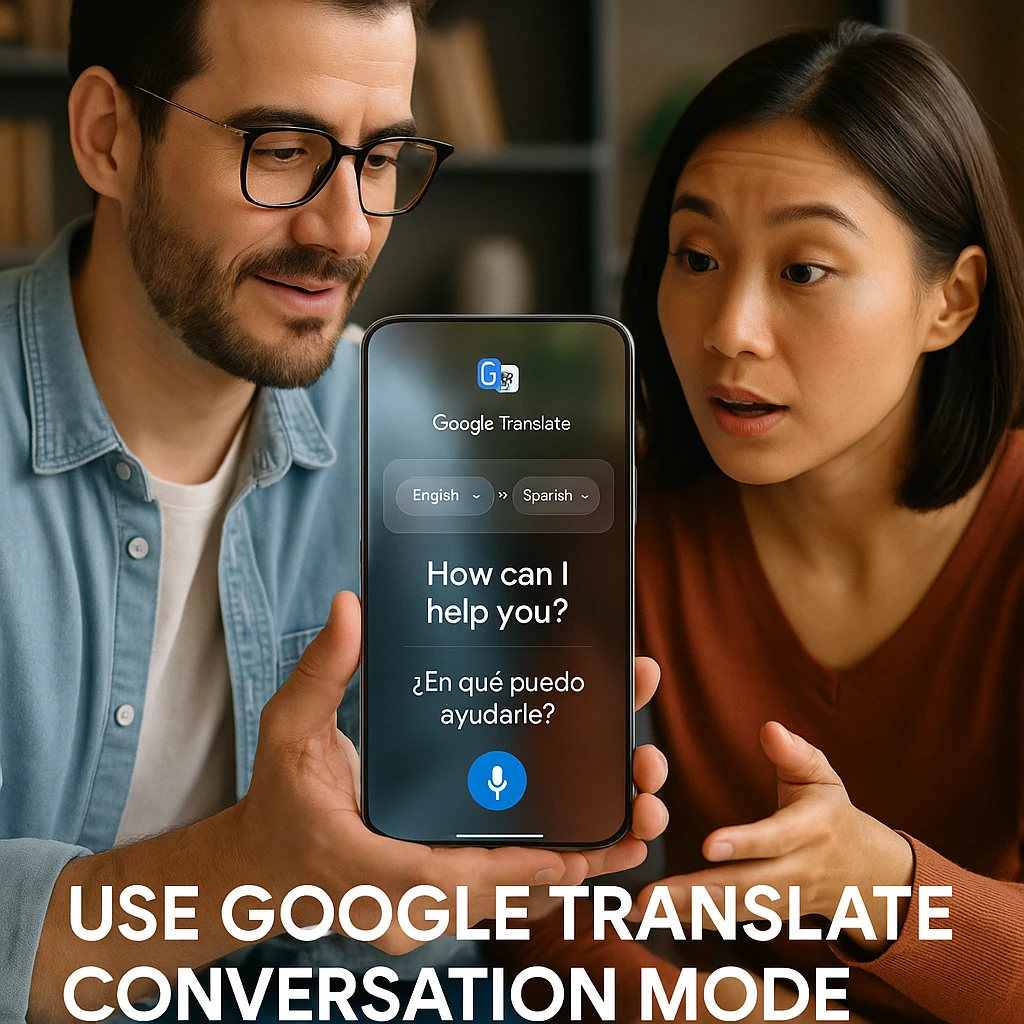
Google Translate remains the tool to install first. As of its 20th-anniversary update in 2026 it covers close to 250 languages, and the three features travelers actually use daily are all free: conversation mode for two-way talk, camera translation for menus and signs, and downloadable offline packs for when the data runs out.
The trade-off is depth. It has no business features to speak of, and its prose, while much better than it used to be, still loses to DeepL on nuance in European languages.
Pros
- •Completely free with no usage cap
- •The widest language coverage available anywhere
- •Camera, conversation and offline modes in one app
- •Works on any phone
Cons
- •Needs a connection for best accuracy
- •No document workflow or business features
- •Translation quality varies widely across smaller languages
Best for
Everyday translation and travel, and the baseline every other tool has to beat.
Verdict: the first install before any trip, whatever else you add to it.
2. Microsoft Translator
Group conversations and Teams meetings
Microsoft Translator's party trick is the multi-device conversation: everyone joins a shared session from their own phone and sees the discussion live in their own language. For multilingual meetings it is still the cleanest free option, and it plugs straight into Microsoft Teams for live captioned meetings.
Outside the meeting room it is a competent but plainer Google Translate with fewer languages.
Pros
- •Shared group conversations across devices
- •Native Teams integration for live translated meetings
- •Free for ordinary use
Cons
- •Fewer languages than Google
- •Strongest inside the Microsoft ecosystem
- •Less useful for camera and menu reading
Best for
Business meetings and any group conversation with more than two languages at the table.
Verdict: the meetings pick; pair it with Google Translate rather than choosing between them.
3. DeepL
The accuracy benchmark for written text
DeepL is what you reach for when the words will be read rather than spoken: contracts, emails, documents. Its output reads noticeably more naturally than the big general translators in the European languages it focuses on, and its document mode preserves formatting.
The free tier covers 50,000 characters a month, and the paid Individual plan starts at €7.49 a month billed annually (checked October 2026). It is not a conversation tool: there is no live two-way voice mode to hold a meeting with.
Pros
- •Best-in-class written accuracy for European languages
- •Document translation that keeps formatting
- •Usable free tier for light work
Cons
- •Far fewer languages than Google
- •No real-time conversation mode
- •Speech features are secondary to text
Best for
Professionals whose translations end up in front of clients.
Verdict: the writing tool in a list of talking tools, and worth paying for exactly that.
4. iTranslate
The traveler's offline insurance
iTranslate's case is the offline pack. Download your destination's languages before you fly and the core translator keeps working on the metro, on bullet trains and in dead zones where conversation-mode apps give up. The built-in phrasebook and camera lens cover the standard travel situations.
The free version is usable but limited; the useful features, offline packs included, sit behind the Pro subscription, so check the current price in the app before the trip rather than at the airport.
Pros
- •Dependable offline language packs
- •Travel phrasebook organized by situation
- •Clean, simple interface
- •Apple Watch support
Cons
- •Core travel features need the Pro subscription
- •Mobile only
- •Accuracy trails Google and DeepL online
Best for
Travelers heading somewhere connectivity is the weak link.
Verdict: buy it for the offline packs or not at all.
5. Apple Translate with AirPods Live Translation
In-ear translation for iPhone owners
This slot used to belong to SayHi, which was discontinued in 2024. Its replacement is bigger news: Apple's own Translate app is free, works offline with downloaded languages, and as of iOS 26 it drives Live Translation through AirPods. Press both stems of your AirPods and the conversation is translated into your ear, with your reply spoken back out of the phone.
The requirements are the catch: AirPods Pro 3, AirPods Pro 2 or AirPods 4 with noise cancellation, plus an iPhone 15 Pro or newer running Apple Intelligence. In-ear translation covered 11 languages as of the iOS 26.1 update, far fewer than the apps above, and EU availability only arrived in late 2025.
Pros
- •Free and already on every iPhone
- •True in-ear translation with AirPods you may already own
- •Offline language downloads
- •No account or subscription
Cons
- •In-ear mode needs recent AirPods and an iPhone 15 Pro or newer
- •11 in-ear languages, far behind Google
- •iPhone only
Best for
iPhone owners who want earbud translation without buying dedicated hardware.
Verdict: if your phone and AirPods qualify, this is the cheapest in-ear translator that exists, because you already own it.
6. Naver Papago
The East Asian language specialist
Papago, from Korea's Naver, consistently beats the global apps on Korean, and holds its own on Japanese and Chinese, where cultural context and honorifics trip up general-purpose translators. Handwriting recognition for Asian characters is a genuinely useful extra when you cannot type what you see.
Outside its specialty languages there is little reason to pick it over Google.
Pros
- •Noticeably better Korean, Japanese and Chinese
- •Handles honorifics and context well
- •Handwriting input for characters
- •Free
Cons
- •Narrow language focus
- •European language quality trails DeepL and Google
- •Interface is dense on first use
Best for
Travel and business across Korea, Japan and China.
Verdict: the specialist worth adding alongside Google for an East Asia trip.
In-Ear Translation: Earbuds and Devices for Real-Time Conversation
The biggest change since this guide was first written is that in-ear translation stopped being a niche gadget category. All three phone ecosystems now build it in: Apple through AirPods Live Translation (tool 5 above), Google through Pixel Buds, and Samsung through the Interpreter mode on Galaxy Buds, which works on Galaxy Buds 3 and newer paired with a Galaxy S24 or later phone, started with a pinch of the earbud stem, across roughly 20 languages. If you own any of those earbuds, try them before buying anything below.
A headphone translation app on its own is the budget version of the same idea: Google Translate’s conversation mode through whatever earbuds you already wear gets you most of the way there, with the phone doing the listening and your earbuds doing the whispering. Dedicated hardware earns its price in two situations: when both people need an earbud for a natural two-way conversation, and when you need translation that does not depend on your phone’s battery, SIM or ecosystem.
7. Timekettle Translator Earbuds (W4 Pro, W4 Plus, LiveTalk)
Dedicated two-way earbuds, now from $129
Timekettle is the dedicated translator-earbud specialist, and its lineup moved on from the WT2 this guide once listed. The current flagship W4 Pro (around $449) covers 52 languages and 106 accents with an interpreter-style two-earbud mode: you wear one, they wear the other, and each side hears their own language. The W4 Plus (around $379, launched September 2026) adds translated calls, online meetings and AI meeting summaries, and the new LiveTalk open-ear set brings the entry price down to about $129 with offline packs for 25 language pairs.
Prices are reference figures from vendor and trade coverage, checked October 14, 2026; Timekettle runs frequent promotions. The constant across models: the share-an-earbud format is still the most natural face-to-face translation experience you can buy, and it still mostly wants a data connection.
Pros
- •The most natural two-person conversation flow available
- •Current models add offline packs and meeting features
- •Entry price dropped sharply with LiveTalk
Cons
- •Premium pricing at the flagship end
- •Best results still need connectivity
- •Handing a stranger an earbud is an acquired habit
Best for
Frequent face-to-face conversations across a language barrier: field work, international teams, in-law visits.
Verdict: the specialist option; buy it for regular cross-language conversation, not for one trip.
8. Google Pixel Buds Pro 2
Live Translate in your ear on Android
Pixel Buds Pro 2 ($229 list, often discounted) turned into a serious translation tool in 2026: a September update pushed Live Translate past 70 languages and let you start it by tapping the earbud, no phone in hand. You hear the translation privately in your ear while the other person hears your side through the phone speaker.
The feature leans on a Pixel or recent Android phone with Gemini; iPhone owners should look at tool 5 instead.
Pros
- •70+ languages, the widest in-ear coverage here
- •Starts hands-free from the earbud
- •Good everyday earbuds in their own right
Cons
- •Needs a recent Android, ideally a Pixel
- •Other person hears you through a phone speaker, not an earbud
- •Battery drains faster while translating
Best for
Android owners who want one pair of earbuds for music, calls and travel translation.
Verdict: the best answer on Android to the question this article gets asked most: can my earbuds translate?
9. Pocketalk S2 Plus
A dedicated travel translator with its own data plan
Pocketalk's current model, the S2 Plus, is a small dedicated device with the one feature phones cannot match: its own built-in eSIM with five years of global data included, so it translates the moment you land with no roaming setup, no hotel Wi-Fi and no drain on your phone. It covers 92+ languages with voice and camera translation on a large touchscreen.
Street price has hovered around $300 (about £249 in the UK), checked October 14, 2026. The older Pocketalk Classic remains on sale with 82 languages and a 2-year data plan.
Pros
- •Built-in global data for five years, zero setup abroad
- •Dedicated device saves your phone battery
- •Camera translation for menus and signs
- •Simple enough to hand to anyone
Cons
- •Another device to carry and charge
- •Costs more than most phone-based setups
- •No meeting or document features
Best for
Frequent international travelers, and anyone equipping a less technical family member for a trip.
Verdict: the strongest travel-first argument for dedicated hardware in this list.
10. Vasco Translator V4
Free lifetime data in roughly 200 countries
Vasco's V4 makes a bolder version of the Pocketalk promise: free internet for the life of the device in roughly 200 countries, not five years. It translates voice across 108 languages, reads signs and menus by photo, and is built like a small rugged phone.
Pricing spreads by market, roughly $389-459 at the vendor and European retailers when checked in October 2026, so compare before buying. For business fleets, Vasco sells management features on top.
Pros
- •Lifetime data with no renewal to remember
- •Largest language count among the handhelds
- •Rugged, travel-friendly hardware
Cons
- •The priciest handheld here
- •Overkill for occasional holidays
- •The voice-first interface suits conversations better than long text
Best for
Global business travelers and organizations buying translators for a team.
Verdict: the lifetime-data bet: more upfront than Pocketalk, cheaper over a decade of travel.
The Travel Setup: What to Download Before You Fly
Four things cover almost every trip, and all four happen before the flight, not after you discover the hotel Wi-Fi is broken:
Download offline packs for your destination's languages in Google Translate and, if you use it, iTranslate. Conversation mode dies without data; the offline packs do not.
Sort your data out before departure, with an eSIM or roaming plan, because every live translation feature in this guide leans on connectivity.
Test your earbuds at home. If your AirPods, Pixel Buds or Galaxy Buds support live translation, learn the gesture before you need it in a taxi.
Keep camera translation ready. Menus, signs and ticket machines are a photo problem, not a conversation problem.
A worked example: Japan
When traveling in Japan, having a reliable translator is essential for navigating between English and Japanese. Google Translate’s live camera translator is invaluable for reading kanji on signs, restaurant menus, and train stations. This is especially helpful in areas outside Tokyo where English signage is less common.
For professionals visiting major business hubs like Tokyo, Osaka, or Yokohama, Microsoft Translator’s conversation mode excels in multi-lingual meetings. A key tip: download offline language packs with iTranslate before exploring rural areas or taking bullet trains between cities, where mobile data might be inconsistent. They’re also helpful for travelers who are beginning to learn Japanese, giving extra support when practicing basic phrases or recognizing common kanji on the go.
The same thinking applies anywhere the local language gets thinner support from the big apps than French or Spanish do. Sri Lanka’s Sinhala and Tamil are good examples. For destinations like that, a dedicated AI travel translator is worth adding alongside the general apps, because destination-specific tools usually lead with curated travel phrases rather than open-ended conversation, and a ready phrase is what actually works in a taxi, a market or a guesthouse.
Pro Tip: If you’re recording business meetings or cultural interviews for later translation, consider using foreign language transcription services that specialize in Japanese and other East Asian languages for high accuracy.
Advanced Translation Techniques and Tips
Maximizing Translation Accuracy
Context is King: Provide as much context as possible when translating complex phrases. Many AI translators improve accuracy when given additional information about the subject matter.
Regional Variations: Be aware that translations may vary based on regional dialects. Mexican Spanish differs from Argentine Spanish, just as British English differs from American English.
Cultural Sensitivity: Some expressions don’t translate directly. Good translation apps will provide cultural context or suggest alternative phrasings when literal translations might be confusing or offensive.
For Business Users
Professional translation often requires more than just accuracy, it needs cultural appropriateness and industry-specific terminology. According to Statista research, the global translation services market reached $56.2 billion in 2024, driven largely by business demand for accurate cross-cultural communication.
For detailed video content that requires translation, our comprehensive guide on how to translate videos covers professional methods and tools for various business scenarios.
For Content Creators
Content creators working with international audiences can benefit from our detailed guide on translating YouTube videos to English, which covers both automatic and manual translation methods for maximum reach.
Language Learning Applications
Real-time translators aren’t just for communication, they’re powerful learning tools. Research reviewed in Cambridge’s journal Language Teaching has repeatedly linked mobile-assisted language learning with gains in vocabulary and pronunciation practice. They’re also increasingly being used in Language learning camps to help students practice real-life conversations with instant feedback.
Learning Strategies:
- Use conversation mode to practice pronunciation
- Translate content you’re interested in to learn contextual vocabulary
- Compare translations between different apps to understand nuances
For structured language learning through transcription, explore language learning with transcription techniques that combine listening practice with translation exercises.
Future of Real-Time Translation
The translation technology landscape continues evolving rapidly. Current trends include:
AI Integration: Advanced models are incorporating contextual understanding and emotional tone recognition for more natural translations.
Augmented Reality: Companies are developing AR glasses that provide real-time translation overlays in your field of vision.
Improved Offline Capabilities: New compression techniques allow for more languages and better accuracy in offline modes.
Specialized Industry Solutions: Translation tools are becoming more specialized for specific industries like medicine, law, and engineering.
Choosing the Right Solution for Your Needs
Casual travel
Google Translate. Free, about 250 languages, camera mode for menus.
Backup: iTranslate for its offline packs.
Business meetings
Microsoft Translator. Multi-device conversation mode, Teams integration.
Backup: DeepL for the documents that follow the meeting.
Natural face-to-face conversation
Timekettle earbuds, or the earbuds you already own: AirPods, Pixel Buds and Galaxy Buds all translate now.
Backup: Google Translate's conversation mode on the phone between you.
Frequent international travel
Pocketalk S2 Plus. Its own 5-year data plan, no roaming setup, no phone battery drain.
Backup: Vasco V4 if you want lifetime data instead.
One practical caveat worth planning around: almost every option above leans on a data connection to reach its cloud translation models. Offline language packs will get you through a menu or a street sign, but live conversation mode rarely holds up without connectivity. If you’re travelling across Europe, sorting out an eSIM before you fly is the simplest way to have your translator working the moment you land, rather than hunting for café Wi-Fi when you actually need it.
Conclusion
The best real-time translator truly depends on your needs. For the average traveler, Google Translate remains the unbeatable, free choice with its extensive language support and versatile features. For business-critical accuracy, DeepL is worth the investment, especially for European language pairs.
For the most natural face-to-face conversations, hardware solutions like the Timekettle earbuds represent the future, available today. They eliminate the barrier of holding a device and create truly natural dialogue flow.
The translation technology landscape in 2026 offers something for everyone, from free smartphone apps to specialized hardware devices. The key is matching the tool to your specific use case and communication needs.
For users looking to explore more translation solutions, check out our comprehensive guides on voice translator apps and audio translation tools to find additional options that might suit your specific requirements.
What’s your go-to translator for work or travel? The future of cross-cultural communication has never been more accessible, choose the tool that breaks down your language barriers and opens up new worlds of connection and understanding.
How we put this together: this is a comparison based on each vendor’s published documentation and pricing pages, checked on the dates shown. We did not run a hands-on benchmark for this article.
FAQ
Is there an app that translates conversations in real time for free?
Yes, Google Translate and Microsoft Translator both offer free real-time conversation modes. Google Translate supports more languages, while Microsoft Translator excels in group conversations and business settings.
Can I get live translation on a Zoom or Microsoft Teams call?
Microsoft Translator integrates directly with Teams for live meeting translation. For Zoom, you can use third-party tools or our audio translation services to process recorded calls after the fact.
Do translator earbuds really work without a delay?
The current generation is close. Dedicated sets like Timekettle's W4 line, and the live modes on AirPods and Pixel Buds Pro 2, deliver translations within a couple of seconds of a finished sentence, which feels natural once both sides learn to pause. Complex sentences and technical terms still take longer, and a weak data connection stretches every delay.
Can AirPods translate languages in real time?
Yes. With iOS 26, pressing both stems of AirPods Pro 3, AirPods Pro 2 or AirPods 4 with noise cancellation starts Live Translation through Apple's free Translate app: you hear the other person in your language, and your reply is spoken aloud by your iPhone. It needs an iPhone 15 Pro or newer with Apple Intelligence, and covered 11 languages as of the iOS 26.1 update.
Is there an app that translates through my headphones?
Any earbuds work for the listening half: run Google Translate's conversation mode and the translation plays into whatever is in your ears. True hands-free, in-ear translation is tied to ecosystems: Apple Translate with recent AirPods, Live Translate with Pixel Buds Pro 2, and Samsung's Interpreter mode with Galaxy Buds 3 or newer on a Galaxy S24 or later.
What is the best translator for travel?
Google Translate plus downloaded offline packs covers most trips for free, and its camera mode handles the menus and signs that cause the most daily friction. Add iTranslate if you will be offline a lot, and consider a Pocketalk S2 Plus if you travel constantly and want a device with its own data plan that never touches your phone's battery or SIM.
Which translator works best offline?
iTranslate offers the most comprehensive offline language packs for mobile devices. For dedicated hardware, Pocketalk S provides the best offline capabilities while maintaining global connectivity for updates.