Meeting Agenda Template: 21 Free Templates and Examples (Word, PDF)

On this page
A meeting agenda is a written outline of what a meeting will cover, who leads each part, and what the group needs to decide. It gives the meeting a format, a time limit and a finish line. Copy the general agenda below, or pick a free template built for the meeting you’re running.
Most meetings never get one. Microsoft’s Work Trend Index report from June 2025 found that 57% of meetings are ad hoc calls with no calendar invite, so there’s nowhere to put an agenda even if someone wrote it. And a list of topics on its own doesn’t fix much. The agendas that work name the decision first, which is why every template here opens with an objective line, not a list of topics.
Free Meeting Agenda Template
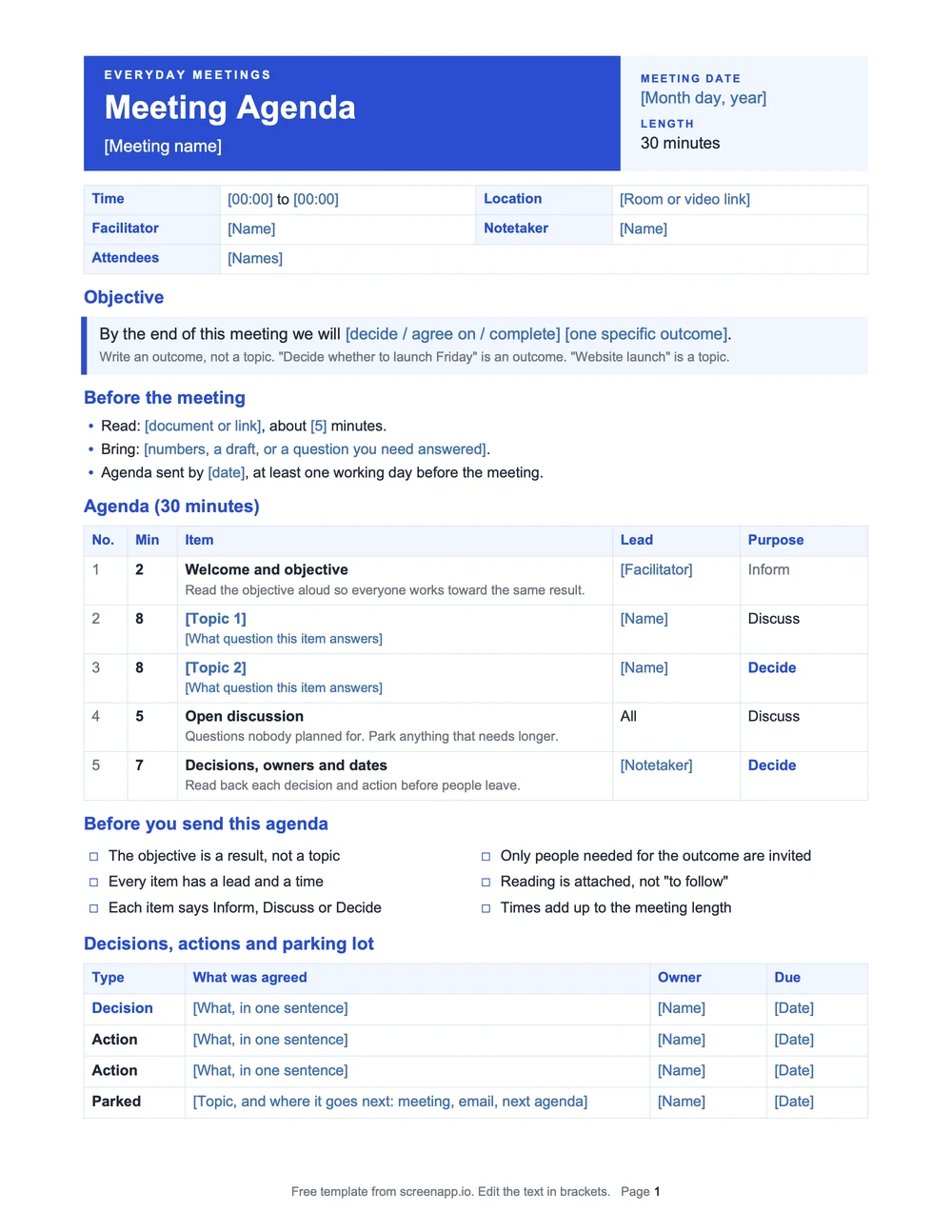
This one works for most meetings. Copy it, or download it as a Word file, PDF or Markdown file. Text in brackets marks what to replace.
Blank meeting agenda template
Meeting agenda

Meeting: [Name]                   Date: [Month day, year]
Time: [00:00] to [00:00]          Location: [Room or video link]

Objective: [What the group must decide, agree on or complete]

Attendees: [Names]
Facilitator: [Name]   Timekeeper: [Name]   Notetaker: [Name]

Before the meeting: [What to read, bring or think about]

Time        | Topic             | Lead    | Purpose  | Expected outcome
[00:00]     | [Topic]           | [Name]  | Decide   | [Outcome]
[00:00]     | [Topic]           | [Name]  | Discuss  | [Outcome]
[00:00]     | [Topic]           | [Name]  | Inform   | [Outcome]
[00:00]     | Open discussion   | All     | Discuss  | Questions raised
[00:00]     | Decisions and next steps | [Name] | Decide | Owners and dates

Parking lot: [Topics raised that are not on this agenda]

Actions: [Action] | Owner: [Name] | Due: [Date]Need it in Excel or Google Sheets? Copy the time-slot table into four columns: time, topic, lead and expected outcome. The format guide below explains which file suits which tool.
Sample Meeting Agenda
Everything in these samples is made up. The first is a 30-minute project meeting with one decision to make.
| Time | Agenda item | Lead | Expected outcome |
|---|---|---|---|
| 0 to 5 min | Agree on the launch criteria | Product lead | One shared list of what "ready" means |
| 5 to 15 min | Review the open QA issues | QA lead | Each issue marked blocking or not blocking |
| 15 to 25 min | Decide: launch Friday or move the date | Product lead | A go or no-go decision, with the reason |
| 25 to 30 min | Confirm actions and owners | Notetaker | Every action has one owner and a date |
The difference between a topic and an outcome:
Before
"Discuss website launch."
After
"Decide whether to launch Friday based on the remaining QA issues."
The second version tells everyone what the meeting is for and when it’s done.
Simple Meeting Agenda Example
A shorter one, for a 15-minute weekly team check-in:
| Time | Agenda item | Lead | Expected outcome |
|---|---|---|---|
| 0 to 3 min | Review last week's action items | Team lead | Confirm what is done and what is pending |
| 3 to 8 min | This week's top priorities | Team lead | Agree on the main focus for the week |
| 8 to 12 min | Blockers | All attendees | Find anyone who needs help |
| 12 to 15 min | Assign new actions | Team lead | Each task has an owner and a due date |
Running a longer weekly meeting? See the staff meeting agenda guide. [NEEDS: link goes live with batch 1 page 5]
Free Meeting Agenda Templates by Purpose
All 21 templates are free to download with no signup. Pick a category, then click a template’s picture to see the whole page.
Simple Meeting Agenda
Use it when: Any meeting that needs a goal, a few topics and a clear finish.
Objective → topics with leads → decisions and next steps
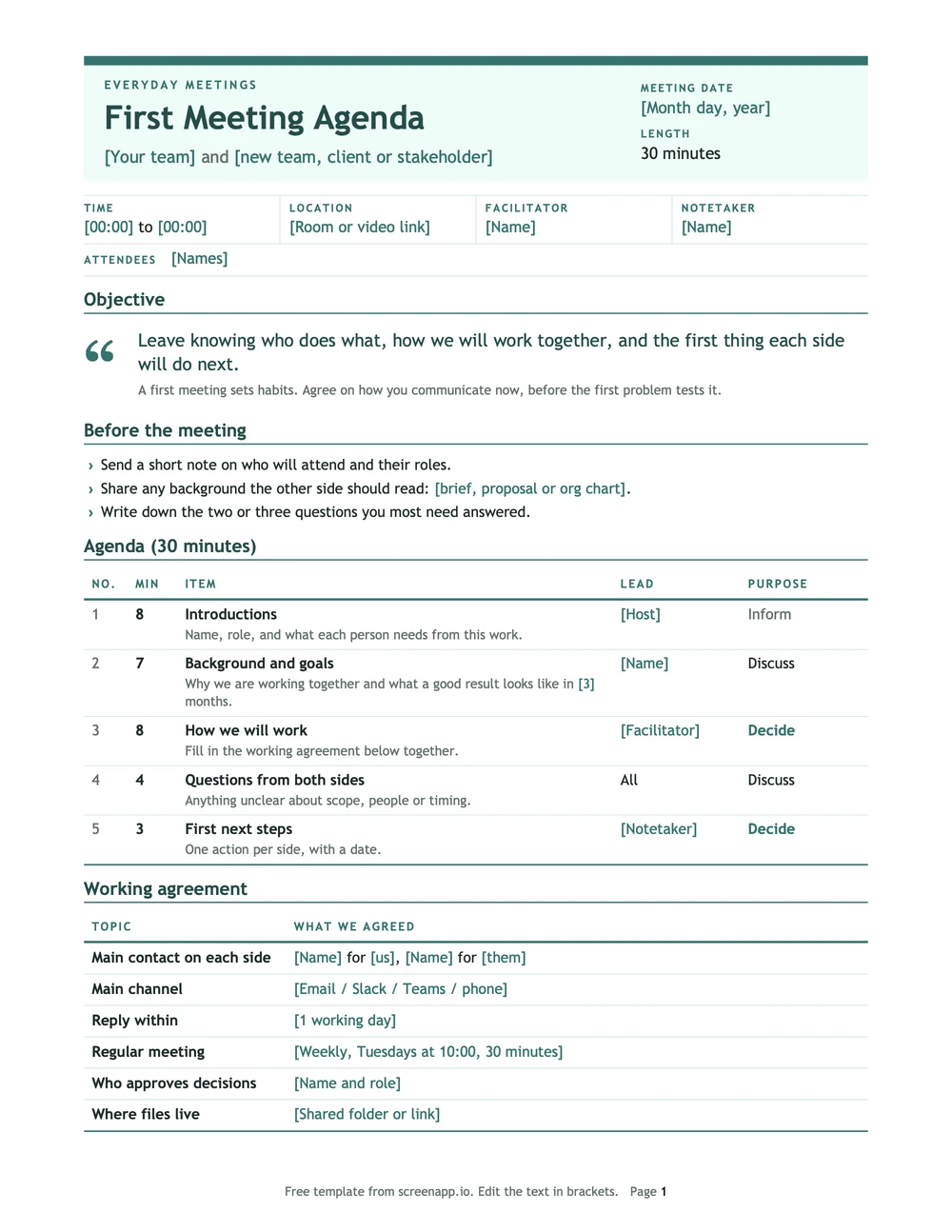
First Meeting Agenda
Use it when: You're meeting a new team, client or stakeholder for the first time and need to set ground rules.
Introductions → background and goals → how we'll communicate → next steps
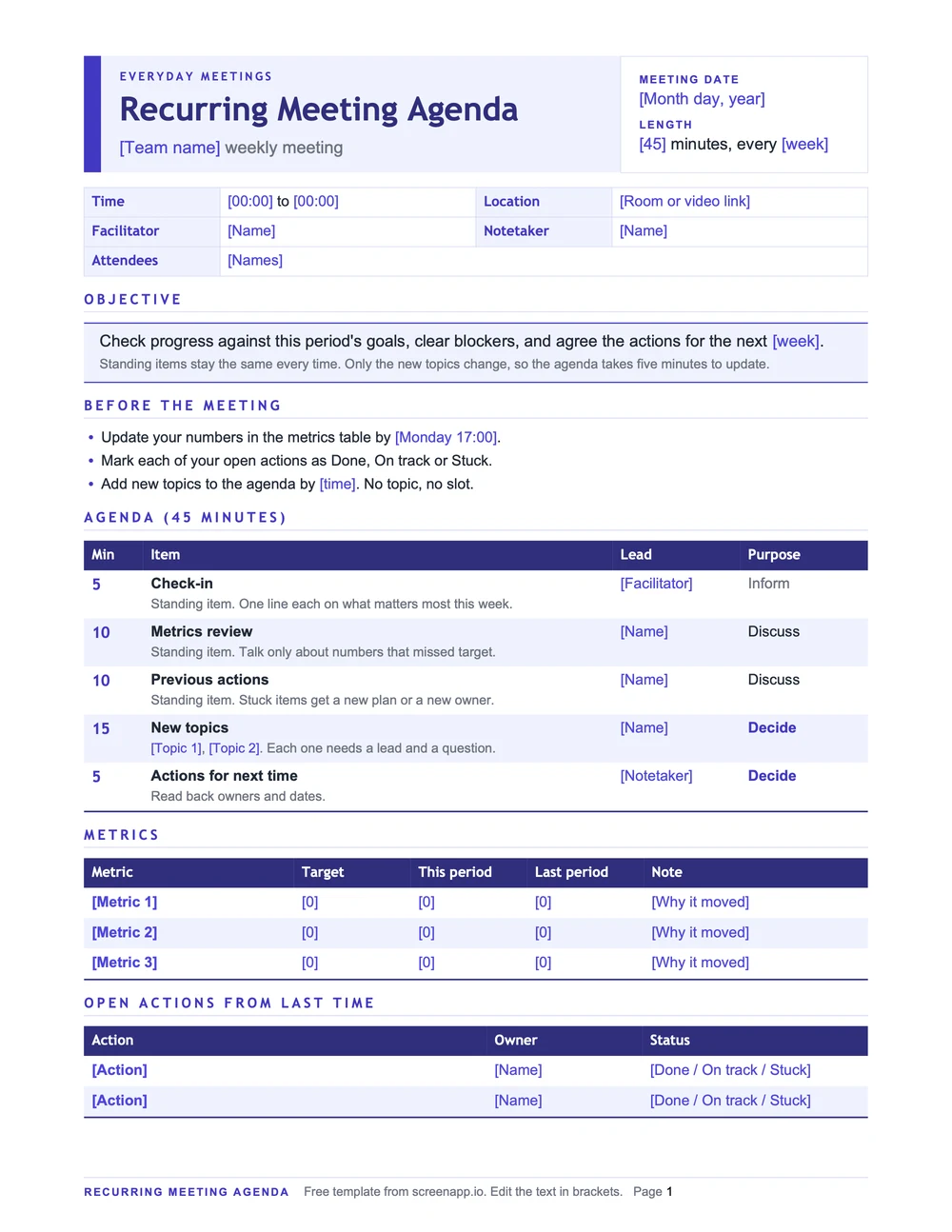
Recurring Meeting Agenda
Use it when: The same meeting runs every week and only some items change.
Check-in → metrics → previous actions → new topics → decisions
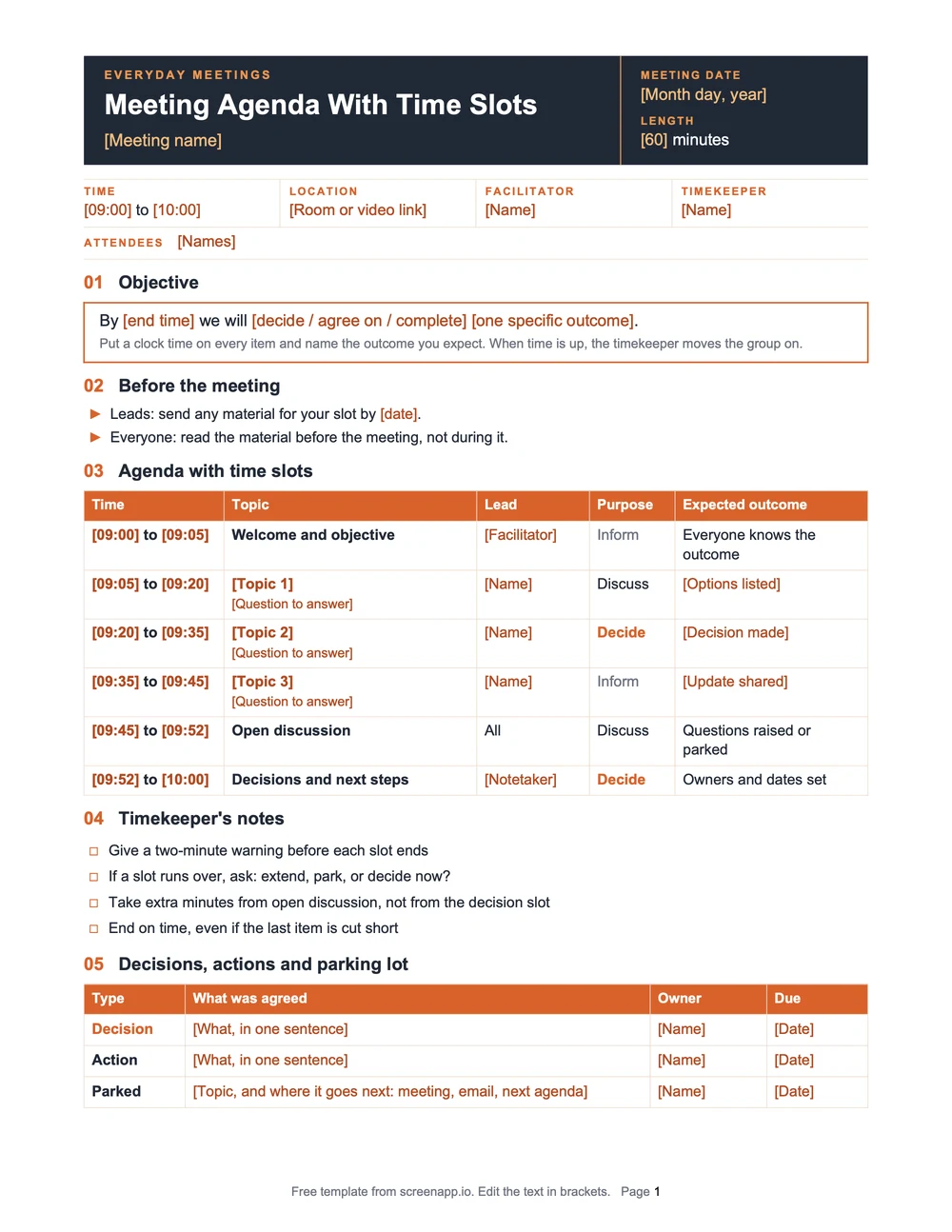
Meeting Agenda With Time Slots
Use it when: You want every item time-boxed, with a lead and an expected outcome.
Time → topic → lead → expected outcome, row by row
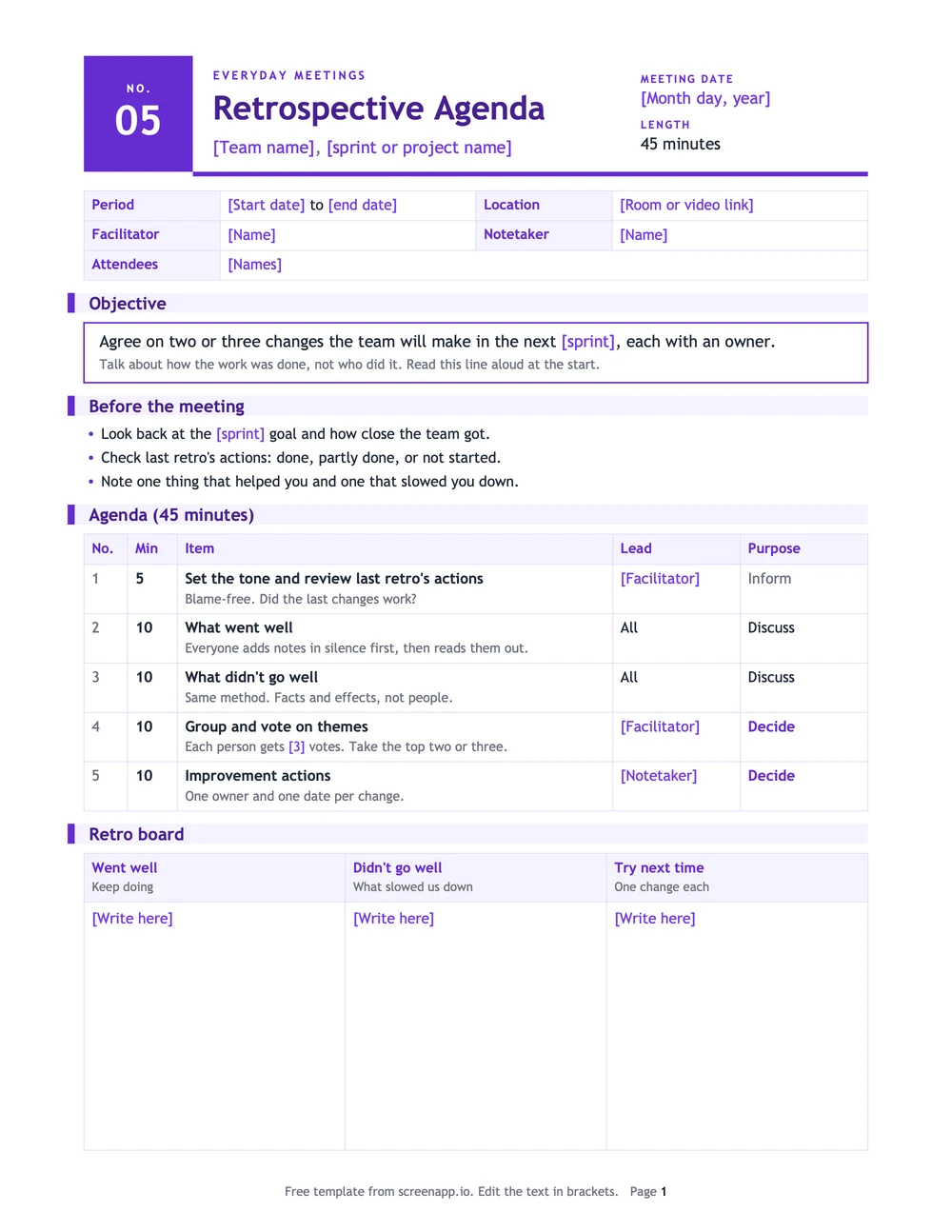
Retrospective Meeting Agenda
Use it when: A sprint or project just ended and the team wants to improve the next one.
Blame-free tone → what went well → what didn't → top themes → actions with owners
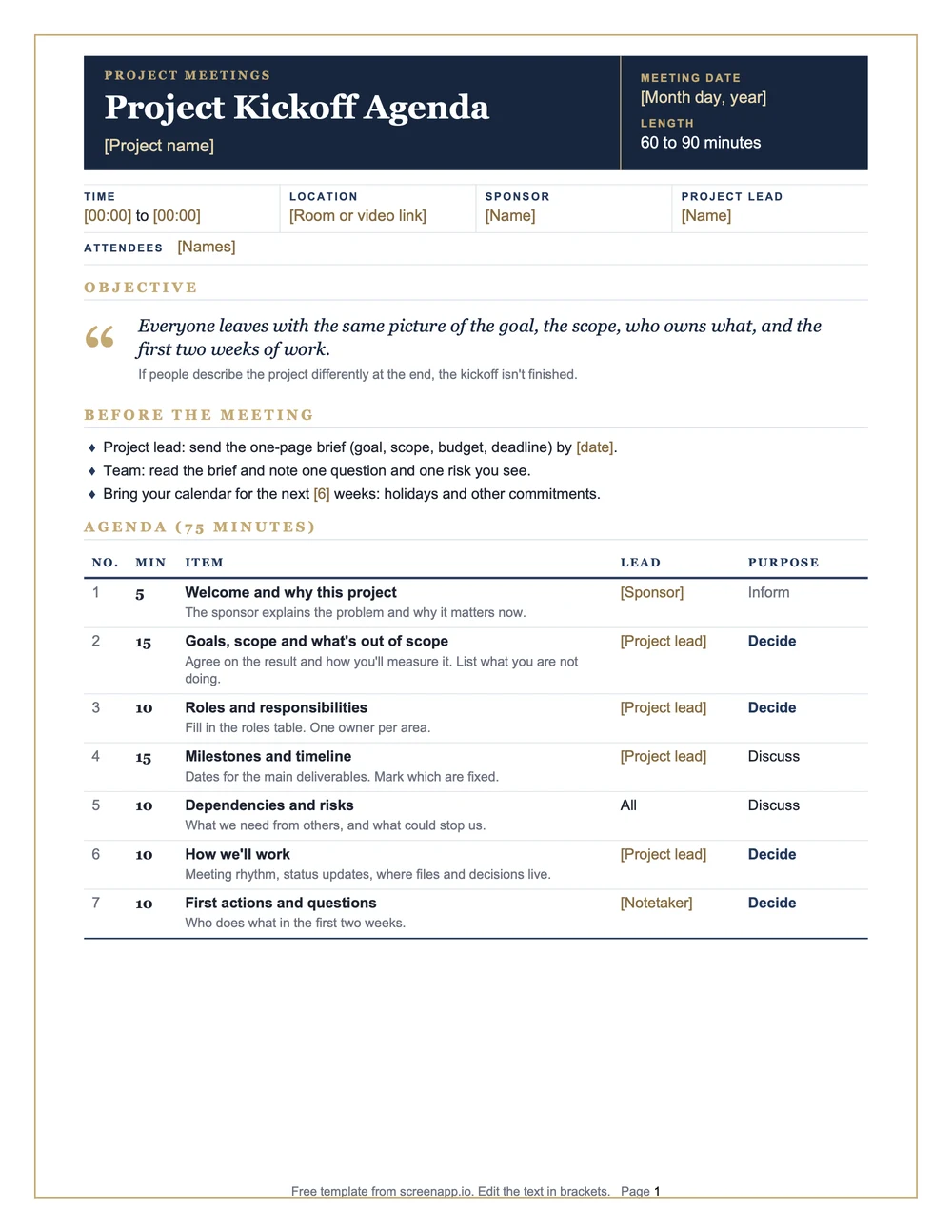
Project Kickoff Agenda
Use it when: A new project starts and everyone needs the same picture of goals, roles and first steps.
Goals and scope → roles → milestones → dependencies → first actions
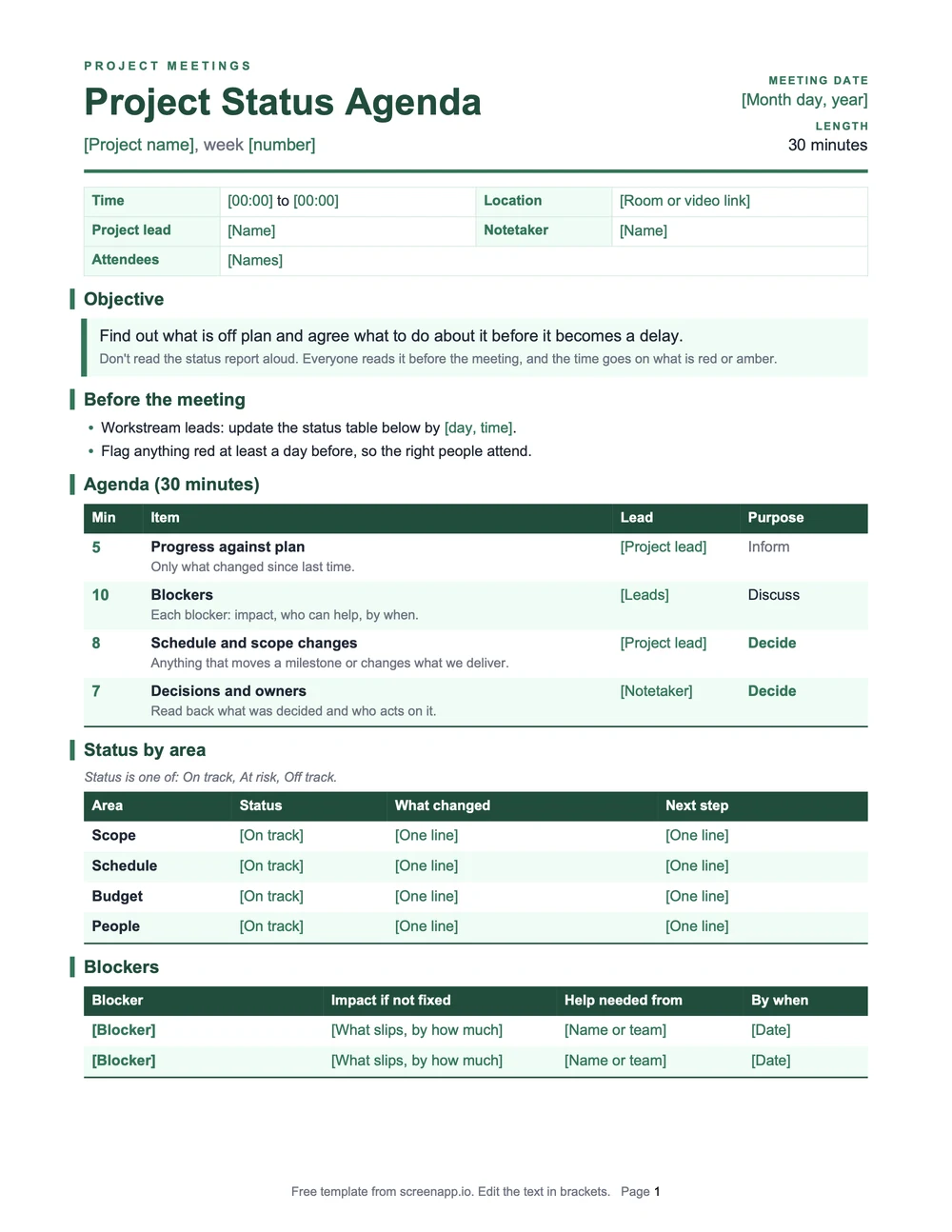
Project Status Agenda
Use it when: The project is underway and you need to surface blockers before they become delays.
Progress against plan → blockers → schedule changes → decisions and owners
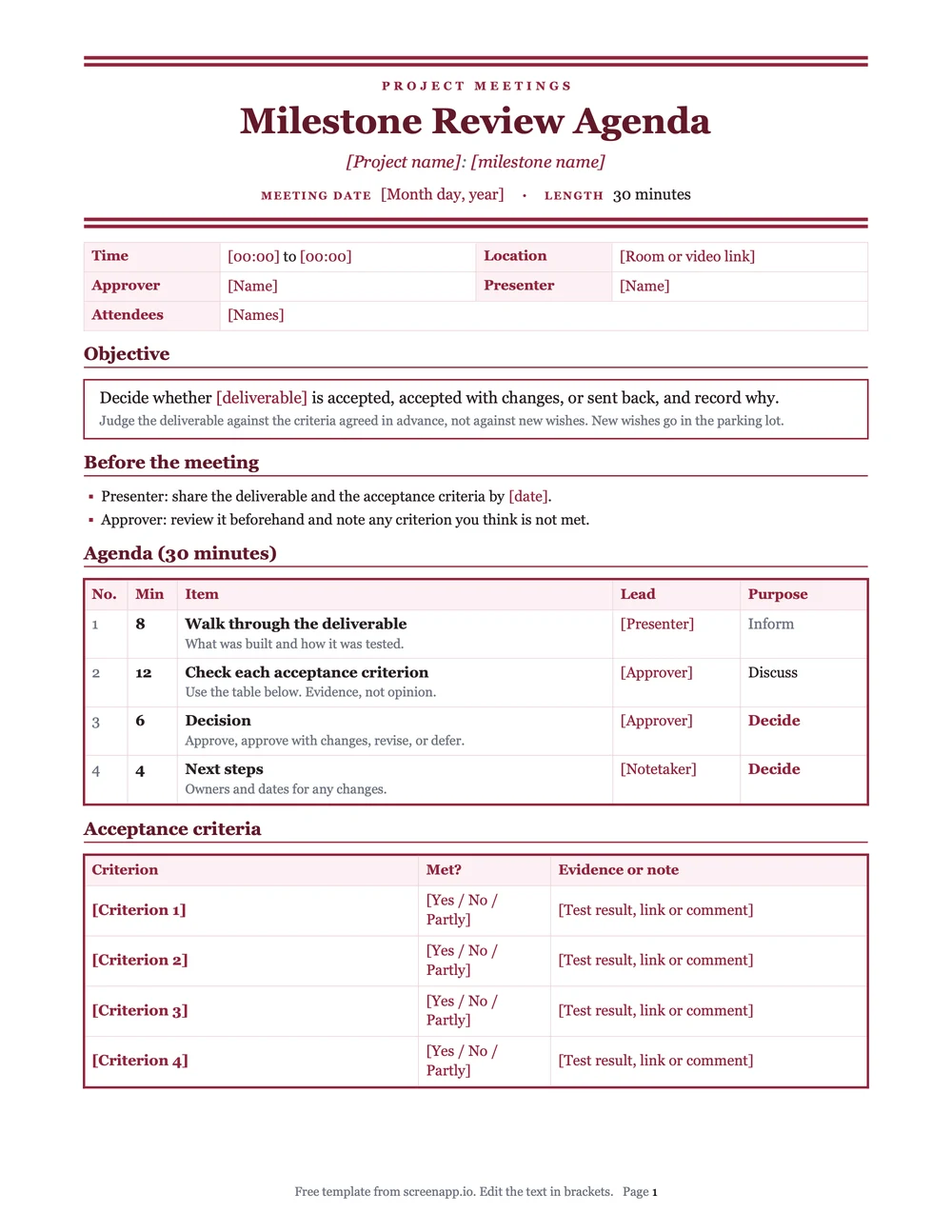
Milestone Review Agenda
Use it when: A deliverable is ready for approval and you need a documented decision.
Review deliverables → acceptance criteria → approve, revise or defer
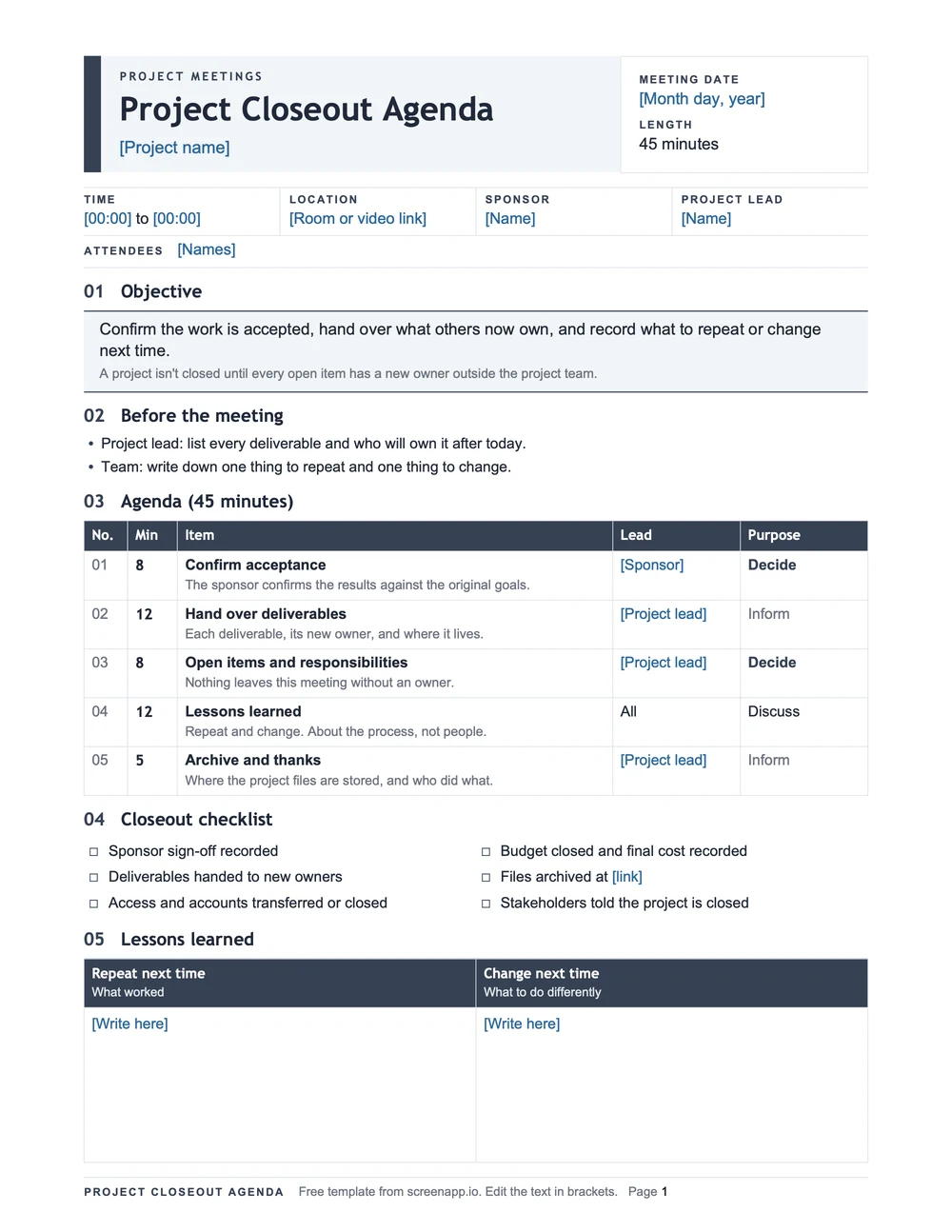
Project Closeout Agenda
Use it when: The work is done and you need to hand over deliverables and close the loop.
Confirm acceptance → hand over → open responsibilities → archive materials
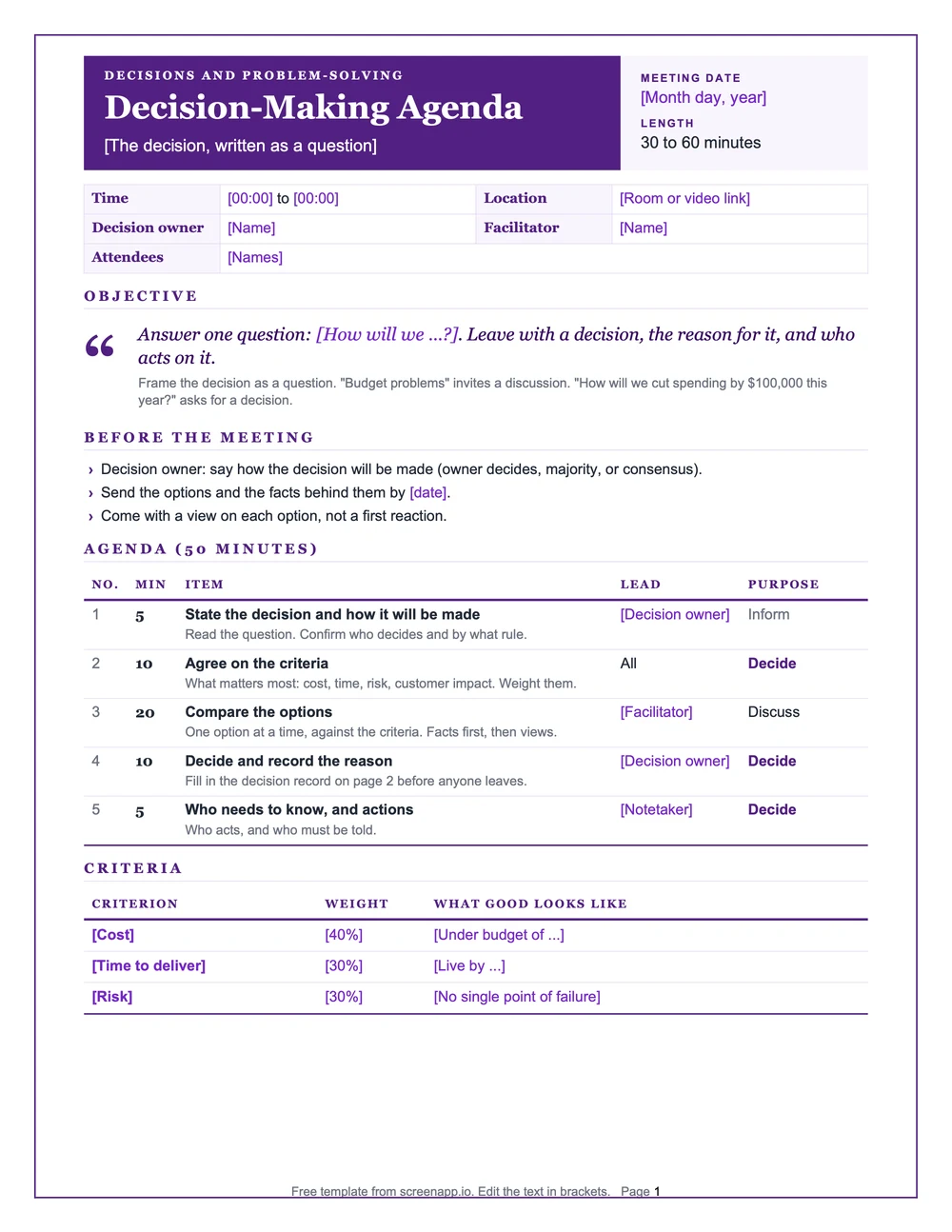
Decision-Making Agenda
Use it when: One decision needs to be made and you want the reasons recorded. Write the decision as a question.
State the decision → agree on criteria → compare options → decide and record why
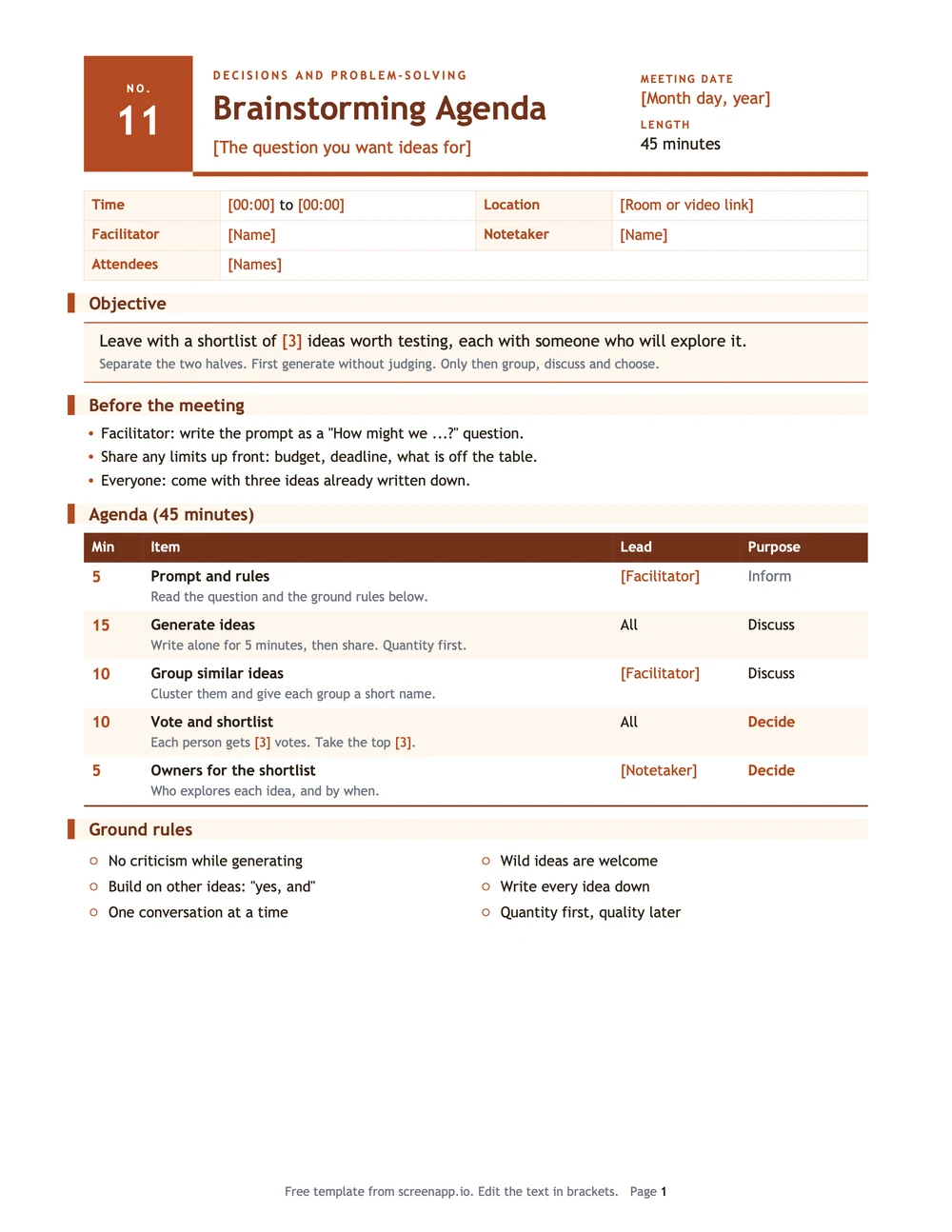
Brainstorming Agenda
Use it when: You need ideas on the table before anyone starts judging them.
Define the prompt → generate ideas → group ideas → shortlist
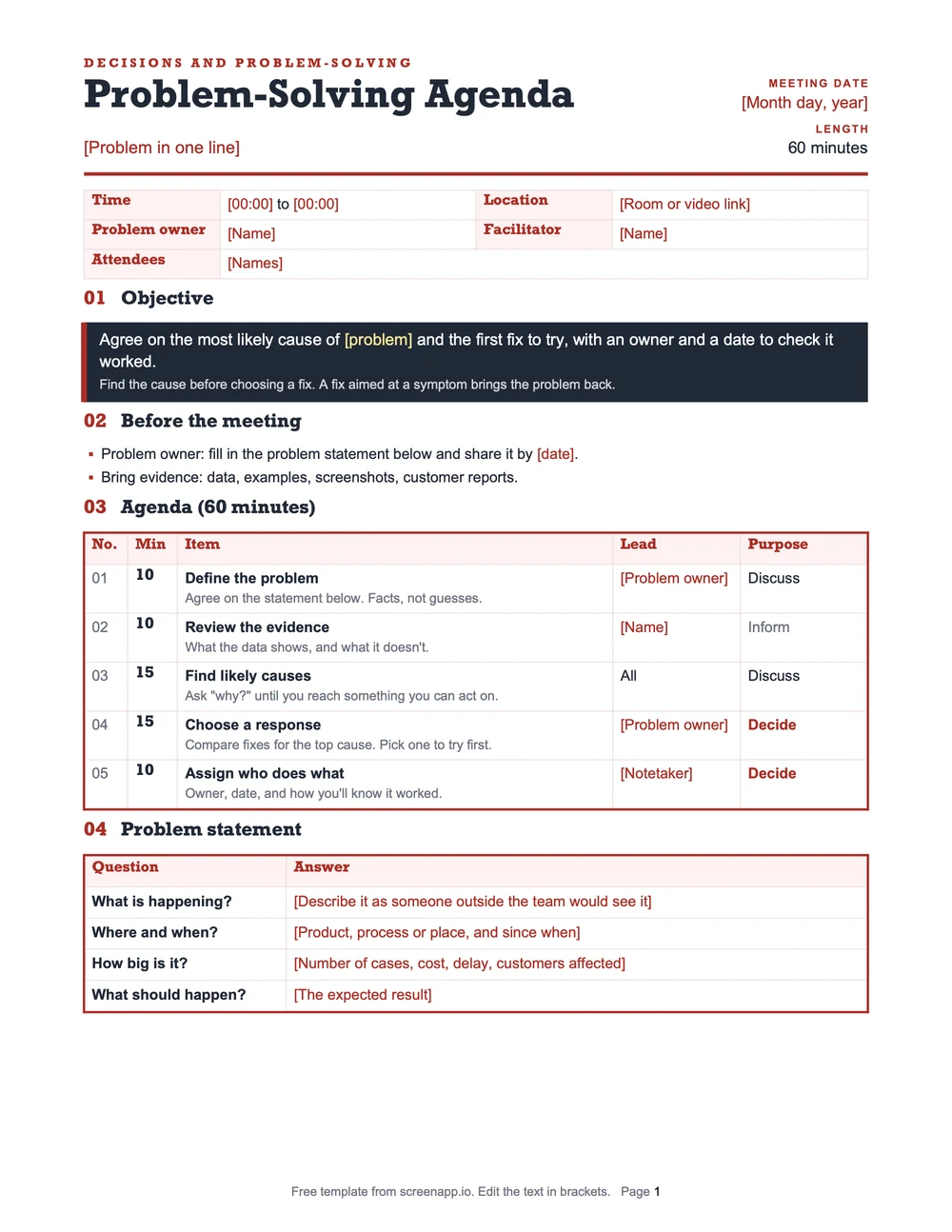
Problem-Solving Agenda
Use it when: Something is broken and the group needs the cause, not just the symptom.
Define the problem → review evidence → likely causes → choose a response → assign owners
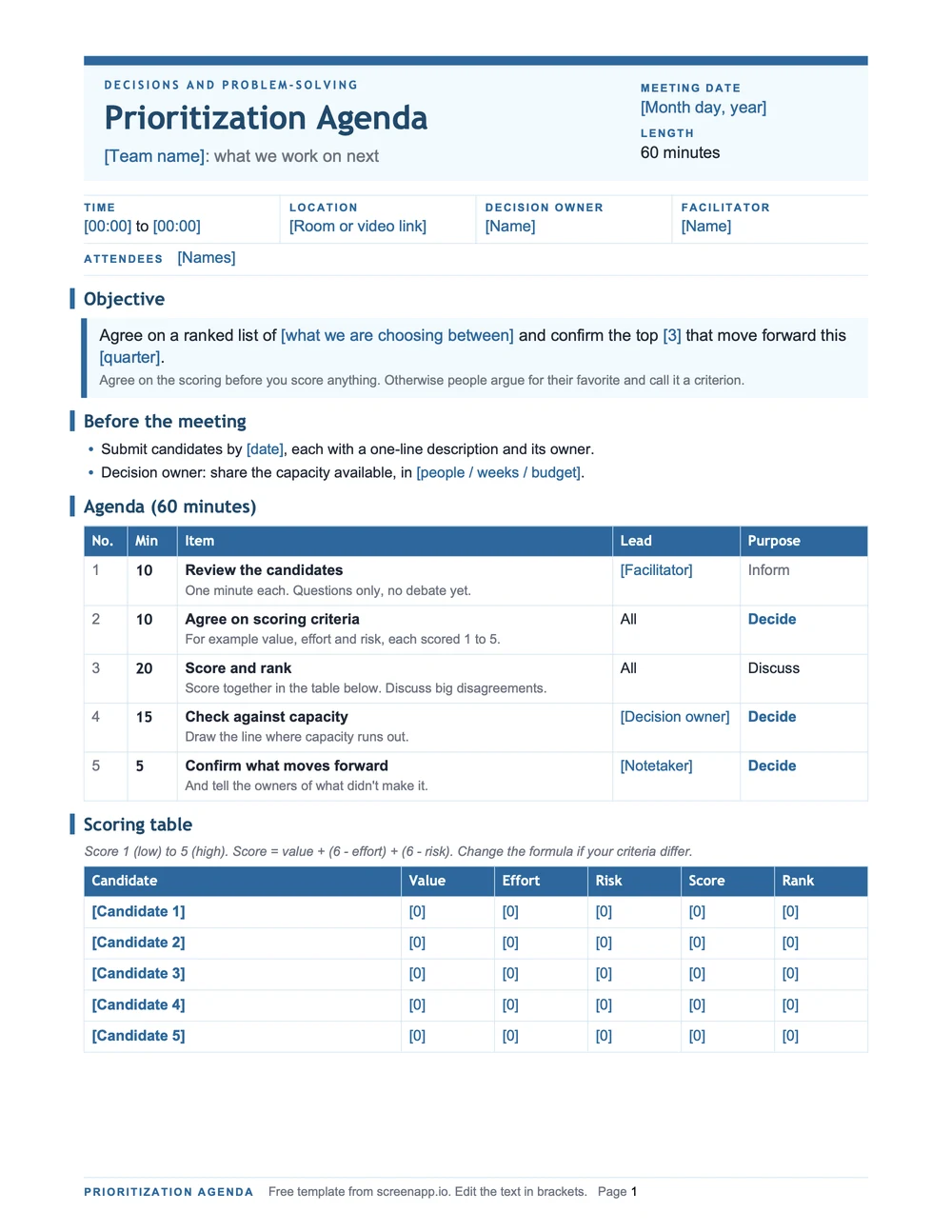
Prioritization Agenda
Use it when: There are too many candidates and the team must agree on what moves forward.
Review candidates → scoring criteria → rank work → confirm what moves forward
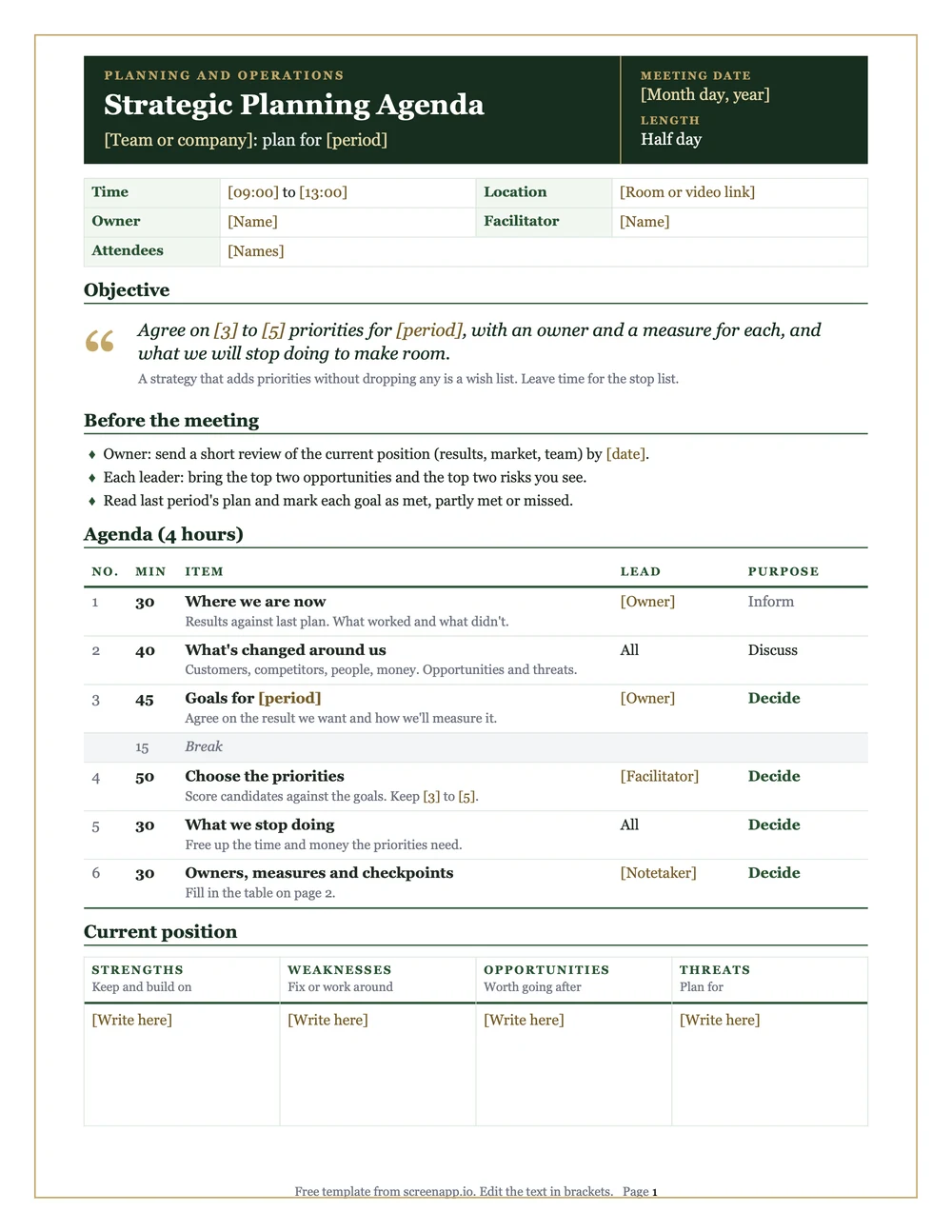
Strategic Planning Agenda
Use it when: You're setting direction for a quarter or a year and need owners on each priority.
Current position → goals → strategic priorities → owners
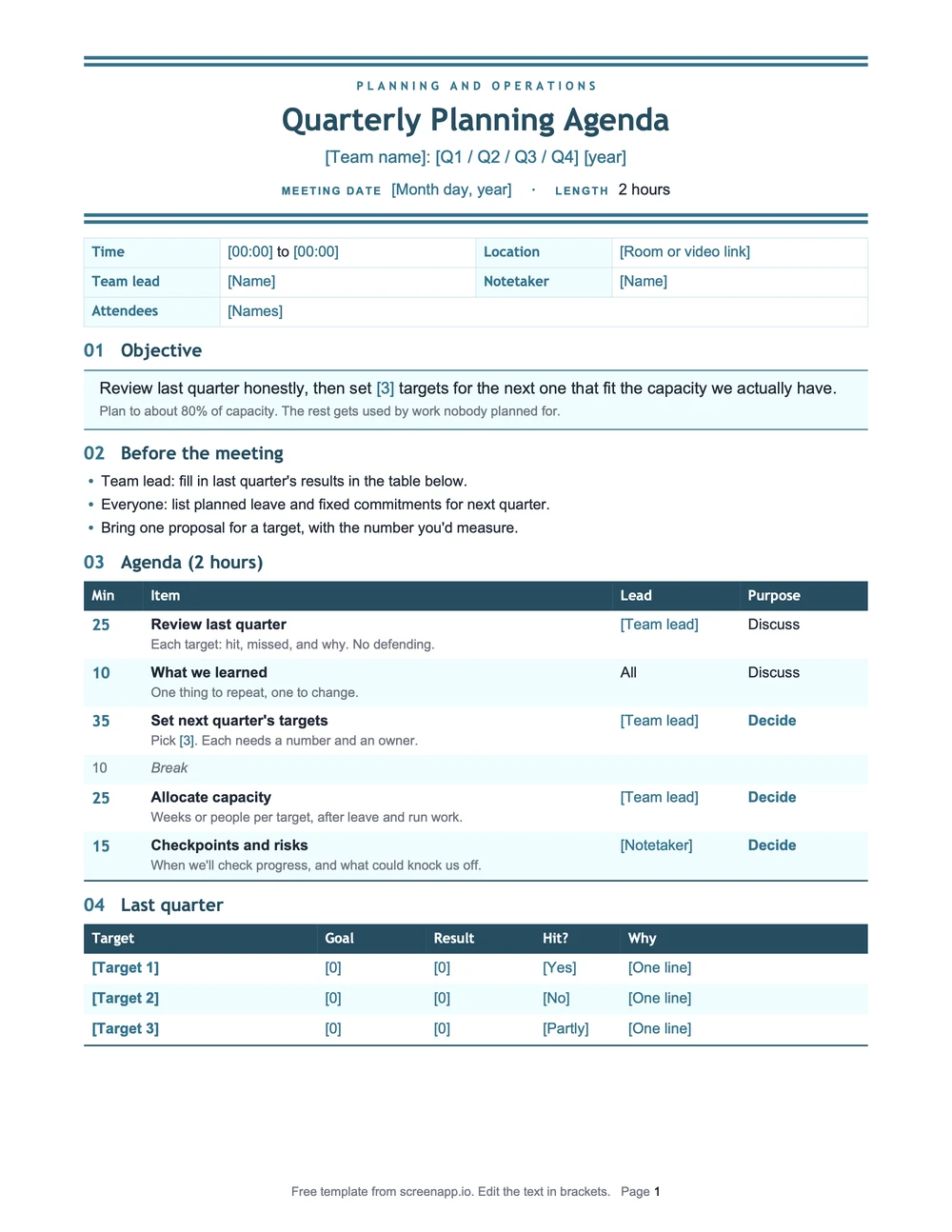
Quarterly Planning Agenda
Use it when: The quarter is turning and you need to review the last one before setting the next.
Review last quarter → set targets → allocate capacity → checkpoints
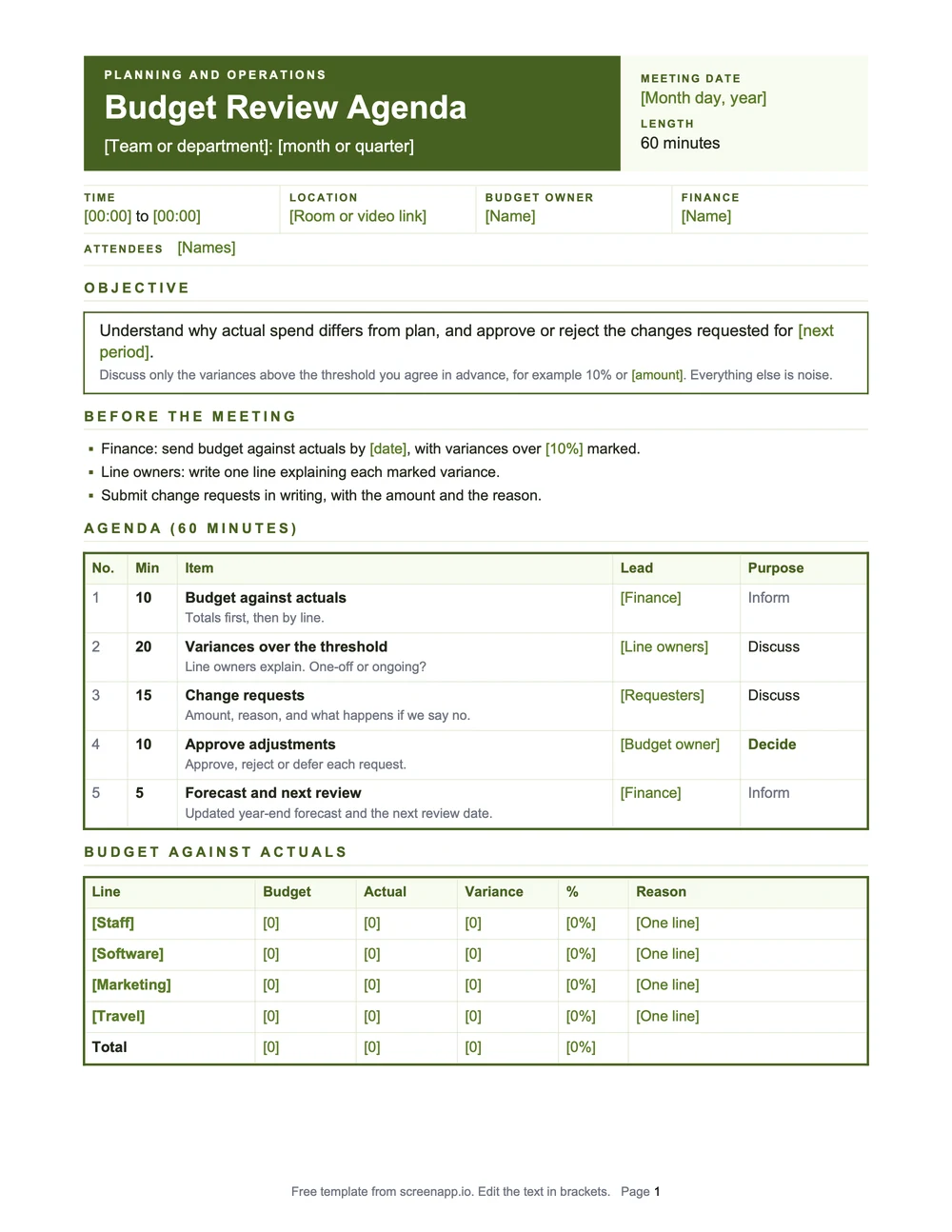
Budget Review Agenda
Use it when: You need to compare actuals against the plan and approve changes.
Budget vs actuals → variances → requests → approve adjustments
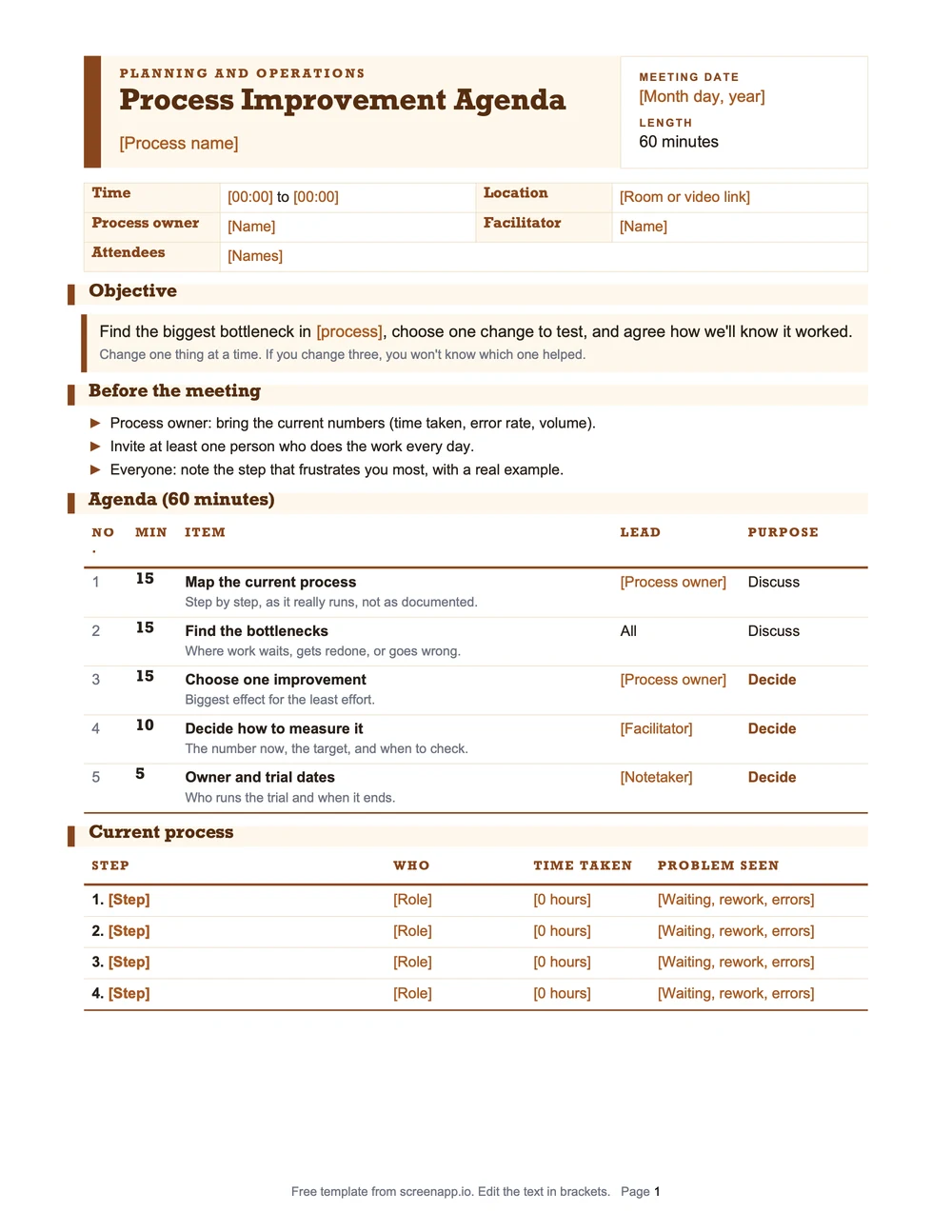
Process Improvement Agenda
Use it when: A workflow is slow or broken and you need to find the bottleneck.
Map the process → bottlenecks → pick one fix → define how to measure it
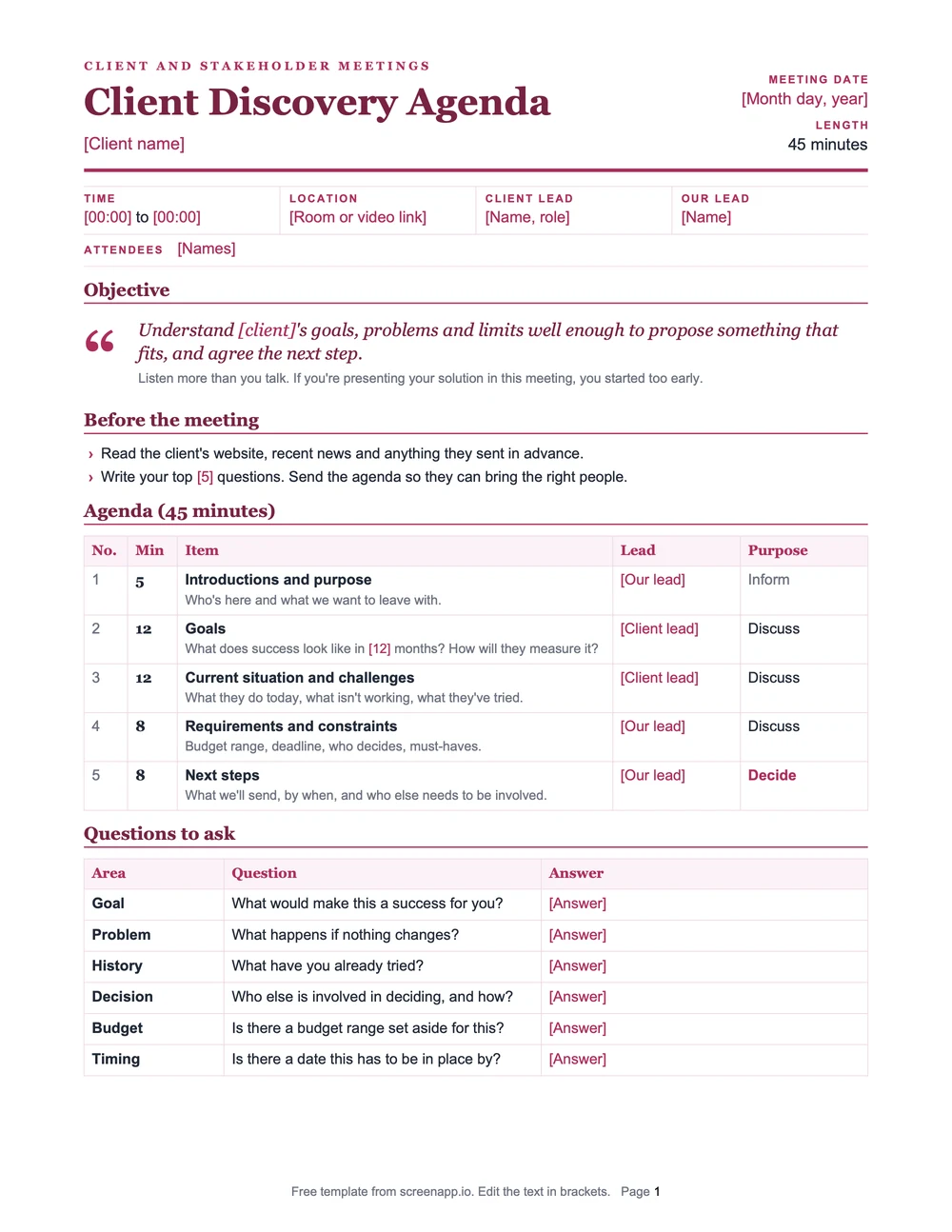
Client Discovery Agenda
Use it when: You're meeting a new client and need their goals before proposing anything.
Goals → current challenges → requirements and constraints → next steps
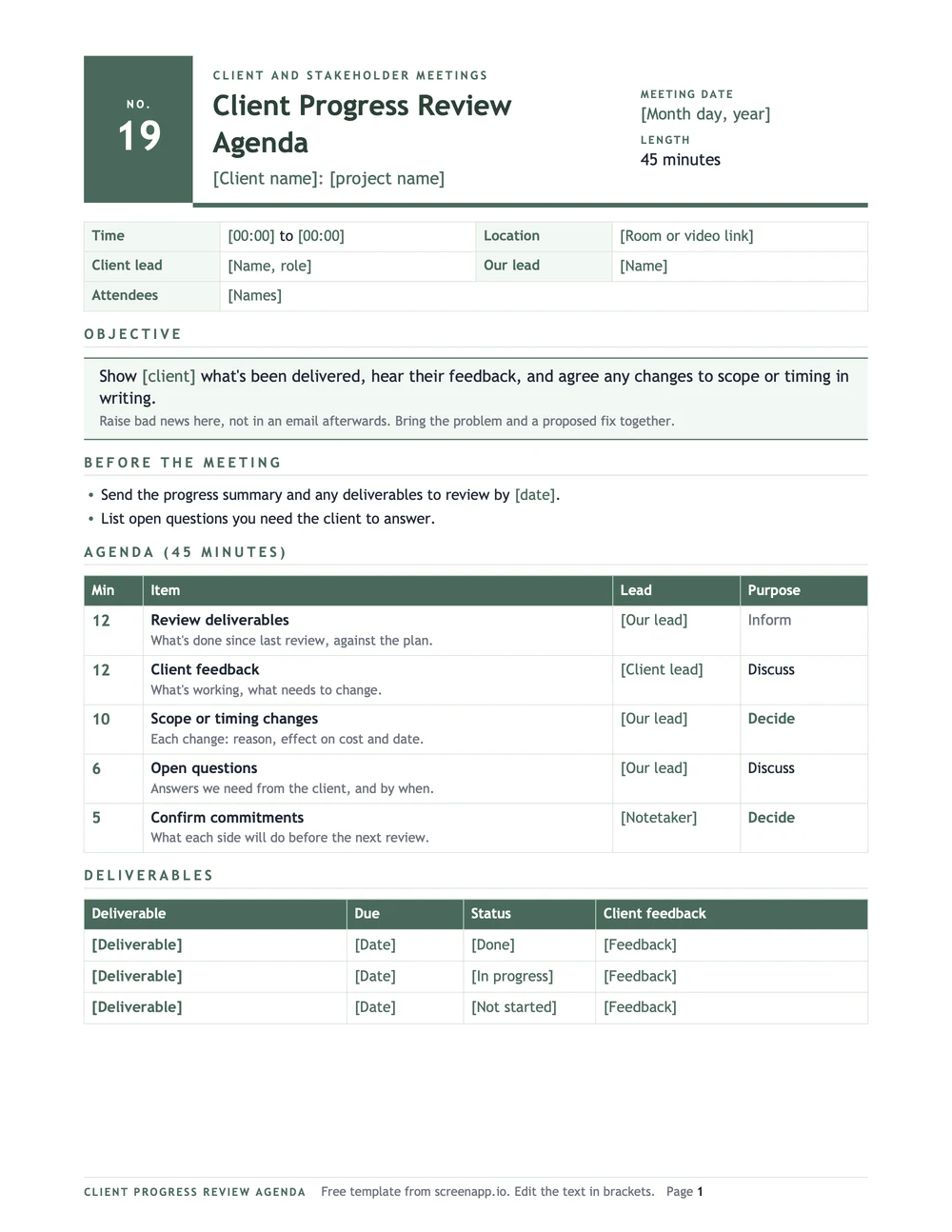
Client Progress Review Agenda
Use it when: The work is in motion and the client needs to see progress and agree on changes.
Review deliverables → feedback → scope or timing changes → commitments
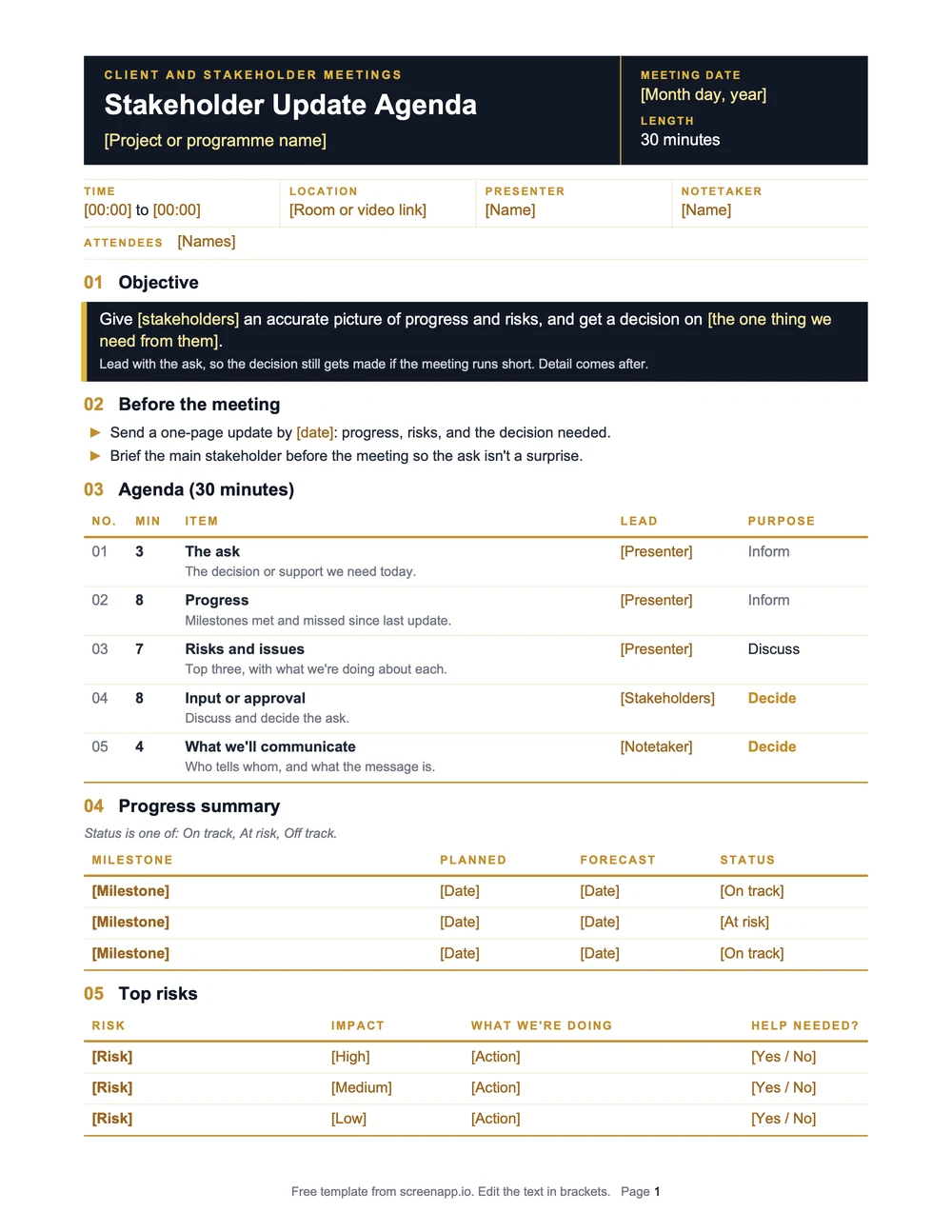
Stakeholder Update Agenda
Use it when: You need to share progress, flag risks and get a decision from people outside the core team.
Progress → risks → input or approval → what to communicate
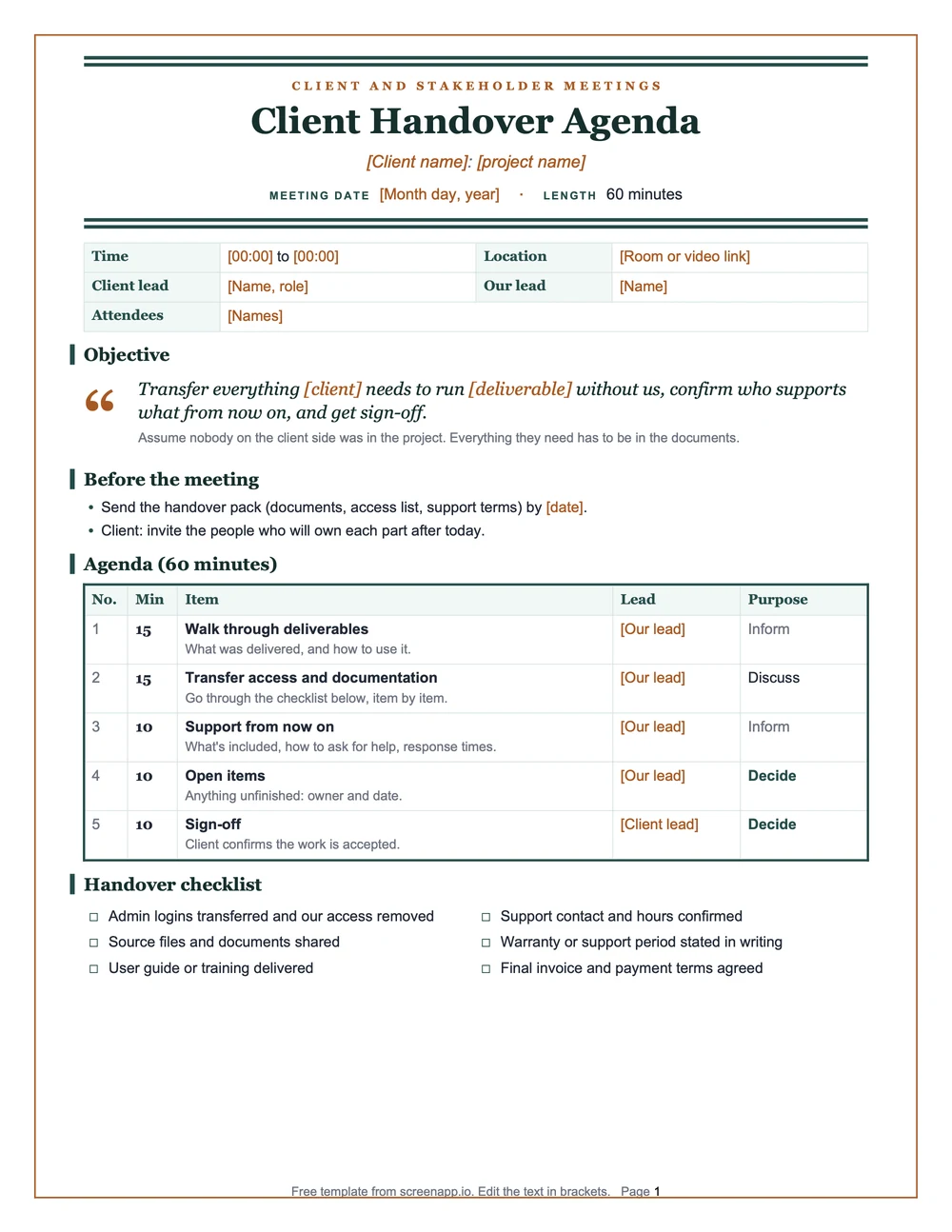
Client Handover Agenda
Use it when: The engagement ends and you need to transfer access, documents and responsibility.
Walk through deliverables → transfer access and docs → support responsibilities → sign-off
For one-on-ones, use our one-on-one meeting templates. For board meetings, see the board meeting agenda and minutes templates.
How to Write a Meeting Agenda
If none of the templates fit, build one from scratch. The steps are the same every time.

- Start with the outcome. Write what the group needs to decide, agree on or complete. “Decide whether to launch Friday” is an outcome. “Website launch” is a topic.
- Choose the topics that serve that outcome. Mark each item as inform, discuss or decide. If a topic doesn’t serve the outcome, move it to the parking lot or an email.
- Give every item a lead and a time limit. Put a name and a number of minutes next to each one. Leave five minutes at the end for decisions and next steps.
- Add preparation and share it. Tell people what to read, bring or think about. Send the agenda at least 24 hours ahead, and earlier for decision meetings or anyone outside the team.
- Close by confirming ownership. Agree on who does what and by when. An action without one owner and a date is a wish. Send it in writing the same day; these meeting follow-up email templates save you the blank page.
When you write the decision item, phrase it as a question. “Budget problems” invites a discussion. “How will we cut spending by $100,000 this year?” asks for a decision.
The 5 Ps of a Meeting Agenda
Run through these before you send the agenda:
| P | Question to answer before you send the agenda |
|---|---|
| Purpose | Why is this meeting happening? |
| Product | What will exist at the end: a decision, a plan, a list? |
| People | Who has to be there for that product to happen? Invite only them. |
| Process | Is each item for discussion, a decision or a brainstorm? |
| Payoff | What does the team gain once the purpose is met? |
Assign Three Roles
Add these names to the top of the agenda, even for small meetings:
| Role | What they do |
|---|---|
| Facilitator | Runs the discussion and keeps it on the objective |
| Timekeeper | Calls time on each item and moves the group on |
| Notetaker | Records decisions, owners and dates as they happen |
The notetaker’s record becomes your meeting notes. Our meeting notes template gives it a structure, and for formal meetings with motions and votes, use these meeting minutes templates instead.
Keep a Parking Lot
Add a parking lot at the bottom of every agenda. When a side topic comes up, write it there and move on. At the end, decide for each item: its own meeting, an email update, or a slot on the next agenda.

How Long Should a Meeting Agenda Be?
Shorter is usually the right call. Executives now spend nearly 23 hours a week in meetings, up from under 10 in the 1960s, according to research cited in Harvard Business Review’s “Stop the Meeting Madness”. Match the number of items to the length of the meeting. A 30-minute meeting holds three to five items. A 60-minute meeting holds five to seven. More than eight rarely finishes on time.
| Meeting type | Typical length | Agenda items |
|---|---|---|
| Daily standup | 15 min | 3 questions per person |
| One-on-one | 30 min | 3 to 5 |
| Decision meeting | 30 to 60 min | 1 decision, 3 to 5 items |
| Weekly team meeting | 45 to 60 min | 5 to 7 |
| Retrospective | 45 min | 5 |
| Project kickoff | 60 to 90 min | 5 to 7 |
Good Meeting Agenda Topics
Topics depend on the meeting type. Avoid vague items like “Updates” or “Misc”, which give nobody a reason to prepare. Not sure which kind of meeting you’re running? Our guide to the types of business meetings sorts them by what each one should produce.
| Meeting type | Topics that belong on the agenda |
|---|---|
| Project meeting | Progress against the plan, blockers, upcoming milestones |
| Decision meeting | The problem statement, the options, the decision criteria |
| Problem-solving meeting | The problem, the data, likely root causes, the fix, who does what |
| Team meeting | Last week's actions, this week's priorities, blockers |
| Client meeting | Deliverables, feedback, scope or timing changes, commitments |
How to Use the Word, PDF, and Markdown Templates
Every template on this page comes in three formats.
| Format | What you get | Best for |
|---|---|---|
| Word (.docx) | An editable file with headings, placeholders and a time-slot table | Teams that work in Word or Google Docs and want to change the layout |
| PDF (.pdf) | A print-ready page with selectable text and room for handwritten notes | In-person meetings, or sharing a fixed version |
| Markdown (.md) | Plain text you can paste into a wiki or docs tool | Notion, Obsidian, GitHub and other Markdown tools |
Files are named the same way each time, for example project-kickoff-meeting-agenda-template.docx.
Formatting a Meeting Agenda in Word
- Use bold or larger headings so each section is easy to find.
- Use numbered or bulleted lists for the items, so people can scan them.
- For a client-facing agenda, add your logo, colors and fonts.
Keep a Reusable Copy
Save one master copy with the placeholders intact. For each meeting, duplicate it, fill in the details and save it with the date in the filename. The template stays clean for next time.
Build Next Meeting’s Agenda From Last Meeting’s Recording
Templates work when you know what to cover. The hard part is often remembering what was left open last time.
The meeting agenda generator reads your last meeting’s recording and pulls out the open action items and the topics that never got resolved. Upload a Zoom, Teams or Google Meet recording, an audio or video file, or paste a link, and turn what’s still open into the draft agenda for the next meeting. There’s nothing to type or describe: the source is the recording itself.
FAQ
What should a meeting agenda include?
The objective, the attendees, any preparation, the topics, the time for each, and the expected outcome. If you can answer "what decision does this meeting need to produce?", you have the core of an agenda.
What is a good format for a 30-minute meeting agenda?
Three or four items with tight time limits. The 30-minute example above spends five minutes on criteria, ten on issues, ten on the decision and five on actions.
How do I create a meeting agenda in Word?
Download the .docx file, replace the placeholders with your meeting details, and save a copy. If you run the same meeting often, keep the file as a reusable template and change only the date and topics.
Is there a meeting agenda template for Excel?
There's no Excel file, but the meeting agenda with time slots template copies straight into Excel or Google Sheets. Use four columns: time, topic, lead and expected outcome.
How do I write an agenda for a recurring meeting?
Keep the standing items (check-in, metrics, previous actions) and refresh only the new topics and decisions each time. The recurring meeting agenda template separates what stays the same from what changes.
What are the 5 Ps of a meeting agenda?
Purpose, product, people, process and payoff. Use them as a check before you send the agenda. The table above has the question for each one.
Should I include open discussion time?
Yes. Keep five to ten minutes for questions nobody planned for. Without it, those questions either take over the meeting or never get asked.
What is the difference between a meeting agenda and meeting minutes?
An agenda is the plan for what the meeting will cover, written before it. Minutes are the record of what was decided and what happens next, written after it. For the record, start from a meeting minutes template, or let the meeting minutes generator draft them from the recording.