7 Music Video to Lyrics Converter 2026 - Extract Accurate Lyrics with AI

On this page
You found the perfect song on YouTube, but the lyrics are nowhere to be found. Or worse, the “official” lyrics don’t match the live version you’re watching. Maybe the singer ad-libbed, changed a word, or the crowd drowned out a line. You need the exact words from that specific performance.
Manually typing out lyrics by pausing and rewinding every 3 seconds is tedious and prone to errors. We’ve all experienced “mondegreens” - those misheard lyrics that stick in your head (was it “Starbucks lovers” or “list of ex-lovers”?).
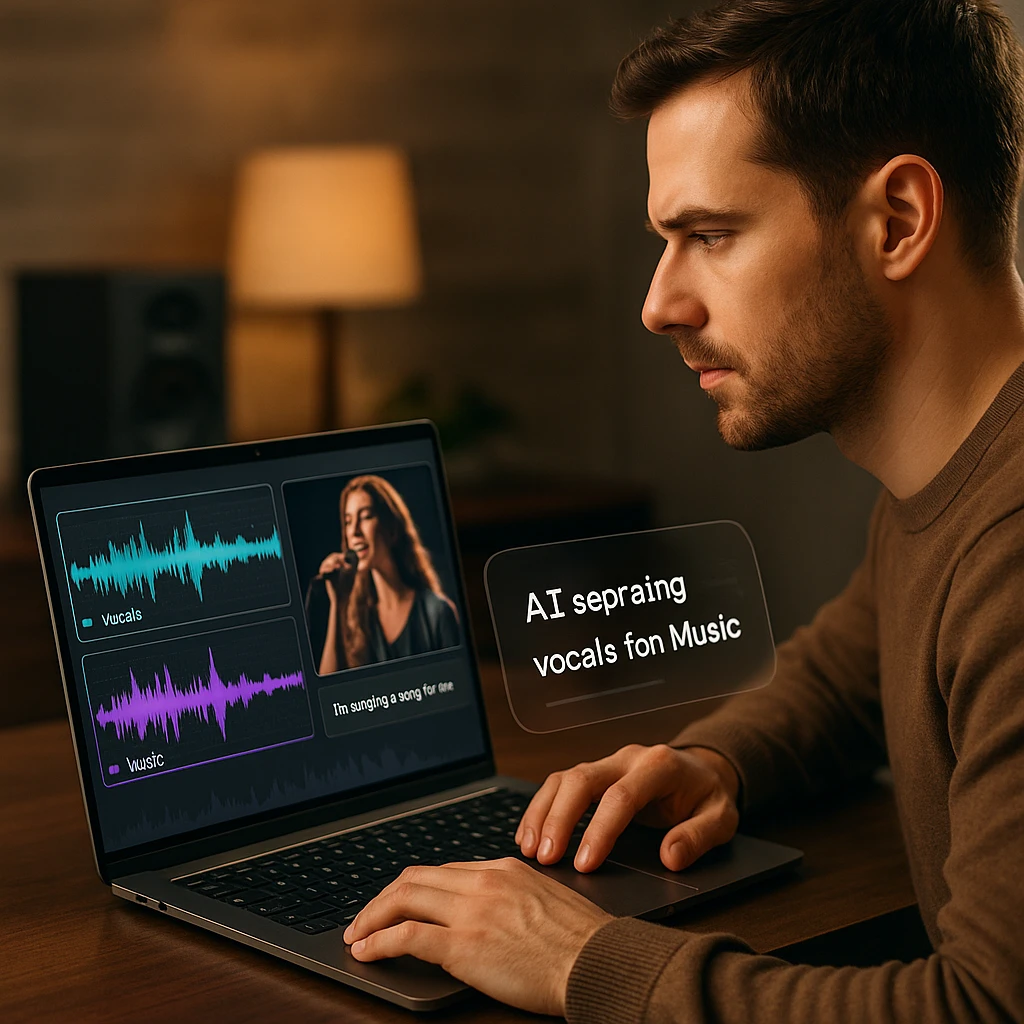
In 2026, you don’t have to guess anymore. An AI music video to lyrics converter listens to the vocals in the video, separates them from the instruments, and transcribes them into accurate text with timestamps. According to Statista’s streaming research, music video consumption continues to grow rapidly, making automatic lyric extraction more valuable than ever.
This guide shows you the best free ways to turn any music video into a lyric sheet, karaoke file, or timed subtitles.
How Does “Video to Lyrics” AI Work?
Traditional transcription tools struggle with music because the vocals compete with drums, bass, and instruments. Modern AI solves this using a two-stage pipeline.
The AI Lyric Extraction Pipeline
Vocal Isolation (Stem Separation)
The AI separates the vocal track from drums, bass, and other instruments. This creates a clean audio layer where only the singer's voice remains - making transcription dramatically more accurate.
Speech Recognition (ASR)
A high-precision Automatic Speech Recognition model runs on the isolated vocals. Modern ASR engines are trained on singing voices, accents, and even auto-tuned tracks - not just spoken word.
Timestamp Synchronization
The text is synced to the video timeline, creating word-level timestamps. This enables export as .LRC (karaoke format), .SRT (subtitles), or plain text files.
This technology means you can extract lyrics from live performances, acoustic covers, remixes, and obscure recordings that aren’t in any lyrics database. If you’re working with audio-only files (MP3, WAV) instead of videos, our song to lyrics AI converters guide covers specialized tools optimized for audio transcription workflows.
Complete Comparison: Music Video to Lyrics Converters
| Rank | Tool Name | Type | Best For | Export Formats | Rating |
|---|---|---|---|---|---|
| 1 | ScreenApp | AI Converter | Accuracy + Video Workflow | TXT, SRT, LRC | Our own tool |
| 2 | Musixmatch | Database | Popular Songs | View Only | ★★★★☆ |
| 3 | Moises.ai | Musician Tool | Stem Separation | Audio Focus | ★★★★☆ |
| 4 | Veed.io | Video Editor | Lyric Videos | SRT, VTT | ★★★★☆ |
| 5 | Kapwing | Online Editor | Social Media | SRT, TXT | ★★★☆☆ |
| 6 | HappyScribe | Transcription | Difficult Audio | TXT, SRT, VTT | ★★★★☆ |
| 7 | Genius | Database | Meaning + Context | View Only | ★★★★☆ |
Quick Recommendation: For actual lyrics extraction from video files, ScreenApp transcribes the audio track from your own video files. Musixmatch and Genius are excellent for finding lyrics to popular songs, but they’re databases, not converters - they won’t work with your original recordings or live performances.
Top 7 Music Video to Lyrics Converters in 2026
ScreenApp
Best for AI Accuracy and Video Workflow
The all-in-one workspace that extracts lyrics and lets you interact with the video. ScreenApp transcribes the audio track of a music video into text. Beyond extraction, you can click any word in the generated transcript to jump to that exact frame in the video, making it perfect for learning songs or creating karaoke files.
Link or File Input
Paste a video URL or upload an MP4, MP3 or WAV file directly.
Interactive Time-Sync
Click any word in the transcript to jump to that exact frame in the video.
Multi-Format Export
Download as .TXT (for reading), .SRT (for subtitles), or .LRC (for karaoke).
YouTube Link Support
Paste any YouTube URL directly - no downloading required first.
Pros
- • Handles music with heavy bass better than competitors
- • Works with YouTube links, MP4, and MP3 files
- • Interactive transcript with video sync
- • Export to karaoke-ready LRC format
- • Free tier available for casual users
Cons
- • Max plan required for unlimited transcriptions
- • Requires internet connection for AI processing
Best For
Content creators extracting lyrics for videos, musicians learning songs, karaoke enthusiasts creating LRC files, and anyone who needs accurate lyrics from non-mainstream sources.
Musixmatch
Best for Popular Songs and Spotify Integration
The world's largest lyrics catalog. Musixmatch powers lyrics for Spotify, Instagram, and most major streaming platforms. If the song is commercially released, there's a high chance the lyrics are already here - synced and verified by a massive community of contributors.
Massive Catalog
Over 14 million lyrics in 80+ languages, growing daily through community contributions.
Real-Time Sync
Lyrics scroll in sync with the music as you listen on Spotify or Apple Music.
Platform Integration
Powers lyrics for Spotify, Instagram Stories, and major streaming apps.
Community Verified
Lyrics are reviewed and corrected by a global community of contributors.
Pros
- • Integrates with Spotify, Apple Music, and more
- • Community-verified lyrics with high accuracy
- • Synced lyrics that scroll in real-time
Cons
- • It's a database, not a converter - won't work for your own recordings
- • Doesn't handle live versions or remixes that differ from studio
- • No export options for karaoke files
Best For
Finding lyrics to popular songs while streaming. If you just need to look up a mainstream track, Musixmatch is faster than any converter.
Moises.ai
Best for Musicians and Stem Separation
An AI app designed for practicing musicians. Moises.ai excels at stem separation - turn down the guitar to hear the voice, isolate drums to practice timing, or remove vocals entirely for karaoke. The lyric feature is secondary but useful, showing synced text as you practice along.
AI Stem Separation
Isolate vocals, drums, bass, and other instruments from any song with one click.
Tempo Control
Slow down or speed up songs without changing the pitch - perfect for learning.
Pitch Adjustment
Change the key of any song to match your vocal range or instrument tuning.
Chord Detection
Automatically detects and displays chords as the song plays for musicians.
Pros
- • Industry-leading stem separation technology
- • Tempo and pitch adjustment for practice
- • Excellent mobile app for on-the-go learning
Cons
- • Lyrics are secondary - limited text export options
- • Focused on audio, not video workflow
- • Premium subscription needed for full features
Best For
Musicians who want to practice with isolated tracks. If you need to learn a guitar part while seeing the lyrics, Moises is built for you.
Veed.io
Best for Social Media Lyric Videos
A video editor with strong auto-subtitle features. Veed.io is perfect for creating those aesthetic "Lyric Videos" for TikTok and Reels. Upload your music video, generate subtitles automatically, then style them with animated text effects and backgrounds. The focus is on visual output, not just text extraction.
Auto-Subtitles
AI generates subtitles automatically from any video - just upload and click generate.
Text Animations
Stylish animated text effects including karaoke-style highlighting and wipe effects.
Social Presets
Pre-built templates for TikTok, Instagram Reels, and YouTube Shorts formats.
Background Library
Stock footage and abstract backgrounds to create professional lyric videos.
Pros
- • Drag-and-drop video editor with lyric styling
- • Modern text animations and effects
- • Browser-based - no installation needed
Cons
- • Expensive subscription for watermark-free exports
- • Transcription accuracy lower than dedicated tools
- • Overkill if you just need plain text lyrics
Best For
Content creators making lyric videos for social media. If you want animated text over a music video background, Veed delivers.
Kapwing
Best for Creative Lyric Backgrounds
A collaborative online video editor. Kapwing is great for makers looking for a music video lyrics background tool. You can overlay auto-generated lyrics onto stock footage, abstract visuals, or existing videos. The free tier is generous, though there's an aggressive upsell for premium features.
Team Collaboration
Multiple team members can edit the same project simultaneously in real-time.
Stock Media Library
Access to stock videos, images, and music for creating lyric video backgrounds.
Smart Cut
AI removes silences and filler words automatically from transcribed content.
Format Presets
One-click resize for all social platforms - TikTok, Reels, YouTube, Twitter.
Pros
- • Totally browser-based with team collaboration
- • Great for overlaying lyrics onto visual backgrounds
- • Generous free tier for basic projects
Cons
- • Can be buggy with long video files
- • Transcription not optimized for music (struggles with instruments)
- • Watermark on free exports
Best For
Teams creating collaborative lyric video projects with visual backgrounds and effects.
HappyScribe
Best for Difficult Audio and Human Review
</div>
<!-- Key Features Grid -->
<div class="grid md:grid-cols-2 gap-3">
  <div class="bg-gray-50 rounded-lg p-3">
    <h5 class="font-semibold text-sm text-gray-900 mb-1 mt-0">Human Transcription</h5>
    <p class="text-xs text-gray-600 mb-0 mt-0">Pay for professional human transcribers when AI accuracy isn't sufficient.</p>
  </div>
  <div class="bg-gray-50 rounded-lg p-3">
    <h5 class="font-semibold text-sm text-gray-900 mb-1 mt-0">120+ Languages</h5>
    <p class="text-xs text-gray-600 mb-0 mt-0">Support for transcription in over 120 languages with dialect recognition.</p>
  </div>
  <div class="bg-gray-50 rounded-lg p-3">
    <h5 class="font-semibold text-sm text-gray-900 mb-1 mt-0">Interactive Editor</h5>
    <p class="text-xs text-gray-600 mb-0 mt-0">Built-in editor to review and correct transcripts with audio playback sync.</p>
  </div>
  <div class="bg-gray-50 rounded-lg p-3">
    <h5 class="font-semibold text-sm text-gray-900 mb-1 mt-0">Export Flexibility</h5>
    <p class="text-xs text-gray-600 mb-0 mt-0">Export to SRT, VTT, TXT, DOCX, PDF, and more subtitle/document formats.</p>
  </div>
</div>
<!-- Pros and Cons -->
<div class="grid md:grid-cols-2 gap-4">
  <div class="bg-gray-50 rounded-lg p-4">
    <h5 class="font-bold text-base mb-3 text-[#1D90ff] mt-0">Pros</h5>
    <ul class="space-y-2 text-sm text-gray-800 pl-1">
      <li class="flex items-start">
        <span class="text-gray-400 mr-2">•</span>
        <span>Human transcription option for difficult audio</span>
      </li>
      <li class="flex items-start">
        <span class="text-gray-400 mr-2">•</span>
        <span>Supports many video and audio formats</span>
      </li>
      <li class="flex items-start">
        <span class="text-gray-400 mr-2">•</span>
        <span>Professional-grade accuracy for archival work</span>
      </li>
    </ul>
  </div>
  <div class="bg-gray-50 rounded-lg p-4">
    <h5 class="font-bold text-base mb-3 text-[#1D90ff] mt-0">Cons</h5>
    <ul class="space-y-2 text-sm text-gray-800 pl-1">
      <li class="flex items-start">
        <span class="text-gray-400 mr-2">•</span>
        <span>"Pay per minute" pricing can get expensive</span>
      </li>
      <li class="flex items-start">
        <span class="text-gray-400 mr-2">•</span>
        <span>No vocal isolation - struggles with loud music</span>
      </li>
      <li class="flex items-start">
        <span class="text-gray-400 mr-2">•</span>
        <span>Not optimized for music-specific workflows</span>
      </li>
    </ul>
  </div>
</div>
<!-- Best For -->
<div>
  <h4 class="font-semibold text-base mb-2 text-gray-900 mt-0">Best For</h4>
  <p class="text-sm leading-relaxed text-gray-700">Archivists and professionals who need guaranteed accuracy on difficult recordings, especially when AI alone isn't enough.</p>
</div>
Genius
Best for Meaning and Context
The "Wikipedia" of rap and pop lyrics. Genius isn't a converter - you can't upload a video file. But if you want to understand what the lyrics mean, it's unmatched. Deep annotations explain metaphors, slang, cultural references, and artist-verified explanations. Perfect for learning the story behind the bars.
Deep Annotations
Click any line to see community explanations of metaphors, slang, and references.
Artist Verified
Many lyrics include official explanations directly from the artists themselves.
Music Videos
Embedded music videos alongside lyrics so you can watch and read simultaneously.
Community Forums
Discuss interpretations with other fans and contribute your own annotations.
Pros
- • Deep annotations explaining meaning and references
- • Artist-verified lyrics and explanations
- • Completely free to use
Cons
- • Not a converter - manual entry only
- • Cannot upload a video file to generate lyrics
- • Limited to songs already in the database
Best For
Understanding the meaning behind complex lyrics, especially in hip-hop, where cultural context matters.
How to Convert a Music Video to Lyrics (Step-by-Step)
Getting lyrics from any song video takes just a few minutes with the right tool. Here’s the process using ScreenApp as an example.
Step-by-Step: YouTube Music Video to Lyrics
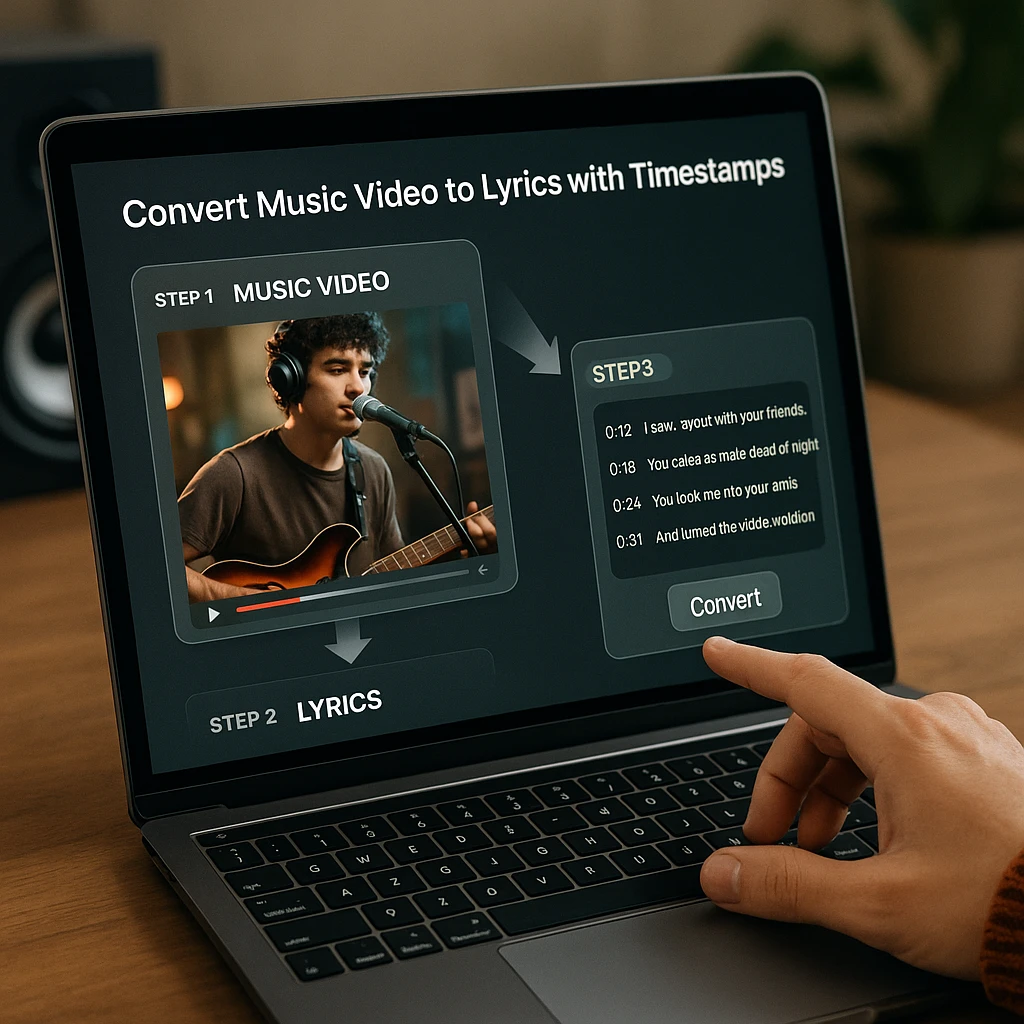
Upload or Paste Link
Paste a YouTube link or drag and drop your MP4/MP3 file into ScreenApp. The tool accepts most video and audio formats directly.
Select Transcription Mode
Choose the "Lyrics" or "Transcription" mode. ScreenApp transcribes the audio track and returns timestamped text.
Generate Lyrics
Click "Generate." In seconds, the full lyrics appear on the right side, synced to the video player. Click any line to jump to that moment in the song.
Download Your Format
Export as a simple .TXT file for reading, an .SRT file for subtitles, or an .LRC file for karaoke software. You can also copy-paste directly.
For more complex video workflows, check out our guide on recording lectures and converting to text - many of the same techniques apply to music transcription. If you’re working with audio files instead of videos, our song to lyrics AI converters article provides specialized tools for MP3 and WAV transcription.
Use Cases: Why Extract Lyrics from Video?
For Singers (Karaoke Prep)
Get the exact lyrics for that obscure live version or remix you want to perform. Studio lyrics often differ from live performances - artists ad-lib, change words, and interact with crowds.
For Content Creators (Lyric Videos)
Generate an .SRT file to create those aesthetic "Lyric Video" backgrounds for TikTok, Reels, and YouTube Shorts. Time-synced text makes the visuals pop.
For Musicians (Cover Songs)
Learn the phrasing of a complex rap verse by reading along with the timestamps. See exactly when words land on the beat - essential for covering fast-paced tracks.
For Language Learners
Watch a foreign music video and get immediate dual-language subtitles. Music is one of the most effective ways to learn pronunciation and vocabulary.
Advanced: How to Create an .LRC (Karaoke) File
LRC files are the standard format for karaoke software. They contain lyrics with timestamps that sync to the music, allowing words to highlight as they’re sung.
The Workflow: Video to Karaoke File
- 1. Use ScreenApp to transcribe the video with timestamps enabled.
- 2. Export as .SRT (subtitle format).
- 3. Convert the .SRT to .LRC using a free online converter (or use ScreenApp's direct LRC export if available).
- 4. Load the .LRC file into your karaoke player to see lyrics wipe in time with the music.
LRC format example: [00:12.50] Hello darkness my old friend
The End of Misheard Lyrics
Stop guessing if they said “Starbucks lovers” or “list of ex-lovers.” Use AI to extract the truth directly from the video source.
Whether you’re a singer preparing for karaoke, a content creator making lyric videos, a musician learning covers, or a language learner using music to study, there’s a tool in this list that fits your workflow.
For most users, ScreenApp is the simplest option if you want to paste a link and get timestamped text back. Musixmatch and Genius remain excellent for looking up popular songs that are already in their databases. And Moises.ai is unmatched for musicians who want to practice with isolated tracks.
The key is matching the tool to your use case. Database lookups are instant but limited to known songs. AI converters take a few seconds but work with any recording - live performances, remixes, and your own original music.
Ready to Extract Lyrics?
Paste your music video link and generate your lyric sheet instantly. No guessing, no rewinding - just accurate text.
Try ScreenApp's Lyric Converter FreeRelated Resources:
- Song to Lyrics AI Converters - Extract lyrics from audio files (MP3, WAV) with specialized tools
- YouTube to MP3 - Extract audio from videos
- Best YouTube Downloaders - Save videos for offline use
- Audio Analyzer - Analyze audio quality and content
FAQ
Can AI accurately transcribe rap or fast songs?
Modern AI models have improved drastically, but they still struggle with extreme speed (like "Rap God") or heavy mumble rap. Accuracy depends heavily on how clean the vocal mix is.
What file format do I need for Karaoke?
You need an .LRC (Lyric File). This is essentially a text file with timestamps (e.g., [00:12.50] Hello darkness...). You can often convert an .SRT subtitle file into an .LRC file using free online converters - most karaoke software reads both formats.
How do I turn a YouTube video into lyrics?
You generally cannot do this on YouTube directly. Copy the YouTube URL and paste it into a third-party tool like ScreenApp. The AI will process the audio and extract the lyrics automatically - no downloading required first.
Can I remove the music and keep only the lyrics (Acapella)?
Yes, this process is called Stem Separation. Tools like Moises.ai can isolate the "Vocal" track, which makes it much easier for the AI to transcribe the lyrics accurately. You can often download the isolated vocal track as a separate audio file.
Is it legal to generate lyrics from a music video?
Creating a transcription for personal use, study, or parody is generally considered Fair Use. However, if you plan to publish those lyrics on a monetized website or sell them, you may need a license from the music publisher. Always check local copyright laws for your specific use case.
Can I translate the lyrics from a foreign music video?
Yes. Tools like ScreenApp allow you to transcribe the audio in its original language (e.g., K-Pop/Korean) and then instantly translate the text into English, giving you dual-language subtitles. This is perfect for learning songs in languages you're studying.
Why do some converters give me "gibberish" text?
This usually happens if the music is louder than the singer. The AI tries to transcribe the drum hits as words. To fix this, use a tool that specifically filters out background noise or music before transcribing - vocal isolation is the key technology that solves this problem.
How do I make a lyric video for YouTube?
First, use a Music Video to Lyrics Converter to get the text. Then, upload that text (as an SRT file) into a video editor like Veed or Kapwing, and place it over a cool music video lyrics background. Most editors have templates specifically for lyric videos.
Is there a completely free lyrics generator?
Most tools operate on a "Freemium" model. ScreenApp's free plan covers 2 transcriptions of recordings up to 45 minutes each and 3 uploads, which is enough to try it. Regular use needs a paid plan.
Can I extract lyrics from an audio-only file (MP3)?
Yes. While we focus on "Video to Lyrics," almost all these tools (especially ScreenApp and HappyScribe) accept MP3 and WAV files just as easily as MP4s. The process is identical - the AI processes the audio track regardless of whether it came from a video file. For a comprehensive guide on audio-only lyric extraction, see our song to lyrics AI converters article.
Can AI detect the song structure (Verse vs. Chorus)?
Some advanced music AI tools can label sections (Verse 1, Chorus), but most standard transcribers just give you the text stream. You usually have to add the section headers manually. This is an area where technology is still improving.
How do I sync lyrics if the AI is slightly off?
Look for a tool with a Subtitle Editor interface. This lets you drag the "time blocks" left or right to match the singer's timing perfectly before you download the file. Most professional tools include this editing capability.