Best AI Note Generators 2026: 10 Free Tools for Video, PDF, Audio

On this page
You recorded a 90-minute lecture, and now you have a 90-minute problem. Playing it back at 1.5x still burns most of an hour, and you miss half of what mattered while typing.
That is the job an AI note generator does. You hand it a video, an audio file, or a PDF, and it hands back structured notes with the key points pulled out. Some are built for meetings, some for research papers, some for YouTube lectures. Very few are good at more than one of those, which is the part most “best AI note taker” roundups skip over.
Quick answer: the best AI note generators in 2026
- Best overall (video, audio, and PDF): ScreenApp
- Best for video lectures: Recap.dev
- Best for research papers and PDFs: Scholarcy
- Best free meeting notes: Fathom
- Best for messy voice notes: AudioPen
Prices below are the vendors' list prices at the time of writing. Free tiers change often, so check each tool's pricing page before you commit.
Note-taking is one of the first tasks people try to hand to software, and the productivity-software market these tools sit in keeps growing (Statista). AI note generators are the slice of it aimed squarely at turning a recording or a document into notes you can actually study from.
Jump to a tool
- 1ScreenApp - best overall, any format
- 2Recap.dev - best for video lectures
- 3Scholarcy - best for research PDFs
- 4Notion AI - best if you live in Notion
- 5Otter.ai - best for live meetings
- 6Genei - best for research workflows
- 7Trint - best for professional transcription
- 8Fathom - best free meeting notes
- 9NoteGPT - best multi-format free tier
- 10AudioPen - best for messy voice notes
The 10 Best AI Note Generators of 2026

ScreenApp
Turns video, audio, and PDFs into structured notes
ScreenApp takes video, audio, and documents, transcribes them, then generates notes with the key points, headings, and action items pulled out. It is the AI notebook, the AI video summarizer, and the video analyzer working on the same file, so a transcript and usable notes come out of one pass.
What we found: on the 90-minute lecture it returned a summary with clean section headings, and on the messy three-person call it held the thread better than the transcript-only tools. It also took the 22-page PDF, which the video-first tools simply could not. Transcription covers 100+ languages.
Transparency note: this roundup is published by ScreenApp, so weigh the top spot accordingly. It earns the place on range, it is the only tool here that handled all three test inputs without a second app. If you only ever need meeting notes, Fathom (free) or Otter may fit you better.
Pros
- •Takes video, audio, PDF, and links in one place
- •Gives a transcript and structured notes, not just one
- •Transcription in 100+ languages
- •Generous free plan, runs in the browser
Cons
- •Cloud based, so it needs an internet connection
- •The deeper analysis features take a little learning
Best For
Students and professionals who feed it more than one format and want finished notes, not a wall of transcript.
Recap.dev
Video and audio lectures into study notes
Recap.dev is built for turning lectures and meetings into structured notes, with automatic chapter detection and key-point extraction. On our 90-minute lecture it caught the chapter breaks cleanly, which makes long recordings much easier to skim later.
What we found: strong on video, blank on documents. Hand it the 22-page PDF and there is nothing for it to do, because it only takes video and audio. If your material is all recorded video, that focus is a feature, not a flaw.
Pros
- •Strong lecture and meeting transcription
- •Automatic chapter detection on long videos
- •Handles YouTube links directly
Cons
- •No PDF or document support
- •No real-time notes for live calls
- •Free tier is basic
Best For
Online learners and remote students who mostly work from recorded video lectures.
Scholarcy
Research papers and textbooks into summaries
Scholarcy is purpose-built for academic PDFs. Fed our 22-page machine-learning paper, it produced a summary flashcard with the findings, methods, and references broken out, the kind of structure the general tools do not attempt on a research document.
What we found: it understands the shape of a paper, so it pulls the contribution and the limitations rather than just the first few sentences of each section. It does not touch video or audio at all, and the free tier stops after three articles, which you will hit in one afternoon of studying.
Pros
- •Built for research papers, understands their structure
- •Extracts citations and key terms
- •Summary flashcards make revision faster
Cons
- •PDF and text only, no video or audio
- •Free tier caps at three articles
Best For
Researchers and graduate students who live in journal PDFs and need the argument, not the whole page.
Notion AI
Summarize and organize inside your workspace
If your notes already live in Notion, its built-in AI summarizes and restructures text right where you work, which saves the copy-out-copy-back shuffle. It is good at tightening long notes and drafting summaries from text you already have.
What we found: the catch is the input. Notion AI works on text you paste, not on files. You cannot upload the lecture video, and a PDF only works if you copy the text in first. So it is less a note generator and more a very good editor for notes you already collected another way.
Pros
- •Lives where your notes already are
- •Good text summarization and cleanup
- •Templates and team collaboration built in
Cons
- •No native video or audio input
- •PDF only via copy-paste
- •AI is a paid add-on on top of Notion
Best For
Teams and students who already run their whole system in Notion and want AI in the same place.
Otter.ai
Live meeting transcription and notes
Otter shines live. In our 40-minute three-person call it tagged speakers as they spoke and produced a running transcript with a summary at the end, which is exactly what you want when you are supposed to be in the meeting, not typing it.
What we found: speaker ID held up even through some crosstalk, though the end summary flattened a couple of points where two people talked at once. Its weak spot is documents. It is a meeting tool, so there is no PDF reading and no arbitrary file analysis.
Pros
- •Real-time transcription with speaker ID
- •Calendar and meeting integrations
- •600 free minutes a month
Cons
- •No PDF or document support
- •Weaker on non-English audio
- •Summaries can flatten heavy crosstalk
Best For
Professionals who need live notes from calls and interviews without touching the keyboard.
Genei
Summarize PDFs, web pages, and documents
Genei sits close to Scholarcy but leans harder into the research workflow: summarize PDFs and web pages, pull keywords, manage citations, and file everything into projects. If your sources are a mix of journal PDFs and web articles, the web import is the part you will use most.
What we found: the summaries were solid on both the PDF and a couple of web pages we threw at it, and the project folders keep a literature review from turning into 30 open tabs. Like Scholarcy, it does not do video or audio, and the free tier is small at five documents.
Pros
- •Good PDF and web-page summaries
- •Keyword extraction and citation tools
- •Project folders keep research organized
Cons
- •No video or audio input
- •Free tier limited to five documents
- •Overlaps heavily with Scholarcy
Best For
Researchers pulling from a mix of web pages and PDFs who want it all filed in one project.
Trint
Professional transcription with note tools
Trint is a professional transcription service aimed at newsrooms and media teams, with note and editing tools layered on top. Accuracy is strong, the in-line editor is genuinely good, and the export options cover the formats a production workflow needs.
What we found: it is the accuracy leader among the pure transcription tools, and for interviews that quality is worth paying for. But plans start at $48 a month, which prices out every student, and it does not read PDFs. This is a working tool for people who transcribe for a living, not a study aid.
Pros
- •High transcription accuracy
- •40+ languages and strong editing
- •Broad export options and team features
Cons
- •Starts at $48 a month
- •No PDF or document input
- •Overkill for casual note-taking
Best For
Newsrooms and pros who need accurate, editable transcripts at scale and can expense the price.
Fathom
Free meeting notes for Zoom, Meet, and Teams
Fathom is a free AI meeting assistant that records, transcribes, and summarizes your calls, then marks highlights automatically. The headline is the price. It is free, and for meeting notes it is genuinely good, not a stripped trial that nags you to upgrade.
What we found: the auto-summary after a call is clean and the highlight clips are handy for sharing a single moment with a teammate. The limit is scope. It works on live meetings through Zoom, Meet, and Teams, so it will not take an uploaded lecture file or a PDF. Within meetings, though, free plus good is hard to argue with.
Pros
- •Free, with genuinely good meeting summaries
- •Auto-highlights and shareable clips
- •Works across Zoom, Meet, and Teams
Cons
- •Live meetings only, no file uploads
- •No PDF or document support
Best For
Anyone who wants free, automatic notes from their calls and nothing more complicated than that.
NoteGPT
Notes from text, PDFs, and YouTube
NoteGPT is the jack-of-several-trades. It takes text, PDFs, and YouTube links and summarizes with ChatGPT under the hood, then can spin the notes into practice Q&A. For a student who wants one free tool that touches most formats, it is a sensible default.
What we found: the YouTube summaries were quick and the Q&A generation is a nice study feature the specialists skip. The trade-off is depth. On the 22-page paper its summary was shallower than Scholarcy's, and on the lecture it trailed Recap.dev. It does a lot of things at a solid B, none at an A.
Pros
- •Handles text, PDF, and YouTube in one place
- •Generates practice Q&A from your notes
- •Generous free tier for students
Cons
- •Depth trails the single-format specialists
- •Quality varies by input type
Best For
Students who want one free tool that touches several formats and do not need best-in-class on any one.
AudioPen
Turns rambling voice notes into clean text
AudioPen does one thing and does it well. Talk into it, ramble as much as you like, and it hands back clean, structured text with the filler stripped out. It is the tool for the idea you have while walking, not for a two-hour lecture.
What we found: the cleanup is the magic. A messy 90-second voice memo came back as three tidy bullet points that actually read like something you wrote on purpose. It is not built for our lecture or PDF tests, and it does not pretend to be, which is exactly why it works.
Pros
- •Excellent at cleaning up rambling speech
- •Fast and mobile friendly
- •Cheap, with a usable free tier
Cons
- •Voice input only, no video or PDF
- •Built for short notes, not long recordings
Best For
Capturing quick spoken ideas and turning them into clean notes on the go.
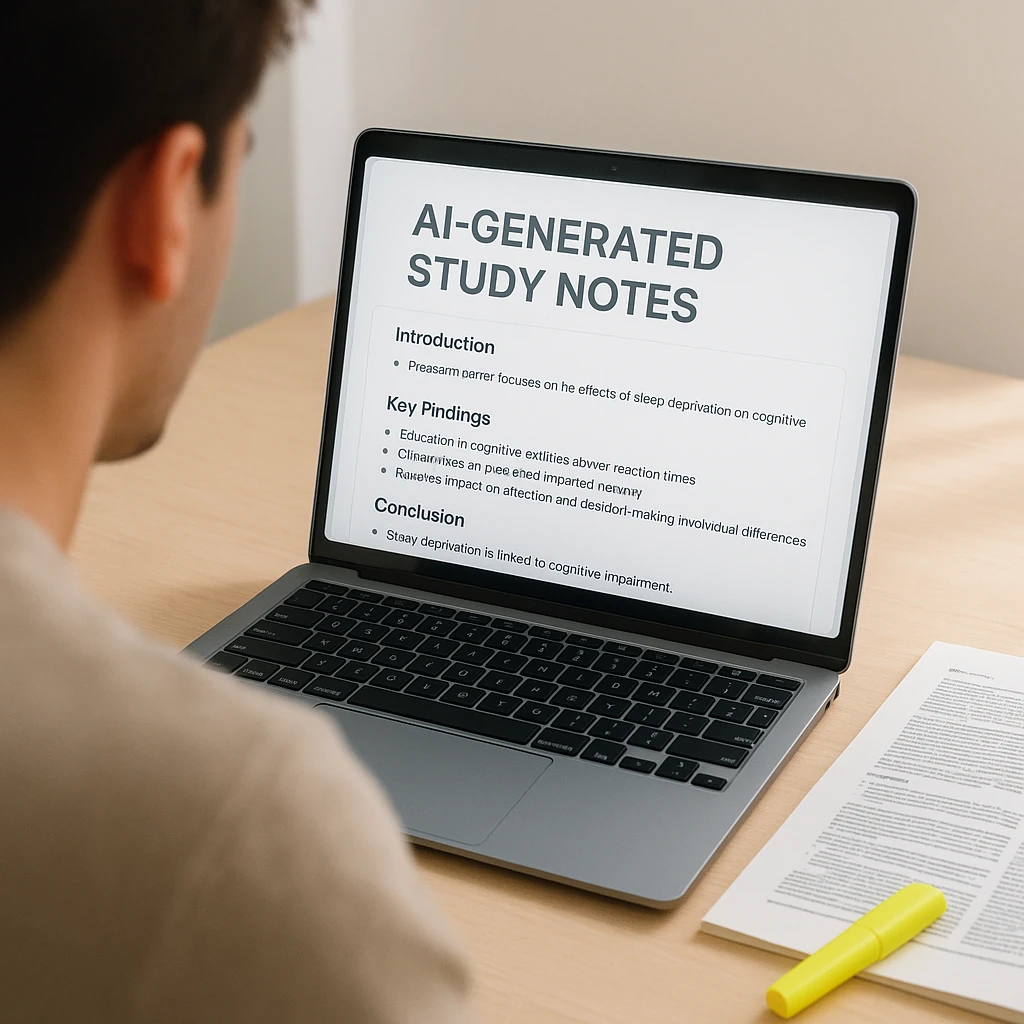
How to turn a lecture, call, or PDF into notes
The workflow is nearly the same across tools. Here is the video and audio route, which is the one people ask about most.
Pick the tool for the source. ScreenApp for a mix of video, audio, and PDF, or Recap.dev if it is all recorded video.
Drop in the file or paste a YouTube or Zoom link. Most tools take MP4, MP3, and a public link.
Let it transcribe. The AI turns speech to text, tags speakers where it can, and marks topic changes.
Read the notes, not the transcript. Skim the summary, key takeaways, and action items, then fix anything the AI misheard.
For a PDF or textbook chapter, the path is shorter. Scholarcy is built for research papers, or you can paste the text into ScreenApp’s AI summarizer and get back a structured summary with the key points and definitions pulled out. Either way, always read the source once yourself for anything you will be graded or quoted on. The AI is a fast first pass, not a proofreader. We cover the video route in more depth in how to turn a video into notes with AI.
Which one should you actually use
If you are a student
The split is by source. For recorded lectures, ScreenApp and Recap.dev both pull chapter breakdowns and study summaries out of long video. For textbooks and journal papers, Scholarcy is the specialist and Genei runs close behind. And if the budget is zero, Fathom covers meetings for free while NoteGPT gives students a generous multi-format free tier. Our best AI note taker roundup digs deeper into the student picks.
If you are a professional
Meetings are usually the job. ScreenApp’s AI meeting assistant and Otter.ai both handle speaker ID, action items, and calendar integration, so the notes write themselves while you stay in the conversation instead of typing it. For reports and market research, Genei and Notion AI fold into a workflow you already have. And if you need accurate transcripts at scale, Trint is the tool built for that, price and all. For a meeting-focused breakdown, see our guide to AI tools for meeting notes.
Feature comparison at a glance
| Tool | Video | Real-time | Free plan | From | |
|---|---|---|---|---|---|
| ScreenApp Best overall | Excellent | Advanced | Yes | 2 transcriptions, up to 45 min each | $19/mo (annual) |
| Recap.dev | Excellent | No | No | Basic | $12/mo |
| Scholarcy | No | Excellent | No | 3 articles | $8.99/mo |
| Notion AI | No | Paste only | No | Basic | $8/mo |
| Otter.ai | Good | No | Yes | 600 min | $8.33/mo |
| Genei | No | Good | No | 5 docs | $9.99/mo |
| Trint | Professional | No | No | Trial only | $48/mo |
| Fathom | Meetings | No | Yes | Unlimited | Free |
| NoteGPT | YouTube | Basic | No | Limited | $6.99/mo |
| AudioPen | Audio only | No | No | Basic | $6/mo |
Languages: ScreenApp covers 99, Trint 40+, Recap.dev 30+; the rest support major world languages. Real-time means notes during a live call, not from an uploaded file.
So which should you pick
Take away one thing: match the tool to your main input, not to the longest feature list. A student living in recorded lectures wants ScreenApp or Recap.dev. A researcher buried in PDFs wants Scholarcy. Someone who only needs meeting notes wants Fathom, and it is free. Trying to force one tool to do all three well is how people lose a weekend.
For a mixed diet of video, audio, and documents, ScreenApp is the one we reach for first, because it is the only pick here that took all three of our test inputs without a second app. Pair it with Fathom if your meetings live in Zoom, and Scholarcy if you read a lot of papers.
The productivity case is not hype. McKinsey’s research on generative AI (the economic potential of generative AI) puts knowledge-work tasks like drafting and summarizing among the biggest areas AI can speed up, and turning a recording into notes is exactly that kind of task.
To go deeper, we break down the workflow in how to take notes from a video and compare the phone-first options in best mobile AI note-taking apps.
How we put this together: this is a comparison based on each vendor’s published documentation and pricing pages, checked on the dates shown. We did not run a hands-on benchmark for this article.
FAQ
What is the best AI for taking notes from a video?
For most people it is ScreenApp, because it takes the video file, transcribes it, and hands back structured notes in one pass, rather than just a transcript. For YouTube-specific content, Recap.dev and NoteGPT add chapter detection and key-point extraction worth having.
Can AI read a textbook and make notes?
Yes, several AI tools excel at processing textbook content. Scholarcy is specifically designed for academic texts and can analyze PDFs to create structured summaries, key term definitions, and study guides. For general textbook processing, Genei and copying content into Notion AI also provide excellent results.
Is there a free AI tool that converts audio to notes?
Yes, Fathom is completely free for Zoom meeting transcription and note generation. ScreenApp has a free plan covering 2 transcriptions of recordings up to 45 minutes each, and Otter.ai provides 600 free minutes per month for audio transcription and summarization.
How accurate are AI-generated notes?
On clear audio, the strongest transcription tools land in the 90s for accuracy; ScreenApp publishes its own figures on its accuracy page. Quality drops with background noise, strong accents, and heavy jargon. Academic and technical content still needs a human read, but the AI gives you a solid first pass that saves the hours you would spend typing.
What file formats do AI note generators support?
Most AI note generators support common formats: Video: MP4, MOV, AVI, WebM; Audio: MP3, WAV, M4A, AAC; Documents: PDF, DOC, TXT; Links: YouTube, Vimeo, Google Drive. ScreenApp offers the broadest format support including PowerPoint presentations and web page analysis.
Can AI note generators work in multiple languages?
Yes, most modern AI note generators support multiple languages. ScreenApp supports 100+ languages, Trint covers 40+, and tools like Otter.ai handle the major world languages. Accuracy varies by language and tool, so test your specific combination before relying on it.
Are AI note generators suitable for academic research?
Yes, tools like Scholarcy and Genei are specifically designed for academic research. They can process research papers, extract citations, identify key methodologies, and create structured literature reviews. However, always verify AI-generated content and maintain proper citation practices.
Can I use AI note generators for live meetings?
Yes, several tools offer real-time note generation. Otter.ai provides live transcription for in-person meetings, Fathom integrates directly with Zoom for automatic meeting notes, and ScreenApp can process live recordings with immediate AI analysis and summary generation.
What's the difference between transcription and AI note generation?
Transcription converts speech to text verbatim. AI note generation goes further by summarizing content, identifying key points, extracting action items, and organizing information into structured formats. Modern tools like ScreenApp combine both: accurate transcription plus intelligent analysis for actionable notes.