How to Repurpose Video Content With AI in 2026: 1 Video, 10 Assets

On this page
To repurpose video content with AI, you run one recording through a transcription and analysis tool, then pull separate assets out of the transcript and the timestamps: a blog post, three or four vertical clips, a newsletter, a thread. What used to take an editor, a writer, and a designer now takes roughly 20 minutes of review per hour of footage.
That is the short answer. The rest of this guide is the workflow, the tools, and the parts that go wrong.
One thing most AI content repurposing guides skip: this is not a volume trick. Feed it a thin, rambling recording and you get ten thin assets plus a reputation for noise. The teams it works for record fewer things, better, then mine each one properly. If you take one idea from this page, take that one.
Worth knowing before you start: ChatGPT on its own cannot do this. It has no access to your video file, it cannot cut a clip or reframe it vertically, and it cannot read the slides you had on screen. You need something that ingests the recording first, then hands the text and the timestamps to a model. That is what a content repurposing tool does, and it is why people who try the chatbot route first end up back here.
For a deeper look at how AI is changing the editing side of this, see our guide to AI video editing trends in 2026.
Related Content Creation Resources: For capturing high-quality source content, explore our guide to recording lectures and converting to text, or check our best video conferencing apps for recording webinars. You may also find our AI video watcher tools guide helpful for analyzing existing content.
Quick picks by job
Reads the slides as well as the audio, so tutorials and webinars become accurate articles instead of tidied-up transcripts.
Picks the moments and reframes landscape to vertical while tracking the speaker. Weak on written output.
Built for podcasts. Show notes, timestamps, and threads from an MP3, with no video step in the way.
Use it before repurposing, not instead of it. Cut the filler words and mistakes, then send the clean file downstream.
Full comparison is further down, including what happened to Munch. Most teams end up running two of these, not one.
The source of truth approach
Pick one recording per cycle and treat it as the only thing you actually make. Everything else is extracted from it. You are not creating for five channels any more, you are mining one asset five ways.
The shift in your own head is from editing to mining. Editing means opening a timeline and making something new. Mining means reading a transcript and deciding what is already good enough to publish.
Those numbers are what a focused 60-minute session realistically yields once the workflow is set up, not a ceiling. A rambling recording gives you far less, which is the point made above.
The reason it works is that the same idea lands differently per channel. A LinkedIn reader wants the argument written out. Someone on TikTok wants the 20 seconds where you said the surprising part. A newsletter subscriber wants the takeaways and a timestamp so they can skip to the bit they care about, which is the shape a podcast episode turned into an email draft already arrives in. Same source, three genuinely different artefacts. HubSpot’s marketing research tracks how far channel preferences have diverged, and it is a useful sanity check before you assume one format travels everywhere.
That breadth is a competitive asset in its own right. Octopus Intelligence makes the same argument from a market-positioning angle in their guide to using video content to gain a competitive edge in your market: a consistent, well-distributed video presence is far harder for a competitor to match than any single campaign. Repurposing is what makes that consistency affordable.
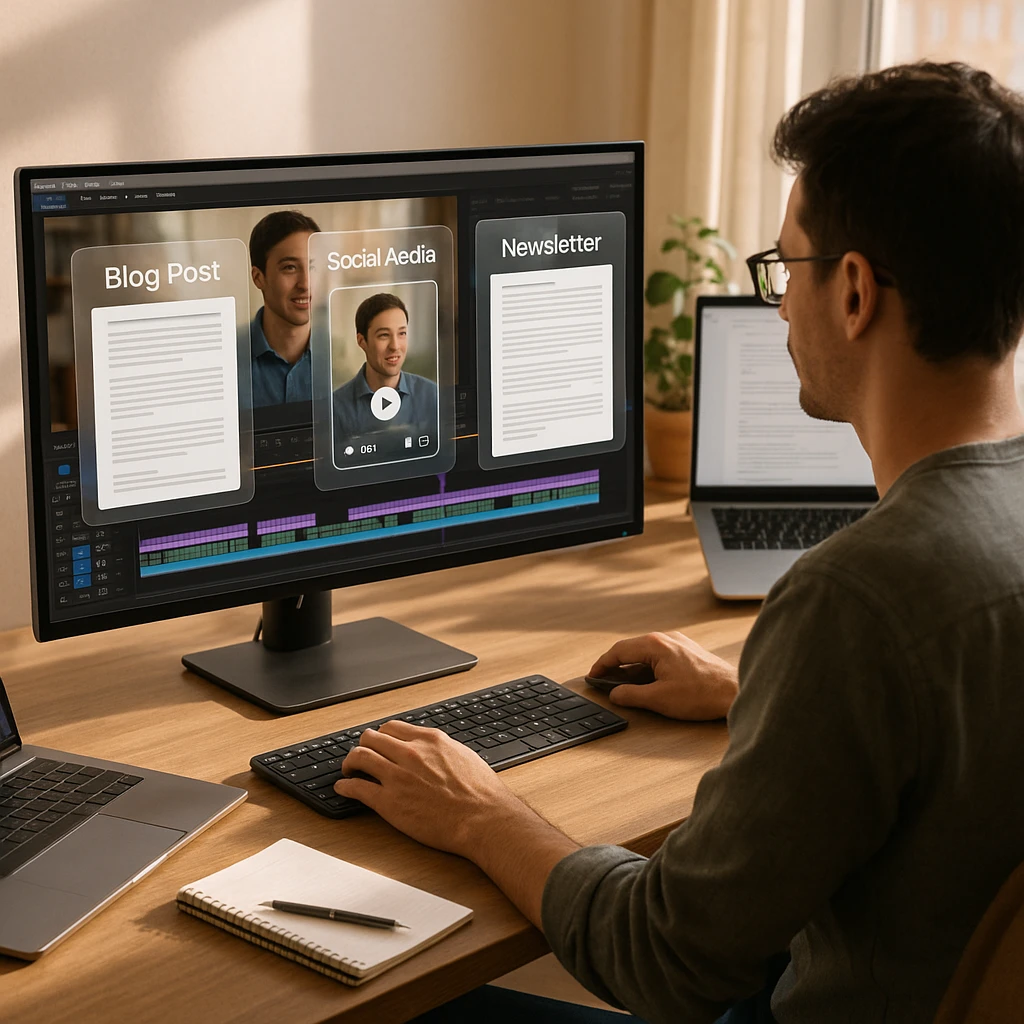
Two pipelines: text and clips
Almost every tool in this space is good at one output and mediocre at the other. Clip tools produce weak writing. Transcript tools produce no clips. So run two pipelines off the same file rather than hunting for one tool that does both well.
Pipeline A goes after search. Pipeline B goes after the feed. They need different things from the same recording, which is why splitting them matters.
The text side is where most teams stall, because a raw transcript is not an article. It is unstructured, repetitive, and written for the ear rather than for search. Feeding it through an AI content generation platform to draft, structure, and optimize the long-form piece is what turns one recording into something that actually ranks, rather than a wall of text nobody reads.
Spoken words become structured text that Google and AI assistants can index. Transcription first, then analysis to find the sections worth keeping.
- Blog posts and long-form articles, the video to article conversion
- Help documentation and internal guides
- Newsletter issues, where you convert video to newsletter with timestamps
- LinkedIn articles and Twitter threads pulled from the argument
Vertical clips for TikTok, Reels, and Shorts. The tool has to convert landscape video to portrait while keeping the speaker in frame, which is the part cheap croppers get wrong. An AI clip generator handles the moment-finding and the reframe in one pass.
- TikTok and Instagram Reels, the YouTube to Reels route
- YouTube Shorts from the same source upload
- Twitter and X video clips
- LinkedIn native video posts, which reach further than a link
Running both is the point. Text keeps earning traffic months later, clips do their work in the first 48 hours and then stop. Pick only one and you either get slow compounding with no reach, or reach with nothing left behind. And if the clips need to run across many accounts and platforms rather than just your own channels, a managed service doing agency-grade clipping at scale can take Pipeline B off your plate entirely: it briefs a network of clippers and charges only for qualified views.
For the text side specifically, you want a tool that understands context and not just words. Plain transcription gives you rambling prose that needs an hour of surgery. An AI-powered video to text converter structures the output into sections with real headings, which is what makes turning a YouTube video into a blog post a review job instead of a rewrite job. If that is the specific thing you are trying to do, our walkthrough on turning a YouTube video into a blog post covers the tool options in more depth.
Where ScreenApp fits
Transparency note: we built ScreenApp, so treat this section as the vendor explaining its own tool. The checkable difference is that it reads on-screen text, not just audio, which matters for exactly one category of content and is irrelevant for the rest.
Here is the case where that matters. You record a 25-minute product walkthrough. You say “click into settings and set the retention window”, and the value you actually typed, 30 days, only ever appears on screen. An audio-only transcript loses that number permanently. Every downstream asset then inherits the gap, and you find out when a reader emails asking what the setting should be.
For a talking-head video with no screen share, this advantage is worth nothing. Use whatever transcribes cheapest.
Visual OCR for written output
Scrapes the text off your slides and UI in the screen recording, so a how-to guide keeps the values, menu names, and settings you demonstrated rather than paraphrasing them away.
Speaker detection for clips
Tracks who is talking so multi-person recordings can be cut and reframed without the crop landing on an empty chair. Useful for interviews and panels.
Ask AI, scoped to a section
Prompt against one part of the transcript instead of the whole thing. "Write a LinkedIn post from the section on Q3 revenue" beats summarising an hour and hoping.
That last one is the feature we underrated at first. Whole-video summaries are fine and mostly useless for repurposing, because the good asset is almost always buried in seven minutes somewhere in the middle. Being able to point at that stretch and ask for one output is the difference between the workflow taking 20 minutes and taking an afternoon. The video analyzer handles the section-by-section breakdown that makes this possible.
The 1 video, 10 assets workflow
This is the part people actually come for: how to repurpose video content using AI, step by step, starting from one 60-minute webinar or podcast recording. Three stages, then five recipes.
- Upload the recording
- Let it transcribe and index
- Extract per channel
Stage two is the one to be patient with. A 60-minute file takes a few minutes to process, and if you start prompting before the transcript and timestamps are fully indexed you get vague output and blame the model. Wait for it to finish.
Stage three is where the prompts matter. Generic prompts give generic assets, which is the single most common reason people try this once and conclude AI repurposing does not work. Below are the five that earn their place, with the actual wording.
Generate the article from the transcript, then expect to cut roughly a third of it. Spoken delivery repeats itself far more than written prose, and the repetition is invisible until you read it back.
Prompt: "Write a 1,500-word article from this transcript. Use H2 sections. Keep every specific number, product name, and setting exactly as stated. Cut all repetition and verbal filler."
Pull three to five moments and export them vertically with auto-framing. Highlight detection is decent at finding energy and bad at finding meaning, so it will happily hand you a clip that peaks mid-sentence. Check every in and out point.
Prompt: "List the five moments where a complete, self-contained point is made in under 45 seconds. Give me start and end timestamps and the first line of each."
One stat per slide, six slides, no more. Carousels fail when someone tries to fit the whole argument in and every slide becomes a paragraph.
Prompt: "Extract the five most concrete statistics or claims with numbers. For each, write a slide headline under 10 words and one supporting line under 20 words."
The trick that makes this one work is timestamps. Give subscribers a takeaway plus a link straight to the minute it came from, and the click-through beats a plain summary every time, because you are saving them the scrubbing.
Prompt: "Write five key takeaways from this recording. After each one, add the timestamp where it is discussed."
Ask for the argument, not a summary. A summary thread reads like minutes of a meeting. Also ignore any model that offers to add a hook about how nobody is talking about this.
Prompt: "What is the single strongest claim made in this recording? Write it as an opening line, then five tweets that support it using only evidence from the transcript."
Output scales with length, roughly. A 30-minute recording gives you five to seven usable assets. A 90-minute deep dive can give you fifteen, though by then you are scraping and the last few are filler nobody needed.
Static visuals deserve a place in that asset mix alongside the clips and written pieces. A single striking statistic or quote pulled from the transcript can carry an entire post on its own, and running it through a poster maker turns it into a branded, on-brand graphic in a couple of minutes. These are the assets that fill the gaps in your calendar on days when no new video is ready to publish.
Once your clips, captions, and carousels are ready, use a social media scheduling tool to queue repurposed content consistently across every platform.
Repurposing audio content with AI
Everything above also works when the source is audio only: a podcast episode, a recorded phone call, a voice memo. The pipeline is actually simpler, because the clipping and reframing stage disappears. What remains is transcription, indexing, and extraction, which is the half that produces the written assets anyway.
Two things change when there is no video track. First, the transcript carries the entire load. There are no slides to fall back on, so run the same prompts against it but read the output more carefully for misheard names and numbers. Second, the social asset changes shape: instead of a vertical clip you make an audiogram or a quote graphic, which is where the poster workflow described above earns its place.
The tooling splits the same way it does for video. Castmagic is built for exactly this and nothing else. On the ScreenApp side, you can upload an audio file directly and get the same transcript, sections, and Ask AI treatment a video gets, minus the OCR layer that audio does not need. A 40-minute podcast episode typically yields one article, one newsletter issue, and two or three quote posts, which is a lighter haul than video but takes correspondingly less review time.
Best AI repurposing tools
No tool here wins outright, because they are solving different halves of the problem. Prices below were checked on October 9, 2026 against each vendor’s pricing page, and the annual and monthly rates differ enough on some of them to be worth reading twice.
| Tool | Best For | Entry price | Strength | Text Output |
|---|---|---|---|---|
| ScreenApp | Knowledge content (webinars, tutorials) | Free plan, Pro $19/mo annual, Max $34/mo annual | Visual OCR + Audio understanding | ★★★★★ |
| Opus Clip | Viral clips (podcasts, interviews) | Free tier, Starter $15/mo, Pro $29/mo | AI highlight detection + auto-framing (landscape to vertical) | ★★☆☆☆ |
| Descript | Video editing and polish | Free tier, Hobbyist $24/mo ($16 annual) | Edit video by editing text | ★★★☆☆ |
| Castmagic | Audio podcasts | No free tier, Hobby $19/mo billed annually ($239/yr) | MP3 to show notes and threads | ★★★★☆ |
| Munch | No longer a clip tool | Custom pricing as Munch Studio | Pivoted to a managed AI social media service | n/a |
Sources, checked 2026-09-23: ScreenApp pricing
The out-of-ten and star scores here are our editorial read, not a lab benchmark.
Two things in that table are worth pulling out, because they catch people at checkout.
Castmagic does not clip video. At all. It is an audio-to-text engine, and if you buy it expecting Reels you have bought the wrong product.
Munch is the bigger change since this comparison was first written. Sometime in 2026 the getmunch.com site started redirecting to Munch Studio, and the product it now describes is a managed AI social media service: you hand it your website, videos, and recordings, and it plans, generates, and posts content for you on custom pricing. The self-serve clip tool with the Essential plan that used to sit in this table is no longer what the company sells. If you shortlisted Munch for trend-matched clipping, re-evaluate: Opus Clip now covers that lane on its own, and its free plan (one posted clip a day, exports stored for 3 days) lets you test it at zero cost.
Tutorials and webinars
ScreenApp. Anything where the screen carries information the audio does not. Slides, dashboards, config values.
Clips as the main output
Opus Clip. Cheapest way to get volume, and the speaker-tracking crop is genuinely good on two-person recordings.
Audio-only podcasts
Castmagic. Show notes, timestamps, threads. Skip it if you need any video output at all.
Messy source footage
Descript. Strip the filler words and mistakes first. This runs before repurposing, not instead of it.
Most teams that stick with this end up on two tools, not one: something for the written pipeline, something for clips. Roughly $30 to $50 a month combined at entry tiers. Trying to force one tool to do both is how you end up with clips that miss the point and articles that read like transcripts.
What this looks like in practice
Three patterns that show up repeatedly, at very different scales. The e-commerce one is the least obvious and probably the highest return.
Example 1: The SaaS Company
Strategy: Records a weekly "Feature Demo" walking through new product capabilities.
Source: 15-minute screen recording with narration.
Result:
- Help Center article (via ScreenApp visual OCR - video to blog conversion)
- "Tip of the Week" tweet with GIF (turn video into Twitter thread)
- Email notification to customers (convert video to newsletter)
- YouTube tutorial for searchability
- Short-form content clips for social media (create social media clips from long video)
Example 2: The Thought Leader
Strategy: Records a 30-minute monologue on industry trends using a webcam.
Source: Single-take video, minimal editing.
Result:
- 5 Reels cut from strongest moments (YouTube to Reels, landscape to vertical)
- Substack newsletter from transcript (convert video to newsletter)
- LinkedIn article with key insights (video to blog conversion)
- Twitter thread on the main argument (turn video into Twitter thread)
- Short-form content distributed across platforms (content distribution strategy)
Example 3: The E-commerce Brand
Strategy: Records customer unboxing and product demonstration videos.
Source: User-generated content and in-house product videos.
Result:
- Product description page content
- Instagram Stories with key moments
- FAQ page answers from common questions
- Email sequences for new customers
The common thread is intent at the recording stage. All three know what the recording is for before they hit record, which is what makes the extraction quick afterwards. If you want the numbers behind how differently each platform now behaves, Hootsuite’s social media research is the reference most teams use for per-channel benchmarks.
One distribution channel did not exist when most repurposing guides were written: AI search. ChatGPT, Perplexity, and Google’s AI Overviews now answer the questions your repurposed articles target, and they cite pages they can parse cleanly, which means the structure of the article you extract matters as much as the substance. Clear headings, self-contained answers, and the original video embedded on a crawlable page all raise the odds of being the cited source. Our guide on making video content searchable covers that layer in detail, from transcripts to VideoObject schema.
To track how your repurposed content performs across AI search engines like ChatGPT or Google Overviews, tools like SE Visible can be really helpful. They help monitor visibility for your blog posts and articles generated from video content on all top LLMs.
Where this goes wrong
Nobody writes this part down, so here it is. These are the four failures that make teams abandon AI repurposing, usually within a month.
The clip that ends mid-sentence. Highlight detection scores energy and pace, not completeness. It will hand you a 38-second clip that stops two words before the payoff, and it looks fine in the preview because you already know how the sentence finishes. Read the last line of every clip before it ships.
The article that repeats itself four times. You said the same thing four different ways on the call, which is normal in speech and unbearable in prose. If you publish the first draft, this is what a reader notices before anything else.
Numbers that only existed on screen. Covered above, and it is the failure with the longest tail, because a wrong figure in a help doc generates support tickets for months.
Ten assets nobody asked for. The one that actually kills the habit. You hit the target, publish everything, and engagement drops because most of it was padding. Four good assets from a recording beats ten, every time. The count in the heading of this article is a ceiling, not a quota.
If you are working from audio rather than video, our guide on extracting audio from video covers the podcast side of this, and repurposing interview content goes deeper on the quote-and-testimonial formats that interviews are unusually good for.
Where to start this week
Do not build the full ten-asset pipeline. Take one recording you already have sitting in a folder, run it through a transcription tool, and produce exactly two things from it: one article and two clips. That is enough to find out whether your source material is strong enough to survive the process, which is the only question that matters before you invest in tooling.
If the article reads thin, the problem is the recording, not the AI. Fix that first and everything downstream gets easier.
Turn Your Video Library into a Content Goldmine
Upload your first video to ScreenApp and see how much content you can generate in minutes. The AI handles transcription, visual analysis, and content structuring while you focus on what matters - sharing your expertise.
Start Repurposing FreeRelated Resources:
- Content Repurposing Tool - Run a recording through the workflow described above
- Best AI Video Watcher Tools - Analyze and understand video content with AI
- Best AI Video Summarizers - Find the sections worth extracting from long recordings
- Video to Text Converter - Turn video content into written assets
- YouTube Downloaders - Save videos for offline repurposing
FAQ
What is AI content repurposing?
AI content repurposing is the practice of taking one source asset, usually a recording, and using AI to transcribe, index, and extract it into formats for different channels: an article, vertical clips, a newsletter, social posts. The AI does the transcription and the first-draft extraction. A person still decides what is worth publishing.
Does AI content repurposing work for audio-only files?
Yes, and it is simpler, because there is no clipping or reframing step. Castmagic is built specifically for this. Any transcription-first tool will handle podcasts, voice notes, or recorded calls. The only thing you lose is the visual layer, which for a pure audio source was never there anyway.
Will AI-generated blog posts rank on Google?
Yes, if you edit them. ScreenApp gives you a structured draft from your own video. The source material is original, your expertise and your examples, so the result can rank once you edit and format it properly. Publishing the raw AI output without editing it is what does not work.
Can AI turn landscape video to portrait automatically?
Yes. Tools like Opus Clip use active speaker detection and auto-framing to turn landscape video into portrait format automatically. The AI tracks the speaker's position and crops intelligently rather than just center-cropping, which would cut off important visual elements. This feature is essential for creating YouTube to Reels or making TikTok from YouTube content.
How do I scan a 1-hour webinar with AI and extract high-retention vertical clips?
Upload the full recording to a tool with highlight detection and auto-reframing, let it finish transcribing and indexing, then ask for self-contained moments rather than generic highlights: "list the moments where a complete point lands in under 45 seconds, with timestamps." Export those vertically with speaker tracking on. Expect five to eight genuinely usable clips from a focused hour, not ten; anything beyond that is usually padding.
Is Munch still a video repurposing tool?
No. The getmunch.com site now redirects to Munch Studio, a managed AI social media service that plans and posts content for businesses on custom pricing. The self-serve clipping product with trend analysis that repurposing comparisons used to list is no longer what the company offers. For trend-aware vertical clipping at a self-serve price, Opus Clip is the closest current equivalent.
How long does it take to repurpose a 1-hour video?
Manually: 4-6 hours including transcription, editing, formatting, and clip creation. With AI tools: 15-20 minutes of active work plus processing time. The AI handles the heavy lifting of transcription, analysis, and initial formatting. Your job becomes review and refinement rather than creation from scratch.
Is it better to post the full video or just clips?
Both serve different purposes. Post the full video on YouTube as your "Source of Truth" where it can rank for search queries and serve as reference content. Use clips on TikTok, Reels, and Shorts to drive awareness and traffic back to the main video. The clips act as trailers that generate interest in the full content.
What video length works best for repurposing?
30-60 minutes provides the ideal balance. Shorter videos may not contain enough material for multiple assets. Longer videos (90+ minutes) work but require more time to identify the best segments. The sweet spot is a focused topic covered thoroughly - enough depth for a blog post but not so rambling that the AI struggles to find coherent sections.
Do I need separate tools for text and video output?
Not necessarily. ScreenApp handles both text generation and clip identification from a single upload. However, if you want highly optimized viral clips with fancy caption styles, specialized tools like Opus Clip may produce better results for social media. Many creators use a primary tool for text content and a secondary tool for clip optimization.
How do I maintain brand voice across AI-generated content?
The source video already contains your brand voice - your words, examples, and style. AI repurposing preserves this because it is working from your original content, not generating from scratch. For text output, do a quick review pass to ensure the AI has not introduced generic phrasing. You can also create a simple style guide and ask the AI to follow specific formatting preferences.
Can I repurpose Zoom recordings and meeting content?
Yes, and this is one of the most valuable use cases. Internal meetings often contain insights that could benefit customers (product updates, FAQ answers, training content). Upload Zoom recordings to extract help documentation, customer-facing announcements, or team training materials. Just ensure any sensitive information is removed before publishing.
What about copyright when repurposing content?
If you created the original video, you own the content and can repurpose freely. If you are repurposing others' content (with permission for commentary, education, etc.), ensure you have proper licensing. AI tools process content you provide - they do not grant copyright permissions. The repurposing workflow works best with original content you fully control.
How often should I record new source content?
The repurposing strategy reduces this frequency significantly. One solid 60-minute recording can fuel 2-4 weeks of content depending on your content cadence. Many creators now record bi-weekly or monthly "source sessions" rather than creating daily content. Quality and depth of the source material matters more than recording frequency. Proper asset management ensures you maximize content value from each recording.
What is a video summarizer and how does it help with repurposing?
A video summarizer uses AI to analyze long-form video content and extract key points, highlights, and summaries. This is essential for content repurposing because it helps you quickly identify the best segments to turn into clips, blog posts, or social media content. Instead of watching hours of footage, a video summarizer gives you instant transcription and highlights, making it easier to create social media clips from long video content and scale content production efficiently.
How do I extract highlights from Zoom call recordings?
To extract highlights from Zoom call recordings, use AI-powered tools with highlight detection capabilities. These tools analyze the transcript and identify key moments based on speaker engagement, topic changes, or sentiment analysis for clips. You can then repurpose Zoom recording for social media by exporting these highlights as short clips.