Top 13 AI App Builders (Free - No Code Tools)


On this page
In 2026, you no longer need to be a coder to build the next big thing. Whether you have an idea for a web app, a mobile app, or a dynamic website, AI is revolutionizing the creation process, making sophisticated development accessible to everyone.
The democratization of app development has reached a tipping point. According to Gartner’s latest research, 75% of enterprise applications will use low-code or no-code platforms by 2026. This shift isn’t just happening in corporate environments individual creators, entrepreneurs, and small businesses are leveraging these tools to transform simple concepts into fully functional applications.
What Are AI App Builders?
An AI app builder is a platform that uses artificial intelligence to simplify and accelerate the development process. These tools range from sophisticated no code app builders that create complex workflows to AI website builders that design beautiful sites from simple text prompts.
The magic happens through several AI-powered capabilities:
- Intelligent code generation that translates natural language into functional applications
- Automated design systems that create professional interfaces without design skills, though for complex projects, partnering with a UX Consulting Company can ensure optimal user experience design
- Smart data modeling that structures your information efficiently
- Predictive workflow optimization that suggests the best user experiences
This comprehensive guide covers the best tools to take you from a simple web idea to a fully launched application, focusing on free, no-code, and AI-powered solutions that deliver professional results.
Before You Build: Finding Your Killer App or Website Idea
From Idea to Proof of Concept
The best applications solve real problems for real people. Start by identifying friction points in your daily workflow, industry gaps, or underserved communities. The most successful AI project ideas often emerge from personal frustrations that you assume others share.
Micro-SaaS Ideas
- Niche calculators for specific industries
- Simple project management tools for small teams
- Automated workflow tools for repetitive tasks
- Industry-specific directories with smart filters
AI-Powered Concepts
- Recommendation engines for local businesses
- Content curation tools for specific niches
- Smart scheduling assistants
- Automated data analysis dashboards
Quick POC Ideas
- Weekend MVP for your startup concept
- Internal tools for your current job
- Community platforms for shared interests
- Educational tools for skill development
Research shows that successful app creators spend 60% of their time validating ideas and only 40% building. Before choosing your app creator platform, test your concept with potential users through surveys, landing pages, or simple prototypes.
For teams developing collaborative tools, platforms like ScreenApp’s meeting minutes generator demonstrate how AI can transform routine tasks into streamlined experiences-exactly the type of targeted solution that performs well in today’s market.
The Modern Toolkit: No-Code, Low-Code, and AI Code Companions
Understanding the ecosystem helps you choose the right approach for your project. Each category serves different skill levels and project requirements.
No-Code App Builders: True Power for Non-Techs
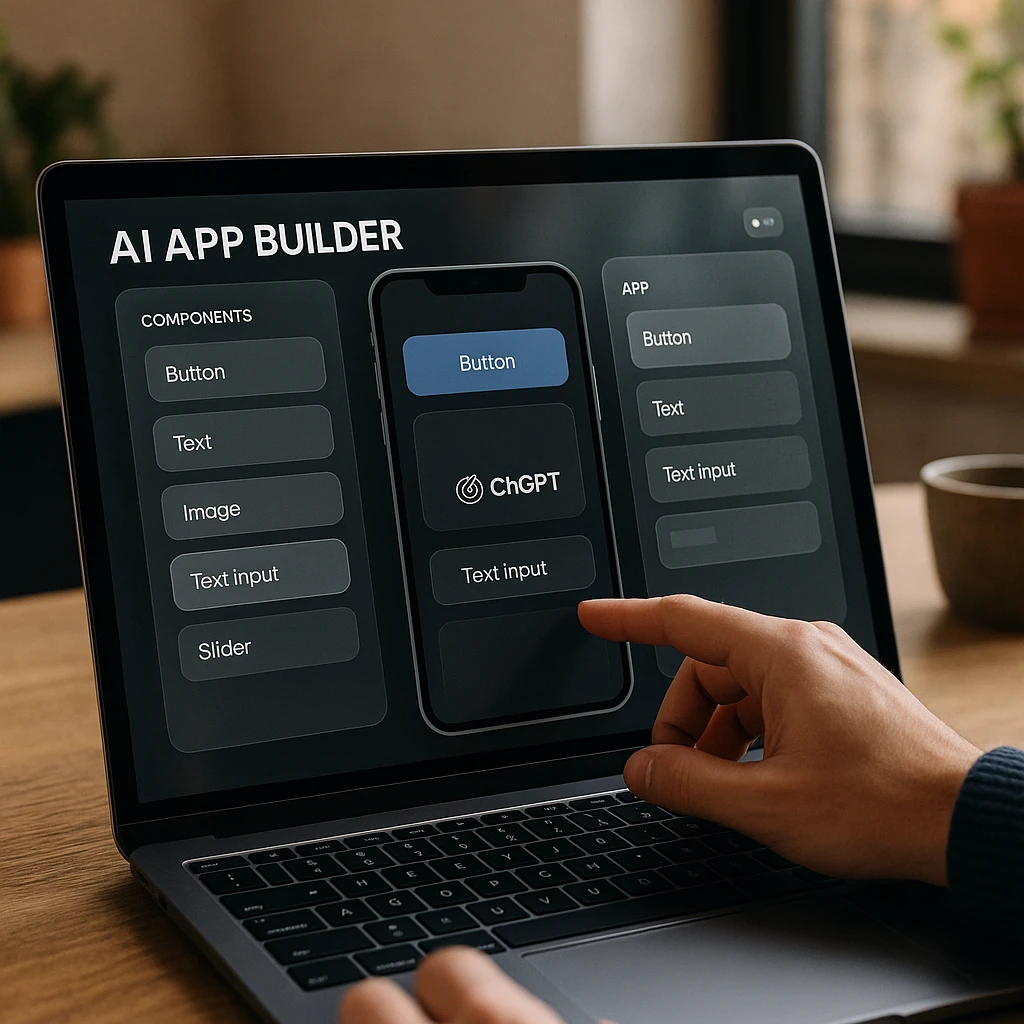
No code app builders like Bubble or Glide enable visual development of both front-end and back-end logic without writing a single line of code. These platforms use drag-and-drop interfaces, visual workflow builders, and pre-built components to create sophisticated applications.
AI Website Builders: The Fastest Way to Get Online
Tools like Hostinger Website Builder and Wix excel at creating content-focused websites quickly using AI prompts for both design and content generation. These differ from app builders by focusing on presentation
AI Code Generators and Companions
Platforms like GitHub Copilot act as an AI companion for remote developers for hire, accelerating coding without replacing it. These code AI tools help experienced programmers build faster rather than eliminating the need for programming knowledge.
Research from Stack Overflow’s 2024 Developer Survey indicates that 77% of developers now use AI coding assistants regularly, while 45% of non-technical professionals have built functional applications using no-code platforms.
13 Best AI Web App Builders in 2026
| AI App Builder | Best For | Free Plan | Key Feature | Rating |
|---|---|---|---|---|
| Bubble | Complex Web Apps | Yes | Advanced Logic Builder | ★★★★★ |
| Webflow | Design-First Sites | Yes | Visual CMS | ★★★★★ |
| Softr | Data-Driven Apps | Yes | Airtable Integration | ★★★★☆ |
| Glide | Mobile Apps | Yes | Sheet to App | ★★★★☆ |
| Hostinger Builder | AI Websites | Yes | AI Content Generation | ★★★★☆ |
| Appy Pie | AI-Powered Apps | Yes | AI App Generator | ★★★★★ |
| Adalo | Native Apps | ✕ | Native Components | ★★★★☆ |
| AppSheet | Business Apps | Yes | Google Integration | ★★★★☆ |
| Thunkable | Cross-Platform | Yes | Drag-Drop Blocks | ★★★★☆ |
| Wix ADI | Small Business | Yes | AI Design | ★★★★☆ |
| FlutterFlow | Flutter Apps | Yes | Native Performance | ★★★★☆ |
| OutSystems | Enterprise Apps | ✕ | Enterprise Security | ★★★★☆ |
For Powerful - Custom Web Applications
Bubble
The Powerhouse for Complex Applications
Bubble leads the market for power and flexibility among no code app builders. Its AI features assist in database design, workflow logic, and responsive design optimization. You get unparalleled control for building true web applications, not just websites.
Key Features
- Yes Smart Database Designer: AI suggests optimal data structures based on your app description
- Yes Workflow Intelligence: Automatically optimizes user flows for better performance
- Yes Responsive Design AI: Adapts layouts automatically across devices
- Yes Performance Optimization: AI-powered suggestions for speed improvements
- Yes Advanced Logic Builder: Create complex workflows without coding
Pros
- • Industry-leading flexibility and customization
- • Strong community and extensive plugin ecosystem
- • Advanced user management and payment integrations
- • Scales from MVP to enterprise-level applications
Cons
- • Steeper learning curve than simpler builders
- • Can become complex for simple projects
- • Advanced features require paid plans
Best For
Building complex, scalable web applications like SaaS products, marketplaces, and social networks without code. Ideal for SaaS platforms with subscription management, marketplace applications with complex user interactions, social networks with real-time features, and business process automation tools.
Pricing
Generous free plan allows full building and testing. Paid plans start at $25/month for production deployment.
Webflow
Designer's Choice for Stunning Websites
While traditionally design-focused, Webflow has integrated AI for content generation, layout optimization, and SEO enhancement. It bridges the gap between simple website builders and full-stack development environments.
Key Features
- Yes AI Content Generation: Creates compelling copy based on your brand voice
- Yes Layout Intelligence: Suggests optimal designs based on industry best practices
- Yes SEO Optimization AI: Automatically optimizes meta tags and site structure
- Yes Animation Assist: AI-powered suggestions for engaging micro-interactions
- Yes Visual CMS: Powerful content management with visual editing
Pros
- • Industry-leading design capabilities
- • Powerful CMS with visual editing
- • Advanced animation and interaction tools
- • Free plan available for testing
Cons
- • Steeper learning curve for beginners
- • Requires design knowledge for best results
- • Pricing can add up for multiple sites
Best For
Webflow agencies, designers and businesses creating visually stunning, production-quality websites with complex animations and powerful CMS capabilities. Perfect for portfolio websites with stunning visual effects, corporate sites with advanced content management, e-commerce stores with custom checkout flows, and landing pages optimized for conversion.
Pricing
Free plan with Webflow subdomain. Site plans start at $19/month for custom domains.
For Data-Driven - Internal Applications
Softr
Spreadsheet to App in Minutes
Softr's AI analyzes your data structure and generates professional layouts, user interfaces, and even copy automatically. Transform a spreadsheet into a secure web app in minutes perfect for those seeking to build an app for free with existing data.
Key Features
- Yes Smart Interface Generation: AI creates optimal layouts based on your data types
- Yes Content Intelligence: Automatically generates descriptions and labels
- Yes User Flow Optimization: Suggests the best navigation patterns
- Yes Security Recommendations: AI-powered access control suggestions
- Yes Airtable Integration: Seamless connection with Airtable and Google Sheets
Pros
- • Fastest way to build apps from spreadsheets
- • Excellent free plan for small projects
- • AI-powered interface generation
- • Seamless Airtable and Google Sheets integration
Cons
- • Limited customization compared to full app builders
- • Best suited for data-driven applications
- • Advanced features require paid plans
Best For
The fastest way to build client portals, internal tools, and member directories from existing Airtable or Google Sheets data. Ideal for client portals with project tracking, internal employee directories, inventory management systems, and member-only content platforms.
Pricing
Excellent free plan for small projects. Pro plans start at $29/month for advanced features.
For teams managing data-heavy projects, tools like ScreenApp’s AI note taker showcase how intelligent data processing can enhance productivity similar to how Softr transforms raw spreadsheet data into polished applications.
Glide
Beautiful Mobile-First Apps
Glide's AI app builder approach analyzes your data and automatically suggests professional, functional app designs. The results are consistently polished and mobile-optimized.
Key Features
- Yes Auto-Design Intelligence: Creates beautiful layouts from your data structure
- Yes Component Recommendations: AI suggests the best UI elements for your content
- Yes Mobile Optimization: Automatically optimizes for all screen sizes
- Yes Progressive Web App: Works like native apps without app store requirements
- Yes Sheet to App: Transform Google Sheets into mobile apps instantly
Pros
- • Beautiful mobile-first designs
- • Strong free tier for individuals
- • AI-powered design suggestions
- • Works directly from Google Sheets
Cons
- • Limited to data-driven applications
- • Less flexible than full app builders
- • Team plans required for collaboration
Best For
Creating beautiful, mobile-first apps from simple data sources like Google Sheets. Perfect for inventory trackers, event guides, and employee directories.
Pricing
Strong free tier for individuals. Team plans start at $25/month per maker.
For Integrated AI Website Building
Hostinger Website Builder
All-in-One AI Solution
Hostinger Website Builder combines web hosting with powerful AI tools. Generate complete websites with text and images from text prompts, create logos, write blog content, and build online stores all in one integrated platform.
Key Features
- Yes Text-to-Website AI: Generate entire websites from simple descriptions
- Yes AI Content Writer: Creates compelling copy for any industry
- Yes Logo Generator: Professional logo design from text prompts
- Yes E-commerce Intelligence: AI-powered product descriptions and store setup
- Yes SEO Optimization: Automated technical SEO and content optimization
Pros
- • All-in-one solution with hosting included
- • Complete AI suite for website creation
- • Excellent value with hosting plans
- • Perfect for small businesses and entrepreneurs
Cons
- • Less flexible than standalone builders
- • Requires Hostinger hosting plan
- • Limited advanced customization options
Best For
Small businesses and entrepreneurs needing an all-in-one solution to get professional websites online quickly with minimal technical overhead. Perfect for small business websites with e-commerce, professional portfolios and service sites, blog platforms with AI content assistance, and complete online presence with minimal setup.
Pricing
Included free with all Hostinger hosting plans, starting at $2.99/month with domain included.
Wix ADI
Pioneer in AI Web Design
Wix pioneered AI website building. Answer questions about your business and style preferences, and the AI website builder instantly generates a complete, customized design that you can then edit and refine.
Key Features
- Yes Business Intelligence: Analyzes your industry for optimal layouts
- Yes Style Matching: AI learns your aesthetic preferences
- Yes Content Generation: Creates relevant copy for your business type
- Yes Image Selection: Curates professional images for your industry
- Yes AI Design: Automatically generates complete website designs
Pros
- • Perfect for complete beginners
- • Free plan with Wix branding
- • AI automatically generates designs
- • Easy to edit and customize
Cons
- • Limited advanced features
- • Wix branding on free plan
- • Less flexible than custom builders
Best For
Complete beginners who want a website designed automatically based on their preferences and business type.
Pricing
Free plan with Wix branding. Premium plans start at $16/month for ad-free experience.
Appy Pie
AI-Powered App Builder
Appy Pie's AI App Builder lets you create fully functional apps just by describing your idea in plain English. The platform's AI handles design, layout, and essential features automatically turning concepts into ready-to-publish apps within minutes.
Key Features
- Yes AI App Generator: Instantly builds app structures and screens from text prompts
- Yes Drag-and-Drop Customization: Refine and personalize your app without coding
- Yes Multi-Platform Publishing: Launch on Android, iOS, and the web seamlessly
- Yes AI Chatbot and Automation Integration: Connect with Appy Pie Automate and Appy Pie Chatbot for advanced workflows
- Yes No-Code Innovation: Build apps without writing a single line of code
Pros
- • AI-powered app generation from text
- • Free plan available for beginners
- • Multi-platform publishing support
- • Drag-and-drop customization
Cons
- • Limited advanced customization
- • App store publishing requires paid plan
- • Branding options limited on free plan
Best For
Building mobile apps effortlessly using AI. Ideal for entrepreneurs, small businesses, and creators who want to launch Android, iOS, or PWA apps without writing a single line of code.
Pricing
Free plan available for beginners. Paid plans start at $16/month, offering premium features, branding options, and app store publishing support.
For True Native Mobile Applications
Adalo
Native Mobile App Creator
Adalo provides drag-and-drop simplicity for creating native mobile apps with more design freedom and native features (push notifications, camera access) than web-based alternatives.
Key Features
- Yes True Native Performance: Apps feel like professionally developed applications
- Yes Device Integration: Access camera, GPS, push notifications, and more
- Yes App Store Publishing: Direct publishing assistance for both platforms
- Yes Offline Functionality: Apps work without internet connectivity
- Yes Native Components: Full access to device features and capabilities
Pros
- • True native mobile app performance
- • App Store publishing support
- • Full device integration capabilities
- • Free plan for testing
Cons
- • Publishing requires paid plan ($50/month)
- • Less flexible than custom development
- • Limited advanced customization
Best For
Entrepreneurs and businesses building true native mobile apps for Apple App Store and Google Play Store publication.
Pricing
Free plan for testing. Publishing plans start at $50/month for app store deployment.
FlutterFlow
High-Performance Mobile Development
FlutterFlow is a low-code platform building on Google's Flutter framework. Its AI companion helps generate code, debug issues, and build complex features faster than traditional development.
Key Features
- Yes Code Copilot: AI generates Flutter code from visual designs
- Yes Debug Assistant: Intelligent error detection and solutions
- Yes Performance Optimization: AI suggests improvements for better app performance
- Yes Custom Code Integration: Seamlessly blend visual building with custom development
- Yes Native Performance: Build high-quality iOS and Android apps
Pros
- • Near-native performance
- • Free tier available
- • AI-powered code generation
- • Custom code integration support
Cons
- • Requires Flutter knowledge for advanced features
- • Code export requires paid plan
- • Steeper learning curve than simpler tools
Best For
Building high-quality, near-native performance iOS and Android apps with more power and customization than simpler tools.
Pricing
Free tier available. Pro plans start at $30/month for advanced features and code export.
For Enterprise - Business Applications
Microsoft Power Apps
Enterprise-Grade Development
Power Apps leads low-code development for business applications. Its AI Builder integrates directly, enabling intelligent features like form processing, object detection, and predictive analytics.
Key Features
- Yes AI Builder Integration: Pre-built AI models for common business scenarios
- Yes Process Mining: AI analyzes workflows for optimization opportunities
- Yes Predictive Analytics: Built-in machine learning for business insights
- Yes Security Intelligence: Advanced compliance and security features
- Yes Microsoft Integration: Seamless connection with Office 365, Azure, Dynamics 365
Pros
- •
- • Deep Microsoft ecosystem integration
- • AI Builder with pre-built models
- • Included in many Microsoft 365 plans
Cons
- • Requires Microsoft ecosystem
- • Standalone licensing can be expensive
- • Less flexible for non-Microsoft environments
Best For
Large organizations relying on Microsoft ecosystem (Office 365, Azure, Dynamics 365) for custom internal business applications.
Pricing
Included in many Microsoft 365 plans. Standalone licensing starts at $20/user/month.
Google AppSheet
Workspace Integration Champion
As Google's official no code app builder, AppSheet uses AI to understand your data intent, automate workflows, and suggest app improvements. Perfect for Google-centric organizations.
Key Features
- Yes Smart Suggestions: AI recommends app structure based on your data
- Yes Workflow Automation: Intelligent triggers and actions
- Yes Data Intelligence: Advanced analytics and reporting
- Yes Voice and Image Recognition: Built-in AI capabilities for modern interfaces
- Yes Google Integration: Seamless connection with Google Workspace
Pros
- • Perfect for Google Workspace users
- • Free plan for personal use
- • AI-powered workflow automation
- • Affordable business plans
Cons
- • Best suited for Google ecosystem
- • Limited advanced features
- • Less flexible than standalone builders
Best For
Businesses using Google Workspace to automate internal processes and create data-capture applications with seamless integration.
Pricing
Free plan for personal use. Business plans start at $5/user/month.
Advanced Development Tools
Retool
Developer-Friendly Internal Tools
Retool combines visual building with custom code capabilities, making it perfect for creating admin panels, dashboards, and internal workflows that connect to existing systems.
Key Features
- Yes Visual Building: Create interfaces with drag-and-drop components
- Yes Custom Code Support: Blend visual building with custom development
- Yes Extensive API Integrations: Connect to existing systems and databases
- Yes Internal Tools Focus: Perfect for admin panels and dashboards
- Yes Developer-Friendly: Built for technical teams
Pros
- • Powerful API integration capabilities
- • Free for up to 5 users
- • Custom code support
- • Perfect for internal tools
Cons
- • Requires technical knowledge
- • Best for internal tools, not customer-facing apps
- • Team plans required for larger teams
Best For
Teams needing powerful internal tools with extensive API integrations and custom logic capabilities.
Pricing
Free for up to 5 users. Team plans start at $10/user/month.
Zapier Interfaces
Automation-First Building
Zapier Interfaces excels at building forms and dashboards that connect to sophisticated automation workflows, perfect for process-heavy businesses.
Key Features
- Yes Automation Integration: Connect interfaces to Zapier workflows
- Yes Form Building: Create forms that trigger automation workflows
- Yes Dashboard Creation: Build dashboards connected to automation
- Yes Hundreds of Integrations: Connect to hundreds of applications
- Yes Process Automation: Perfect for process-heavy businesses
Pros
- • Excellent automation integration
- • Hundreds of app integrations
- • Perfect for process automation
- • Simple interface building
Cons
- • Requires Zapier subscription
- • Limited to simple interfaces
- • Best for automation workflows, not full apps
Best For
Creating simple interfaces that trigger complex automation workflows across hundreds of integrated applications.
Pricing
Starts at $20/month as part of Zapier's automation platform.
For businesses building customer-facing applications, integrating tools like ScreenApp’s video analyzer can provide advanced content processing capabilities that enhance user experience and provide valuable insights.
Choosing the Right Platform: Decision Framework

Project Complexity Assessment
🟢 Simple Projects
Best Choice: Hostinger, Wix ADI, Glide
- Static websites and portfolios
- Simple data collection forms
- Basic mobile apps from spreadsheets
🟡 Medium Complexity
Best Choice: Softr, Webflow, Adalo
- Member portals and directories
- E-commerce with custom features
- Mobile apps with user accounts
🔴 Complex Applications
Best Choice: Bubble, FlutterFlow, Power Apps
- SaaS platforms with payments
- Marketplaces with complex logic
- Enterprise internal tools
From Idea to Launch: Your AI-Powered Development Journey
The line between websites and applications continues to blur, and AI is the driving force making both more accessible to creators of all skill levels. Whether you choose a powerful app creator like Bubble for complex logic or an integrated AI website builder like Hostinger for comprehensive web presence, the tools to bring your digital ideas to life are more capable than ever.
According to McKinsey’s research on generative AI, low-code and no-code platforms powered by artificial intelligence are expected to democratize software development, enabling 10x more people to create functional applications by 2026.
The Strategic Advantage of AI-Powered Building
Modern AI app builders don’t just eliminate coding they enhance the entire development process:
- Faster Iteration: Test ideas in hours, not months
- Professional Results: AI ensures best practices and polished outputs
- Lower Risk: Validate concepts before significant investment
- Scalable Growth: Start simple and add complexity as needed
For teams already using AI tools for productivity, platforms like ScreenApp’s automatic subtitles feature demonstrate how AI can enhance every aspect of content creation the same principle applies to application development.
Your Next Steps
Don’t just have an idea build it. Choose a platform from this guide that matches your project complexity and technical comfort level:
- Start Simple: Begin with a free tier to validate your concept
- Focus on Users: Build for real problems, not just cool features
- Iterate Quickly: Use AI assistance to test and refine rapidly
- Scale Thoughtfully: Upgrade features as your user base grows
The democratization of app development through AI isn’t just a trend it’s a fundamental shift that puts the power of creation in everyone’s hands. Your next breakthrough application is just a few clicks away.
Ready to explore more AI-powered productivity tools? Check out our comprehensive guides on video conferencing software and essential tools for product managers to enhance your development workflow.
FAQ
How can I build a website for free using AI?
Several platforms offer excellent free tiers for AI-powered website building: - Wix ADI provides a completely free plan with AI design generation - Webflow offers free hosting on their subdomain with full design capabilities - Hostinger Website Builder is included free with their affordable hosting plans For the best free experience, start with Wix ADI's artificial design intelligence-simply answer questions about your business and get a complete website automatically generated.
What's the difference between a no-code app builder and an AI website builder?
No-code app builders (like Bubble, Glide) focus on functionality and user interactions. They're designed for building applications with complex logic, user accounts, databases, and workflows. AI website builders (like Hostinger, Wix) prioritize content presentation and visual design. They excel at creating beautiful, content-focused websites quickly using AI for layout and copy generation. Choose app builders for interactive functionality, website builders for content and presentation.
Can I build an app without any coding knowledge?
Absolutely! Modern no code app builders are specifically designed for non-technical users: - Glide turns Google Sheets into mobile apps with zero coding - Adalo creates native mobile apps using drag-and-drop interfaces - Bubble builds complex web applications through visual programming These platforms use visual interfaces, pre-built components, and AI assistance to eliminate the need for traditional programming skills.
How do I create a mobile app for free?
Several platforms offer free mobile app creation: - Glide - Best for simple apps from spreadsheet data (free tier available) - Adalo - Free plan for building and testing native apps - FlutterFlow - Free tier for development with export options Start with Glide if you have data in Google Sheets, or Adalo if you want to build a more custom mobile experience. Both offer free plans that let you build and test your app before deciding to upgrade for publishing.
Which AI app builder is best for beginners?
For complete beginners, we recommend starting with: - Wix ADI for websites - Asks simple questions and builds everything automatically - Glide for mobile apps - Works directly from Google Sheets you already know - Softr for web apps - Transform spreadsheets into professional applications These platforms require minimal learning curves and provide excellent results quickly, making them perfect for first-time builders.
What are the limitations of free AI app builders?
Common limitations of free plans include: - Branding requirements - Platform logos or watermarks on your app - Limited users - Restrictions on number of app users or team members - Storage constraints - Reduced database storage or file uploads - Publishing restrictions - May require paid plans for app store publishing However, most free plans are generous enough for testing ideas, building prototypes, and validating concepts before upgrading to paid plans for production use.