Best Cursor AI Alternatives in 2026 (Free, Open Source, and Paid)

On this page
Why look beyond Cursor?
Cursor proved the point: an editor built around AI from the start is genuinely faster to work in. But it is not the only way to get that. Maybe you have years of muscle memory in VS Code, maybe you need something open-source you can self-host, or maybe you just do not want another subscription. Plenty of tools get you most of the way there.
For context on where the field sits: in JetBrains' January 2026 developer survey, GitHub Copilot still led workplace adoption at 29%, with Cursor surging to 18% (tied with Claude Code) and Windsurf around 8%. So the "alternatives" here are not fringe, they are what large chunks of developers actually use.
This guide covers the real options, from extensions that bolt onto your current IDE to standalone AI-first editors, with the free, paid, and open-source picks called out. One heads-up before you start: a few of these were renamed recently, so the names below may not match what you remember.

A modern developer workspace with AI-powered code editors and assistants
Quick Picks: The Best Cursor Alternative for Your Workflow
GitHub Copilot (in VS Code)
The most mature, deeply integrated, and widely adopted AI pair programmer.
Continue.dev
An open-source, self-hostable alternative that runs with local models.
JetBrains AI Assistant
Native AI built into the whole JetBrains ecosystem.
Amazon Q Developer
Amazon's free tier (formerly CodeWhisperer), generous for individual developers.
How to Choose Your Cursor Alternative: A Developer’s Checklist
The Best Cursor AI Alternatives
GitHub Copilot
Best for VS Code and the industry standard for AI pair programming
GitHub Copilot is the most mature, deeply integrated, and widely adopted AI pair programmer. It works directly in your favorite editor, providing context-aware code suggestions, inline chat, and smart refactoring tools. Copilot lets you pick the model behind it (OpenAI, Claude, or Gemini, depending on plan); if you are unsure which family fits your work, our Grok vs ChatGPT vs Gemini comparison covers how they differ in practice.
Key Features
- Inline completions. Whole-line and multi-line suggestions as you type.
- Copilot Chat. Ask questions, explain code, and refactor from an editor panel.
- Agent mode. Hand off a multi-step task and review the diff it proposes.
- Broad support. Dozens of languages across VS Code and JetBrains.
JetBrains AI Assistant
Best for JetBrains IDEs and native AI integration
JetBrains AI Assistant brings native AI to IntelliJ, PyCharm, WebStorm, and the entire JetBrains ecosystem. It offers inline code suggestions, smart refactoring, and AI chat directly in your JetBrains IDE, for developers who want a deeply integrated experience.
Key Features
- Native integration. Built into every JetBrains IDE, no separate setup.
- Project context. Draws on JetBrains' own understanding of your code.
- Inline refactoring. Rename, rewrite, and generate with the IDE tooling behind it.
- Commit and docs. Drafts commit messages and documentation from your changes.
Tabnine
Best for privacy and team codebase training
Tabnine is known for its strong privacy features and the ability to train on your team's specific codebase. It works with VS Code, JetBrains, and more, offering both free and paid plans. Tabnine is ideal for teams that want control over their AI assistant and value data privacy.
Key Features
- Privacy first. Runs with zero code retention, plus self-hosted and air-gapped options.
- Team training. Learns your team's patterns from your own repositories.
- Multi-IDE. Plugins for VS Code, JetBrains, and more.
- Completion plus chat. Whole-line completions and an in-editor chat.
Amazon Q Developer (formerly CodeWhisperer)
Best free option for individuals and security scanning
Amazon Q Developer, which replaced CodeWhisperer in 2024, keeps a generous free tier for individual developers, with security scanning and code referencing. It works in VS Code, JetBrains, and more, and adds AWS-aware agents and console error diagnostics on top of the old CodeWhisperer feature set, which makes it a solid free alternative to Copilot.
Key Features
- Generous free tier. Real daily usage for individuals at no cost.
- Security scanning. Flags vulnerabilities and suggests fixes inline.
- AWS-aware. Understands AWS APIs and can diagnose console errors.
- Agents. Takes on multi-file jobs like feature work and version upgrades.
Sourcegraph Cody
Best for codebase understanding and onboarding
Sourcegraph Cody excels at understanding your entire codebase, making it ideal for onboarding and large, complex projects. It offers code search, chat, and context-aware suggestions, with both free and paid plans available.
Key Features
- Whole-codebase context. Answers using your entire repo, not just the open file.
- Code search. Pairs the assistant with Sourcegraph's fast code search.
- Multi-IDE. Works in VS Code, JetBrains, and the browser.
- Onboarding. Strong for getting up to speed in an unfamiliar codebase.
Replit AI
Best browser-based IDE with integrated AI
Replit AI, the assistant Replit used to call Ghostwriter, is built right into Replit's browser-based IDE. It is good for quick projects, pair work, and coding from any machine, with both free and paid plans.
Key Features
- In-browser IDE. The assistant lives inside Replit's cloud editor, nothing to install.
- Generate and explain. Build from prompts and explain code in place.
- Multiplayer. Real-time collaboration with AI in the room.
- Deploy from the editor. Prompt to running app without leaving the browser.
Softr
Best for non-technical teams building business apps without code
Softr is the odd one out on this list. It is not a coding assistant for an IDE, it is an AI app builder for business teams that need production-ready internal tools, portals, CRMs, and operational apps without waiting on a developer. Its AI Co-Builder generates the first version of the app, database, pages, and user groups from a plain-language brief, and the visual editor lets you keep refining everything by hand instead of getting stuck re-prompting.
Key Features
- AI Co-Builder. Generates app structure, database tables, pages, and user groups from plain-language instructions.
- Visual editing. Switch freely between AI assistance and hands-on configuration.
- Native database and workflows. Build relational data models and automate operational processes in one platform.
- Granular permissions. Control access at the page, block, action, and record level.
Windsurf (formerly Codeium)
Fast free autocomplete, now under the Windsurf name
Here is where it gets confusing: Codeium became Windsurf in 2025, and in June 2026 the Windsurf editor was relaunched as Devin Desktop after Cognition acquired it. The fast, free autocomplete that made Codeium popular still ships as the Windsurf plugin for VS Code and JetBrains, so it is still one of the best free Copilot alternatives, just under a new name. Want the standalone AI-first editor instead of a plugin? That is now Devin Desktop.
Key Features
- Free autocomplete. The fast Codeium completion still ships free as the Windsurf plugin.
- Multi-IDE plugins. VS Code, JetBrains, and more.
- Agentic editor. The standalone editor (now Devin Desktop) runs multi-step agent tasks.
- Broad language support. Strong completion across most major languages.
Continue.dev
Best open-source, self-hostable AI coding assistant
Continue.dev is the leading open-source alternative for AI coding assistance. It works as an extension for VS Code and JetBrains, and can connect to local or private AI models (like Ollama). Continue.dev is free, self-hostable, and ideal for developers who want maximum control and privacy.
Key Features
- Bring your own model. Point it at Ollama, a local model, or any API you choose.
- Open source. Fully open and self-hostable, with no vendor lock-in.
- VS Code and JetBrains. Works as an extension in both.
- Custom context. Configure exactly what code and docs the model sees.
TabbyML
Best for self-hosted, private AI coding
TabbyML is a self-hosted AI coding assistant that runs on your own infrastructure. It's open source, supports multiple IDEs, and can be trained with your own models for maximum privacy and customization. It's perfect for teams that need absolute control over their AI and want to run it on-premise.
Key Features
- Self-hosted. Runs on your own hardware, so code never leaves your network.
- Open source. Inspect and modify the whole stack.
- Custom models. Swap in the model that fits your stack and hardware.
- Multi-IDE. Connects to VS Code, JetBrains, and more.
FauxPilot
Best for self-hosted, offline Copilot-like experience
FauxPilot is a self-hosted, offline alternative to GitHub Copilot. It's built on open-source models and can be run locally on your machine. It offers a similar experience to Copilot, including code completion, chat, and context-aware suggestions, but with the privacy and control of a self-hosted solution.
Key Features
- Copilot-compatible API. Reuse existing Copilot clients against your own backend.
- Fully offline. Runs locally, with nothing sent to external servers.
- Open source. Self-host the whole thing.
- Heads-up: largely unmaintained. For a fresh self-hosted setup, TabbyML or Continue.dev are better starting points.
Kilo
Minimalist, open-source terminal text editor (not AI-powered)
Kilo is a lightweight, terminal-based text editor written in C. It's open source and designed primarily as an educational project, not an AI tool. Kilo is great for learning how editors work under the hood and is often used as a reference for building your own editor from scratch.
Key Features
- Tiny by design. About 1,000 lines of C with no dependencies.
- Educational. Built to teach how a text editor works under the hood.
- Open source. Fork it and build your own editor from it.
- Not an AI tool. If you meant Kilo Code, the AI coding agent, that is a different project.
Kiro
Amazon's agentic, spec-driven AI IDE
Kiro is Amazon's agentic AI IDE, a VS Code-based editor that launched in 2025. Its angle is spec-driven development: instead of just autocompleting, it turns a written spec into a plan, a task list, and working code, then keeps them in sync as you go. It is one of the tools developers now name in the same breath as Cursor, so it is worth a look if you want an agent-first workflow rather than a plugin bolted onto your current editor.
Key Features
- Agentic IDE. A standalone, VS Code-based editor from Amazon, launched in 2025.
- Spec-driven. Turns a written spec into a plan, tasks, and code, not just autocomplete.
- Agent hooks. Automates repetitive steps as you work.
- Free tier. Usable at no cost, with paid tiers for heavier use.
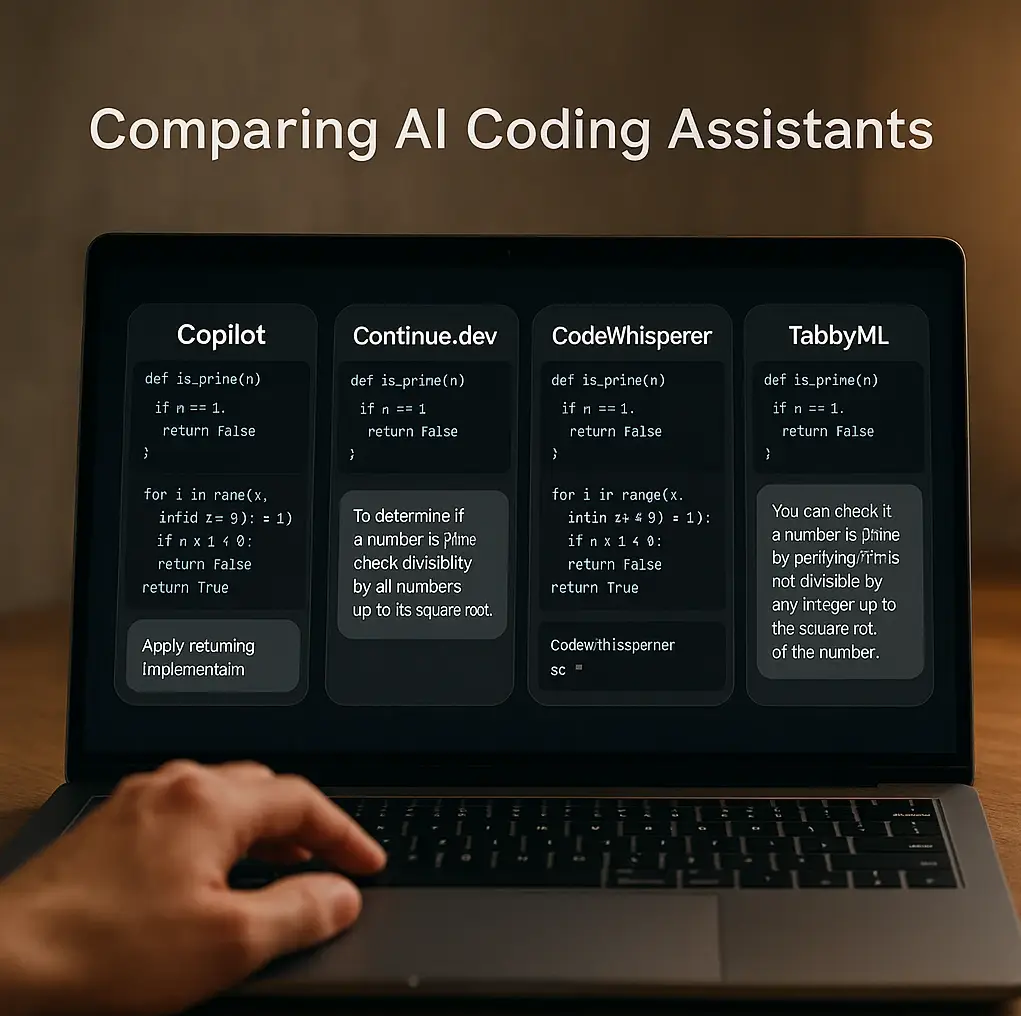
Comparing top AI coding assistants in a modern, user-friendly interface
AI Coding Assistants Feature Comparison
| Tool | IDE Integration | Free Plan? | Open Source? | Primary AI Feature |
|---|---|---|---|---|
| GitHub Copilot | Excellent (VS Code, JetBrains) | No (trial only) | No | Code completion and chat |
| Amazon Q Developer | Excellent | Yes (generous) | No | Code completion and security |
| Continue.dev | Excellent | N/A (free, self-hosted) | Yes | Connect your own model |
| Replit AI | Standalone IDE | Yes (limited) | No | Full IDE + AI |
| Tabnine | Excellent | Yes (limited) | No | Code completion and privacy |
| Sourcegraph Cody | Good | Yes | No | Codebase search and chat |
| TabbyML | Good | Yes (self-hosted) | Yes | Self-hosted completion |
| FauxPilot | Good | Yes (self-hosted) | Yes | Offline Copilot server |
| Windsurf (formerly Codeium) | Excellent | Yes | No | Fast code completion |
Frequently Asked Questions (FAQ)
Best For
Developers curious about spec-driven, agentic workflows: describe the feature, review the generated plan, then let it write the code.
So which one should you use?
You do not have to switch editors to get a strong AI coding setup. It is also worth knowing where Cursor itself stops before you replace it, which we tested on one job it cannot do alone in can Cursor create videos. For most people, adding an extension like GitHub Copilot to the VS Code they already know is the simplest win. If you care most about privacy and control, an open-source option like Continue.dev lets you run your own models locally. And if what you actually want is an app without writing the code yourself, that is a different category of tool; our AI app builders comparison covers the prompt-to-app side.
Quick steer: in VS Code, start with Amazon Q Developer’s free tier (the tool formerly called CodeWhisperer). If you want the most capable assistant and do not mind paying, GitHub Copilot is the safe pick. And if you would rather self-host, set up Continue.dev with a local model.
Two workflow notes from using these daily. Most of us learn a new assistant from hour-long YouTube walkthroughs, and you can chat with a coding tutorial instead of scrubbing it: ask “what commands did they run to set up Continue?” and jump straight to the timestamped answer. And when an assistant produces something you need a teammate to see (a subtle bug it introduced, a refactor worth adopting), a quick screen recording shows it faster than a wall of diff, and a searchable transcript of the walkthrough means nobody rewatches the whole thing later.
For more on where AI-assisted development is heading, see Claude Code voice mode and voice-first development, and if the assistant is helping you prep for technical interviews rather than ship code, our AI interview assistants roundup covers that separate toolbox.