YouTube Clip Maker Free Online
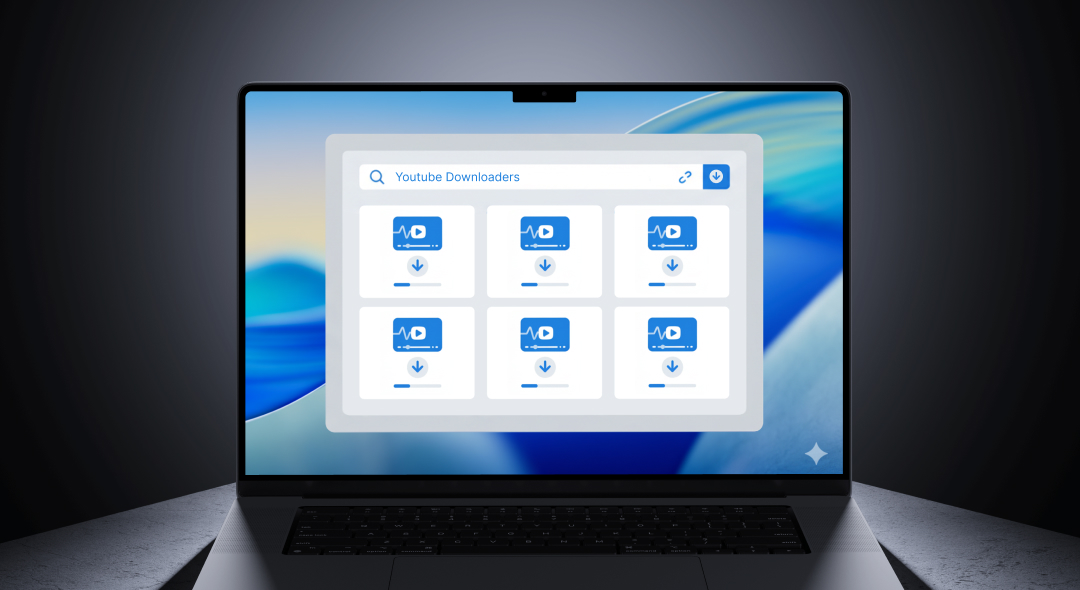
ChatGPT and AI assistants cannot download or process YouTube videos because they only accept text input. This YouTube clip maker analyzes YouTube URLs directly, downloads videos, identifies viral moments, and creates platform-ready clips - capabilities that text-based AI chatbots don’t have for video processing.
Free YouTube clip maker transforms long YouTube videos into dozens of shareable clips instantly. Paste any YouTube URL and get viral-ready clips with captions, perfect framing, and platform-specific formatting in minutes. No downloads or editing skills needed.
Why use this YouTube clip maker:
- YouTube clip maker works entirely in your browser with no software installation
- Paste YouTube URLs directly - automatic video download and processing
- Free tier: 3 files and 3 AI clip generations per month to test the tool
- Growth plan ($19/month): 50 AI credits monthly plus unlimited video processing
- AI finds viral moments automatically - reactions, insights, hooks, quotes
- YouTube clip maker supports 50+ languages with automatic transcription
- Export vertical (9:16), square (1:1), and landscape (16:9) formats
Content creators repurpose YouTube videos into TikTok, Reels, and Shorts content. Podcasters convert YouTube episodes into daily social posts. Marketers create ads from YouTube testimonials without hiring editors.
How the YouTube Clip Maker Works
Using this YouTube clip maker takes three simple steps:
-
Paste YouTube URL or upload video - The YouTube clip maker accepts any YouTube link including full videos, live streams, and Shorts. Also upload MP4, MOV files directly. No need to download YouTube videos to your computer first.
-
AI analyzes YouTube content for clips - Choose how many clips you want (5-30 clips per video). The YouTube clip maker uses AI to detect emotional peaks, audience reactions, impactful statements, and viral hooks. Automatic captions, speaker tracking, and framing optimization happen instantly.
-
Download clips for all platforms - Click export to generate YouTube clips in seconds. Download vertical clips for TikTok and Reels, square for Instagram feed, landscape for YouTube Shorts. The YouTube clip maker preserves quality while compressing for fast uploads.
Clips are ready to post immediately. Unlike manual editing, this tool maintains professional quality throughout longer YouTube content and handles multi-speaker videos with automatic speaker detection.
Free YouTube Clip Maker vs Other Apps
| Feature | ScreenApp | Clipchamp | Vizard | Choppity | Opus Clip |
|---|---|---|---|---|---|
| Free tier | 3 files, 3 AI clips/month | Unlimited 1080p exports | 60 min/month | Limited clips | 60 min/month (watermarked) |
| Paste YouTube URLs | Yes | Limited | Yes | Yes | No |
| AI clip generation | Yes | Limited AI | Yes | Yes | Yes (GPT-4) |
| Auto captions | Yes | Yes (80+ languages) | Yes | 97 languages | Yes |
| Multi-format export | Yes (9:16, 1:1, 16:9) | Yes | Yes | Yes | Yes |
| No watermarks | Yes | Yes (free plan) | Paid only | Free plan | Paid only |
| Pricing (paid) | $19/month | $9.36/month (Microsoft 365) | $9.50-14.50/month | $12-25/month | $19+/month |
Key differences:
-
vs Clipchamp: Clipchamp offers free 1080p exports but limited AI clip generation. Their premium costs $9.36/month (Microsoft 365 bundle). ScreenApp’s $19/month Growth plan includes 50 AI credits monthly, unlimited recordings, full transcription, meeting bot, and video analysis - comprehensive platform vs basic editing.
-
vs Vizard: Vizard costs $9.50/month Creator plan (annual) focused solely on AI clipping. ScreenApp’s $19/month provides YouTube clip maker plus transcription, AI summaries, meeting bot, screen recording, and collaboration tools in one platform.
-
vs Choppity: Choppity charges $12/month Starter or $25/month Pro with 1-5 hours AI analysis time. ScreenApp’s $19/month Growth plan provides 50 AI credits monthly, unlimited recordings, transcription, meeting automation, and full platform access beyond just YouTube clipping.
-
vs Opus Clip: Opus Clip charges $19/month minimum for watermark-free clips with credit-based system. ScreenApp’s $19/month matches the price but includes unlimited recordings, 50 AI credits, full transcription, meeting bot, and all platform features - not just clipping.
Use Cases for YouTube Clip Maker
Content Creators: Paste your YouTube video URL and get 20-30 viral clips for social media. The YouTube clip maker finds your best moments - reactions, insights, entertainment value - and formats them for TikTok, Reels, and Shorts. Post daily across platforms from one long video.
Podcasters: Convert YouTube podcast episodes into shareable clips. The YouTube clip maker detects impactful quotes, audience laughter, and teaching moments. Grow your audience by sharing clips that showcase your content on Instagram and TikTok.
Marketing Teams: Repurpose YouTube testimonials, product demos, and webinars into bite-sized social content. AI identifies key messages and value propositions. Scale video marketing by extracting ads from existing YouTube content.
Educators: Extract focused clips from YouTube lectures or educational videos. Students engage better with 60-90 second explanations than hour-long recordings. The YouTube clip maker preserves teaching clarity while making content more digestible.
YouTube Clip Extraction Features
Free YouTube clip maker provides:
Direct YouTube Download - Paste any YouTube URL and the tool downloads videos automatically. No need for separate YouTube downloaders or browser extensions. The YouTube clip maker handles public videos, unlisted videos you have access to, and your own uploads.
Viral Moment Detection - AI analyzes YouTube content for emotional peaks, laughter, reactions, and impactful statements. The YouTube clip maker ranks moments by engagement potential. Clips with viral hooks get prioritized over generic conversation.
Multi-Speaker Tracking - For YouTube interviews, podcasts, and panel discussions, AI detects each speaker and tracks them automatically. The YouTube clip maker creates split-screen layouts when needed and centers active speakers.
Platform-Specific Formatting - Export YouTube clips optimized for each destination. Vertical (9:16) for TikTok and Reels keeps speakers centered. Square (1:1) for Instagram feed balances composition. Landscape preserves original YouTube framing.
YouTube Clips for Social Media Growth
The YouTube clip maker helps content creators maximize reach:
Repurpose Once, Post Everywhere - Create one long YouTube video and extract 20-30 clips for daily posting. The YouTube clip maker formats clips for TikTok, Instagram Reels, YouTube Shorts, Facebook, and LinkedIn simultaneously.
Algorithm-Friendly Content - Short-form platforms prioritize frequent posting. The YouTube clip maker lets you post daily without creating new content. Extracted clips satisfy platform algorithms while driving viewers to your full YouTube videos.
Audience Discovery - Clips reach new audiences who don’t watch long YouTube videos. The YouTube clip maker creates entry points across platforms. Engaged viewers from TikTok and Reels become YouTube subscribers.
Time Efficiency - Manual clipping takes 4-6 hours per YouTube video. The YouTube clip maker creates 30 clips in under 10 minutes. Spend time creating content instead of editing clips.
YouTube Clip Maker Formatting & Export
The YouTube clip maker automatically formats content for every platform:
Vertical (9:16) - Perfect for TikTok, Instagram Reels, YouTube Shorts. The tool crops landscape YouTube videos intelligently, keeping speakers centered. Captions appear in the optimal viewing zone. Exports at 1080x1920 resolution.
Square (1:1) - Ideal for Instagram feed posts and Facebook. The YouTube clip maker balances composition for square framing. Captions don’t obscure faces. Exports at 1080x1080 resolution for maximum quality on social feeds.
Landscape (16:9) - Standard YouTube Shorts format and website embeds. The tool preserves original framing while adding professional captions. Exports at 1920x1080 (Full HD) or 3840x2160 (4K) depending on YouTube source quality.
Export all three formats simultaneously from one YouTube URL. Clips maintain consistent styling across formats - same captions, same branding, same quality.
FAQ
What is a YouTube clip maker?
A YouTube clip maker is a tool that automatically creates short video clips from long YouTube videos. Paste a YouTube URL and the tool downloads the video, analyzes content to find viral moments, adds captions, formats for social media platforms, and exports clips ready to post. The YouTube clip maker saves hours of manual editing by automating clip discovery and formatting.
Can I paste any YouTube URL?
Yes, paste any public YouTube URL including full videos, live streams, and YouTube Shorts. The YouTube clip maker works with videos you have permission to download and repurpose - your own content, Creative Commons videos, or content you’re authorized to use. The tool also accepts direct file uploads (MP4, MOV) if you prefer.
How many clips can I make from one YouTube video?
The YouTube clip maker can create 5-30 clips from a single YouTube video depending on content length and viral moment density. A 60-minute YouTube video typically yields 20-25 shareable clips. Free tier allows 3 AI clip generations per month. Growth plan ($19/month) includes 50 AI credits monthly for regular YouTube clip creation.
Does the YouTube clip maker add captions automatically?
Yes, the YouTube clip maker includes automatic captioning with 95%+ accuracy. Captions are animated, styled for readability, and positioned optimally for each platform format (vertical, square, landscape). The tool supports 50+ languages including English, Spanish, French, German, Portuguese, Japanese, and Korean. Edit captions before export if needed.
Can I download YouTube clips in different formats?
Yes, export YouTube clips in vertical (9:16) for TikTok and Reels, square (1:1) for Instagram feed, and landscape (16:9) for YouTube Shorts. The YouTube clip maker exports all three formats simultaneously from one YouTube URL. Choose MP4 format for compatibility with all social media platforms.
Is the YouTube clip maker really free?
Yes, the free tier includes 3 files and 3 AI clip generations per month with no credit card required. This lets you test the tool before upgrading. For regular YouTube clip creation, the Growth plan ($19/month annual billing or $30/month monthly) provides 50 AI credits monthly, unlimited recordings, transcriptions, and meeting bot features. No watermarks on any tier.
Can I customize YouTube clips before exporting?
Yes, review all AI-generated clips before export. Trim start/end points, edit captions, adjust speaker framing, and customize styling. The YouTube clip maker provides full editing control while automating the time-consuming discovery and formatting work. Save custom templates for consistent branding across all your YouTube clips.