Die 10 besten KI-Video-Copyright-Checker 2026

On this page
Sie haben Tage damit verbracht, das perfekte Video zu erstellen, nur um es im Moment des Uploads durch einen Urheberrechtsanspruch blockiert oder demonetisiert zu bekommen. Dieses Albtraumszenario spielt sich täglich Tausende Male auf YouTube ab, wo jede Minute über 400 Stunden Video hochgeladen werden und Urheberrechtsansprüche automatisch in massivem Umfang verarbeitet werden.
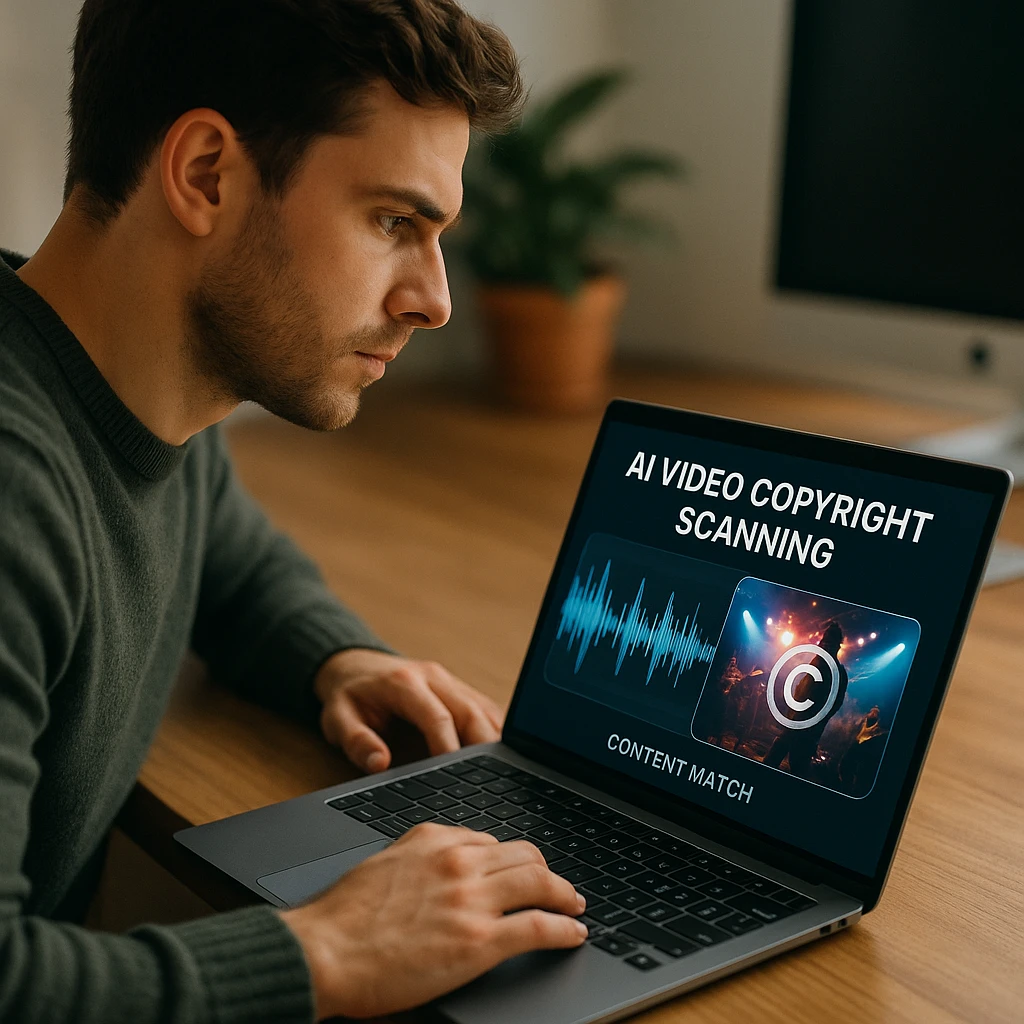
KI-Video-Urheberrechtsprüfer sind zur unverzichtbaren ersten Verteidigungslinie für Inhaltsersteller geworden. Diese Tools verwenden fortschrittliches Audio- und Video-Fingerprinting, um Ihre Inhalte vor dem Hochladen zu scannen und potenzielle Urheberrechtsprobleme zu identifizieren, die zu Strikes, Ansprüchen oder Demonetarisierung führen könnten. Egal, ob Sie ein Hobby-Ersteller sind oder einen professionellen Kanal verwalten, eine proaktive Urheberrechtsprüfung kann Ihren Kanal und Ihre Einnahmen retten.
Erste Verteidigungslinie: YouTubes integrierte Urheberrechtstools verstehen
Bevor Sie Lösungen von Drittanbietern erkunden, ist es entscheidend zu verstehen, was YouTube bereits bietet. Diese nativen Tools sind leistungsstark, haben aber spezifische Einschränkungen, die zusätzlichen Schutz für ernsthafte Ersteller notwendig machen.
Der Schritt „Prüfungen“ im Upload-Prozess
Automatischer Urheberrechtsscan
Wenn Sie ein Video auf YouTube hochladen, scannt die Plattform es während der „Prüfungen“-Phase automatisch mit ihrer riesigen Content ID-Datenbank ab. Dieser Prozess analysiert Ihre Audio- und Videoinhalte und vergleicht sie mit Millionen von urheberrechtlich geschützten Werken.
✅ So funktioniert es
- Automatischer Scan während des Uploads
- Abgleich mit der Content ID-Datenbank
- Identifiziert urheberrechtlich geschützte Musik- und Videoclips
- Liefert Ergebnisse vor der Veröffentlichung
⚠️ Hauptbeschränkung
Reaktiv, nicht proaktiv. Sie entdecken Probleme erst nach dem Hochladen, verschwenden Bandbreite und setzen Ihren Kanal potenziell einem Risiko aus. Spezifische Elemente können nicht im Voraus getestet werden.
Das Urheberrechtsabgleich-Tool
Schützen Sie Ihre Originalinhalte
YouTubes Urheberrechtsabgleich-Tool wurde entwickelt, um Erstellern zu helfen, Neu-Uploads ihrer Originalinhalte zu finden. Dieses Tool ist besonders nützlich, wenn Sie ein Rechteinhaber sind und sich Sorgen machen, dass andere Ihre Arbeit kopieren.
🎯 Hauptmerkmale
Zulassungsvoraussetzungen
Dieses Tool ist nicht für alle Ersteller verfügbar. Sie müssen spezifische Anforderungen erfüllen, einschließlich Abonnentenzahl (über 100.000) und guter Reputation auf der Plattform.
Warum Sie einen Drittanbieter-KI-Urheberrechtsprüfer benötigen
YouTubes integrierte Tools sind wertvoll, decken aber nicht alle Szenarien ab. Drittanbieter-KI-Urheberrechtsprüfer schließen kritische Lücken beim Schutz und der Workflow-Effizienz.
Hauptvorteile:
✅ Vor dem Upload prüfen
Finden und beheben Sie Urheberrechtsprobleme, bevor sie Ihren Kanal beeinträchtigen. Testen Sie verschiedene Musiktitel oder Videoclips, ohne mehrere Versionen hochzuladen.
🎵 Spezifische Assets analysieren
Scannen Sie nur den Musiktitel oder einen bestimmten Videoclip, bevor Sie ihn in Ihren finalen Schnitt integrieren. Sparen Sie Zeit, indem Sie Elemente einzeln testen.
🌐 Über YouTube hinaus
Prüfen Sie Inhalte für andere Plattformen wie Twitch, Instagram, TikTok und Facebook. Schützen Sie Ihre Inhalte über alle Vertriebskanäle hinweg.
💰 Geld und Einnahmen sparen
Vermeiden Sie kostspielige Urheberrechtsansprüche, die Ihre Werbeeinnahmen an Rechteinhaber umleiten. Behalten Sie die volle Monetarisierungskontrolle über Ihre Inhalte.
Wie wir die besten KI-Prüfer getestet und bewertet haben
Unsere Bewertung basiert auf praktischen Tests anhand mehrerer Kriterien, die für Inhaltsersteller am wichtigsten sind. Wir haben über 50 Testvideos mit verschiedenen urheberrechtlich geschützten Elementen hochgeladen, um die Effektivität jedes Tools zu bewerten.
Unsere Bewertungskriterien:
- Datenbankgröße: Wie umfassend ist ihre Datenbank mit urheberrechtlich geschützter Musik, Videos und anderen Medien?
- Genauigkeit: Wie effektiv ist die KI beim Erkennen von Übereinstimmungen und beim Vermeiden von Fehlalarmen?
- Geschwindigkeit und Benutzerfreundlichkeit: Wie schnell und einfach ist der Scanvorgang?
- Inhaltstypen: Prüft es nur Audio, nur Video oder beides?
- Wert des kostenlosen Plans: Welche Funktionalität ist ohne Bezahlung verfügbar?
Top 10 der besten Video-Urheberrechtsprüfer und -Scanner im Jahr 2026
Nach umfangreichen Tests haben wir die besten Tools identifiziert, die den zuverlässigsten Urheberrechtsschutz für Inhaltsersteller bieten. Jedes Tool zeichnet sich in unterschiedlichen Szenarien aus, wählen Sie also basierend auf Ihren spezifischen Bedürfnissen und Ihrem Budget.
All-in-One-Scanner der Spitzenklasse
Audible Magic
Übersicht: Die Branchenstandard-Plattform, der von großen Plattformen wie SoundCloud, Mixcloud und Vimeo vertraut wird. Audible Magic verwendet fortschrittliche Audio- und Video-Fingerprinting-Technologien, um Ihre Inhalte mit einer der weltweit größten Datenbanken urheberrechtlich geschützter Werke abzugleichen.
Am besten geeignet für: Professionelle Kreative, Agenturen und Unternehmen, die das höchste Maß an Sicherheit benötigen und die Investition rechtfertigen können.
Hauptfunktionen:
- Über 100 Millionen urheberrechtlich geschützte Werke in der Datenbank
- Sowohl Audio- als auch Video-Fingerprinting
- Echtzeit-Scanfunktionen
- API-Zugriff für automatisierte Workflows
- Detaillierte Übereinstimmungsberichte mit Zeitstempeln
Preise: Unternehmensabonnement (Preise auf Anfrage)
Genauigkeitsbewertung: ⭐⭐⭐⭐⭐ (98 % Erkennungsrate)
YouTube Studio-Überprüfungen
Übersicht: YouTubes nativer Urheberrechtsprüfer, direkt in den Upload-Prozess integriert. Obwohl es sich nicht um ein Drittanbieter-Tool handelt, bleibt es einer der genauesten Prüfer, da es dasselbe Content ID-System verwendet, das letztendlich über Ihr Video urteilen wird.
Am besten geeignet für: Alle YouTube-Ersteller, die ihre Inhalte mit den eigenen Systemen von YouTube überprüfen möchten, bevor sie Videos öffentlich machen.
Hauptfunktionen:
- Kostenlos und in YouTube integriert
- Verwendet die offizielle Content ID-Datenbank
- Überprüft Musik, Videos und visuellen Inhalt
- Liefert spezifische Zeitstempel von Übereinstimmungen
- Ermöglicht das Hochladen als “Privat” zum sicheren Testen
Preise: 100 % kostenlos
Genauigkeitsbewertung: ⭐⭐⭐⭐⭐ (Offizielles YouTube-System)
Profi-Tipp: Laden Sie Ihr Video als “Privat” oder “Nicht gelistet” hoch, warten Sie, bis die Überprüfungen abgeschlossen sind, und überprüfen Sie alle Ansprüche, bevor Sie es öffentlich machen.
Spezialisierte Musik- und Audio-Prüfer
ACRCloud
Übersicht: Speziell entwickelt, um Audiospuren in Videos mit einer riesigen Bibliothek von über 45 Millionen Musiktiteln abzugleichen, von Pophits bis hin zu obskurer Archivmusik. ACRCloud betreibt die Musikererkennung für große Apps und Plattformen weltweit.
Am besten geeignet für: Videobearbeiter, Hochzeitsvideografen, Reise-Vlogger und alle, die eine erhebliche Menge an Hintergrundmusik verwenden.
Hauptfunktionen:
- Datenbank mit über 45 Millionen Titeln
- Audio-Fingerprinting-Technologie
- Identifiziert Musik, Live-Auftritte und Covers
- Schnelle Verarbeitung (unter 30 Sekunden)
- API für Entwickler verfügbar
Preise: Kostenloser Tarif verfügbar, kostenpflichtige Pläne ab 99 $/Monat
Genauigkeitsbewertung: ⭐⭐⭐⭐⭐ (96 % für Musikidentifikation)
Lickd
Übersicht: Eine einzigartige Plattform, die nicht nur das Urheberrecht prüft, sondern Ihnen auch hilft, populäre Musik von großen Labels legal für die Verwendung in Ihren YouTube-Videos zu lizenzieren.
Am besten geeignet für: Ersteller, die Mainstream-Chartmusik legal in ihren Inhalten verwenden möchten.
Hauptfunktionen:
- Musik-Urheberrechtsstatus prüfen
- Populäre Songs legal lizenzieren
- Preisgestaltung basierend auf Kanalgröße
- Wachsender Katalog lizenzierter Titel
- Compliance-Garantie
Preise: Pay-per-Track-Lizenzierung, typischerweise 15-50 $ pro Song
Genauigkeitsbewertung: ⭐⭐⭐⭐ (Fokus auf Musiklizenzierung)
YouTube Kanalmanagement-Tools
VidIQ
Übersicht: Ein umfassendes YouTube-Wachstumstool, das Funktionen zur Vermeidung von Urheberrechtsproblemen sowie SEO-, Analyse- und Optimierungsfunktionen enthält.
Am besten geeignet für: Wachsende YouTube-Kanäle, die eine All-in-One-Plattform für Optimierung und Schutz wünschen.
Hauptfunktionen:
- Vorschläge für urheberrechtsfreie Musik
- Konkurrenzanalyse
- SEO-Keyword-Tools
- Thumbnail A/B-Tests
- Echtzeit-Analysen
Preise: Kostenloser Tarif verfügbar, Pro-Pläne ab 7,50 $/Monat
Genauigkeitsbewertung: ⭐⭐⭐ (Hilfstool, kein primärer Prüfer)
TubeBuddy
Übersicht: Ein weiteres beliebtes Kanalmanagement-Tool mit urheberrechtsrelevanten Funktionen, einschließlich Musikbibliotheksintegration und Inhaltsanalyse.
Am besten geeignet für: Inhaltsersteller, die Workflow-Optimierungstools zusammen mit grundlegendem Urheberrechtsschutz wünschen.
Hauptfunktionen:
- Lizenzfreie Musikbibliothek
- Video-Themenanalysator
- Massenverarbeitungstools
- Tag-Vorschläge
- Thumbnail-Generator
Preise: Kostenloser Tarif verfügbar, kostenpflichtige Pläne ab 9 $/Monat
Genauigkeitsbewertung: ⭐⭐⭐ (Hilfstool mit Musikvorschlägen)
Zusätzliche spezialisierte Tools
Epidemic Sound
Übersicht: Eine lizenzfreie Musikplattform, die eine Safe-List-Funktion für Abonnenten bietet, die sicherstellt, dass alle aus ihrem Katalog verwendete Musik vollständig urheberrechtsfrei ist.
Am besten geeignet für: Ersteller, die unbegrenzten Zugriff auf hochwertige, urheberrechtsfreie Musik wünschen.
Hauptfunktionen:
- Über 40.000 lizenzfreie Tracks
- Unbegrenzte Downloads
- Safe-List-Verifizierung
- Stamm-Downloads verfügbar
- Kommerzielle Lizenz enthalten
Preise: Ab 15 $/Monat (Personal-Plan)
Genauigkeitsbewertung: ⭐⭐⭐⭐⭐ (100 % für den eigenen Katalog)
Artlist
Übersicht: Ähnlich wie Epidemic Sound bietet Artlist lizenzfreie Musik und Footage mit garantierter Urheberrechtsfreigabe für alle Inhalte.
Am besten geeignet für: Professionelle Kreative, die sowohl Musik als auch Stock-Footage mit umfassender Lizenzierung benötigen.
Hauptfunktionen:
- Unbegrenzte Musik und SFX
- Stock-Footage-Bibliothek
- Dauerlizenzen
- Hochwertige Produktionen
- Einfache Lizenzbedingungen
Preise: Ab 14,99 $/Monat (Musik- und SFX-Plan)
Genauigkeitsbewertung: ⭐⭐⭐⭐⭐ (100 % für ihren Katalog)
Shazam
Übersicht: Obwohl Shazam in erster Linie eine Musikidentifikations-App ist, kann es Ihnen helfen, urheberrechtlich geschützte Musik in Ihren Videos zu identifizieren, indem es die Audiospur analysiert.
Am besten geeignet für: Schnelle Identifizierung spezifischer Songs in Ihren Inhalten.
Hauptfunktionen:
- Sofortige Musikererkennung
- Große Musikdatenbank
- Kostenlos nutzbar
- Mobile und Desktop-Apps
- Song-Metadaten und Credits
Preise: Kostenlos
Genauigkeitsbewertung: ⭐⭐⭐⭐ (85 % für klare Audioqualität)
ScreenApp Videoanalyse
Übersicht: Obwohl es sich nicht speziell um einen Urheberrechtsprüfer handelt, helfen Ihnen die Videoanalyse-Tools von ScreenApp dabei, Ihre Inhalte systematisch zu dokumentieren und zu überprüfen, einschließlich der Identifizierung von Musik- und Audioelementen, die eine Freigabe erfordern könnten.
Am besten geeignet für: Ersteller, die eine umfassende Videoinhaltsanalyse neben ihrem Produktions-Workflow benötigen.
Hauptfunktionen:
- Automatisierte Videotranskription
- Inhaltselement-Identifikation
- Durchsuchbare Videodatenbank
- KI-gestützte Analyse
- Tools für die Teamzusammenarbeit
Preise: Kostenloser Tarif verfügbar, kostenpflichtige Pläne ab 19 $/Monat
Genauigkeitsbewertung: ⭐⭐⭐⭐ (Ausgezeichnet für Inhaltsanalyse)
Vollständige Werkzeug-Vergleichstabelle
💡 Kurzanleitung zur Auswahl
YouTube-Prüfungen + Shazam
ACRCloud + Epidemic Sound
VidIQ + YouTube-Prüfungen
Audible Magic + Artlist
So prüfen Sie Ihr Video vor dem Hochladen auf Urheberrechte (4-Schritte-Workflow)
Der Schutz Ihres Kanals erfordert einen systematischen Ansatz zur Urheberrechtsprüfung. Dieser Workflow stellt sicher, dass Sie potenzielle Probleme erkennen, bevor sie zu echten Problemen werden.
Professioneller Workflow zur Urheberrechtsprüfung
Schritt 1: Video-Bearbeitung abschließen
Schließen Sie Ihre Videobearbeitung ab und exportieren Sie die finale Version. Stellen Sie sicher, dass alle Musik, Soundeffekte, Videoclips und visuellen Elemente vorhanden sind, bevor Sie die Prüfung durchführen.
Schritt 2: Ihr Prüfungswerkzeug auswählen
Für eine kostenlose Prüfung laden Sie das Video als "Privat" auf YouTube hoch und nutzen die integrierten Prüfungen. Für die Überprüfung vor dem Hochladen verwenden Sie ACRCloud für Musik oder Audible Magic für eine umfassende Überprüfung.
Schritt 3: Scan durchführen und überprüfen
Laden Sie Ihre Videodatei hoch und führen Sie den KI-Scan durch. Überprüfen Sie den Bericht sorgfältig auf markierte Audio- oder Videosegmente, achten Sie dabei besonders auf Musiktitel und B-Roll-Material.
Schritt 4: Ersetzen und erneut scannen
Ersetzen Sie alle markierten Inhalte durch lizenzfreie Alternativen aus der YouTube Audio-Bibliothek, Epidemic Sound oder anderen lizenzierten Quellen. Scannen Sie erneut, um sicherzustellen, dass alle Probleme behoben sind.
Zusätzliche Best Practices:
- Musik separat testen: Bevor Sie Musik zu Ihrer finalen Bearbeitung hinzufügen, prüfen Sie sie mit ACRCloud oder Shazam, um sicherzustellen, dass sie urheberrechtsfrei ist.
- Dokumentation aufbewahren: Speichern Sie Scan-Berichte und Lizenzdokumente für zukünftige Referenz.
- Akademische Ersteller: Bei der Erstellung von wissenschaftlich anspruchsvollen Videos sollten Sie professionelle Unterstützung beim Verfassen von Forschungsarbeiten von ResearchPapersWriters in Betracht ziehen, um Zitate zu überprüfen und die unerlaubte Verwendung von Abbildungen oder Daten zu vermeiden.
- Regelmäßige Audits: Wenn Sie Stock-Musikdienste nutzen, überprüfen Sie regelmäßig, ob Ihre Lizenzen aktuell sind.
- Bleiben Sie informiert: Urheberrechtsrichtlinien ändern sich - folgen Sie YouTube Creator Insider und offiziellen Ankündigungen.
Für Ersteller, die häufig mit Videoinhalten arbeiten, können ScreenApps Videoaufzeichnungs- und Analysetools Ihnen helfen, eine bessere Dokumentation Ihrer Inhaltsquellen und Lizenzinformationen zu pflegen.
FAQ
Wie kann man urheberrechtlich geschützte Videos vor dem kostenlosen Hochladen auf YouTube überprüfen?
Die beste kostenlose Methode ist, Ihr Video als “Privat” oder “Nicht gelistet” auf YouTube hochzuladen und den integrierten “Prüfungen”-Prozess abzuwarten. Dabei wird YouTubes offizielles Content ID-System verwendet, um nach urheberrechtlich geschützten Inhalten zu suchen. Alternativ gibt es kostenlose Tarife für einige Drittanbieter-Tools wie ACRCloud, obwohl diese möglicherweise Nutzungslimits haben.
Kurze Schritte:
- Laden Sie Ihr Video als “Privat” auf YouTube hoch
- Warten Sie 2-10 Minuten, bis die Verarbeitung abgeschlossen ist
- Prüfen Sie YouTube Studio auf Urheberrechtsansprüche
- Beheben Sie Probleme, bevor Sie das Video öffentlich machen
Kann KI ‘Fair Use’ erkennen?
Nein. KI-Urheberrechtsprüfer können nur erkennen, ob urheberrechtlich geschütztes Material in Ihrem Video vorhanden ist - sie können keine rechtliche Beurteilung darüber abgeben, ob Ihre Nutzung als “Fair Use” (faire Nutzung) qualifiziert. Fair Use ist eine komplexe rechtliche Verteidigung, die von Gerichten von Fall zu Fall entschieden wird, unter Berücksichtigung von Faktoren wie:
- Zweck und Charakter der Nutzung (transformativ?)
- Natur des urheberrechtlich geschützten Werkes
- Verwendete Menge im Verhältnis zum Ganzen
- Auswirkungen auf den Marktwert des Originals
Wenn Sie der Meinung sind, dass Ihre Nutzung als Fair Use qualifiziert, können Sie dennoch einen Urheberrechtsanspruch erhalten und müssen Ihre Position über YouTubes Streitbeilegungsprozess oder, in extremen Fällen, vor Gericht verteidigen.
Was ist der Unterschied zwischen einem Urheberrechts-Strike und einem Content ID-Anspruch?
Content ID-Anspruch: Eine automatisierte Markierung, bei der der Rechteinhaber wählen kann, Ihr Video zu monetarisieren, zu verfolgen oder zu blockieren. Es bestraft Ihren Kanal nicht direkt, kann aber die Monetarisierung beeinträchtigen. Sie können Ansprüche anfechten oder den markierten Inhalt entfernen.
Urheberrechts-Strike: Eine formelle, rechtliche Entfernungsanfrage, die über YouTubes Urheberrechtsbeschwerdeverfahren eingereicht wird. Dies zählt als Strike gegen Ihren Kanal, was schwerwiegende Konsequenzen hat:
- Erster Strike: Keine Uploads für 1 Woche, Verlust einiger Funktionen
- Zweiter Strike: Keine Uploads für 2 Wochen
- Dritter Strike: Kanalbeendigung und Entfernung aller Inhalte
Strikes verfallen nach 90 Tagen, wenn Sie die Urheberrechtsschule absolvieren, aber das Ansammeln von drei Strikes führt zur dauerhaften Schließung Ihres Kanals.
Wie genau sind KI-Urheberrechtsprüfer?
Die Genauigkeit variiert erheblich zwischen den Tools und hängt von mehreren Faktoren ab:
Top-Tools (95-98% genau): Audible Magic, ACRCloud und das Content ID-System von YouTube bieten branchenführende Genauigkeit mit umfassenden Datenbanken.
Mittelklasse-Tools (85-90% genau): Musikerkennungs-Apps wie Shazam funktionieren gut für populäre Musik, können aber obskure Titel oder modifizierte Audios verpassen.
Faktoren, die die Genauigkeit beeinflussen:
- Audioqualität und Klarheit
- Hintergrundgeräusche und Effekte
- Datenbankgröße und -abdeckung
- Modifizierte oder geremixte Versionen von Originalwerken
Verwenden Sie für kritische Projekte mehrere Tools zur Querverifizierung der Ergebnisse.
Was passiert, wenn ich urheberrechtlich geschützte Musik in meinem Video verwende?
Die Konsequenzen hängen davon ab, wie der Urheberrechtsinhaber seine Content ID-Einstellungen konfiguriert hat:
Häufigstes Ergebnis: Ihr Video erhält einen Content ID-Anspruch, und der Urheberrechtsinhaber monetarisiert Ihr Video (er erhält die Werbeeinnahmen). Ihr Video bleibt online, aber Sie können es nicht monetarisieren.
Mögliche Ergebnisse:
- Verfolgen: Rechteinhaber überwacht Aufrufe (keine Strafe)
- Monetarisieren: Rechteinhaber erhält Werbeeinnahmen
- Blockieren: Video wird in bestimmten Ländern oder weltweit blockiert
- Stummschalten: Audio wird in betroffenen Abschnitten stummgeschaltet
Gemäß der Urheberrechtsrichtlinie von YouTube können wiederholte Verstöße zu Urheberrechtsverwarnungen und zur Kanalschließung führen.
Fazit: Mit Zuversicht erstellen
Urheberrechtsschutz ist für ernsthafte Content-Ersteller nicht optional - er ist unerlässlich für die Kanalnachhaltigkeit und den Einnahmenschutz. Die von uns überprüften Tools bieten umfassende Lösungen für jedes Budget und jeden Anwendungsfall, von Hobbyisten bis hin zu professionellen Medienunternehmen.
Unsere finalen Empfehlungen:
Für Hobbyisten und Neue Creator
Nutzen Sie die integrierten "Checks" von YouTube Studio, indem Sie zuerst als "Privat" hochladen. Ergänzen Sie dies mit kostenlosen Musikerkennungstools wie Shazam zur zusätzlichen Überprüfung. Diese Kombination kostet nichts und bietet einen soliden Grundschutz.
Für wachsende Kanäle
Investieren Sie in ein Abonnement für lizenzfreie Musik wie Epidemic Sound (15 $/Monat) oder Artlist (14,99 $/Monat). Dies eliminiert die meisten Urheberrechtsbedenken und bietet gleichzeitig Audio in professioneller Qualität. Fügen Sie ACRClouds kostenlosen Tarif für die Stichprobenprüfung verdächtiger Inhalte hinzu.
Für professionelle Creator und Unternehmen
Implementieren Sie einen umfassenden Workflow mit Audible Magic oder ACRClouds kostenpflichtigem Tarif zur Vorab-Upload-Verifizierung. Dies ist unerlässlich, wenn Ihr Kanal erhebliche Einnahmen generiert oder wenn Urheberrechtsverwarnungen den Geschäftsbetrieb beeinträchtigen könnten. Die Investition zahlt sich aus, indem sie Monetarisierungsverluste und Verwarnungen verhindert.
Denken Sie daran, dass die Urheberrechtsprüfung nur ein Teil eines erfolgreichen Content-Erstellungs-Workflows ist. Für eine umfassende Videoverwaltung sollten Sie Tools wie ScreenApp’s Videoplattform in Betracht ziehen, die Ihnen helfen, Ihre gesamte Inhaltsbibliothek zu organisieren, zu analysieren und zu optimieren, während Sie gleichzeitig eine ordnungsgemäße Dokumentation der Quellen und Lizenzen gewährleisten.
Schützen Sie Ihren Kanal noch heute, indem Sie mindestens einen der KI-Prüfer aus unserer Liste implementieren. Die Kosten für die Prävention sind minimal im Vergleich zu den verheerenden Auswirkungen von Urheberrechtsverwarnungen oder verlorener Monetarisierung.
Weitere Anleitungen zur Video-Content-Erstellung finden Sie in unseren Leitfäden zu professionellen Videoaufnahmen und Best Practices für die Videobearbeitung, um einen vollständigen, urheberrechtlich sicheren Content-Erstellungs-Workflow aufzubauen.