2026年最佳语音翻译器:10款语音翻译工具对比


On this page
Quick answer: the best audio translator
The right audio translator depends on the job you need it for:
- Best for recordings and files: ScreenApp transcribes and translates uploaded audio, then lets you export the text
- Best free all-rounder: Google Translate has the widest language list across voice and text
- Best for live travel chat: iTranslate Voice is fast in real time and works offline
- Best for Asian languages: Papago is strong on Korean, Japanese, and Chinese
ChatGPT and most chat assistants can translate text you paste in, but they cannot listen to a voice note, a recorded meeting, or a live conversation and give you translated text back. For spoken language you need a dedicated audio translator that captures speech, transcribes it, and converts it into another language.
An audio translator turns spoken words into text in a second language. Some tools work live during a conversation, some handle a recording or an uploaded file, and a few read signs and menus through your phone camera. With more than 7,000 living languages in use worldwide, no tool covers them all equally well, so the right pick depends on your language pair. This guide compares 10 of them on accuracy, speed, language coverage, offline support, and the situations each one actually fits.
If your work involves recorded calls and lectures more than face-to-face chat, the job overlaps with transcription. Our walkthrough on how to record lectures and convert them to text covers that side, and teams running multilingual meetings may also want the best free video conferencing apps for tools with built-in captions.
我们如何比较这些音频翻译器
我们从实际使用方式来审视每款工具:开始实时聊天或上传录音,然后查看返回结果。有五点可以将值得信赖的翻译器与需要反复核对的翻译器区分开来。
- 准确性:翻译的自然度和正确性,特别是对于口音、姓名和背景噪音的处理
- 实时速度:在实时对话中,口语词句被翻译并返回的速度
- 语言覆盖范围:支持的语言数量,以及不常用语言的表现如何
- 离线支持:在没有信号的情况下是否仍然有效,这对于旅行最为重要
- 文件和导出选项:是否可以翻译上传的录音并在之后保留文本
这里没有任何一款工具在这五点上都完美无缺。现代神经翻译远优于十年前基于短语的系统。当谷歌转向神经机器翻译模型时,它报告称主要语言对的错误率降低了约60%,但即使是当今最好的模型,在处理习语、同音词和浓重口音时仍然会出错。请将输出视为一份有力的初稿,并在涉及法律、医疗或合同语言时,始终让人工参与其中。
工具一览
| 排名 | 工具 | 类型 | 离线 | 最佳用途 | 评分 |
|---|---|---|---|---|---|
| 1 | ScreenApp | 文件+实时,网页版 | 否 | 录音通话、讲座、保存文字记录 | ★★★★★ |
| 2 | Google Translate | 应用+网页版 | 是 | 广泛的日常使用,支持大多数语言 | ★★★★☆ |
| 3 | iTranslate Voice | 移动应用 | 是 | 快速实时旅行聊天 | ★★★★☆ |
| 4 | Microsoft Translator | 应用+网页版 | 部分 | 商务和微软用户 | ★★★★☆ |
| 5 | Speak & Translate | iOS应用 | 部分 | iPhone和iPad用户 | ★★★★☆ |
| 6 | Papago | 应用+网页版 | 是 | 韩语、日语、中文 | ★★★★☆ |
| 7 | TripLingo | 移动应用 | 部分 | 需要文化小贴士的旅行者 | ★★★☆☆ |
| 8 | SayHi Translate | 移动应用 | 否 | 快速口语交流 | ★★★☆☆ |
| 9 | Waygo | 移动应用 | 是 | 阅读亚洲路标和菜单 | ★★★☆☆ |
| 10 | iTranslate Converse | 移动应用 | 否 | 免提对话 | ★★★☆☆ |
十佳音频翻译器
ScreenApp 音频翻译器
最适合翻译录音和实时语音,并可保留翻译文本
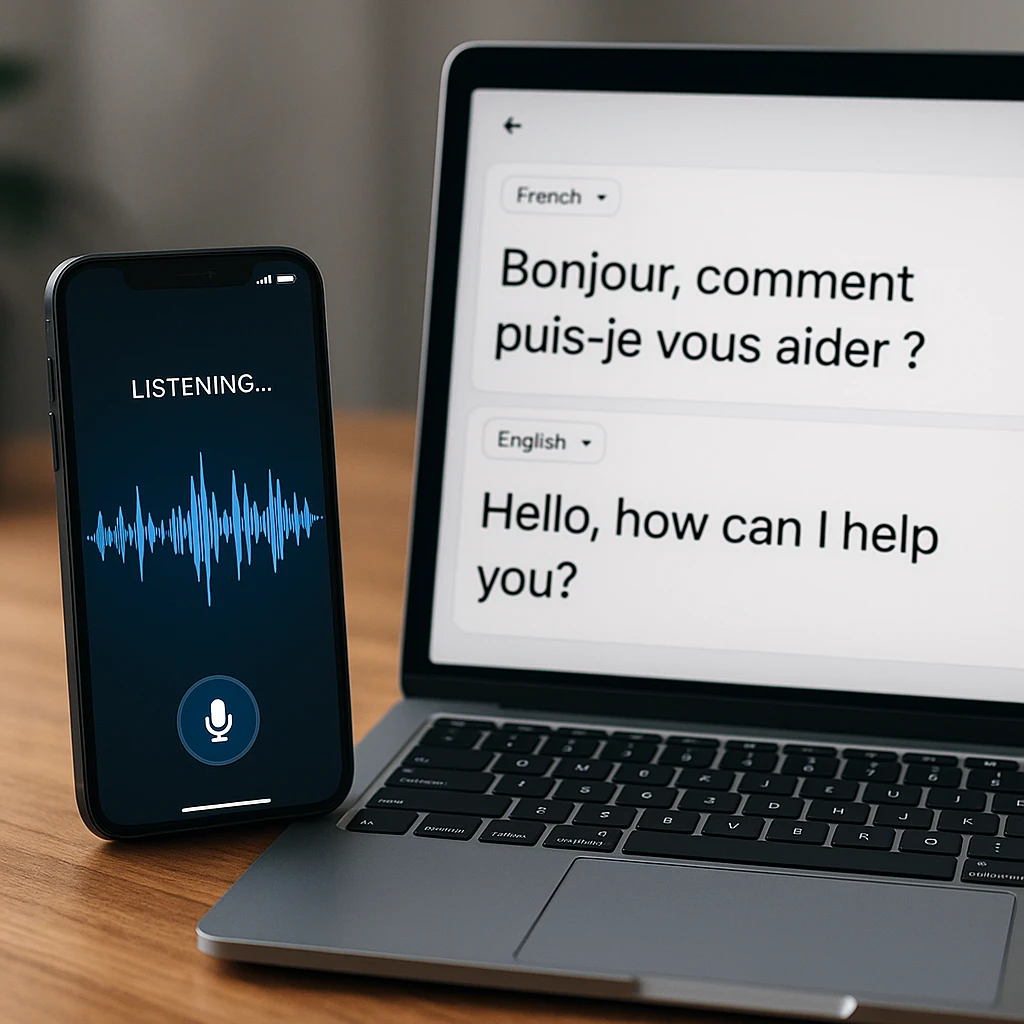
**ScreenApp** 旨在翻译录音和实时语音,而非快速短语查找。上传 MP3、WAV 或 MP4 文件,或直接在浏览器中讲话,它会将音频转录并返回可编辑的翻译文本,您可以将其导出为 TXT、SRT 或 VTT 格式。它将翻译与完整的转录功能结合在一个地方,因此多语言会议将成为可搜索的翻译文档。请参阅音频翻译器和实时音频转文本工具。
**透明度声明:**本比较由 ScreenApp 发布,因此我们将自己的工具排在首位。如果您在旅行时只需要快速口语短语,Google Translate 或 iTranslate Voice 等移动应用程序可能更适合您。
主要功能
优点
- -文件和实时语音都准确
- -支持99种语言
- -可导出字幕和纯文本
- -无需安装,在浏览器中运行
缺点
- -需要互联网连接
- -实时模式基于浏览器,并非原生旅行应用
最佳适用场景
任何需要翻译录音、会议或采访,并希望保留可编辑文本而非仅在屏幕上显示短语的用户。
**评分:** 5/5
  <div class="flex-1 flex flex-col" style="padding-top: 0.5em; padding-bottom: 0.5em;">
    <h3 id="google-translate" class="text-2xl font-semibold text-gray-900 mb-1 mt-2" style="padding-top: 0;"><a href="https://translate.google.com/" target="_blank" rel="nofollow" class="text-gray-900 hover:text-[#1D90ff] no-underline">Google Translate</a></h3>
    <p class="text-gray-600 text-base !mb-0" style="padding-bottom: 0.5em;">Best free all-rounder with the widest language list</p>
  </div>
</div>
Google Translate is the default for most people, and for good reason. It covers more languages than anything else here across text, image, and voice, and it is free. Accuracy is strong on common pairs and thinner on less-spoken languages, where a specialist tool often reads more naturally.
Key Features
Pros
- -Widest language range
- -Voice, text, and camera translation
- -Free with offline language packs
Cons
- -Accuracy varies by language
- -Less natural on rare language pairs
Best For
Everyday translation across the widest language range, especially common pairs, at no cost.
Rating: 4/5
iTranslate Voice
Best for fast, in-person travel conversations
iTranslate Voice is aimed squarely at live conversation. Speak a phrase, hear it back in the other language, and keep the exchange moving. Offline mode makes it useful abroad without data, though the better features sit behind the paid tier.
Key Features
Pros
- -Fast real-time translation
- -Works offline with downloaded packs
- -Clean, simple interface
Cons
- -Best features need the paid version
- -Built for live chat, not recorded files
Best For
Fast in-person travel conversations where you need a quick spoken reply, even offline.
Rating: 4/5
Microsoft 翻译器
最适合微软生态系统中的企业用户
Microsoft 翻译器适合已在 Office 和 Teams 中工作的团队。它处理语音、文本以及用于标牌和文档的摄像头翻译,其实时群组对话模式允许多人使用自己的语言进行交流。界面比一些竞争对手略显繁忙。
主要功能
优点
- -与 Office 和 Teams 集成
- -用于标牌和文档的摄像头翻译
- -多人实时对话模式
缺点
- -界面不如一些竞争对手直观
- -如果您已使用微软工具,则最有用
最适合
已在 Office 和 Teams 中工作,需要群组或会议翻译的企业用户。
评分: 4/5
Speak & Translate
iPhone 和 iPad 用户最佳简单选择
Speak & Translate 为 Apple 用户提供了简洁的体验。语音和文本翻译效果良好,通过 iCloud 在 iPhone 和 iPad 之间同步,几乎无需学习。缺点是语言列表比 Google 或 Microsoft 短,并且主要是一个 iOS 产品。
主要功能
优点
- -直接且可靠
- -在 Apple 生态系统内同步
- -常用语言翻译准确
缺点
- -主要面向 iOS,在其他平台上受限
- -语言种类少于大型免费应用
最适合
想要一个简单、可靠且能在设备间同步的语音翻译器的 Apple 用户。
评分: 4/5
  <div class="flex-1 flex flex-col" style="padding-top: 0.5em; padding-bottom: 0.5em;">
    <h3 id="papago" class="text-2xl font-semibold text-gray-900 mb-1 mt-2" style="padding-top: 0;"><a href="https://papago.naver.com/" target="_blank" rel="nofollow" class="text-gray-900 hover:text-[#1D90ff] no-underline">Papago</a></h3>
    <p class="text-gray-600 text-base !mb-0" style="padding-bottom: 0.5em;">Best for Korean, Japanese, and Chinese</p>
  </div>
</div>
Papago, built by Naver, reads more naturally than the general apps on Korean, Japanese, and Chinese, where nuance and honorifics matter. It also handles other languages and works offline. Outside its core East Asian pairs, results are more ordinary.
Key Features
Pros
- -Strong, natural East Asian translation
- -Voice, text, and image support
- -Offline packs, free to use
Cons
- -Less polished outside Asian languages
- -Smaller overall language list
Best For
Translating to or from Korean, Japanese, or Chinese, where tone and honorifics matter.
Rating: 4/5
TripLingo
Best for travelers who want culture tips alongside translation
TripLingo is a travel companion first and a translator second. Alongside voice translation with a slang mode, you get a phrasebook, a currency converter, and cultural etiquette notes. If you want context and local color, it is handy, but pure translation accuracy trails the specialists.
Key Features
Pros
- -Travel toolkit beyond translation
- -Slang mode for casual speech
- -Cultural and etiquette tips
Cons
- -Translation is not the main focus
- -Less accurate than dedicated tools
Best For
Travelers who want cultural context and a phrasebook alongside plain translation.
Rating: 3.5/5
  <div class="flex-1 flex flex-col" style="padding-top: 0.5em; padding-bottom: 0.5em;">
    <h3 id="sayhi-translate" class="text-2xl font-semibold text-gray-900 mb-1 mt-2" style="padding-top: 0;"><a href="https://www.sayhi.com/en/translate/" target="_blank" rel="nofollow" class="text-gray-900 hover:text-[#1D90ff] no-underline">SayHi Translate</a></h3>
    <p class="text-gray-600 text-base !mb-0" style="padding-bottom: 0.5em;">Best for quick, spur-of-the-moment spoken exchanges</p>
  </div>
</div>
SayHi does one thing well: fast voice translation for a quick back-and-forth. Tap, speak, and the reply comes back translated with little fuss. It skips the extras, so if you want file translation or deep customization, look elsewhere, but for a spontaneous chat it is quick.
Key Features
Pros
- -Fast and easy for live speech
- -Clean, minimal interface
- -Free to use
Cons
- -Few features beyond live voice
- -No file or transcript handling
Best For
Spur-of-the-moment spoken exchanges where speed beats extra features.
Rating: 3.5/5
Waygo
Best for reading Asian signs and menus with your camera
Waygo is not a voice translator at all, but it earns a place for one job: point your camera at Chinese, Japanese, or Korean text and read a menu or sign instantly, offline. It is narrow by design, so pair it with a voice app for spoken conversation.
Key Features
Pros
- -Instant camera translation of signs and menus
- -Works fully offline
- -Excellent at its one job
Cons
- -Visual text only, no voice translation
- -Limited to a few Asian languages
Best For
Reading Asian menus and signs with your camera while offline.
Rating: 3.5/5
iTranslate Converse
Best for hands-free, back-and-forth conversation
iTranslate Converse is designed for two people to talk with minimal tapping. It detects who is speaking which language and filters background noise, so a conversation flows more naturally than button-press apps. Heavy accents and loud rooms still knock it off track.
Key Features
Pros
- -Hands-free two-way conversation
- -Automatic language detection
- -Background noise filtering
Cons
- -Struggles with heavy accents
- -Less reliable in noisy places
Best For
Two people having a back-and-forth conversation with minimal tapping.
Rating: 3.5/5
将翻译的对话转化为可用的笔记
上述大多数工具都是为即时使用而设计的:你说话,它们翻译,然后文字消失。这对于在国外点餐来说很好,但当对话后续很重要时,比如客户电话、研究访谈或用另一种语言录制的讲座,它就显得不足了。
这种空白正是“录制-翻译”工作流程的用武之地。你无需即时翻译并丢失文本,而是只需录制一次音频,就能获得一份可搜索、引用和分享的翻译文稿。ScreenApp 会转录录音,对其进行翻译,并允许你导出结果,或者将录制的视频转化为可编辑的文档,其中语音内容已转录好。
这也是人们将翻译与AI会议工具结合使用的原因。如果你参加多语言通话,我们关于最佳AI访谈助手的综述展示了录音加AI笔记如何取代忙乱的笔记记录。如果你首先只需要视频中的音轨,YouTube转MP3指南涵盖了如何提取清晰音频进行翻译。
结论
音频翻译器降低了旅行者、企业和语言学习者的语言障碍。这项技术不断改进,翻译听起来每年都更自然,尽管准确性仍因语言对和音频质量而异。
主要收获
- 没有一劳永逸的解决方案: 最适合您的音频翻译器完全取决于您的具体需求。优先考虑对您来说最重要的因素,无论是卓越的准确性、广泛的语言支持、离线功能还是用户友好性。
- 对于高风险对话,准确性最重要: 每个工具都旨在提供准确的翻译,但它们在实现准确性的一致性方面有所不同。对于合同、医疗环境或严谨的语言学习,请将准确性放在首位并检查输出。
- 考虑语境: 旅行、商务和休闲学习场景各有不同的需求。旅行者可能需要离线功能,而商务用户可能专注于专业、专门的词汇。
- 市场正在发展: 音频翻译技术正在迅速发展。值得关注更新和新入局者,因为您理想的工具可能会随着时间而改变。
音频翻译技术不断进步,最好的免费工具与付费工具之间的差距正在缩小。根据您的工作方式进行选择:实时对话、录音文件或通过相机读取文本。如果您希望将翻译后的文字保存为可重复使用的文档,像 ScreenApp 这样的录音翻译工具比短语查询应用程序更适合。
常见问题
哪款音频翻译器最好?
这取决于具体任务。对于实时旅行对话,iTranslate Voice 和 Google Translate 速度快且支持离线工作。对于翻译录音或会议并保留文本,ScreenApp 是更强的选择,因为它能转录和翻译音频,然后导出。对于韩语、日语和中文,Papago 往往阅读起来更自然。
我可以将录音翻译成另一种语言的文本吗?
可以。将文件上传到支持转录的音频翻译器(例如 ScreenApp),它将一次性将语音转换为文本并进行翻译。然后,您可以将翻译后的文本导出为纯文本或字幕。
哪款音频翻译器最准确?
准确性更多地取决于语言对和音频质量,而非品牌。在广泛使用的语言中,清晰的音频在 Google Translate、Microsoft Translator 和 ScreenApp 上都能给出接近可用的结果。浓重口音、交叉对话和背景噪音会降低所有工具的准确性,因此对于重要内容务必进行审核。
有免费的音频翻译器吗?
有。Google Translate 的语音和文本功能是免费的,此列表中的多个应用程序也提供免费版本。ScreenApp 允许您在升级前免费试用音频和实时翻译功能。
离线翻译器可以离线工作吗?
有些可以。iTranslate Voice、Papago 和 Google 翻译支持提前下载离线语言包,这在您旅行时没有信号的情况下很有帮助。基于文件和浏览器的工具,如 ScreenApp,需要互联网连接。
音频翻译器支持多少种语言?
差异很大。Google 翻译和微软翻译覆盖 100 多种语言,而像 Papago 这样的专业工具则专注于较少语言(大约 14 种),但翻译更自然。对于不常见的语言对,通用型应用程序是您最安全的选择。
实时音频翻译和录音音频翻译有什么区别?
实时翻译发生在现场对话中, 您说话,听到翻译回来的回复。录音翻译则是将音频文件或会议录音转换为翻译后的文本,通常带有您可以编辑和保存的文字记录。像 iTranslate Voice 这样的实时工具速度更快,但不提供文档;而像 ScreenApp 这样的录音翻译工具速度较慢,但会创建可搜索的文字记录。
音频翻译器费用如何?
大多数都有免费套餐。Google 翻译、ScreenApp、iTranslate Voice 和 Papago 都允许您免费开始使用。付费计划从每月几美元的付费功能(更长的录音、更多的导出)到每年 50 美元以上的高级捆绑包不等。对于偶尔使用,免费套餐通常足够了;每天大量使用则值得订阅。