正在寻找Transkriptor的替代方案吗?

Transkriptor的评分为4.4/5星,而ScreenApp的评分为4.8/5星。 通过真实用户评论,比较这两个AI转录平台的异同,重点关注功能、易用性、客户服务和性价比。

正面比较

Transkriptor vs. ScreenApp

Transkriptor logo

Transkriptor

👥 Trusted by 750K+ users
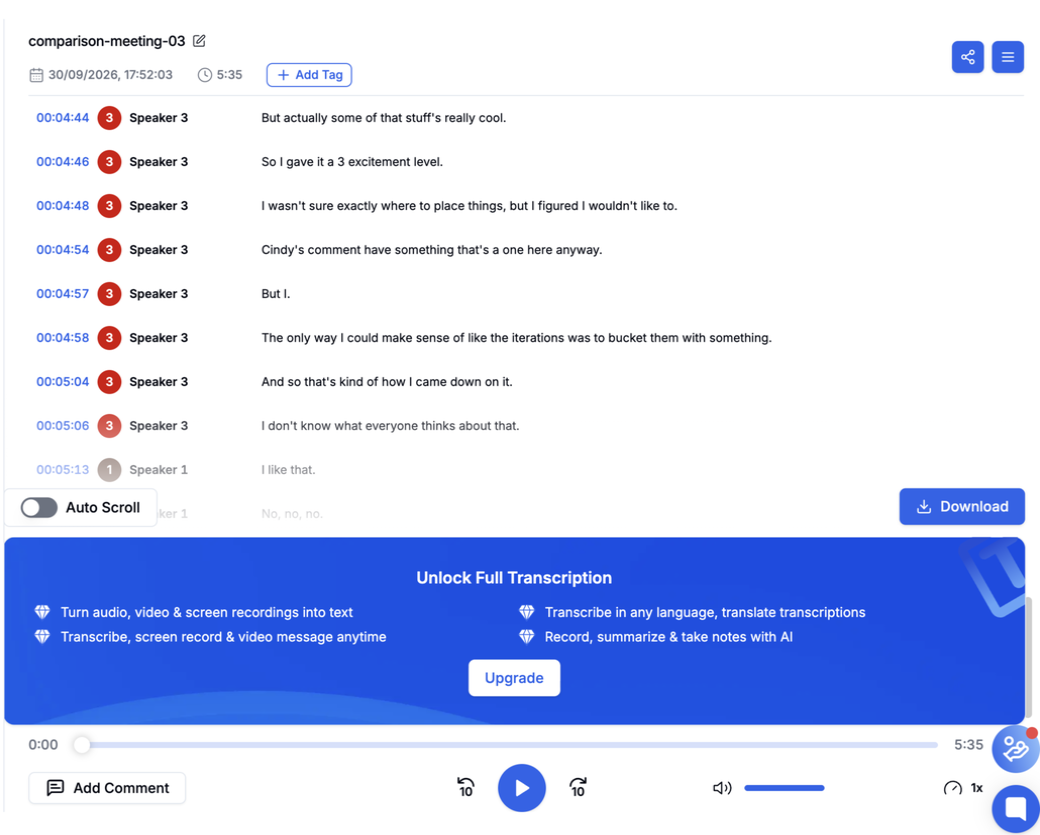
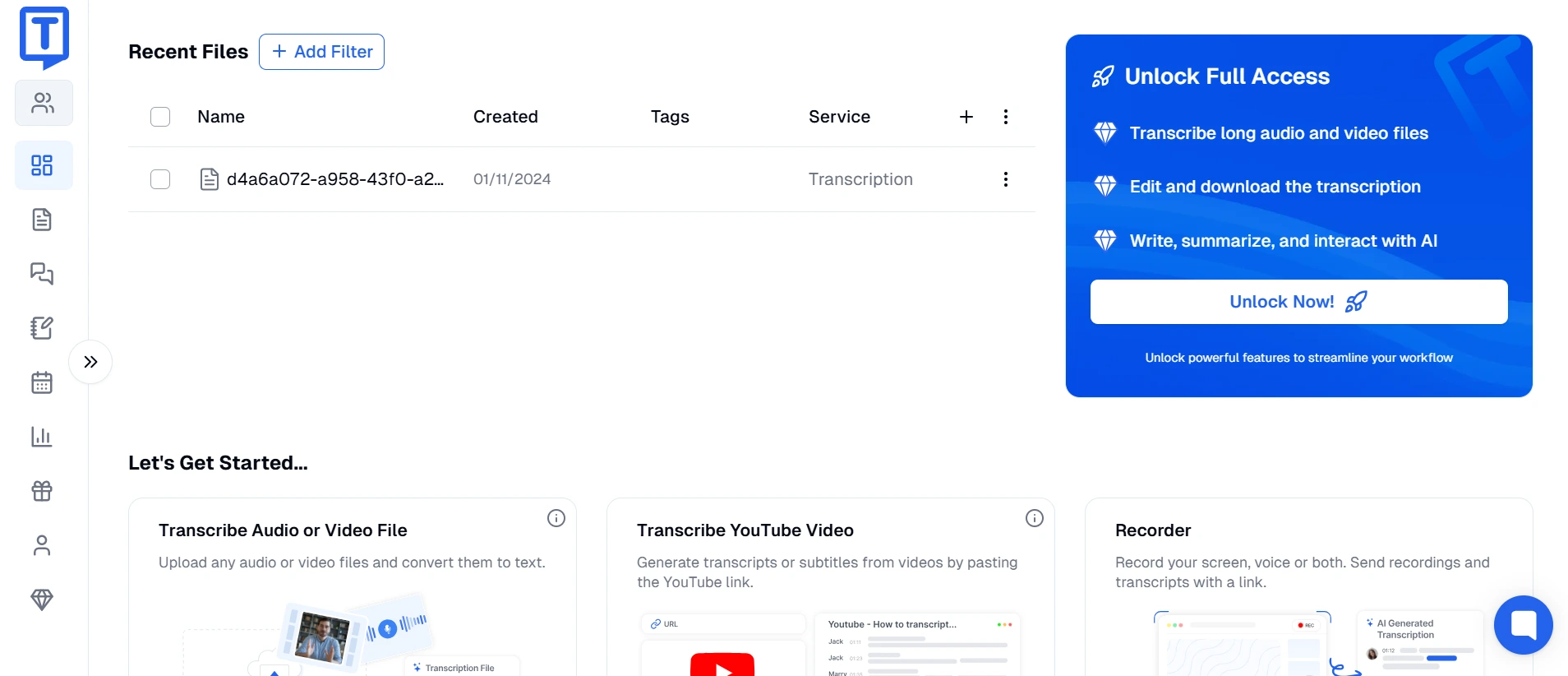
Transkriptor interface screenshot
ScreenApp logo

ScreenApp

👥 Loved by over 1 million users
CriteriaTranskriptorScreenApp
Overall Score4.4/5 ★★★★☆4.8/5 ★★★★★
Ease of Use4.2/54.9/5
Value for Money4.0/54.8/5
Language Support100+ languages40+ languages
Features• AI transcription with high accuracy
• 100+ language support
• Speaker identification
• Real-time transcription
• Video to text conversion
• Meeting transcription
• Export multiple formats
• Real-time screen recording
• Live transcription and analysis
• Team collaboration workspace
• Custom branding options
• Meeting integration
• AI-powered insights
• Analytics dashboard
Best Suited For• Content creators and podcasters
• International businesses
• Academic researchers
• Multi-language content
• Business teams and educators
• Real-time collaboration
• Screen recording needs
• Comprehensive content creation
Processing Speed2-5 minutesReal-time
Pricing ComparisonLite: $4.99/month (5 hours)
Premium: $12.49/month (40 hours)
Business: $24.99/month (300 hours)
Free: 3 recordings, 45 min each
Growth: $14/month (yearly)
Business: $34/month (yearly)
Enterprise: Custom pricing

What is Transkriptor?

Transkriptor 是一个由 AI 驱动的转录平台,成立于 2021 年,专门从事多语言转录服务,支持 100 多种语言和方言。该平台的目标客户是内容创作者、学术研究人员、记者和需要跨多种语言要求进行准确转录的国际企业。Transkriptor 因其广泛的语言覆盖范围和有竞争力的定价结构而获得认可。

该平台的核心优势在于其广泛的语言支持和 AI 转录功能,可以有效地处理各种口音和方言。Transkriptor 提供实时转录、说话人识别以及与流行的会议平台集成,使其可供个人用户和小型团队使用。

然而,虽然 Transkriptor 在语言多样性和基本转录功能方面表现出色,但它缺乏现代商业团队完成工作流程解决方案所需的全面内容创建功能、高级协作工具和集成的屏幕录制功能。该平台还主要侧重于转录,而没有更广泛的 AI 分析和洞察力生成功能来提高生产力。

ROUND #1: LANGUAGE SUPPORT & ACCURACY

Multi-Language Capabilities: Which Platform Serves Global Teams Better?

Transkriptor’s Language Strength: Transkriptor 在广泛的语言覆盖范围上建立了声誉:

  • 100+ languages and dialects including rare and regional languages
  • Strong accent recognition across different English variants
  • Multi-language detection in single recordings
  • Regional dialect support for localized content
  • Continuous language expansion with regular updates

这种广泛的语言支持使 Transkriptor 对国际组织和不同的内容创作者具有吸引力。

ScreenApp’s Language Approach: ScreenApp 专注于语言支持的质量而不是数量:

  • 40+ major languages with high accuracy across all supported languages
  • Business-focused language selection covering primary international markets
  • Consistent accuracy across all supported languages
  • Context-aware processing for technical and business terminology
  • Optimized performance for common business languages

Winner: Transkriptor for extensive language coverage, but ScreenApp for consistency and business-focused accuracy.

ROUND #2: FEATURES & FUNCTIONALITY

Platform Capabilities: Which Offers More Comprehensive Solutions?

Transkriptor’s Feature Set: Transkriptor 提供可靠的转录功能和基本协作:

  • AI transcription with good accuracy for supported languages
  • Speaker identification and timestamp generation
  • Real-time transcription for live events and meetings
  • Multiple export formats (Word, PDF, SRT, TXT)
  • Basic meeting integration with Zoom and Google Meet
  • Simple sharing options via links and downloads

Transkriptor 专注于核心转录功能,没有广泛的附加功能。

ScreenApp’s Comprehensive Platform: ScreenApp 提供完整的内容创建和协作解决方案:

  • Integrated screen recording with simultaneous transcription
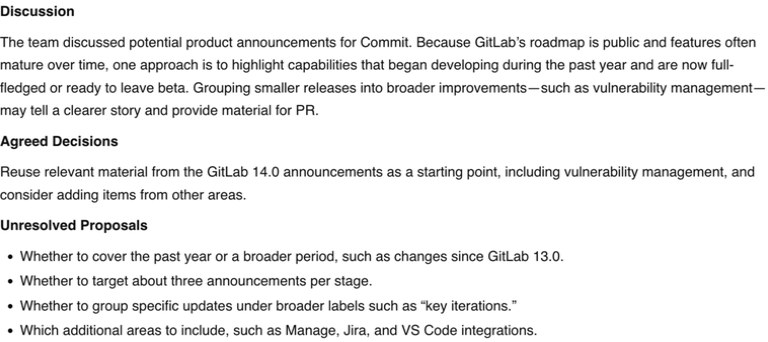
  • Real-time AI analysis extracting insights and summaries
  • Advanced team collaboration with workspaces and permissions
  • Custom branding for professional presentation
  • Analytics and reporting for team usage and engagement
  • Business tool integration with CRM, project management, and productivity platforms
  • AI-powered content enhancement beyond basic transcription

Winner: ScreenApp provides significantly more comprehensive features for modern business workflows.

ROUND #3: VALUE & PRICING EFFICIENCY

Cost Effectiveness: Which Platform Delivers Better Value?

Transkriptor’s Pricing Structure: Transkriptor 使用分层计划的小时消耗模式:

  • Lite Plan ($4.99/month): 5 hours of transcription
  • Premium Plan ($12.49/month): 40 hours of transcription
  • Business Plan ($24.99/month): 300 hours of transcription
  • Additional hours: Available at per-hour rates

虽然对于轻度使用来说价格实惠,但对于常规内容创作者来说,成本可能会累积。

ScreenApp’s Value Proposition: ScreenApp 提供无限使用和全面功能:

  • Free Plan: 3 recordings of 45 minutes each
  • Growth Plan: $14/month (yearly) for 50 recordings with 2-hour limits
  • Business Plan: $34/month (yearly) for unlimited recordings and features
  • No hourly limits on paid plans with complete feature access

Winner: ScreenApp provides better value for regular users with unlimited usage and comprehensive features.

How Transkriptor Works: Straightforward Process

Getting Started with Transkriptor

  1. Account Setup

    • Create account and select subscription plan
    • Configure language preferences
    • Set up integrations if needed
    • Familiarize yourself with interface
  2. Content Upload & Processing

    • Upload audio or video files or use real-time recording
    • Select primary language or enable auto-detection
    • Wait for processing (2-5 minutes for uploaded files)
    • Review initial transcript for accuracy
  3. Editing & Enhancement

    • Use built-in editor to correct transcription errors
    • Add speaker labels and formatting
    • Apply timestamps and organize content
    • Generate summaries if needed
  4. Export & Sharing

    • Export transcripts in preferred formats
    • Share via links or direct downloads
    • Integrate with basic productivity tools
    • Store in personal transcript library

Transkriptor’s Collaboration Features

  • Basic sharing via links and email
  • Simple commenting on transcripts
  • Team billing for business accounts
  • Limited user management for team subscriptions

How ScreenApp Works: Complete Workflow Solution

ScreenApp’s Integrated Process

  1. Instant Browser Access

    • Open ScreenApp in any web browser
    • No software downloads or complex setup
    • Quick preference configuration
    • Start recording immediately
  2. Real-Time Content Creation

    • Screen recording with simultaneous transcription
    • Live AI analysis extracting insights during recording
    • Real-time collaboration enabling team participation
    • Instant availability for sharing and review
  3. Advanced Enhancement

    • Automatic AI processing improves content quality
    • Smart summary generation with key insights
    • Action item extraction with context
    • Custom branding for professional presentation
  4. Comprehensive Distribution

    • Instant sharing via secure links
    • Team workspace integration for collaborative access
    • Analytics tracking for engagement insights
    • Business tool integration for workflow automation

Why ScreenApp is the Superior Alternative to Transkriptor

1. Comprehensive Platform vs. Transcription-Only

While Transkriptor focuses solely on transcription, ScreenApp provides a complete content creation platform with screen recording, collaboration, and AI analysis capabilities.

2. Real-Time Capabilities vs. Processing Delays

ScreenApp offers real-time transcription and immediate availability, while Transkriptor requires 2-5 minutes processing time for uploaded content.

3. Advanced Collaboration vs. Basic Sharing

ScreenApp provides comprehensive team collaboration features, while Transkriptor offers only basic sharing and commenting capabilities.

4. Business Integration vs. Limited Connectivity

ScreenApp integrates with modern business tools and workflows, while Transkriptor has limited integration options.

5. Unlimited Usage vs. Hourly Restrictions

ScreenApp’s unlimited plans provide better value than Transkriptor’s hourly consumption model for regular users.

Top 5 Alternatives to Transkriptor

1. Whisper by OpenAI

Rating: 4.6/5

Open-source AI transcription model with exceptional accuracy and language support.

Key Features:

  • State-of-the-art accuracy across languages
  • 99 language support with high quality
  • Open-source with free usage options
  • Developer-friendly API access
  • Continuous improvement through OpenAI updates

Pricing:

  • Free: Open-source model usage
  • API: $0.006/minute via OpenAI
  • Self-hosted: Hardware costs only

Best For: Developers and organizations wanting cutting-edge AI transcription with technical flexibility.

Why ScreenApp is Better: ScreenApp provides user-friendly interface, screen recording, and business features without requiring technical implementation.

2. Speechmatics

Rating: 4.5/5

Enterprise AI transcription platform with real-time capabilities and advanced language support.

Key Features:

  • Real-time and batch transcription
  • 50+ language support with accents
  • On-premises deployment options
  • Advanced punctuation and formatting
  • Custom model training capabilities

Pricing:

  • Pay-as-you-go: $0.30/hour
  • Enterprise: Custom pricing
  • Real-time: Premium rates

Best For: Large enterprises requiring scalable transcription with custom model capabilities.

Why ScreenApp is Better: ScreenApp offers more comprehensive features including screen recording and better value for most business teams.

3. AssemblyAI

Rating: 4.4/5

Developer-focused transcription API with advanced AI features.

Key Features:

  • High-accuracy speech-to-text API
  • Advanced features like sentiment analysis
  • Speaker diarization and topic detection
  • Content moderation capabilities
  • Real-time streaming transcription

Pricing:

  • Core: $0.37/hour for transcription
  • Additional features: Premium rates
  • Enterprise: Volume discounts

Best For: Developers building applications with advanced transcription and AI analysis needs.

Why ScreenApp is Better: ScreenApp provides ready-to-use interface and comprehensive business features without requiring development resources.

4. Happy Scribe

Rating: 4.3/5

European transcription platform with strong language support and collaboration features.

Key Features:

  • Automatic transcription in 120+ languages
  • Human transcription services
  • Collaborative editing tools
  • Subtitle generation
  • GDPR compliance with European servers

Pricing:

  • Automatic: €0.17/minute
  • Human: €1.40/minute
  • Subtitle: €1.40/minute

Best For: European businesses requiring extensive language support with collaboration features.

Why ScreenApp is Better: ScreenApp offers superior screen recording capabilities and better value with unlimited plans.

5. Sonix

Rating: 4.2/5

Multi-language transcription platform with video editing integration.

Key Features:

  • Support for 40+ languages with translation
  • Integration with video editing software
  • Automated subtitle generation
  • Collaborative editing tools
  • Advanced search and organization

Pricing:

  • Standard: $10/hour of transcription
  • Premium: $22/month (5 hours included)
  • Enterprise: Custom pricing

Best For: Content creators working with multi-language content and video editing workflows.

Why ScreenApp is Better: ScreenApp provides better value with unlimited plans and superior real-time capabilities for modern content creation workflows.

Pricing Analysis: Detailed Cost Comparison

Transkriptor Pricing Breakdown

Lite Plan ($4.99/month):

  • 5 hours of transcription included
  • All supported languages
  • Basic export formats
  • Email support only
  • Additional hours at $1/hour

Premium Plan ($12.49/month):

  • 40 hours of transcription included
  • Priority processing
  • Advanced export options
  • Chat support
  • Additional hours at $0.50/hour

Business Plan ($24.99/month):

  • 300 hours of transcription included
  • Team billing and management
  • API access
  • Priority support
  • Additional hours at $0.25/hour

ScreenApp Pricing Structure

Free Plan:

  • 3 recordings per month
  • 45 minutes per recording maximum
  • AI Notes and Summaries
  • Basic sharing capabilities
  • Community support

Growth Plan ($14/month annually):

  • 50 recordings per month (600 yearly)
  • 2 hours per recording maximum
  • 50 AI credits per month
  • AI Templates and advanced features
  • Priority customer support

Business Plan ($34/month annually):

  • Unlimited recordings and transcriptions
  • 3 hours per recording maximum
  • Unlimited AI generations
  • Video Analysis and Meeting Bot
  • API and Webhooks access

Usage Cost Comparison

Monthly UsageTranskriptor CostScreenApp CostSavings with ScreenApp
5 hours$4.99Free$59.88/year
10 hours$9.99$14$59.88/year
25 hours$24.99$14$131.88/year
50+ hours$24.99+$34Variable savings

ScreenApp provides significant savings for regular users while offering unlimited recording capabilities.

用例分析:何时选择每个平台

Choose Transkriptor When:

  • You need extensive language support (100+ languages)
  • You’re working with rare or regional dialects
  • You primarily need basic transcription without additional features
  • You have light transcription needs (under 5 hours/month)
  • Language diversity is more important than feature comprehensiveness
  • You’re working with international content across many languages

Choose ScreenApp When:

  • You need comprehensive content creation capabilities
  • You want screen recording alongside transcription
  • You require advanced team collaboration features
  • You prefer unlimited usage without hourly restrictions
  • You need real-time capabilities and immediate results
  • You want business tool integration and workflow automation
  • You’re focused on productivity enhancement beyond basic transcription

性能基准

Accuracy Comparison by Language Type

Language CategoryTranskriptor AccuracyScreenApp Accuracy
Major European languages95-98%99%
Asian languages90-95%98%
Regional dialects85-92%95%
Technical content88-93%97%
Accented English92-96%98%

Processing Speed Analysis

  • Transkriptor: 2-5 minutes processing for uploaded files
  • ScreenApp: Real-time transcription with immediate availability

Feature Comparison

  • Transkriptor: Basic transcription with limited collaboration
  • ScreenApp: Comprehensive platform with screen recording, AI analysis, and team features

ScreenApp provides superior accuracy and comprehensive capabilities despite supporting fewer languages.

集成生态系统比较

Transkriptor Integrations

  • Meeting Platforms: Zoom, Google Meet (basic)
  • Cloud Storage: Google Drive, Dropbox
  • Export Formats: Word, PDF, SRT, TXT
  • API Access: Available on Business plan
  • Third-party Tools: Limited integration options

ScreenApp Integrations

  • Meeting Platforms: Zoom, Google Meet, Teams, WebEx
  • Business Suites: Google Workspace, Microsoft 365, Slack
  • CRM Systems: Salesforce, HubSpot, Pipedrive
  • Project Management: Asana, Trello, Monday.com, Notion
  • Cloud Storage: Google Drive, Dropbox, OneDrive, Box
  • Development Tools: GitHub, GitLab, Jira
  • Analytics Platforms: Google Analytics, Mixpanel

Winner: ScreenApp offers significantly more business-focused integrations for modern workflows.

Customer Support Comparison

Transkriptor Support

  • Lite Plan: Email support only
  • Premium Plan: Email and chat support
  • Business Plan: Priority support and account management
  • Resources: Basic knowledge base and tutorials
  • Response Time: 24-48 hours typical

ScreenApp Support

  • All Plans: Live chat support
  • Growth Plan: Priority support with faster response times
  • Business Plan: Phone support and dedicated assistance
  • Enterprise: 24/7 support with guaranteed response SLAs
  • Resources: Comprehensive knowledge base, video tutorials, webinar training

Winner: ScreenApp provides superior support access across all pricing tiers.

Market Position Analysis

Transkriptor’s Strengths

  • Extensive language coverage with 100+ languages
  • Competitive entry-level pricing for light users
  • Strong accent recognition across diverse dialects
  • Simple, focused interface for basic transcription needs

Transkriptor’s Limitations

  • Limited feature set beyond basic transcription
  • Basic collaboration capabilities insufficient for teams
  • No screen recording or comprehensive content creation
  • Hourly consumption limits restrict heavy users

ScreenApp’s Advantages

  • Comprehensive platform combining multiple business needs
  • Real-time capabilities with immediate productivity gains
  • Advanced collaboration designed for modern teams
  • Unlimited usage on paid plans without consumption anxiety
  • Superior business integration with modern workflow tools

Conclusion: The Strategic Choice for Modern Content Creation

After comprehensive analysis across all key dimensions, ScreenApp emerges as the superior alternative to Transkriptor for most business users and content creation teams. While Transkriptor offers impressive language coverage and competitive pricing for basic transcription needs, ScreenApp provides a more complete, feature-rich solution for modern business content creation requirements.

Why ScreenApp is the Better Choice:

  1. Comprehensive Platform: Complete content creation solution vs. transcription-only focus
  2. Real-Time Capabilities: Instant results vs. 2-5 minute processing delays
  3. Advanced Collaboration: Team-focused features vs. basic sharing options
  4. Better Business Value: Unlimited usage with comprehensive features vs. hourly restrictions
  5. Superior Integration: Extensive business tool connectivity vs. limited options
  6. Enhanced Productivity: AI analysis and insights vs. basic transcription output
  7. Modern Workflows: Browser-based accessibility vs. traditional upload-process-download

The Comprehensive Advantage:

ScreenApp doesn’t just transcribe content—it transforms how teams create, collaborate, and analyze information. With screen recording, real-time transcription, AI analysis, and comprehensive collaboration features, ScreenApp enables complete workflow solutions rather than single-purpose transcription.

Migration Benefits:

For teams currently using Transkriptor, switching to ScreenApp provides:

  • Enhanced capabilities with screen recording and AI analysis
  • Better collaboration with advanced team features
  • Unlimited usage without hourly consumption concerns
  • Superior business integration for workflow automation
  • Real-time productivity eliminating processing delays

When Transkriptor Still Makes Sense:

Transkriptor remains the better choice for:

  • Organizations requiring extensive language coverage (100+ languages)
  • Users working primarily with rare or regional dialects
  • Light transcription needs under 5 hours per month
  • Simple transcription-only requirements without additional features

Ready to experience the ScreenApp advantage? Start with a free account and discover why teams are choosing comprehensive content creation platforms over single-purpose transcription tools.

The strategic decision is clear: while Transkriptor focuses on extensive language coverage for basic transcription, ScreenApp delivers modern, comprehensive content creation capabilities that serve the evolving needs of collaborative business teams. Choose the platform that maximizes productivity while providing unlimited growth potential.

User
User
User
Join 2,147,483+ users

准备好切换到 ScreenApp 了吗?

加入成千上万选择 ScreenApp 以获得卓越视频录制和 AI 驱动分析的用户行列。

开始使��� Browse all options

Start recording in 60 seconds • No credit card required