

正在寻找 Scribe AI 的替代品吗?

Scribe AI 的评分为 4.2/5 星,而 ScreenApp 的评分为 4.8/5 星。通过真实用户评论,比较这两个 AI 驱动平台在功能、易用性、客户服务和性价比方面的异同。

正面比较

Scribe AI vs. ScreenApp

Scribe AI logo

Scribe AI

👥 Trusted by 750K+ users
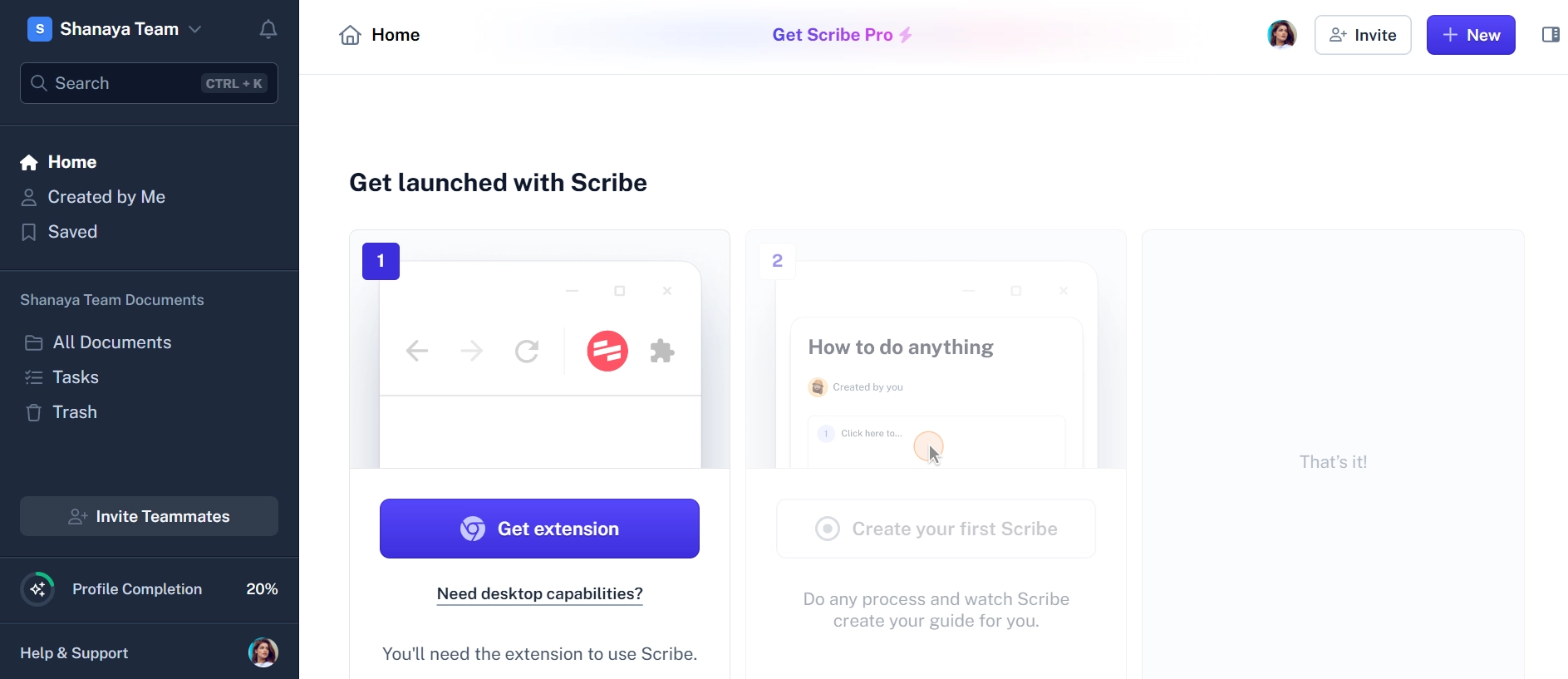
Scribe AI interface screenshot
ScreenApp logo

ScreenApp

👥 Loved by over 1 million users
CriteriaScribe AIScreenApp
Overall Score4.2/5 ★★★★☆4.8/5 ★★★★★
Ease of Use4.3/54.9/5
Value for Money3.9/54.8/5
Documentation FocusExcellentGood
Features• Automatic step-by-step documentation
• AI-powered process capture
• Screenshot and annotation tools
• Workflow documentation
• Team sharing and collaboration
• Integration with business tools
• Template library
• Real-time screen recording
• Live transcription and analysis
• Team collaboration workspace
• Custom branding options
• Meeting integration
• AI-powered insights
• Analytics dashboard
Best Suited For• Process documentation
• Training material creation
• Standard operating procedures
• Workflow automation teams
• Business teams and educators
• Real-time collaboration
• Comprehensive content creation
• Meeting and training recording
Content TypeStep-by-step processesVideo and audio content
Pricing ComparisonFree: 5 Scribes per month
Pro: $23/month per user
Team: $12/month per user (annual)
Enterprise: Custom pricing
Free: 3 recordings, 45 min each
Growth: $14/month (yearly)
Business: $34/month (yearly)
Enterprise: Custom pricing

What is Scribe AI?

Scribe AI 是一个自动化文档平台,专门通过自动捕获用户操作并将其转换为全面的文档来创建逐步过程指南。Scribe AI 的成立旨在解决耗时的人工文档问题,它利用人工智能技术来观察用户工作流程并生成带有屏幕截图、注释和说明的详细操作指南。

该平台的核心优势在于它能够自动记录用户执行的过程,从而无需手动捕获屏幕截图和进行详细编写。Scribe AI 创建外观专业的文档,其中包含自动注释、标注和逐步说明,使团队可以轻松共享知识并标准化流程。

但是,尽管 Scribe AI 在流程文档和工作流程捕获方面表现出色,但它缺乏现代商业团队实现完整内容创建和团队沟通解决方案所需的全面视频录制功能、实时转录功能和高级协作工具。该平台主要侧重于静态文档,而不是动态视频内容和实时协作。

ROUND #1: DOCUMENTATION & CONTENT CREATION

Content Creation Approach: Which Platform Serves Different Documentation Needs?

Scribe AI’s Process Documentation: Scribe AI 专门从事自动化的逐步过程文档记录:

  • 自动捕获用户操作和点击
  • 屏幕截图生成带有自动注释
  • 从用户工作流程创建的逐步说明
  • 专业格式具有一致的样式
  • 基于捕获的工作流程的流程优化建议
  • 适用于不同文档类型的模板库
  • 具有知识库和维基的集成功能

这种方法非常适合创建标准操作程序、培训材料和流程文档。

ScreenApp’s Video Content Creation: ScreenApp 提供全面的视频和音频内容创建:

  • 实时屏幕录制具有高质量的视频输出
  • 实时转录创建可搜索的文本内容
  • 人工智能驱动的分析提取见解和摘要
  • 互动内容带有参与度跟踪
  • 会议录制用于协作和培训
  • 自定义品牌用于专业演示
  • 多格式输出支持各种内容需求

Winner: Both platforms serve different needs - Scribe AI for process documentation and ScreenApp for video content creation.

ROUND #2: TEAM COLLABORATION & WORKFLOW

Collaboration Features: Which Platform Enables Better Team Productivity?

Scribe AI’s Documentation Workflow: Scribe AI 提供围绕文档的重点协作:

  • 团队共享流程文档
  • 版本控制用于文档更新
  • 用于文档审查的评论和反馈系统
  • 用于组织知识管理的团队库
  • 显示文档使用情况的基本分析
  • 与团队生产力平台的集成选项

Scribe AI 的协作以静态文档共享和管理为中心。

ScreenApp’s Real-Time Collaboration: ScreenApp 提供全面的团队协作功能:

  • 实时录制具有团队参与
  • 实时协作在内容创建期间
  • 具有基于角色的权限的高级团队工作区
  • 用于协作内容捕获的会议集成
  • 跟踪团队参与度和使用情况的高级分析
  • 用于全面工作流程自动化的业务工具集成
  • 用于内容共享和分发的自定义访问控制

Winner: ScreenApp provides significantly more comprehensive collaboration capabilities for modern team workflows.

ROUND #3: VALUE & PRICING EFFICIENCY

Cost Effectiveness: Which Platform Provides Better Business Value?

Scribe AI’s Per-User Model: Scribe AI 使用传统的按用户定价,并具有功能限制:

  • Free Plan: 5 Scribes per month
  • Pro Plan: $23/month per user (monthly billing)
  • Team Plan: $12/month per user (annual billing)
  • Enterprise: Custom pricing for large organizations

团队成本随每个额外用户而扩展,这使得对于较大的团队而言成本很高。

ScreenApp’s Team-Oriented Value: ScreenApp 提供全面的功能,并具有团队友好的定价:

  • Free Plan: 3 recordings of 45 minutes each
  • Growth Plan: $14/month (yearly) for entire team with 50 recordings
  • Business Plan: $34/month (yearly) for unlimited team usage
  • No per-user charges making it scalable for growing teams

Winner: ScreenApp provides better value for teams with unlimited usage and no per-user scaling costs.

How Scribe AI Works: Automated Documentation Process

Getting Started with Scribe AI

  1. Setup & Installation

    • Install browser extension or desktop application
    • Create account and configure team settings
    • Set up documentation preferences and templates
    • Connect integrations with existing tools
  2. Process Capture

    • Turn on Scribe recording while performing workflows
    • Complete the process normally while Scribe captures actions
    • AI automatically generates screenshots and instructions
    • Review and edit the automatically created documentation
  3. Documentation Enhancement

    • Add custom annotations and callouts to screenshots
    • Edit automatically generated text for clarity
    • Apply consistent branding and formatting
    • Organize documentation in team libraries
  4. Sharing & Collaboration

    • Share documentation with team members
    • Collect feedback and comments on processes
    • Update documentation based on team input
    • Integrate with knowledge bases and wikis

Scribe AI’s Documentation Focus

Scribe AI 专门从事特定的文档用例:

  • 用于业务流程的标准操作程序 (SOP)
  • 带有逐步说明的培训材料
  • 显示如何使用应用程序的软件教程
  • 流程优化识别工作流程中的低效率

How ScreenApp Works: Comprehensive Content Solution

ScreenApp’s Integrated Process

  1. Instant Browser Access

    • Open ScreenApp in any web browser
    • No downloads or installations required
    • Quick setup with immediate recording capability
    • Start creating content within seconds
  2. Real-Time Content Creation

    • Screen recording with high-quality video output
    • Live transcription creating searchable content
    • Real-time AI analysis extracting insights during recording
    • Team collaboration enabling participation during creation
  3. Professional Enhancement

    • Automatic AI processing improves content quality
    • Smart summary generation with key insights
    • Custom branding for professional presentation
    • Multi-format output for various content needs
  4. Business Integration

    • Team workspace for collaborative access
    • Analytics tracking for engagement insights
    • Business tool integration for workflow automation
    • Advanced sharing with access controls

Why ScreenApp is the Superior Alternative to Scribe AI

1. Dynamic Content vs. Static Documentation

While Scribe AI creates static step-by-step documentation, ScreenApp provides dynamic video content with real-time transcription and analysis capabilities.

2. Real-Time Collaboration vs. Documentation Sharing

ScreenApp enables real-time team collaboration during content creation, while Scribe AI focuses on sharing completed documentation.

3. Better Team Value vs. Per-User Scaling

ScreenApp’s team-oriented pricing provides better value than Scribe AI’s per-user model, especially for larger teams.

4. Comprehensive Platform vs. Documentation-Only

ScreenApp combines screen recording, transcription, analysis, and collaboration, while Scribe AI focuses solely on process documentation.

5. Flexible Content Creation vs. Process-Specific

ScreenApp supports various content types including meetings, training, and presentations, while Scribe AI is designed specifically for process documentation.

Top 5 Alternatives to Scribe AI

1. Loom

Rating: 4.1/5

Simple screen recording platform for quick video communication and documentation.

Key Features:

  • Quick screen and webcam recording
  • Instant sharing with automatic links
  • Basic editing and trimming tools
  • Team collaboration and commenting
  • Integration with productivity platforms

Pricing:

  • Free: 25 videos, 5 minutes each
  • Business: $8/month per user
  • Enterprise: $12/month per user

Best For: Teams needing simple video communication and basic screen recording documentation.

Why ScreenApp is Better: ScreenApp provides more comprehensive features including transcription and AI analysis at better team value.

2. Confluence

Rating: 4.1/5

Team collaboration platform with documentation and knowledge management capabilities.

Key Features:

  • Collaborative document creation and editing
  • Knowledge base organization and structure
  • Template library for various documentation types
  • Integration with Atlassian suite (Jira, Trello)
  • Advanced search and organization features

Pricing:

  • Free: Up to 10 users
  • Standard: $5.75/month per user
  • Premium: $11/month per user

Best For: Teams requiring comprehensive knowledge management and collaborative documentation creation.

Why ScreenApp is Better: ScreenApp provides video content creation capabilities beyond static documentation with better team collaboration features.

3. Notion

Rating: 4.4/5

All-in-one workspace combining documentation, project management, and team collaboration.

Key Features:

  • Flexible document creation with blocks and templates
  • Database and project management capabilities
  • Team collaboration and real-time editing
  • Integration with various business tools
  • Custom workflows and automation

Pricing:

  • Free: Personal use with limitations
  • Plus: $8/month per user
  • Business: $15/month per user

Best For: Teams needing comprehensive workspace combining documentation, project management, and collaboration.

Why ScreenApp is Better: ScreenApp specializes in video content creation with real-time recording and transcription capabilities that Notion lacks.

4. Camtasia

Rating: 4.2/5

Professional screen recording and video editing software for comprehensive content creation.

Key Features:

  • Advanced screen recording with editing capabilities
  • Professional video editing tools and effects
  • Interactive elements and quizzes
  • Template library and asset collections
  • Multi-platform export options

Pricing:

  • One-time purchase: $299.99
  • Annual subscription: $179.88/year

Best For: Professional content creators requiring advanced video editing and production capabilities.

Why ScreenApp is Better: ScreenApp provides professional features without high upfront costs and includes real-time collaboration and transcription.

5. GitBook

Rating: 4.3/5

Modern documentation platform designed for technical teams and knowledge sharing.

Key Features:

  • Clean, modern documentation interface
  • Git integration for developer workflows
  • Collaborative editing and review processes
  • API documentation capabilities
  • Advanced search and organization

Pricing:

  • Free: Public documentation with limitations
  • Plus: $6.70/month per user
  • Pro: $12.50/month per user

Best For: Technical teams requiring developer-friendly documentation with version control and API documentation.

Why ScreenApp is Better: ScreenApp provides video-based documentation capabilities with real-time recording and transcription that complement traditional text documentation.

Pricing Analysis: Comprehensive Cost Comparison

Scribe AI Pricing Structure

Free Plan:

  • 5 Scribes per month
  • Basic documentation features
  • Limited sharing options
  • Community support only

Pro Plan ($23/month per user):

  • Unlimited Scribes creation
  • Advanced editing and customization
  • Team sharing and collaboration
  • Priority customer support

Team Plan ($12/month per user, annual):

  • All Pro features
  • Team management and administration
  • Advanced analytics and reporting
  • Integration with business tools

Enterprise Plan:

  • Custom pricing based on team size
  • Advanced admin controls and permissions
  • Dedicated customer success manager
  • Custom integrations and API access

ScreenApp Pricing Structure

Free Plan:

  • 3 recordings per month
  • 45 minutes per recording maximum
  • AI Notes and Summaries
  • Basic sharing capabilities

Growth Plan ($14/month annually):

  • 50 recordings per month (600 yearly)
  • 2 hours per recording maximum
  • 50 AI credits per month
  • AI Templates and advanced features

Business Plan ($34/month annually):

  • Unlimited recordings and transcriptions
  • 3 hours per recording maximum
  • Unlimited AI generations
  • Video Analysis and Meeting Bot

Team Cost Comparison

Team SizeScribe AI Team CostScreenApp GrowthScreenApp BusinessSavings
1 user$12/month$14/month$34/monthComparable
5 users$60/month$14/month$34/month$312-756/year
10 users$120/month$14/month$34/month$1,032-2,472/year
25 users$300/month$14/month$34/month$3,192-7,992/year
50 users$600/month$14/month$34/month$6,792-16,992/year

ScreenApp provides 70-95% cost savings for teams while offering comprehensive video content creation capabilities.

用例分析:何时选择每个平台

Choose Scribe AI When:

  • You need automated step-by-step process documentation
  • You’re creating standard operating procedures (SOPs)
  • You want to document software workflows and tutorials
  • Static documentation is sufficient for your needs
  • You have a small team (1-3 users) focused on documentation
  • Process optimization and workflow analysis are priorities

Choose ScreenApp When:

  • You need dynamic video content creation and recording
  • You want real-time collaboration during content creation
  • You require transcription and AI analysis capabilities
  • You have a team needing comprehensive content creation tools
  • You prefer unlimited usage without per-user scaling costs
  • You need flexible content types including meetings and training
  • You want better long-term value for growing teams

性能基准

Content Creation Comparison

FeatureScribe AIScreenApp
Documentation TypeStatic step-by-stepDynamic video content
Automatic CaptureProcess workflowsScreen and audio recording
Real-time CreationNo (post-processing)Yes (during recording)
Content FormatScreenshots + textVideo + transcription
Team CollaborationDocumentation sharingReal-time collaboration
Learning CurveModerateMinimal

Output Quality Analysis

  • Scribe AI: Professional static documentation with consistent formatting
  • ScreenApp: High-quality video content with AI-enhanced transcription

Scalability Comparison

  • Scribe AI: Per-user scaling with increasing costs
  • ScreenApp: Team-oriented pricing with unlimited growth potential

ScreenApp provides better scalability and more flexible content creation capabilities.

集成生态系统比较

Scribe AI Integrations

  • Knowledge Bases: Notion, Confluence, GitBook
  • Team Platforms: Slack, Microsoft Teams (basic)
  • Project Management: Limited integration options
  • Cloud Storage: Basic sharing and export capabilities
  • API Access: Available on Enterprise plan

ScreenApp Integrations

  • Meeting Platforms: Zoom, Google Meet, Teams, WebEx
  • Business Suites: Google Workspace, Microsoft 365, Slack
  • CRM Systems: Salesforce, HubSpot, Pipedrive
  • Project Management: Asana, Trello, Monday.com, Notion
  • Cloud Storage: Google Drive, Dropbox, OneDrive, Box
  • Development Tools: GitHub, GitLab, Jira
  • Analytics Platforms: Google Analytics, Mixpanel

Winner: ScreenApp offers significantly more comprehensive business integrations for modern workflows.

Customer Support Comparison

Scribe AI Support

  • Free Plan: Community support only
  • Pro Plan: Email support with standard response times
  • Team Plan: Priority email and chat support
  • Enterprise: Dedicated customer success manager
  • Resources: Knowledge base and documentation tutorials

ScreenApp Support

  • All Plans: Live chat support
  • Growth Plan: Priority support with faster response times
  • Business Plan: Phone support and dedicated assistance
  • Enterprise: 24/7 support with guaranteed response SLAs
  • Resources: Comprehensive knowledge base, video tutorials, webinar training

Winner: ScreenApp provides superior support access across all pricing tiers.

Conclusion: The Strategic Choice for Modern Content Creation

After comprehensive analysis across all key dimensions, ScreenApp emerges as the superior alternative to Scribe AI for most business teams requiring comprehensive content creation capabilities. While Scribe AI serves well for specific process documentation needs, ScreenApp provides a more complete, cost-effective solution for modern business content creation and team collaboration requirements.

Why ScreenApp is the Better Choice:

  1. Dynamic Content Creation: Video recording with transcription vs. static documentation only
  2. Real-Time Collaboration: Live team participation vs. documentation sharing
  3. Superior Team Value: Unlimited team usage vs. expensive per-user scaling
  4. Comprehensive Platform: Recording + transcription + analysis vs. documentation-only focus
  5. Flexible Content Types: Meetings, training, presentations vs. process documentation only
  6. Better Integration: Extensive business tool connectivity vs. limited platform options
  7. Scalable Growth: Team pricing vs. per-user cost multiplication

The Content Creation Advantage:

ScreenApp doesn’t just document processes—it transforms how teams create, share, and analyze all types of content in real-time. With screen recording, live transcription, AI analysis, and comprehensive collaboration features, ScreenApp enables dynamic content creation that serves broader business needs than static documentation.

Migration Benefits:

For teams currently using Scribe AI, switching to ScreenApp provides:

  • Significant cost savings of 70-95% for teams of 5+ users
  • Enhanced content capabilities with video recording and transcription
  • Better collaboration with real-time team features
  • Broader application beyond process documentation
  • Unlimited scalability without per-user cost concerns

When Scribe AI Still Makes Sense:

Scribe AI remains the better choice for:

  • Organizations focused exclusively on automated process documentation
  • Teams needing detailed step-by-step workflow capture
  • Users who prefer static documentation over video content
  • Small teams (1-3 users) with specific documentation requirements

Ready to experience the ScreenApp advantage? Start with a free account and discover why teams are choosing comprehensive content creation platforms over specialized documentation tools.

The strategic decision is clear: while Scribe AI focuses on automated process documentation for specific workflows, ScreenApp delivers comprehensive content creation capabilities that serve the diverse needs of modern business teams. Choose the platform that maximizes team productivity while providing unlimited growth potential and dynamic content creation capabilities.

User
User
User
Join 2,147,483+ users

准备好切换到 ScreenApp 了吗?

加入成千上万选择 ScreenApp 以获得卓越视频录制和 AI 驱动分析的用户行列。

开始使��� Browse all options

Start recording in 60 seconds • No credit card required