2025年版おすすめAIノート作成ツールトップ10(画像、動画、PDF、音声、PPT対応)

アンドレ・スミス
2025年版おすすめAIノート作成ツールトップ10(画像、動画、PDF、音声、PPT対応)
<style>
/* AI Note Generator Specific Styling */
.note-generator-intro {
  background: linear-gradient(135deg, #2563eb 0%, #1d4ed8 100%);
  border-radius: 16px;
  padding: 2rem;
  color: white;
  margin: 2rem 0;
  text-align: center;
}

.note-generator-intro h2 {
  color: white;
  margin-bottom: 1rem;
}

.comparison-table-wrapper {
  overflow-x: auto;
  margin: 2rem 0;
  border-radius: 16px;
  box-shadow: 0 8px 32px rgba(0,0,0,0.12);
  border: 1px solid #e2e8f0;
}

.comparison-table {
  width: 100%;
  border-collapse: collapse;
  background: white;
  border-radius: 16px;
  overflow: hidden;
  font-size: 0.95rem;
}

.comparison-table th {
  background: linear-gradient(135deg, #2563eb 0%, #1d4ed8 100%);
  color: white;
  padding: 1.25rem 1.5rem;
  font-weight: 700;
  text-align: left;
  font-size: 1rem;
  letter-spacing: 0.025em;
  border-bottom: 2px solid #1d4ed8;
}

.comparison-table td {
  padding: 1.5rem;
  border-bottom: 1px solid #f1f5f9;
  vertical-align: top;
  line-height: 1.6;
}

.comparison-table tr:hover {
  background-color: #f8fafc;
  transform: translateY(-1px);
  transition: all 0.2s ease;
}

.comparison-table tr:last-child td {
  border-bottom: none;
}

.comparison-table td:first-child {
  font-weight: 600;
  color: #1e293b;
}

.comparison-table td:nth-child(2) {
  font-weight: 600;
  color: #2563eb;
}

.comparison-table td:nth-child(3) {
  color: #64748b;
  font-style: italic;
}

.comparison-table td:nth-child(4) {
  color: #475569;
  font-weight: 500;
}

.best-for-badge {
  background: linear-gradient(135deg, #2563eb 0%, #1d4ed8 100%);
  color: white;
  padding: 0.75rem 1.5rem;
  border-radius: 16px;
  font-size: 0.875rem;
  font-weight: 600;
  display: inline-flex;
  align-items: center;
  justify-content: center;
  gap: 0.75rem;
  margin-bottom: 0.5rem;
  box-shadow: 0 4px 12px rgba(37, 99, 235, 0.25);
  transition: all 0.3s ease;
  text-align: center;
  min-width: 140px;
  border: 1px solid rgba(255, 255, 255, 0.1);
  position: relative;
  overflow: hidden;
}

.best-for-badge::before {
  content: '';
  position: absolute;
  top: 0;
  left: 0;
  right: 0;
  bottom: 0;
  background: linear-gradient(135deg, rgba(255, 255, 255, 0.1) 0%, rgba(255, 255, 255, 0.05) 100%);
  border-radius: 16px;
  pointer-events: none;
}

.best-for-badge:hover {
  transform: translateY(-2px);
  box-shadow: 0 8px 20px rgba(37, 99, 235, 0.4);
  border-color: rgba(255, 255, 255, 0.2);
}

.best-for-badge:hover::before {
  background: linear-gradient(135deg, rgba(255, 255, 255, 0.15) 0%, rgba(255, 255, 255, 0.08) 100%);
}

.tool-name-badge {
  background: linear-gradient(135deg, #f8fafc 0%, #e2e8f0 100%);
  color: #1e293b;
  padding: 0.75rem 1.25rem;
  border-radius: 12px;
  font-size: 1rem;
  font-weight: 700;
  display: inline-flex;
  align-items: center;
  gap: 0.75rem;
  border: 2px solid #e2e8f0;
  box-shadow: 0 2px 8px rgba(0,0,0,0.05);
  transition: all 0.2s ease;
  min-width: 140px;
  justify-content: center;
}

.tool-name-badge:hover {
  transform: translateY(-2px);
  box-shadow: 0 4px 16px rgba(0,0,0,0.1);
  border-color: #2563eb;
  background: linear-gradient(135deg, #f1f5f9 0%, #e2e8f0 100%);
}

.tool-name-badge::before {
  content: "⭐";
  font-size: 1.1rem;
}

.status-badge {
  padding: 0.25rem 0.75rem;
  border-radius: 20px;
  font-size: 0.875rem;
  font-weight: 500;
  display: inline-block;
}

.status-badge.free {
  background-color: #dcfce7;
  color: #166534;
}

.status-badge.freemium {
  background-color: #fef3c7;
  color: #92400e;
}

.status-badge.paid {
  background-color: #fee2e2;
  color: #991b1b;
}

.tools-grid {
  display: grid;
  grid-template-columns: repeat(auto-fit, minmax(300px, 1fr));
  gap: 1.5rem;
  margin: 2rem 0;
}

.tool-card {
  background: white;
  border-radius: 16px;
  padding: 1.5rem;
  box-shadow: 0 4px 20px rgba(0,0,0,0.08);
  border: 1px solid #e2e8f0;
  transition: all 0.3s ease;
  cursor: pointer;
  position: relative;
}

.tool-card:hover {
  transform: translateY(-4px);
  box-shadow: 0 8px 30px rgba(0,0,0,0.12);
}

.tool-header {
  display: flex;
  justify-content: space-between;
  align-items: flex-start;
  margin-bottom: 1rem;
}

.tool-rank {
  background: linear-gradient(135deg, #2563eb 0%, #1d4ed8 100%);
  color: white;
  width: 32px;
  height: 32px;
  border-radius: 50%;
  display: flex;
  align-items: center;
  justify-content: center;
  font-weight: bold;
  font-size: 0.875rem;
}

.tool-logo {
  width: 48px;
  height: 48px;
  border-radius: 8px;
  background: #f1f5f9;
  display: flex;
  align-items: center;
  justify-content: center;
  font-weight: bold;
  color: #475569;
}

.tool-badge {
  background: linear-gradient(135deg, #2563eb 0%, #1d4ed8 100%);
  color: white;
  padding: 0.25rem 0.75rem;
  border-radius: 12px;
  font-size: 0.75rem;
  font-weight: 500;
}

.feature-tag {
  background-color: #f1f5f9;
  color: #475569;
  padding: 0.25rem 0.5rem;
  border-radius: 6px;
  font-size: 0.75rem;
  margin-right: 0.5rem;
  margin-bottom: 0.5rem;
  display: inline-block;
}

.tool-pricing {
  margin: 1rem 0;
  font-weight: 600;
  color: #1e293b;
}

.tool-actions {
  display: flex;
  gap: 0.75rem;
  margin-top: 1rem;
}

.tool-actions button {
  flex: 1;
  padding: 0.75rem;
  border-radius: 8px;
  font-weight: 500;
  cursor: pointer;
  transition: all 0.2s ease;
}

.primary-btn {
  background: linear-gradient(135deg, #2563eb 0%, #1d4ed8 100%);
  color: white;
  border: none;
}

.primary-btn:hover {
  transform: translateY(-1px);
  box-shadow: 0 4px 12px rgba(37, 99, 235, 0.4);
}

.secondary-btn {
  background: white;
  color: #475569;
  border: 1px solid #e2e8f0;
}

.secondary-btn:hover {
  background-color: #f8fafc;
}

/* Modal Styles */
.tool-details-section {
  position: fixed;
  top: 0;
  left: 0;
  width: 100%;
  height: 100%;
  background: rgba(0, 0, 0, 0.5);
  display: none;
  justify-content: center;
  align-items: center;
  z-index: 1000;
  padding: 1rem;
}

.tool-details-content {
  background: white;
  border-radius: 16px;
  padding: 2rem;
  max-width: 600px;
  width: 100%;
  max-height: 80vh;
  overflow-y: auto;
  position: relative;
}

.close-details {
  position: absolute;
  top: 1rem;
  right: 1rem;
  background: none;
  border: none;
  font-size: 1.5rem;
  cursor: pointer;
  color: #64748b;
}

.close-details:hover {
  color: #334155;
}

.pros-cons {
  display: grid;
  grid-template-columns: 1fr 1fr;
  gap: 1.5rem;
  margin: 1.5rem 0;
}

.pros, .cons {
  background: #f8fafc;
  padding: 1rem;
  border-radius: 8px;
}

.pros h4 {
  color: #059669;
  margin-bottom: 0.5rem;
}

.cons h4 {
  color: #dc2626;
  margin-bottom: 0.5rem;
}

.pros ul, .cons ul {
  margin: 0;
  padding-left: 1.25rem;
}

.pros li, .cons li {
  margin-bottom: 0.5rem;
}

/* Testing Methodology */
.testing-methodology {
  background: linear-gradient(135deg, #f8fafc 0%, #e2e8f0 100%);
  border-radius: 16px;
  padding: 2rem;
  margin: 2rem 0;
}

.methodology-intro {
  text-align: center;
  margin-bottom: 2rem;
}

.testing-criteria-grid {
  display: grid;
  grid-template-columns: repeat(auto-fit, minmax(250px, 1fr));
  gap: 1.5rem;
  margin-bottom: 2rem;
}

.criteria-card {
  background: white;
  padding: 1.5rem;
  border-radius: 12px;
  text-align: center;
  box-shadow: 0 2px 10px rgba(0,0,0,0.1);
}

.criteria-icon {
  width: 48px;
  height: 48px;
  background: linear-gradient(135deg, #2563eb 0%, #1d4ed8 100%);
  border-radius: 50%;
  display: flex;
  align-items: center;
  justify-content: center;
  margin: 0 auto 1rem;
  color: white;
  font-size: 1.5rem;
}

.input-types-section {
  background: #f8fafc;
  border-radius: 12px;
  padding: 2rem;
  margin: 2rem 0;
}

.input-types-grid {
  display: grid;
  grid-template-columns: repeat(auto-fit, minmax(200px, 1fr));
  gap: 1rem;
  margin-top: 1rem;
}

.input-type {
  background: white;
  padding: 1rem;
  border-radius: 8px;
  text-align: center;
  border: 2px solid #e2e8f0;
  transition: all 0.3s ease;
}

.input-type:hover {
  border-color: #2563eb;
  transform: translateY(-2px);
}

.input-type-icon {
  font-size: 2rem;
  margin-bottom: 0.5rem;
}

/* FAQ Styles */
.faq-container {
  margin: 2rem 0;
}

.faq-item {
  background: white;
  border: 1px solid #e2e8f0;
  border-radius: 8px;
  margin-bottom: 1rem;
  overflow: hidden;
}

.faq-question {
  padding: 1.5rem;
  background: #f8fafc;
  cursor: pointer;
  display: flex;
  justify-content: space-between;
  align-items: center;
  font-weight: 600;
  color: #1e293b;
}

.faq-question:hover {
  background: #f1f5f9;
}

.faq-icon {
  transition: transform 0.3s ease;
  color: #2563eb;
}

.faq-answer {
  padding: 0 1.5rem;
  max-height: 0;
  overflow: hidden;
  transition: all 0.3s ease;
}

.faq-answer.active {
  padding: 1.5rem;
  max-height: 500px;
}

.workflow-section {
  background: linear-gradient(135deg, #f8fafc 0%, #e2e8f0 100%);
  border-radius: 16px;
  padding: 2rem;
  margin: 2rem 0;
}

.workflow-steps {
  display: grid;
  grid-template-columns: repeat(auto-fit, minmax(250px, 1fr));
  gap: 1.5rem;
  margin-top: 1.5rem;
}

.workflow-step {
  background: white;
  padding: 1.5rem;
  border-radius: 12px;
  text-align: center;
  position: relative;
}

.workflow-step::before {
  content: counter(step-counter);
  counter-increment: step-counter;
  position: absolute;
  top: -12px;
  left: 50%;
  transform: translateX(-50%);
  background: linear-gradient(135deg, #2563eb 0%, #1d4ed8 100%);
  color: white;
  width: 24px;
  height: 24px;
  border-radius: 50%;
  display: flex;
  align-items: center;
  justify-content: center;
  font-size: 0.875rem;
  font-weight: bold;
}

.workflow-steps {
  counter-reset: step-counter;
}

@media (max-width: 768px) {
  .tools-grid {
    grid-template-columns: 1fr;
  }
  
  .pros-cons {
    grid-template-columns: 1fr;
  }
  
  .testing-criteria-grid {
    grid-template-columns: 1fr;
  }
  
  .input-types-grid {
    grid-template-columns: repeat(auto-fit, minmax(150px, 1fr));
  }
  
  .workflow-steps {
    grid-template-columns: 1fr;
  }
  
  .comparison-table-wrapper {
    margin: 1rem 0;
    border-radius: 12px;
  }
  
  .comparison-table th,
  .comparison-table td {
    padding: 1rem 0.75rem;
    font-size: 0.9rem;
  }
  
  .comparison-table th {
    font-size: 0.9rem;
    padding: 1rem 0.75rem;
  }
  
  .best-for-badge {
    padding: 0.375rem 0.75rem;
    font-size: 0.8rem;
  }
}
</style>

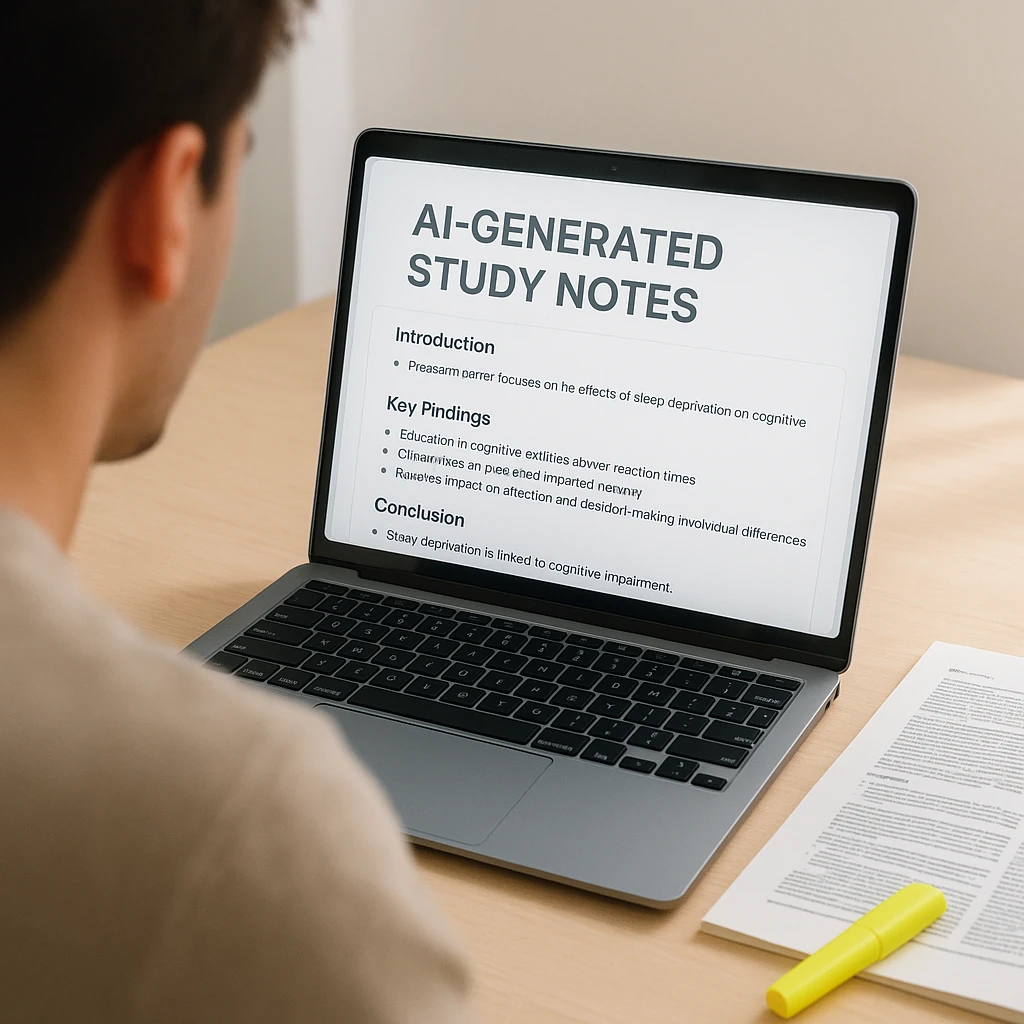
何時間もの講義の録音に溺れていませんか?難解な学術論文から重要な洞察を抽出するのに苦労していませんか?重要な会議中に重要な詳細を見逃しながら、必死にメモを取っていませんか?手動で書き起こし、要約し、複数のソースから情報を整理するという、従来のノートの取り方のアプローチは、AI を活用した私たちの世界ではますます時代遅れになっているように感じられます。

あらゆるコンテンツ形式を数秒で構造化された実用的なメモに変換する、革新的な **AI ノートジェネレーター** の世界に足を踏み入れましょう。これらのインテリジェントなツールは、ビデオ講義を処理したり、オーディオ録音を書き起こしたり、PDF 教科書を分析したり、プレゼンテーションから洞察を抽出して、包括的な学習教材や会議の要約を自動的に作成したりできます。

<div class="note-generator-intro">
  <h2>🎯 最終的な推奨事項</h2>
  <p>実際の教室での講義、ビジネス会議、学術論文で数十の AI ノートジェネレーターをテストした結果、2025 年のトップピックは次のとおりです。</p>
</div>

<div class="comparison-table-wrapper">
  <table class="comparison-table">
    <thead>
      <tr>
        <th>カテゴリ</th>
        <th>おすすめ</th>
        <th>勝つ理由</th>
        <th>最適な用途</th>
      </tr>
    </thead>
    <tbody>
      <tr>
        <td><span class="best-for-badge">🏆 総合ベスト</span></td>
        <td><span class="tool-name-badge">ScreenApp</span></td>
        <td>インテリジェントな AI 分析による優れたマルチフォーマットサポート</td>
        <td>包括的なメモ生成を必要とする学生と専門家</td>
      </tr>
      <tr>
        <td><span class="best-for-badge">🎥 動画に最適</span></td>
        <td><span class="tool-name-badge">Recap.dev</span></td>
        <td>ビデオ講義の書き起こしと要約における比類のない精度</td>
        <td>オンライン学習者とリモートの学生</td>
      </tr>
      <tr>
        <td><span class="best-for-badge">📚 PDF に最適</span></td>
        <td><span class="tool-name-badge">Scholarcy</span></td>
        <td>学術論文および研究ドキュメント向けに特別に構築</td>
        <td>研究者と大学院生</td>
      </tr>
    </tbody>
  </table>
</div>

<a href="https://www.statista.com/outlook/tmo/software/productivity-software/worldwide" target="_blank" rel="nofollow">Statista の 2024 年の生産性ソフトウェアレポート</a> によると、AI を搭載したメモ取りツールを使用している専門家は、ドキュメント作成タスクで平均して週 6.3 時間節約できます。これは、分析、創造的思考、戦略的計画に方向転換できる時間です。

<div class="input-types-section">
  <h2>📋 AI ノートジェネレーターはどのような入力タイプをサポートしていますか?</h2>
  <div class="input-types-grid">
    <div class="input-type">
      <div class="input-type-icon">🎥</div>
      <h4>ビデオファイル</h4>
      <p>MP4、MOV、AVI 講義および会議</p>
    </div>
    <div class="input-type">
      <div class="input-type-icon">🎵</div>
      <h4>オーディオファイル</h4>
      <p>MP3、WAV、M4A 録音</p>
    </div>
    <div class="input-type">
      <div class="input-type-icon">📄</div>
      <h4>PDF ドキュメント</h4>
      <p>教科書、研究論文、レポート</p>
    </div>
    <div class="input-type">
      <div class="input-type-icon">🔗</div>
      <h4>ウェブリンク</h4>
      <p>YouTube ビデオ、オンライン記事</p>
    </div>
    <div class="input-type">
      <div class="input-type-icon">📊</div>
      <h4>プレゼンテーション</h4>
      <p>PowerPoint、Google スライド</p>
    </div>
    <div class="input-type">
      <div class="input-type-icon">📝</div>
      <h4>テキストコンテンツ</h4>
      <p>記事、ドキュメント、Web ページ</p>
    </div>
  </div>
</div>

## 最高の AI ノートジェネレーターをテストおよびランク付けする方法

<div class="testing-methodology">
  <div class="methodology-intro">
    <h3>🔬 当社の包括的なテストプロセス</h3>
    <p>2025 年 1 月の時点で、私たちのチームは、大学の講義から企業のプレゼンテーションまで、複数のコンテンツタイプにわたってこれらのツールをテストし、現実世界の精度と使いやすさを保証しました。</p>
  </div>

  <div class="testing-criteria-grid">
    <div class="criteria-card">
      <div class="criteria-icon">🎯</div>
      <h4>精度と品質</h4>
      <p>AI は重要な概念をどれだけうまく捉え、コンテキストを維持し、実用的なメモを作成しますか?</p>
    </div>
    <div class="criteria-card">
      <div class="criteria-icon">⚡</div>
      <h4>処理速度</h4>
      <p>さまざまなファイルサイズと形式で、アップロードから完全な構造化されたメモまでの時間。</p>
    </div>
    <div class="criteria-card">
      <div class="criteria-icon">🔧</div>
      <h4>マルチフォーマットサポート</h4>
      <p>サポートされている入力タイプの範囲:ビデオ、オーディオ、PDF、テキスト、プレゼンテーション、および Web リンク。</p>
    </div>
    <div class="criteria-card">
      <div class="criteria-icon">💡</div>
      <h4>AI インテリジェンス</h4>
      <p>トピックの識別、キーポイントの抽出、コンテキストの要約などの高度な機能。</p>
    </div>
    <div class="criteria-card">
      <div class="criteria-icon">🎨</div>
      <h4>使いやすさ</h4>
      <p>インターフェイスデザイン、学習曲線、および初心者とパワーユーザーの両方の全体的なユーザーエクスペリエンス。</p>
    </div>
    <div class="criteria-card">
      <div class="criteria-icon">💰</div>
      <h4>価値と価格設定</h4>
      <p>無料プランの品質、価格体系、および学生と専門家向けの全体的な価値提案。</p>
    </div>
  </div>
</div>

## 2025 年の最高の AI ノートジェネレーター 10 選

<div class="tools-grid">
  <div class="tool-card" onclick="selectTool('screenapp')">
    <div class="tool-header">
      <div class="tool-rank">1</div>
      <div class="tool-logo">SA</div>
      <div class="tool-badge">総合ベスト</div>
    </div>
    <h3>ScreenApp</h3>
    <p>優れた精度とインテリジェントな要約により、ビデオ講義、会議の録音、PDF ドキュメントの処理に優れている包括的な AI ノートジェネレーター。</p>
    <div class="feature-tag">ビデオ分析</div>
    <div class="feature-tag">PDF 処理</div>
    <div class="feature-tag">多言語</div>
    <div class="feature-tag">リアルタイムノート</div>
    <div class="tool-pricing">無料プランあり • プロプランは月額 $9 から</div>
    <div class="tool-actions">
      <button class="primary-btn" onclick="event.stopPropagation(); window.open('https://screenapp.io', '_blank', 'nofollow')">ウェブサイトにアクセス</button>
      <button class="secondary-btn" onclick="event.stopPropagation(); selectTool('screenapp')">詳細を表示</button>
    </div>
  </div>

  <div class="tool-card" onclick="selectTool('recap')">
    <div class="tool-header">
      <div class="tool-rank">2</div>
      <div class="tool-logo">RC</div>
      <div class="tool-badge">動画に最適</div>
    </div>
    <h3>Recap.dev</h3>
    <p>講義、会議、教育コンテンツを構造化された学習ノートに変換することに優れている、専門的なビデオおよびオーディオ書き起こしツール。</p>
    <div class="feature-tag">ビデオ書き起こし</div>
    <div class="feature-tag">チャプター検出</div>
    <div class="feature-tag">キーポイント</div>
    <div class="feature-tag">YouTube サポート</div>
    <div class="tool-pricing">無料ティア • プレミアムは月額 $12 から</div>
    <div class="tool-actions">
      <button class="primary-btn" onclick="event.stopPropagation(); window.open('https://recap.dev', '_blank', 'nofollow')">ウェブサイトにアクセス</button>
      <button class="secondary-btn" onclick="event.stopPropagation(); selectTool('recap')">詳細を表示</button>
    </div>
  </div>

  <div class="tool-card" onclick="selectTool('scholarcy')">
    <div class="tool-header">
      <div class="tool-rank">3</div>
      <div class="tool-logo">SC</div>
      <div class="tool-badge">PDF に最適</div>
    </div>
    <h3>Scholarcy</h3>
    <p>研究論文、教科書、レポートを読み込み、学生や研究者向けの包括的な要約と学習ガイドを作成する学術指向の AI。</p>
    <div class="feature-tag">学術論文</div>
    <div class="feature-tag">引用分析</div>
    <div class="feature-tag">キーワード</div>
    <div class="feature-tag">学習カード</div>
    <div class="tool-pricing">無料記事 • プレミアムは月額 $8.99 から</div>
    <div class="tool-actions">
      <button class="primary-btn" onclick="event.stopPropagation(); window.open('https://www.scholarcy.com', '_blank', 'nofollow')">ウェブサイトにアクセス</button>
      <button class="secondary-btn" onclick="event.stopPropagation(); selectTool('scholarcy')">詳細を表示</button>
    </div>
  </div>

  <div class="tool-card" onclick="selectTool('notion')">
    <div class="tool-header">
      <div class="tool-rank">4</div>
      <div class="tool-logo">NT</div>
      <div class="tool-badge">最高の統合</div>
    </div>
    <h3>Notion AI</h3>
    <p>あらゆるテキストコンテンツを要約し、既存の生産性ワークフロー内でノートを整理できる統合された AI を備えた強力なワークスペースツール。</p>
    <div class="feature-tag">ワークスペース統合</div>
    <div class="feature-tag">テキスト要約</div>
    <div class="feature-tag">テンプレート</div>
    <div class="feature-tag">コラボレーション</div>
    <div class="tool-pricing">無料プラン • AI アドオンは月額 $8 から</div>
    <div class="tool-actions">
      <button class="primary-btn" onclick="event.stopPropagation(); window.open('https://www.notion.so', '_blank', 'nofollow')">ウェブサイトにアクセス</button>
      <button class="secondary-btn" onclick="event.stopPropagation(); selectTool('notion')">詳細を表示</button>
    </div>
  </div>

  <div class="tool-card" onclick="selectTool('otter')">
    <div class="tool-header">
      <div class="tool-rank">5</div>
      <div class="tool-logo">OT</div>
      <div class="tool-badge">会議に最適</div>
    </div>
    <h3>Otter.ai</h3>
    <p>話者識別による会議の議論、インタビュー、およびライブプレゼンテーションのキャプチャに優れているリアルタイムの書き起こしおよびノート取りツール。</p>
    <div class="feature-tag">リアルタイム書き起こし</div>
    <div class="feature-tag">話者 ID</div>
    <div class="feature-tag">会議統合</div>
    <div class="feature-tag">ライブノート</div>
    <div class="tool-pricing">無料プラン • プロプランは月額 $8.33 から</div>
    <div class="tool-actions">
      <button class="primary-btn" onclick="event.stopPropagation(); window.open('https://otter.ai', '_blank', 'nofollow')">ウェブサイトにアクセス</button>
      <button class="secondary-btn" onclick="event.stopPropagation(); selectTool('otter')">詳細を表示</button>
    </div>
  </div>

  <div class="tool-card" onclick="selectTool('genei')">
    <div class="tool-header">
      <div class="tool-rank">6</div>
      <div class="tool-logo">GN</div>
      <div class="tool-badge">研究に最適</div>
    </div>
    <h3>Genei</h3>
    <p>PDF、Web ページ、ドキュメントを要約し、インテリジェントなキーワード抽出と引用管理を提供する研究指向の AI ツール。</p>
    <div class="feature-tag">研究概要</div>
    <div class="feature-tag">キーワード抽出</div>
    <div class="feature-tag">Web インポート</div>
    <div class="feature-tag">引用ツール</div>
    <div class="tool-pricing">無料ティア • プロプランは月額 $9.99 から</div>
    <div class="tool-actions">
      <button class="primary-btn" onclick="event.stopPropagation(); window.open('https://www.genei.io', '_blank', 'nofollow')">ウェブサイトにアクセス</button>
      <button class="secondary-btn" onclick="event.stopPropagation(); selectTool('genei')">詳細を表示</button>
    </div>
  </div>

  <div class="tool-card" onclick="selectTool('trint')">
    <div class="tool-header">
      <div class="tool-rank">7</div>
      <div class="tool-logo">TR</div>
      <div class="tool-badge">プロフェッショナルグレード</div>
    </div>
    <h3>Trint</h3>
    <p>AI 搭載のノート生成を備えたプロフェッショナルグレードの書き起こしサービス。ジャーナリスト、研究者、コンテンツクリエイターに最適。</p>
    <div class="feature-tag">高精度</div>
    <div class="feature-tag">多言語</div>
    <div class="feature-tag">プロフェッショナルツール</div>
    <div class="feature-tag">エクスポートオプション</div>
    <div class="tool-pricing">無料トライアル • プランは月額 $
アンドレ・スミス

アンドレ・スミス

Author

User
User
User
Join 2,147,483+ users

より多くの洞察を発見する

生産性向上、テクノロジーに関する洞察、ソフトウェアソリューションに関するヒントをブログでご覧ください。

Try ScreenApp Free

Start recording in 60 seconds • No credit card required